Our Latest Blogs
Discover insightful articles, tips, and updates on various topics. Stay informed and inspired with our curated collection of blog posts.
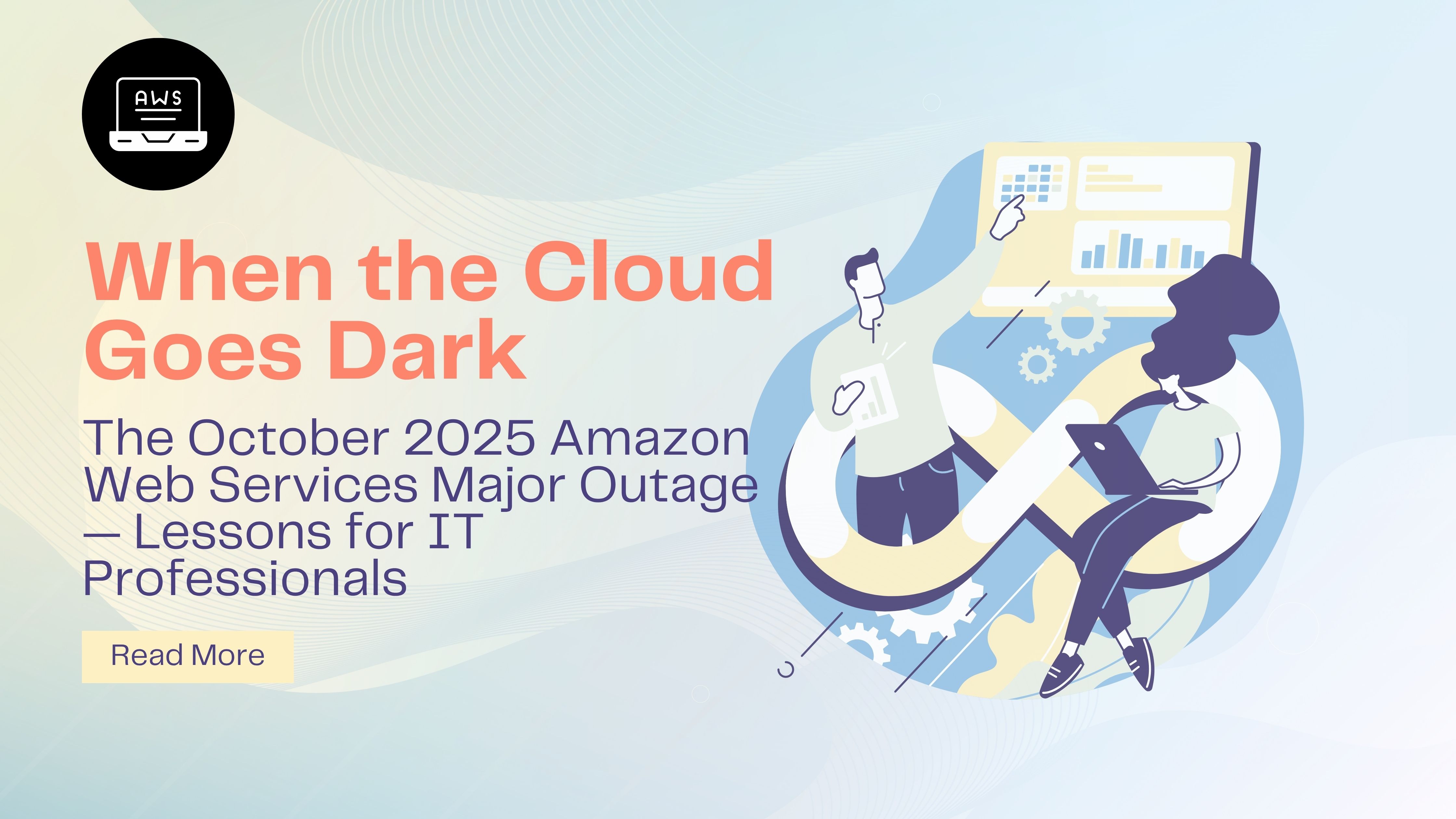
When the Cloud Goes Dark: The October 2025 AWS Outage and What It Teaches Every IT Professional
Introduction When the world’s largest cloud provider goes down, the internet trembles. On October 20, 2025, Amazon Web Services (AWS) suffered a massive outage in its US-East-1 (Northern Virginia) region — a single event that rippled across industries, crippling applications, devices, and entire businesses. From gaming platforms like Roblox to smart-home devices like Ring, the impact was widespread. The incident serves as a powerful reminder that even the cloud isn’t infallible — and it offers critical lessons for IT professionals, engineers, and students preparing for real-world challenges. 1. What Happened The outage began early Monday morning, around 3 a.m. ET, when users and companies started reporting slowdowns and failed API calls across AWS services. By mid-morning, several key platforms — including Snapchat, Duolingo, Signal, and multiple enterprise applications — were experiencing interruptions. AWS later confirmed that the issue originated in US-East-1, a region that hosts a large percentage of AWS’s global workloads. Although full recovery was achieved later that day, the aftershocks continued: delayed data synchronization, failed background jobs, and degraded monitoring systems. 2. Root Cause Breakdown a) DNS Resolution Failure The primary cause was a DNS resolution failure in the DynamoDB endpoints of the US-East-1 region. DynamoDB is a foundational database service in AWS, and its failure disrupted thousands of dependent microservices across the ecosystem. b) Health Monitoring Subsystem Glitch A secondary issue emerged in the network load-balancer health monitoring subsystem, which became overloaded and started throttling new EC2 instance launches. This safety mechanism, meant to prevent overloads, ironically contributed to longer restoration times. c) Cascading Dependencies Because US-East-1 is one of the largest and most interconnected AWS regions, the initial fault quickly cascaded through dependent services, amplifying the outage’s reach. 3. Technical Timeline 03:00 a.m. ET: Internal DNS failures detected for DynamoDB endpoints. 03:15 a.m.: Health monitoring systems begin abnormal throttling; EC2 instance launches restricted. 04:00 a.m.–06:00 a.m.: Multiple AWS services — including Lambda, CloudFormation, and Route 53 — show increased error rates. 07:00 a.m.: Global customer-facing platforms start reporting outages. 11:00 a.m.: AWS engineers manually disable problematic automation and initiate DNS corrections. 05:00 p.m.: Core services restored; residual effects (logs, replication lag, metrics) persist into the evening. 4. Impact on Businesses and End-Users AWS supports a vast portion of modern digital infrastructure — from entertainment and fintech to healthcare and IoT. The outage caused: Global application downtime for major platforms. E-commerce and financial transaction failures. IoT device malfunctions in smart-home systems. Reputational and financial losses for countless businesses. The event reminded the world that even the most reliable cloud infrastructure is susceptible to single-region dependency risks. 5. Lessons for IT Professionals 1. Avoid Single-Region Dependency Design applications with multi-region or multi-cloud redundancy. Never rely solely on one geographic location for high-availability workloads. 2. Understand Service Interdependencies Cloud environments are interconnected. A fault in one component — such as DNS or a load balancer — can bring down seemingly unrelated services. 3. Strengthen Observability and Monitoring Build robust alerting, anomaly detection, and log correlation tools to spot issues before they cascade. 4. Balance Automation with Control Automations can fail too. Always maintain manual override procedures and ensure teams can act swiftly without relying entirely on scripts. 5. Communicate Effectively During Crises Clear, transparent communication during outages builds trust and mitigates customer frustration. 6. Conduct a Strong Post-Incident Review Every outage should end with a Root Cause Analysis (RCA), documented lessons learned, and updates to runbooks, escalation policies, and architecture diagrams. 6. Educational Value for Career Cracker Learners At Career Cracker Academy, this incident makes an excellent real-life case study for students enrolled in: Service Transition and Operations Management (STOM) Cloud Fundamentals ServiceNow Incident Management How It Can Be Used in Training Simulate the AWS outage in a mock incident bridge to practice escalation and communication. Design a multi-region failover strategy as a hands-on cloud architecture exercise. Create a ServiceNow dashboard to track outage timelines, impacted services, and recovery progress. Conduct a post-incident review session, focusing on RCA documentation and preventive action plans. 7. Actionable Recommendations for Enterprises Implement redundant DNS configurations and ensure fallback to alternative resolvers. Periodically test disaster recovery drills that simulate regional AWS outages. Document service dependencies clearly within architecture diagrams. Introduce cross-cloud monitoring using tools like Datadog, Dynatrace, or CloudWatch + Grafana. Integrate automated escalation paths through ITSM platforms such as ServiceNow or PagerDuty. 8. Conclusion and Call to Action The October 2025 AWS outage proves one thing: even the most advanced systems can fail. What matters most is resilience, visibility, and preparedness. For IT professionals, this is not merely an event to read about — it’s a case study in cloud reliability, incident management, and operational excellence. If you want to master the real-world skills needed to handle such large-scale incidents — from detection to post-incident review — explore our Service Transition and Operations Management and Cloud Fundamentals courses at Career Cracker Academy. Learn how to stay calm when the cloud goes dark — and how to bring it back to light.
Read More
Top 50 Problem Management Interview Questions and Answers - Part 4
What is your experience with ITSM tools like ServiceNow for problem management? Which features do you find most useful? Answer: “I have extensive experience using ServiceNow (and similar ITSM tools) for problem management. In ServiceNow specifically, I’ve used the Problem Management module which integrates tightly with Incident, Change, and Knowledge management. Some of the features and capabilities I find most useful are: Problem Record Linking: The ability to relate incidents to a problem record easily. For instance, in ServiceNow, you can bulk associate multiple incidents to a problem. This is incredibly useful because you see the full impact (all related incidents) in one place, and Service Desk agents can see that a problem ticket exists so they know a root cause analysis is underway. It also helps in analysis (seeing incident timestamps, CI info, etc., consolidated). Known Error Articles Generation: ServiceNow has a one-click feature to create a Known Error articlefrom a problem record. I love this because once we have a workaround and root cause, we can publish it to the knowledge base for others. For example, if we mark a problem as a known error with workaround, ServiceNow can generate a knowledge article template that includes the problem description, cause, and workaround. This saved a lot of time and ensured consistency in our knowledge base for known errors. (And those known errors can be configured to pop up for agents if a similar incident comes in, deflecting repetitive effort.) Workflow and State Model: ServiceNow problem tickets have a lifecycle (e.g., New, Analysis, Root Cause Identified, Resolved, Closed) which can be customized. The workflows help enforce our process – like requiring a root cause analysis task to be completed or approvals if needed. I find the state model and workflow automation useful to track progress and ensure nothing falls through the cracks. For instance, we set it so a problem can’t move to “Resolved” without filling in the Root Cause field and linking to a change record (if a change was required), which keeps data quality high. Integration with Change Management: When we find a fix, we often have to raise a change. In ServiceNow, I can directly create a change request from the problem record and it carries over relevant info, linking the two. And vice versa, we link changes back to the problem. This traceability is great – after a change is implemented, we can go back to the problem and easily close it, knowing the change XYZ implemented the solution. The tool can even auto-close linked incidents when the problem is closed, if configured, and notify stakeholders. CI (Configuration Item) Association and CMDB Integration: When logging a problem, we associate it with affected CIs (from the CMDB). This helps because we can see if multiple problems are affecting the same CI or if a particular server/application has a history of issues. ServiceNow can show related records for a CI – incidents, problems, changes – giving a holistic picture of that item’s health. I often use that to investigate if, say, a server that has a problem also had recent changes or many incidents, etc., to find clues. Dashboards and Reporting: I’ve used dashboards that come out-of-the-box or built custom ones to track problem KPIs: number of open problems, aging problems, problems by service, etc. ServiceNow’s reporting on problems is useful for management awareness. Also, the “Major Problem Review”capability can track post-implementation reviews, and we could create tasks for lessons learned. Collaboration and Tasks: We often assign out Problem Tasks to different teams (in ServiceNow you can create problem tasks). For example, one task for the DB team to collect logs, another for the App team to generate a debug report. This subdivisions and assignment with deadlines kept everyone on the same page and updated within the problem ticket. It’s more organized than a flurry of emails. Automation and Notifications: We configured notifications such as when a problem is updated to “Root Cause Identified”, it alerts interested parties or major incident managers. Also, ServiceNow can be set to suggest a problem if similar incidents come in. There’s some intelligence where if multiple similar incidents are logged, it can prompt creating a problem or highlight a potential issue (helping proactive problem detection). Integration with Knowledge Base: As mentioned, known error creation is great. Also having all the knowledge articles linked to problems means when a L1 agent searches for a known issue, they find the article referencing the problem record. My experience: for instance, we had a string of incidents about a payroll job failure. I logged a problem in ServiceNow, linked all incidents, used the timeline to correlate with a change (seeing in related items a change was done that week on the database). We used problem tasks for DB admin to investigate. Found the root cause (a stored procedure change). Created a change request to fix it. Once deployed, I updated the problem record with the fix details, and then closed all related incidents in one go with a note. I then one-click created a Known Error article to document it for future reference. In the next CAB, I pulled a report from ServiceNow showing top problem trends and highlighted that one as resolved. Overall, the integration of ServiceNow’s problem management with incidents, changes, and knowledge is its most powerful aspect. It provides end-to-end traceability and ensures everyone is aware of known problems and their status. I find features like known error database, linked change requests, and automated workflows particularly useful in streamlining problem management activities and avoiding duplication of effort.” How can monitoring and logging tools (like Splunk) assist in problem management? Answer: “Monitoring and logging tools are critical allies in problem management, mainly during the investigation (RCA) phase and in proactive problem detection. Here’s how they assist: Detecting Anomalies and Trends: Modern monitoring tools (like Splunk, especially with ITSI or other analytics) can catch anomalies that might indicate a problem before a major incident occurs. For example, Splunk can be set up to detect if error rates or response times deviate significantly from baseline. This can proactively flag a developing problem. I’ve used Splunk ITSI to identify patterns (like a memory usage trend upward over weeks) which helped us initiate a problem record proactively and avoid an incident. Centralized Log Analysis: When investigating a problem, having all logs aggregated in Splunk is a huge time-saver. Instead of logging into individual servers, I can query across the environment for error messages, stack traces, or specific events. Splunk’s search can correlate events from different sources – say, an application log error with a system event log entry – helping to piece together the sequence leading to a failure. This helps identify root causes faster (e.g., finding the exact error that caused an application crash among gigabytes of logs). Correlation and Timeline: Splunk can correlate different data streams by time. In problem analysis, I often create a timeline of what happened around the incident. Splunk might show, for instance, that 2 minutes before an outage, a configuration change log was recorded or a particular user transaction started. This correlation can point to cause-and-effect. It’s like having a detective’s magnifying glass on your systems. Without it, you might miss subtle triggers. Historical Data for RCA: Sometimes a problem isn’t easily reproducible. Splunk retains historical logs so you can dive into past occurrences. For example, if a system crashes monthly, Splunk allows me to pull logs from each crash and look for commonalities (same error code, same preceding event). It’s almost impossible manually, but with Splunk queries it’s feasible. I once used Splunk to realize that every time a server hung, a specific scheduled task had run 5 minutes prior – a hidden clue we only spotted by querying historical data. Quantifying Impact and Frequency: Splunk helps quantify how often an error or condition occurs. This can feed problem prioritization. If I suspect a problem, I can quickly search how many times that error happened in last month, or how many users got affected. That information (like “this error happened 500 times last week”) is powerful in convincing stakeholders of problem severity and in measuring improvement after resolution (“now it’s zero times”). Supporting Workarounds: Monitoring tools can also assist in applying and verifying workarounds. Say we have a memory leak and our workaround is to restart a service every 24 hours. We can set Splunk or monitoring to alert if memory goes beyond a threshold if a restart is missed, etc. Or if the workaround is a script that runs upon a certain error, Splunk can catch the error and trigger an alert to execute something. This ensures the known error is managed until the fix. Machine Learning & Predictive Insights: Some tools use ML to identify patterns. Splunk, for instance, might identify that a particular sequence of events often leads to an incident. This insight can direct problem management to a root cause quicker. Also, by looking at large volumes of log data, these tools might suggest “likely cause” (e.g., pointing out a new error that coincided with the incident start). Verification of Fix: After we implement a fix, Splunk helps verify the problem is resolved. We can monitor logs for the error that used to happen or see if performance metrics improved. If Splunk shows “since the patch, no occurrences of error X in logs,” that’s evidence the root cause was addressed. Example: We had a perplexing problem where an app would freeze, but by the time we looked, it recovered. Using Splunk’s real-time alerting, we captured a heap dump info at the moment of freeze and saw an external API call was hanging. Splunk logs from a network device correlated that at the freeze time, there was a DNS resolution issue for that API’s endpoint. That pointed us to a root cause in our DNS server. Without Splunk correlating app logs and network logs timestamp-wise, we might not have found that link easily. In essence, monitoring and logging tools like Splunk act as our eyes and ears throughout problem management. They provide the evidence needed to diagnose issues and confirm solutions. I often say, problem management is only as good as the data you have – and Splunk/monitoring gives us that rich data. They shorten the investigation time, support proactive problem detection, and give confidence when closing problems that the issue is truly gone.” What role do automation and AI play in modern problem management? Answer: “Automation and AI are becoming increasingly important in problem management, helping to speed up detection, analysis, and even resolution of problems. Here’s how they contribute: Automated Detection of Problems (AIOps): Modern IT environments generate huge amounts of data (logs, metrics). AI can sift through this to detect anomalies or patterns humans might miss. For example, AIOps platforms use machine learning to identify when a combination of events could indicate a problem brewing (like subtle increases in error rates correlated with a recent deploy). This means problems can be detected proactively before they cause major incidents. In fact, industry reports have shown companies using AI in ITSM have significantly faster resolution times – one report noted a 75% reduction in ticket resolution time with generative AI assistance. Intelligent Correlation and RCA: AI can help correlate incidents and suggest potential root causes. For instance, if multiple alerts occur together frequently, AI can group them and hint “these 5 incidents seem related and likely caused by X.” Some tools automatically do a root cause analysis by looking at dependency maps and pinpointing the component likely at fault (for example, if services A, B, C fail, the tool identifies that service D which they all depend on is the common point). This reduces the mean time to know – giving problem analysts a head start on where to look, rather than combing manually through logs. I’ve seen AI ops tools highlight, for example, “This outage correlates with a config change on server cluster 1” by crunching data faster than we could. Automation of Workarounds/Resolutions: For known issues, we can automate the response. A simple example: if a memory leak triggers high memory usage, an automated script could restart the service when a threshold is passed. That’s more incident management, but it buys time for problem management. On the problem side, once a fix is identified, automation can deploy it across environments quickly (using infrastructure as code, CI/CD pipelines, etc.). Or if a particular log pattern indicating a problem appears, automation can create a problem ticket or notify the team. In essence, automation can handle routine aspects, freeing problem managers to focus on analysis. Some organizations implement self-healing systems that handle known errors automatically – though you still want to fix root causes, those automations reduce impact in the meantime. AI in Knowledge Management: AI (like NLP algorithms) can scan past incident and problem data to suggest knowledge articles or known errors that might be relevant to a new issue. For problem analysts, an AI chatbot or search might quickly retrieve “this problem looks similar to one solved last year” along with the solution. This prevents reinventing the wheel. With the rise of generative AI, some tools even allow querying in natural language like “We’re seeing transaction timeouts in module X” and it might respond with possible causes or known fixes derived from documentation. Decision Support: AI can assist in prioritization by analyzing impact patterns. For example, it might predict the blast radius if a problem isn’t fixed (like “This recurring error could lead to 30% performance degradation next month”). Or help in change risk assessment by referencing how similar changes went. So AI provides data-driven advice in problem and change management decisions. Speeding Up Analysis with AI Assistants: There are experimental uses of AI to actually do some of the root cause analysis steps – e.g., automatically reading log files to find anomalies (which log lines are different this time vs normal runs), or running causality analysis. Some AI can propose hypotheses (“It’s likely a database deadlock issue”) by learning from historical problems. An AI might also automate the 5 Whys in a sense by linking cause-effect from past data or system models. Resource Allocation and Learning: Automation can handle problem ticket routing – e.g., based on analysis, auto-assign to the right team or even spin up a problem war room with relevant folks paged. AI can also keep track of all problem tickets and remind if something is stagnant (like an automated nudging system: “Problem PRJ123 has had no update in 10 days”). Impact on Efficiency: All of this leads to faster resolution of problems and fewer incidents. The integration of AI is showing tangible results – as mentioned, generative AI and automation led to dramatic improvements in resolution times for some organizations. That’s because AI can handle the grunt work of data crunching, and automation can execute repeatable tasks error-free, letting human experts focus on creative problem-solving and implementing non-routine fixes. Real Example: We implemented an AIOps tool that, during a multi-symptom outage, automatically identified the root cause as a failed load balancer by analyzing metrics and logs across the stack. It then suggested routing traffic away from that node – which our team did. This saved us perhaps an hour of sleuthing. Also, we used automation to tie our monitoring alerts to our ITSM: if a critical app goes down after hours, it creates a problem record and gathers key logs automatically, so when we start investigating we already have data. In summary, automation and AI enhance problem management by detecting issues early, sifting data for root cause clues, speeding up repetitive tasks, and sometimes even executing solutions. They act as force multipliers for the problem management team, leading to faster and more proactive resolution of problems. I always pair AI/automation with human oversight, but it’s a powerful combination that modern problem management leverages heavily.” What information do you include in a problem record or root cause analysis report? Answer: “A thorough problem record (or RCA report) should capture the problem’s story from start to finish, including both what happened and what was done about it. Key information I include: Problem Description: A clear summary of the problem. For example: “Intermittent failure of the payroll job causing delays in payroll processing.” I ensure it defines the symptoms and impact clearly – essentially the “what is the problem” and how it manifests (incidents, error messages, etc.). This often includes the scope (systems/users affected). Impact and Priority: I note the impact (e.g., “20% of transactions failed, affecting ~100 users, financial impact of $X”) and perhaps the problem priority/severity level. This sets context for how critical this problem is. Occurrence / History: Details on when and how often the problem has occurred. For reactive problems, a timeline of incident occurrences that led to this problem being identified. For example: incident references, dates/times of failures. If we proactively detected it, mention that (e.g., “identified through trend analysis on 5th Oct 2025”). Affected Configuration Items (CIs): Which applications, servers, devices etc. are involved. In our ITSM tool we typically link the CIs. This can include version numbers of software, etc. Knowing the environment is key to analysis. Root Cause Analysis: This section is the heart. I document the root cause of the problem – the underlying issue that caused the symptoms. E.g., “Root Cause: A memory leak in Module X of the application due to improper object handling.” I also often include the analytical steps taken to arrive at that root cause: what evidence was gathered (log excerpts, dump analysis), any RCA techniques used, and elimination of other hypotheses. In formal RCA reports, I might list contributing causes as well, if applicable. Also, if multiple factors led to the issue, explain the chain (like “a fault in component A combined with a misconfiguration in component B led to failure”). Workaround (if any): If we had/have a workaround, I describe it: “Workaround: restart service nightly” or “users can use X system as an alternate during outage.” This was likely applied during incident management, but documenting it helps if the problem recurs before fix. It’s basically what we did to mitigate in the interim. Solution/Fix Implemented: Detailed description of the permanent fix or solution. For example: “Applied patch version 3.2.1 to Module X which frees memory correctly,” or “Updated configuration to increase queue length from 100 to 500.” If the fix involved a change ticket, I reference that change ID. I also note when it was implemented (date/time) and in what environment (production, etc.). Verification of Solution: I include how we verified that the solution worked – e.g., monitoring results post-fix (“No recurrences in 30 days after fix”), tests performed, or user confirmation. In some templates, we have a field like “Problem Resolution Verification” to indicate evidence of success. Known Error Details: If the problem was classified as a known error prior to fix, I ensure the known error record is referenced or included: known error ID, the known error article with root cause and workaround. After resolution, I update it with solution information. Timeline of Events: Often part of a problem report, especially for major problems, is a timeline: incident start, key troubleshooting steps, interim recovery, root cause found at X time, change implemented at Y time, etc. This can be useful for audit and review. Lessons Learned / Recommendations: I like to include any process or preventative lessons. For example: “Monitoring didn’t catch this – recommend adding an alert on memory usage to detect such leaks earlier,” or “Better test coverage needed for high-load scenarios to catch similar issues.” Also any improvement actions like “update documentation” or “provide training on new procedure” if human error was involved. Sometimes, these are tasks assigned out of the problem. Relationships/References: List of related incident tickets, the problem ticket ID, any related change requests, and knowledge base articles. This links everything together so someone reading later can find all context. Many ITSM tools automatically list related records if linked properly, but I ensure they’re all connected in the system. Approvals/Closure: If our process requires approvals (like Problem Manager sign-off), note when it was approved for closure, etc. Also who was involved (problem coordinator, analysts, SMEs consulted). Summary for Stakeholders: Sometimes I include a brief non-technical summary of the root cause and fix, for communicating to management. E.g., “Summary: The outage was caused by a software bug in the upload module. We fixed it by applying a vendor patch. We will also implement additional monitoring to catch such issues quicker.” In short, a complete problem record has: what the problem was, its impact, root cause identified, what workaround was in place, what permanent fix was done (with references to changes), and outcomes/verification. It’s also good practice to keep the record updated with progress notes during analysis – but for final documentation, we compile the above elements. For example, in ServiceNow our problem form has fields for: Description, Service, Configuration Item, Impact (with maybe a priority), Workaround (text field), Root Cause (text field), and a Related Records section for incidents/changes. When closing, we fill Resolution Implementation (what fix was done) and that becomes part of the record. If writing a standalone RCA report (for a major incident), I ensure it covers timeline, root cause, corrective actions, and preventive actions. Why all this detail? Because the problem record is a historical artifact that helps future teams. If a similar issue happens a year later, someone can read this and understand what was done. Also, in audits or post-incident reviews, having that info ensures accountability and knowledge retention. It effectively becomes a case study that can be referenced for continuous improvement. So I’d say, the problem record/RCA report includes everything needed to understand the problem from identification to resolution: description, impact, root cause analysis, workaround, fix, evidence of success, and any follow-up actions or lessons learned.” Why is problem management important for an organization, and what value does it provide beyond incident management? Answer: “Problem management is crucial because it addresses the root causes of incidents, leading to more stable and reliable IT services. While incident management is about firefighting – getting things back up quickly – problem management is about fire prevention and improvement. The value it provides includes: Preventing Recurring Incidents: This is the most obvious benefit. By finding and eliminating root causes, problem management reduces the number of incidents over time. Fewer incidents mean less downtime, less disruption to the business, and lower support costs. For example, instead of dealing with the same outage every week, you fix it at the source so it never happens again. This is often quantified in metrics like reduction in incident volume or major incidents quarter over quarter. Reducing Impact and Downtime: Even if some incidents still occur, problem management often identifies workarounds or improvements that reduce their impact. And once problems are resolved, you avoid future downtime from that cause entirely. This leads to better service availability and quality. Users experience more reliable systems, and the organization can trust IT services for their operations. Cost Savings: Downtime and repetitive issues have costs – lost productivity, lost revenue, manpower to resolve incidents each time. By preventing incidents, you save those costs. Also, troubleshooting major incidents can be expensive (overtime, war room bridges, etc.). If problem management prevents 5 incidents, that’s 5 firefights avoided. Studies often tie effective problem management to lower IT support costs and operational losses. One of the benefits ITIL cites is lower costs due to fewer disruptions. Improved Efficiency of IT Support: If your support team isn’t busy constantly reacting to the same issues, they can focus on other value-add activities. Problem management relieves the “constant firefighting” pressure. It also provides knowledge (via known error documentation) that makes incident resolution faster when things do happen. So, IT support efficiency and morale improve because you’re not dealing with Groundhog Day scenarios over and over. Knowledge and Continuous Improvement: Every problem analysis increases organizational knowledge of the infrastructure and its failure modes. Problem management fosters a culture of learning from incidents rather than just fixing symptoms. Over time, this maturity means fewer crises and a more proactive approach. It’s aligned with continual service improvement – each resolved problem is an improvement made. Customer/User Satisfaction: End-users or customers might not know “problem management” by name, but they feel its effects: more reliable services, quicker incident resolution (because known errors are documented). They experience less frustration, which means higher satisfaction. For example, if the payment portal used to crash weekly but after root cause fix it’s stable, customers are happier and trust the service more. Aligning IT with Business Objectives: When IT issues don’t repeatedly disrupt business operations, IT is seen as a partner rather than a hurdle. Problem management helps ensure IT stability, which in turn means the business can execute without interruption. For example, a production line won’t halt again due to that recurring system glitch – that has a direct business value in meeting production targets. It also supports uptime commitments in SLAs. Risk Reduction: Problem management can catch underlying issues that might not have fully manifested yet. By addressing problems, you often mitigate larger risks (including security issues or compliance risks). Think of it as fixing the crack in the dam before it collapses. Proactive problem management in particular reduces the risk of major outages by dealing with issues early. Better Change Management Decisions: Through problem RCA, we learn what changes are needed. That means changes are targeted at real issues, not guesswork. Also, problem data can inform CAB decisions (e.g., knowing a particular component is fragile might prioritize its upgrade). So ITIL’s value chain is enhanced – incident triggers problem, problem triggers improvement/change, and overall stability increases. Some concrete evidence of value: ITIL mentions successful problem management yields benefits like higher service availability, fewer incidents, faster problem resolution, higher productivity, and greater customer satisfaction. All those translate to business value: if systems are more available and reliable, the business can do more work and generate more revenue. Beyond incident management, which is reactive and focused on short-term fixes, problem management is about long-term health of IT services. It moves IT from a reactive mode to a proactive one, ensuring that issues are not just patched but truly resolved. Incident management might appease symptoms quickly, but without problem management, the root cause remains, meaning the issue will strike again. Problem management breaks that cycle, leading to continuous improvement in the IT environment. In summary, problem management is important because it drives permanent solutions to issues, leading to more stable, cost-effective, and high-quality IT services. It’s about increasing uptime, reducing firefighting, and enabling the business to run without IT interruptions. In a way, it’s one of the most significant contributors to IT service excellence and efficiency.” What is the relationship between problem management and change management? Answer: “Problem management and change management are closely linked in the ITIL framework, because implementing the solution to a problem often requires going through change management. Here’s the relationship: Implementing Problem Resolutions via Change: When problem management finds a root cause and identifies a permanent fix, that fix frequently involves making a change to the IT environment. It could be a code patch, a configuration change, infrastructure replacement, etc. Such fixes must be done carefully to avoid causing new incidents. That’s where Change Management (or Change Enablement in ITIL4) comes in – it provides a controlled process to plan, approve, and deploy changes. Essentially, problem management hands off a “request for change” (RFC) to change management to execute the solution. For example, if the problem solution is “apply security patch to database,” a change request is raised, approved by CAB, and scheduled for deployment. Analyzing Failed Changes: Conversely, if a change (perhaps poorly implemented) causes an incident, that’s often treated as a problem to analyze. ITIL explicitly notes that a change causing disruption is analyzed in problem management. So if a change leads to an outage, problem management investigates why – was it a planning flaw, a testing gap, etc. Then problem management might suggest process improvements for change management to prevent similar failures (like better testing or backout procedures). Coordinating Timing: Problem fixes may require downtime or risky modifications. Change management helps schedule these at the right time to minimize business impact. As a Problem Manager, I coordinate with the Change Manager to ensure the fix is deployed in a maintenance window, approvals are in place, etc. For instance, a root cause fix might be urgent, but we still go through emergency change procedures if it’s outside normal schedule, to maintain control. Advisory and CAB input: Often I, or someone in problem management, might present at CAB (Change Advisory Board) meetings to explain the context of a change that’s to fix a known problem. This gives CAB members confidence that the change is necessary and carefully derived. Conversely, CAB might ask if a change has been reviewed under problem management (for risky changes, did we analyze thoroughly?). Known Errors and Change Planning: The Known Error records from problem management can inform change management. For example, if we have a known error workaround in place, we might plan a change to remove the workaround once the final fix is ready. Or change management keeps track that “Change X is to resolve Known Error Y” which helps in tracking value of changes (like seeing reduction in incidents after the change). Continuous Improvement: Results from problem management (like lessons learned) can feed into improving the change process. Maybe a problem analysis finds that many incidents come from unauthorized changes – that insight goes to Change Management to enforce policy better. On the flip side, change records often feed problem management data: if a problem fix requires multiple changes (maybe an iterative fix), problem management monitors those change outcomes. In practice, think of it like: Problem management finds the cure; change management administers it safely.One scenario: we find a root cause bug and develop a patch – before deploying, we raise a change, test in staging, get approvals, schedule downtime, etc. After deployment, change management helps ensure we verify success and close the change. Problem management then closes the problem once the change is confirmed successful. Another scenario: an unplanned change (someone did an improper config change) caused a major incident. Problem management will investigate why that happened – maybe inadequate access controls. The solution might be a change management action: implement stricter change control (like require approvals for that device configuration). So problem results in a procedural change. To summarize the relationship: Problem management identifies what needs to change to remove root causes; Change management ensures those changes are carried out in a controlled, low-risk manner. They work hand-in-hand – effective problem resolution almost always goes through change management to put fixes into production safely. Conversely, change management benefits from problem management by understanding the reasons behind changes (resolving problems) and by getting analysis when changes themselves fail or cause issues.” What are the main roles in problem management (like Problem Manager, Problem Coordinator, Problem Analyst), and what are their responsibilities? Answer: “In ITIL (and general practice), problem management can involve a few key roles, each with distinct responsibilities: Problem Manager: This is the person accountable for the overall problem management process and lifecycle of all problems. The Problem Manager ensures problems are identified, logged, investigated, and resolved in a timely manner. Their responsibilities include prioritizing problems, assigning problem owners or analysts, communicating with stakeholders (IT leadership, business) about problems and known errors, and ensuring the process is followed and improved. They often make decisions like when to raise a problem record (especially for major incidents), when to defer or close a problem, validate solutions before closure, and ensure proper documentation (like known error records). They might also report on problem management metrics to management. For example, a Problem Manager might run the weekly problem review meeting and push for progress on long-running problems. In some organizations, they’re also the ones to “own” major problem investigations, coordinating everyone’s efforts. They ensure the root cause analysis is done and permanent solutions are implemented, and they’ll also often update the known error database and make sure lessons learned are circulated. Problem Coordinator: Sometimes used interchangeably with Problem Manager in smaller orgs, but ITIL mentions a Problem Coordinator role. The Problem Coordinator is often responsible for driving a specific problem through its resolution (almost like a project manager for that problem). They might be a subject-specific person (e.g., a network problem coordinator for network issues). Duties include registering new problems, performing initial analysis, assigning tasks to Problem Analysts or technical SMEs, and coordinating the root cause investigation and solution deployment among different teams. They basically make sure the problem keeps moving – scheduling meetings, ensuring updates are made to the record, and that related change requests or incident links are handled. For instance, for a tricky multi-team problem, the Problem Coordinator ensures everyone (DBAs, developers, vendors) is contributing their analysis and all info comes together. They often also handle communications: updating the Problem Manager or stakeholders about progress. In some orgs, the coordinator is the one who ensures that when the dev team has finished the fix, the ops team applies it, etc. Think of them as the day-to-day driver of problem tickets, working under the framework the Problem Manager sets. Problem Analyst (or Problem Engineer): This role is more technical, focusing on investigating and diagnosing problems. Problem Analysts dig into the data, replicate issues, perform root cause analysis techniques, and identify the root cause. They usually have expertise in the area of the problem (e.g., database analyst for a DB problem). They might also identify workarounds and recommend solutions. According to responsibilities, a Problem Analyst “investigates and diagnoses problems, finds workarounds if possible, reviews or rejects known errors, identifies major problems and ensures the Problem Manager is notified, and implements corrective actions”. In short, they do the hands-on analysis and sometimes hands-on fix (in collaboration with others like developers or vendors). For example, if there’s a memory leak problem, a Problem Analyst might profile the application to find which code is leaking memory. They then might work with developers to fix it. They ensure that the root cause is well-understood and documented, and might draft the known error entry. They also verify that once a fix is implemented, the problem is indeed resolved. These roles might not be three separate people in every organization. Often in smaller teams, one person might play multiple roles – e.g., a single Problem Manager could also do coordination and analysis if they have the skill, or a technical lead might be both analyst and coordinator for a problem. But in larger or mature organizations, delineating them helps: – The Problem Manager (process owner) looks at the big picture and process integrity. – Problem Coordinators manage individual problems’ progress and cross-team coordination. – Problem Analysts do the deep dive technical work to actually find and solve the issues. Additionally, we can mention the Incident Manager vs Problem Manager difference in roles. Incident Managers focus on restoring service; Problem Managers focus on preventing recurrence. They collaborate (Incident Manager might hand over to Problem Manager post-incident). Another role sometimes referenced is the Service Owner or Operational teams who provide expertise to problem analysts. In summary: The Problem Manager oversees and is accountable for problem management overall, the Problem Coordinator shepherds specific problem records through the process coordinating efforts, and the Problem Analyst performs the technical investigation and solution identification for problems. Together, they ensure problems are addressed efficiently – from identification all the way to permanent resolution.”
Read More
Top 50 Problem Management Interview Questions and Answers - Part 3
A user reports a minor issue that doesn’t impact many people, but you suspect it might indicate a larger underlying problem. How do you handle it? Answer: “Even minor symptoms can be early warning signs of bigger issues. Here’s how I’d approach it: For example, a single user’s complaint about slow search on our app led me to notice in logs that a certain database query occasionally took long. Digging further, we found an indexing issue – it wasn’t affecting all searches, but under heavier load, it could have caused system-wide slowness. We fixed the index proactively, turning a minor report into a major improvement. In summary, I treat minor issues with a detective’s mindset – they might be clues. By investigating and monitoring proactively, I either prevent a larger incident or at least confirm it’s truly minor and keep it on the radar.” Acknowledge and Investigate: I wouldn’t dismiss it just because it’s minor. I’d thank the user for reporting and gather as much detail as possible about the issue. Minor issues often come with sparse data, so I’d ask: how often does it happen? What exactly happens? Any pattern noticed? Getting clarity on the symptom is step one. Check for Related Incidents: I’d search our incident/problem database to see if this has been reported elsewhere or if there are similar issues. Sometimes a “minor” glitch reported by one user is actually happening to others who haven’t spoken up. If I find related incidents or past problems, that gives context – perhaps it’s part of a known error or a recurring theme. Assess Impact if it Escalated: I consider what the worst-case scenario is. Could this minor issue be a precursor to a major outage? For example, a small error in a log might hint at a memory leak that could eventually crash a system. I mentally map out, or with the team, discuss how this small symptom could relate to overall system health. This risk assessment justifies spending time on it even if it’s not impacting many users yet. Proactive Problem Logging: If it appears non-isolated and technically significant, I’d log a Problem record proactively. Even if I’m not 100% sure it’s a big problem, having a formal investigation ticket means it won’t be forgotten. In the description, I’d note why we suspect a deeper issue (e.g., “Minor data discrepancy observed – could indicate sync issues between databases”). Investigate in Background: I allocate some time (maybe off-peak or assign an analyst) to investigate the underlying cause. This might involve looking into system logs around that time, reviewing recent changes in that area of code, or replicating the scenario in a test environment to see if it triggers anything else. I often use the principle of “find the cause when the impact is low, to prevent high impact.” For example, a single user’s minor issue might reveal an error that, if conditions worsened, would affect everyone. Monitor More Closely: I might set up extra monitoring or logging temporarily to see if this minor issue is happening quietly elsewhere. For instance, turn on verbose logging for that module, or set an alert if the minor error condition occurs again or for other users. Proactive detection is key – if it starts to spike or spread, we catch it early. Keep User Updated: I’d tell the user that we are looking into it even if it’s minor. This manages their expectations and encourages a culture of reporting anomalies. Users are often the canaries in the coal mine. Escalate if Needed: If my investigation does find a bigger problem (say the minor glitch is due to a hidden data corruption issue), I’d immediately scale up the response – involve appropriate engineers, prioritize it like any other problem, and communicate to management that a potentially serious issue was uncovered. Then follow normal problem resolution steps. If It Truly Is Minor: Sometimes a minor issue is just that – minor and isolated. If after analysis I conclude it’s low risk and low impact, I’d still decide what to do: maybe it’s worth fixing as part of continuous improvement, or if it’s not cost-justified, we might document it as a known minor bug with a decision not to fix now. But importantly, that decision would be conscious and documented (and revisited if circumstances change). How would you explain a complex technical root cause to a non-technical stakeholder or executive? Answer: “Translating tech-speak to plain language is something I’ve had to do often. My approach: For example, explaining a “memory leak due to an unreleased file handle” to a non-tech manager, I said: “Our application wasn’t cleaning up a certain kind of task properly – kind of like leaving too many tabs open in your browser – eventually it overloaded and crashed. We found that ‘leak’ and fixed it, and now the app is running normally without piling up those tasks.” The manager understood immediately. Ultimately, I aim to tell the story of the root cause in simple, relatable terms, focusing on what happened and what we did about it, so that even a non-technical person walks away knowing the issue is understood and handled.” Start with the Bottom Line: I open with the conclusion and impact, not the technical details. For example, instead of starting with “Thread contention in the JVM caused deadlocks,” I’d say, “The outage was caused by a software error that made the system get stuck.” This gives them the gist in simple terms. Use Analogies or Metaphors: Analogies can be powerful. If the root cause is complex, I find a real-world parallel. Suppose the root cause is a race condition (timing issue in code) – I might analogize it to miscommunication: “It’s like two people trying to go through a door at the same time and getting stuck; our system had two processes colliding because they weren’t coordinated.” If it’s database deadlocks, maybe: “Think of it as two people each holding a key the other needs – both waiting for the other to release it.” These images convey the essence without jargon. Avoid Acronyms and Jargon: I consciously strip out or quickly define technical terms. Instead of “API gateway threw 503 due to SSL handshake failure,” I’d say, “Our system’s front door was not able to talk securely with a key component, so it shut the door as a safety measure – that’s why users couldn’t get in.” If I must mention a term, I’ll briefly explain it (“The database ‘deadlock’ – which means two operations blocked each other – caused the slow-down”). Focus on Cause and Resolution: I ensure I cover three main things executives care about: what happened, why it happened, and what we’re doing about it (or did about it). For the why part (root cause), after the plain description, I might add a bit of technical color only if it helps understanding. But I quickly move to how we fixed it or will prevent it. E.g., “We found a flaw in the booking software that only showed up under heavy load. We’ve now patched that flaw, and additionally implemented an alert so if anything like that starts happening, we catch it early.” This emphasizes that the problem is understood and handled. Relate to Business Impact: I tie the explanation to something they value. For instance: “This root cause meant our checkout process could fail when two customers tried to buy at once, which obviously could hurt sales – that’s why it was critical to fix.” This way, I connect the tech cause to business terms like revenue, downtime, customer trust. It answers the unspoken question executives often have: “So what?” Use Visual Aids if Helpful: If it’s a meeting or a report, sometimes a simple diagram can help. I might draw a one-box-fails diagram or a timeline showing where the breakdown happened. Executives often grasp visuals faster than a paragraph of text. In a written RCA report, I include a non-technical summary at the top for this audience. Check Understanding: When speaking, I watch their body language or ask if it makes sense. If someone still looks puzzled, I’ll try another angle. Maybe I’ll simplify further or give a quick example. I avoid condescension; I frame it as “This tech stuff can be confusing, but essentially… [simplified cause].” Emphasize Prevention: To wrap up, I highlight what’s been done to ensure it won’t happen again. Executives want confidence. So I might conclude: “In short, a rare combination of events caused the system to lock up. We’ve implemented a fix in the code and added an automatic restart feature as a safety net. We’re confident it’s resolved, and we’ll keep a close eye on it.” This gives them assurance in language they trust. If a major incident occurs outside of business hours, how do you handle problem management activities for it? Answer: “Major incidents don’t respect clocks! If something big happens at, say, midnight, here’s what I do: For example, a 2 AM datacenter cooling failure once took out multiple servers. We fixed power and cooling by 4 AM (incident solved), but root cause (why cooling failed) was investigated the next day with facilities and engineering teams. We scheduled that review in daylight, and by afternoon had recommendations to prevent recurrence (redundant cooling system, alarms). Handling it in this two-phase approach – stabilize at night, analyze in day – worked well. In short, even if a major incident happens off-hours, I make sure the problem management process kicks in promptly – capturing information during the firefight and formally investigating as soon as feasible – to find and fix the underlying cause.” Immediate Response (Incident Management): First, the priority is to get the service restored – that’s incident management. If I’m the on-call Problem Manager or Incident Manager, I’d join the conference bridge or incident call as needed, even after hours. The focus initially is containment and resolution of the outage. I collaborate with the on-call technical teams to apply workarounds or fixes to get things up and running. Capture Clues in Real-Time: Even while it’s being resolved, I wear a “problem investigator” hat to an extent. I advise the team to preserve evidence – don’t overwrite logs, take snapshots of error states, etc. I might ask someone to start note-taking timeline events (“server X rebooted at 12:40, fix applied at 12:50,” etc.). After hours, adrenaline is high and documentation can slip, so I try to capture key details that will be useful later. If I’m not needed hands-on in the fix, I quietly start gathering data for later analysis. Flag for Problem Management: The next morning (or once the incident is stable), I ensure a Problem record is formally created if the nature of the incident warrants one (which major incidents usually do). Many companies have a practice of automatically kicking off problem management after a Severity-1 incident. I’d either create the problem ticket myself or confirm that it’s in the queue for review. I link all relevant incident tickets to it. This ensures we follow up despite the odd hour occurrence. Post-Incident Review Scheduling: I’d coordinate to have a post-incident review meeting as soon as practical (often the next business day). This includes all the folks who worked the incident (even if they were bleary-eyed at 2 AM when it ended). We’ll recap what happened with a fresher mind, and then pivot to root cause analysis discussion as we would for any incident. The timing is important – not so soon that people haven’t had rest, but soon enough that details are fresh. Communication to Stakeholders: If the incident was major, executives and other stakeholders will want to know what went wrong. I might send a preliminary incident report (that night or first thing in the morning) saying, “We had X outage, service was restored by Y, root cause investigation is underway and we will follow up with findings.” This buys time to do a proper RCA during normal hours. It also signals that problem management is on it. Overtime & Handoffs: Recognizing that the team might be exhausted, I ensure that if the root cause analysis can wait until business hours, it does. I don’t want people making mistakes because they’re tired. If the service is stable, the deep dive can happen the next day. If however the fix was temporary and we risk another outage before morning, I might rally a secondary on-call team (who might be fresher) to work the problem fix through the night. For instance, “We applied a temp fix at 1 AM, but need to implement a permanent database patch before morning business – Team B will handle that at 3 AM.” Planning hand-offs is key. Follow Problem Management Procedure: Then it’s business as usual for problem management – collecting logs, analyzing root causes, involving vendors if needed, etc., during normal hours. We treat the after-hours incident with the same rigor: identify root cause, document it, fix permanently. The only difference is some steps get queued to working hours. Self-Care and Team Care: As a side note, I also look out for my team. If someone pulled an all-nighter fixing an outage, I’d likely excuse them from the morning RCA meeting and catch them up later, or ensure they rest while someone else continues the investigation initially. Burnt-out engineers can’t effectively solve problems, so balance is important. Technical Interview Questions What is the difference between incident management and problem management in ITIL (IT Service Management)? Answer: “Incident Management and Problem Management are two closely related but distinct processes in ITIL. The key difference lies in their goals and timing: Incident Management is about restoring normal service operation as quickly as possible when something goes wrong. An “incident” is an unplanned interruption or reduction in quality of an IT service (for example, a server outage or application error). The focus for incidents is on quickly fixing the symptom – getting the user or business back up and running. This might involve workarounds or rebooting a system, etc. Incident management typically has a shorter timeline and urgency to resolve immediately, often through a predefined process to minimize downtime. Think of it as firefighting – put out the fire and restore service fast. Problem Management, on the other hand, is about finding and addressing the root causes of incidents. A “problem” is essentially the underlying cause of one or more incidents. Problem management may take longer because it involves analysis, diagnosis, and permanent resolution (which could be a code fix, design change, etc.). The goal is to prevent incidents from happening againor reduce their impact. In problem management, we don’t just ask “how do we get the system back?” but “why did this incident happen, and how do we eliminate that cause?”. It’s a bit more complex and can be a longer-term process than incident management. To illustrate: If a website goes down, incident management might get it back up by restarting the server (quick fix), whereas problem management would investigate why the website went down – e.g., was it a software bug, resource exhaustion, etc. – and then work on a solution to fix that underlying issue (like patching the bug or adding capacity). Another way to put it: Incident management is reactive and focused on immediate recovery, while problem management can be proactive and focuses on thorough analysis and prevention. They overlap in that incident data often feeds into problem analysis. Also, problem management can be proactive (finding potential problems before incidents occur) or reactive (after incidents). But an incident is considered resolved when service is restored, whereas a problem is resolved when the root cause is addressed and future incidents are prevented. In ITIL v4 terms, incident management is a practice ensuring quick resolution of service interruptions, and problem management is a practice that reduces both the likelihood and impact of incidents by finding causes and managing known errors. So, in summary: Incident management = fix the issue fast and get things running (short-term solution), Problem management = find out why it happened and fix that cause (long-term solution to prevent recurrence). Both are crucial; incident management minimizes downtime now, problem management minimizes downtime in the future by preventing repeat incidents.” Explain the key steps in the ITIL problem management process. Answer: “ITIL outlines a structured approach for problem management. The key steps in the process are: Problem Identification (Detection): Recognize that a problem exists. This can be through trend analysis of incidents (proactively finding recurring issues), from a major incident that triggers a problem record, or via technical observation of something that’s not right. Essentially, it’s detecting underlying issues, sometimes even before they cause incidents. For example, noticing that a particular error has occurred in multiple incidents might lead to identifying a problem. Logging & Categorization: Once identified, log the problem in the ITSM system. You record details like description, affected services, priority, etc. Categorize the problem (by type, like software, hardware, etc.) and prioritize it based on impact and urgency. Prioritization ensures the most serious problems are addressed first. Logging provides a record and unique ID to track the problem’s lifecycle. Investigation & Diagnosis (Root Cause Analysis): This is the core phase where the problem team analyzes the problem to find the root cause. They gather data (logs, error messages, timelines) and apply root cause analysis techniques – could be 5 Whys, Ishikawa diagrams, check past changes, etc. The goal is to identify what is actually causing the incidents or issues. Diagnosis may require multiple iterations or tests. ITIL acknowledges this can take time and expertise. For example, during this step you might discover that a memory leak in an application is the root cause of frequent crashes. Workaround Identification (if needed): While root cause is being sought or if it will take time to fix, the team finds a workaround to mitigate the impact. A workaround is a temporary solution that allows service to function (perhaps in a reduced way) until a permanent fix. For instance, if a service keeps crashing, a workaround might be to schedule automatic restarts every hour to prevent buildup of issues. This step often overlaps with incident management – known errors with workarounds are documented so that Service Desk can apply them to recurring incidents. Known Error Record Creation: Once the root cause is found (or even if not yet, but a workaround is known), ITIL suggests recording a Known Error. A known error record documents the problem, its root cause, and the workaround. Essentially, as soon as you know the root cause (or at least have a good handle on it) and/or have a workaround, you log it as a known error so others can reference it. This is stored in the Known Error Database (KEDB). For example, “Problem: email system crashes. Root cause: memory leak in module X. Workaround: restart service weekly.” Solution Identification: Find a permanent resolution to eliminate the problem. This often involves change management because it might be a change to the IT environment – e.g., applying a patch, changing a configuration, upgrading hardware. The problem team will identify possible solutions or recommend a change required. They may have to evaluate multiple options (repair vs replace component, etc.) and possibly do a cost-benefit analysis for major problems. Change Implementation (Error Control): Implement the fix through the Change Enablement / Change Management process. “Error Control” is ITIL’s term for resolving a problem by deploying a change to fix the error. This includes submitting a change request, getting approvals, and deploying the fix in production. Example: if the root cause is a software bug, the error control phase would be getting the development team to code a fix and deploying that patch via change management. ITIL v4 mentions applying solutions or deciding on long-term handling if a permanent fix isn’t viable immediately. Verification (Post-Resolution): After implementing the solution, verify that it indeed resolved the problem. Monitor the system to ensure the incidents don’t recur. Perhaps run tests, or see that no new incidents linked to this problem occur over some period. This step is about ensuring the problem is fully resolved, and there are no unexpected side effects. ITIL suggests taking time to review the resolution and confirm the problem is eliminated. Closure: Finally, formally close the problem record. Before closure, ensure all documentation is updated: the problem record should have the root cause, the fix implemented, and any lessons learned. Also, check that any related incidents can be closed or are linked to the problem resolution (sometimes service desk will notify affected users that a permanent fix has been applied). Closing includes verifying that all associated change records are closed and the Knowledge Base (KEDB) is updated with the final solution information. At closure, we might also do a brief review: did the problem management process work well? Are there improvements for next time (this feeds continual improvement). In summary, the problem management process flow is: detect -> log -> investigate -> (provide workaround) -> identify root cause -> propose fix -> implement fix -> verify -> close, with documentation and known error records created along the way. The outcomes of a successful problem management process include reduced incidents and improved system stability after solutions are implemented. ITIL emphasizes documenting each step, communicating known errors, and using change control for fixes, so it’s a controlled and learnful process rather than ad-hoc fixing.” How do you differentiate between reactive and proactive problem management? Can you give examples of each? Answer: “Reactive vs Proactive Problem Management are two approaches within the problem management practice: Reactive Problem Management is when you respond to problems after incidents have occurred. It’s essentially the “firefighting” mode: an incident (or multiple incidents) happens, and then you initiate problem management to find the root cause and fix it so it doesn’t happen again. For example, if a server crashes three times in a week (incidents), reactive problem management would kick in to investigate the crashes, find the root cause (say a faulty power supply or a bug in an update), and then implement a resolution (replace the hardware or patch the software). It’s reactive because it’s triggered by something going wrong. Most classic problem management work – root cause analysis after an outage – is reactive. In short, reactive = solving problems triggered by incidents. Example: A database outage occurs due to an unknown issue. After restoring service (incident resolved), the problem team conducts RCA and discovers a transaction log filling up as the root cause. They then implement better log rotation to prevent future outages. This is reactive problem management; it happened because the incident already impacted us. Proactive Problem Management involves identifying and resolving problems before incidents occur. Here, you’re on the lookout for weaknesses or error trends in the environment that could lead to incidents if not addressed. It’s more preventative. Techniques include trend analysis of incident records, monitoring data for early warning signs, or routine reviews/audits of infrastructure for single points of failure. For instance, if you notice through monitoring that a server’s memory usage has been climbing steadily and will likely hit 100% in a month, you treat this as a problem to be solved proactively (maybe by adding more memory or fixing a memory leak) before it actually crashes and causes an incident. Proactive problem management is often about using data and experience to foresee issues and eliminate them. Proactive = preventing future incidents by addressing potential problems in advance. Example: Let’s say your service desk notices that a particular software’s error logs are showing a non-critical error repeatedly, although users haven’t complained yet. Through proactive problem management, you investigate that error message, find a misconfiguration that could lead to a failure if load increases, and fix it ahead of time. Another example: analyzing past incidents might reveal a trend that every Friday the network gets slow – before it turns into an outage, you investigate proactively and discover a bandwidth bottleneck, then upgrade capacity or reconfigure traffic, thereby avoiding a major incident. ITIL encourages proactive problem management because it can save the organization from incidents that never happen (which is hard to quantify but very valuable). It’s like maintenance on a car – fix the worn tire before it blows out on the highway. To summarize: Reactive problem management is after the fact – an incident has happened, and we don’t want it again, so we find and fix the root cause. Proactive problem management is before the fact – looking for the warning signs or known risks and addressing them so that incidents don’t occur in the first place. Both use similar analysis techniques, but proactive requires a mindset of continuous improvement and often data analysis (like trending incident reports, monitoring system health) to spot issues early.” What tools and techniques do you use for root cause analysis in problem management? Answer: “For root cause analysis (RCA), I use a variety of tools and techniques, choosing the one(s) best suited to the problem’s nature. Some common ones I rely on include: An example of a Fishbone (Ishikawa) diagram, a tool used to systematically identify potential root causes by category. One key technique is the Ishikawa (Fishbone) Diagram, which helps in brainstorming and categorizing potential causes of a problem. I draw a fishbone chart with the problem at the head, and bones for categories like People, Process, Technology, Environment, etc. Then the team and I list possible causes under each. This ensures we consider all angles – for instance, if a server is failing, we’d consider causes in hardware (machine issues), software (bugs), human factors (misconfiguration), and so on. It’s great for visualizing and discussing cause-effect relationships and not missing a branch of inquiry. Another staple is the 5 Whys technique. This is a straightforward but powerful method: we keep asking “Why?” up to five times (or as many as needed) until we drill down from the symptom to a fundamental cause. For example, an incident is “Server outage.” Why? – Power supply failed. Why? – Overloaded circuit. Why? – Data center power distribution not adequate. Why? – No upgrade done when new servers added. Why? – Lack of procedure to review power usage. By the fifth why, we often reach a process or systemic cause, not just the immediate technical glitch. 5 Whys helps verify if the supposed root cause is truly the last link in the chain, not just a surface cause. I also use Pareto Analysis in some cases, which isn’t an RCA method per se, but helps prioritize which problems or causes to tackle first (80/20 rule) – for instance, if multiple issues are contributing to downtime, fix the one causing 80% of it first. It’s useful when data shows many small issues vs. few big ones. For complex, multi-faceted problems, Kepner-Tregoe (KT) Problem Analysis is valuable. KT gives a logical step-by-step approach: define the problem (what it is and is not – in terms of identity, location, timing, and magnitude), then identify possible causes, evaluate them against the problem definition, and test the most likely cause. I’ve used KT especially when the cause isn’t obvious and needs a more structured investigation to avoid bias. It forces you to describe the problem in detail (“is/is not” analysis) and systematically eliminate unlikely causes, which is helpful in thorny scenarios. There are other techniques too: Log Analysis and Correlation – using tools like Splunk to sift through logs and correlate events around the time of an incident. This is less of a “formal method” and more a practice, but it’s core to RCA in IT (e.g., correlating a spike in memory with a specific job running helps root cause a performance issue). Modern AIOps tools can assist here by identifying patterns in large data sets. Fault Tree Analysis (FTA) is another formal method: it’s a top-down approach where you start with the problem and map out all possible causes in a tree diagram (with logical AND/OR nodes). It’s somewhat similar to fishbone but more Boolean logic oriented; I use it in high availability system failures, where multiple things might have to go wrong together. In terms of software tools: – I often use our ITSM tool (like ServiceNow) to document and track RCA steps and to store things like fishbone diagrams (some ITSM suites have RCA templates). – For drawing fishbone or other diagrams, I might use Visio or an online collaboration board (Miro, etc.) especially when doing team brainstorming. – Splunk or other log aggregators are indispensable tools for drilling into technical data to support the RCA (seeing error patterns, etc.). – We sometimes use specialized RCA software or templates especially in post-incident reports. And of course, Brainstorming in general with subject matter experts is a technique in itself – often, I’ll gather the team involved and we’ll use one or many of the above tools collaboratively to root out the cause. In practice, I might combine techniques: start with gathering evidence (logs, metrics), use 5 Whys to get an initial cause hypothesis, then do a fishbone with the team to ensure we’re not missing anything, and finally use the data to confirm which cause is real. For example, on a recent problem, we saw a spike in CPU leading to a crash. Through 5 Whys we hypothesized a specific job was causing it. Then via log analysis, we confirmed that job started at the times of the spike. We then did a fishbone to see why that job caused high CPU (was it code inefficiency, too much data, etc.), leading us to the root cause in code. So, to summarize, common RCA tools/techniques I use are: Fishbone diagrams for structured brainstorming of causes, the 5 Whys for drilling down into cause-effect chains, log/monitoring analysis for data-driven insights, Pareto for prioritizing multiple causes, and sometimes formal methods like Kepner-Tregoe for complex issues. These help ensure we identify the true root cause and not just treat symptoms.” What is a Known Error in ITIL, and how is a Known Error Database (KEDB) used in problem management? Answer: “In ITIL terminology, a Known Error is a problem that has been analyzed and has a documented root cause and a workaround (or permanent solution) identified. Essentially, it’s when you know what’s causing the issue (the error) and how to deal with it temporarily, even if a final fix isn’t yet implemented. The status “Known Error” is often used when the problem is not fully resolved but we’ve pinned down the cause and perhaps have a way to mitigate it. A simple way to put it: once a problem’s root cause is known, it becomes a Known Error if the fix is not yet implemented or available. For example, if we discover that a bug in software is causing outages, and the vendor will release a patch next month, we mark the problem as a known error and note that bug as the root cause, along with any workaround we use in the meantime. The Known Error Database (KEDB) is a repository or database where all known error records are stored and managed. It’s part of the knowledge management in ITSM. The KEDB is accessible typically to the service desk and support teams so that when an incident comes in, they can quickly check if it matches a known error, and if so, apply the documented workaround or resolution steps. Here’s how the KEDB is used and why it’s useful: Faster Incident Resolution: When an incident occurs, support teams search the KEDB to see if there’s a known error that matches the symptoms. If yes, the KEDB entry will tell them the workaround or quick fix to restore service. This can greatly reduce downtime. For example, if there’s a known error “Email server occasionally hangs – workaround: restart service,” when the help desk gets a call about email being down, they can check KEDB, find this, and immediately guide the fix (restart), without needing to escalate or troubleshoot from scratch. So it’s a big time-saver. Knowledge Sharing: The KEDB essentially is a subset of the knowledge base focused on problems/known errors. It ensures that lessons learned in problem analysis are preserved. Today’s known error might help solve tomorrow’s incident quicker. It prevents siloed knowledge; the resolution info isn’t just in the problem manager’s head but in the database for all to use. Avoiding Duplication: If an issue recurs or affects multiple users, having it in the KEDB prevents each support person from treating it as a new unknown incident. They can see “Ah, this is a known error. Don’t need to raise a new problem ticket; just link the incident to the existing known error and apply the workaround.” It streamlines the process and avoids multiple teams unknowingly working on the same root cause separately. Tracking and Closure: The KEDB entries are updated through the problem lifecycle. Initially, a known error entry might list the workaround. Later, when a permanent fix is implemented (say a patch applied), the known error is updated or flagged as resolved (and eventually archived) This also helps in tracking which known errors are still outstanding (i.e., problems waiting for a permanent fix) and which have been fixed. In ITIL, when a problem record is created, it remains a “Problem” until root cause is found. Once root cause is identified, and especially if a workaround is identified, a Known Error record is generated (often automatically in tools like ServiceNow). This then can be published to the knowledge base for support teams. So to boil it down: A Known Error = Problem with known root cause (and typically a workaround). KEDB = the library of those known error records that support and problem teams use to quickly resolve incidents and manage problems. It’s an important link between Problem Management and Incident Management, enabling incident teams to “deflect” or handle incidents with known solutions readily. Real-world example: we had an issue where a certain scheduled job would fail every Monday. We investigated and found the root cause (bug in script), but developers needed time to rewrite it. In the meantime, our workaround was to manually clear a cache before Monday’s run. We recorded this as a Known Error in the KEDB. When the job failure incident happened, our Level 1 support saw the Known Error article, applied the cache-clearing workaround, and service was restored in minutes rather than hours. Later, when the permanent fix was deployed, we updated the known error as resolved. In summary: a Known Error is a problem that we understand (cause identified, workaround known) even if not fully fixed yet, and the KEDB is the centralized repository of all such known errors, used to expedite incident resolution and maintain institutional knowledge in IT support.” Which metrics are important to track in problem management, and why? Answer: “In problem management, we track metrics to gauge how effectively we are finding and eliminating root causes and preventing incidents. Some important metrics include: Number of Problems (and Trend): The total count of open problems at any time. We often track new problems logged vs. problems closed each month. If open problems keep rising, it might indicate we’re not keeping up with underlying issues. We also monitor the problem backlog size. A high number of unresolved problems could mean resource constraints or bottlenecks in the process. Average Time to Resolve a Problem: This measures how long, on average, it takes from problem identification to implementing a permanent fix. It’s akin to Mean Time to Resolve (MTTR) but for problems (not just incidents). This is usually much longer than incident MTTR because RCA and changes take time. However, we want to see this trend down over time or be within targets. If this is too high, it could mean delayed RCAs or slow change implementations. Tracking this helps in continuous improvement – e.g., after improving our RCA process, did the average resolution time decrease? Average Age of Open Problems: Similar to above but specifically looking at how old the unresolved problems are on average. If problems are sitting open for too long (say, many over 6 months), that’s a red flag. Many organizations set targets like “no problem should remain open without action beyond X days.” By tracking age, we can catch stagnation. Percentage of Problems with Root Cause Identified: This shows how many of our logged problems we have actually diagnosed fully. A high percentage is good – it means we’re succeeding in RCA. If a lot of problems have unknown root cause for long, that might indicate skills or information gaps. Percentage of Problems with Workarounds (or Known Errors): This indicates how many problems have a workaround documented vs. the total. A high percentage means we’re good at finding interim solutions to keep things running. This ties into the Known Error Database usage – ideally, for most problems that are not immediately fixable, we have a workaround to reduce incident impact. Incident Related Metrics (to show problem management effectiveness): Incident Repeat Rate: How often incidents recur for the same underlying cause. If problem management is effective, this should go down (because once we fix a root cause, those incidents stop). Reduction in Major Incidents: We can measure percentage decrease in major incidents over time. Effective problem management, especially proactive, should result in fewer major outages. Sometimes we specifically look at incidents linked to known problems – pre and post fix counts. Incidents per Problem: Roughly, how many incidents on average are triggered by one problem before it’s resolved. Lower is better, meaning we’re addressing problems before they pile up incidents. Problem Resolution Productivity: e.g., number of problems resolved per month. Along with number of new problems, this gives a sense if we’re keeping pace. Also potentially “problems resolved as a percentage of problems identified” in a period. SLA compliance for Problem Management: If the organization sets targets like “Root cause should be identified within 10 business days for high-priority problems,” then compliance to that is a metric. It’s less common to have strict SLAs here than in incidents, but some places do. Known Error to Problem Ratio: This one is interesting – if we have a high number of known errors relative to total open problems, it means we have documented a lot of workarounds (which is good for continuity). ManageEngine suggests that if the ratio between problems logged and known errors is low, that’s not great – a good sign is when a healthy portion of problems have known error records. Customer/Stakeholder Satisfaction: If we survey or get feedback from stakeholders (business or IT teams) on problem management, that’s a qualitative metric. For instance, do application owners feel that underlying issues are being addressed? It’s not a typical KPI, but can be considered. Impact Reduction Metrics: For specific problems resolved, we might track the impact reduction: e.g., “Problem X resolved – it eliminated 20 incidents per month, saving Y hours of downtime.” These are case-by-case but great for demonstrating value of problem management. To illustrate why these are important: Let’s take Average Resolution Time of Problems. If this metric was, say, 60 days last quarter and now it’s 40 days, that’s a positive trend – we’re resolving issues faster, likely preventing incidents sooner. Or Total Number of Known Errors: if that’s increasing, it might mean we’re doing a good job capturing and documenting problems (though we also want to ultimately reduce known errors by permanently fixing them). We also look at major incident reduction; perhaps problem management efforts have led to a 30% drop in repeat major incidents quarter-over-quarter – a clear win to show to management. Ultimately, these metrics help ensure problem management is delivering on its purpose: reducing the number and impact of incidents over time. They highlight areas to improve (for example, if problems are taking too long to resolve, maybe we allocate more resources or streamline our change management). They also show the value of problem management – e.g., fewer incidents, improved uptime, etc., which we can correlate with cost savings or user satisfaction improvements.” How do you prioritize problems for resolution in a busy IT environment? Answer: “Prioritizing problems is crucial when there are many competing issues. I prioritize by assessing impact and urgency, similar to incident prioritization but with a forward-looking twist. Here’s my approach: Business Impact: I ask, if this problem remains unresolved, what is the potential impact on the business? Problems that cause frequent or severe incidents affecting critical services get top priority. For example, a problem that could bring down our customer website is higher priority than one causing a minor glitch in an internal report. Impact considers factors like how many users or customers are affected by the related incidents, financial/revenue impact, regulatory or safety implications, etc. Essentially, problems tied to high-impact incidents (or future risks) bubble to the top. Frequency/Trend: How often are incidents occurring due to this problem? A problem causing daily incidents (even minor ones) might be more urgent than one that caused one big incident last year but hasn’t appeared since. Recurring issues accumulate pain and support cost. So I prioritize problems contributing to high incident counts or MTTR collectively. We might use incident trend data here – e.g., “Problem A caused 5 outages this month, Problem B caused 1 minor incident.” Problem A gets higher priority. Urgency/Risk: This is about how pressing the problem is to address right now. For instance, if we know Problem X could cause an outage at any time (like a ticking time bomb scenario, maybe a capacity issue nearing its threshold), that’s very urgent. Versus a problem that will eventually need fixing but has safeguards or long lead time (like a decommissioned app bug that’s rarely used). If a workaround is in place and working well, urgency might be lower compared to a problem with no workaround and constant pain. In ITIL terms, impact + urgency drive priority. Alignment with Business Cycles: If a problem relates to a system that’s critical for an upcoming business event (say, an e-commerce system before Black Friday), I’d give that priority due to timing. Similarly, if a known problem could jeopardize an upcoming audit or product launch, it’s prioritized. Resource Availability & Quick Wins: Sometimes, if multiple problems have similar priority, I might also consider which can be resolved more quickly or with available resources. Quick wins (fast to fix problems) might be tackled sooner to reduce noise, as long as they’re not displacing a more urgent big issue. But generally, I’m careful not to let ease of fix override business impact – it’s just a secondary factor. Regulatory/Compliance: Problems that, if not resolved, could lead to compliance breaches or security incidents are high priority regardless of immediate incident impact. For example, a problem that’s causing backups to fail (risking data loss) might not have caused a visible incident yet but has huge compliance risk – I’d prioritize that. We often formalize this by assigning a Priority level (P1, P2, etc.) to problems, using a matrix of impact vs urgency. For example: P1 (Critical): High impact on business, high urgency – e.g., causing major incidents or likely to soon. P2 (High): High impact but perhaps lower urgency (workaround exists), or moderate impact but urgent. P3 (Medium): Moderate impact, moderate urgency. P4 (Low): Minor impact and not urgent (perhaps cosmetic issues or very isolated cases). In practice, say we have these problems: Database memory leak causing weekly crashes (impact: high, urgency: high since crashes continue). Software bug that caused one data corruption last month but we have a solid workaround (impact high, but urgency lower with workaround). Annoying UI glitch affecting a few users (impact low). Potential security vulnerability identified in a component (impact potentially high security-wise, urgency high if actively exploitable). I’d prioritize #1 and #4 at top (one for stability, one for security), then #2 next (still important, but contained by workaround), and #3 last. Also, ITIL suggests aligning prioritization with business goals. So I’ll also consult with business stakeholders if needed – to them, which problems are most painful? That feedback can adjust priorities. Once prioritized, I focus resources on the highest priority problems first. We communicate this in our problem review meetings so everyone knows why we’re working on Problem X before Y. In summary, I prioritize problems by evaluating their potential or actual impact on the business, how urgent it is to prevent future incidents, and considering any mitigating factors like workarounds or upcoming needs. This ensures we tackle the issues that pose the greatest risk or cost to the organization first.” What is the relationship between problem management and change management? Answer: “Problem management and change management are closely linked in the ITIL framework, because implementing the solution to a problem often requires going through change management. Here’s the relationship: Implementing Problem Resolutions via Change: When problem management finds a root cause and identifies a permanent fix, that fix frequently involves making a change to the IT environment. It could be a code patch, a configuration change, infrastructure replacement, etc. Such fixes must be done carefully to avoid causing new incidents. That’s where Change Management (or Change Enablement in ITIL4) comes in – it provides a controlled process to plan, approve, and deploy changes. Essentially, problem management hands off a “request for change” (RFC) to change management to execute the solution. For example, if the problem solution is “apply security patch to database,” a change request is raised, approved by CAB, and scheduled for deployment. Analyzing Failed Changes: Conversely, if a change (perhaps poorly implemented) causes an incident, that’s often treated as a problem to analyze. ITIL explicitly notes that a change causing disruption is analyzed in problem management. So if a change leads to an outage, problem management investigates why – was it a planning flaw, a testing gap, etc. Then problem management might suggest process improvements for change management to prevent similar failures (like better testing or backout procedures). Coordinating Timing: Problem fixes may require downtime or risky modifications. Change management helps schedule these at the right time to minimize business impact. As a Problem Manager, I coordinate with the Change Manager to ensure the fix is deployed in a maintenance window, approvals are in place, etc. For instance, a root cause fix might be urgent, but we still go through emergency change procedures if it’s outside normal schedule, to maintain control. Advisory and CAB input: Often I, or someone in problem management, might present at CAB (Change Advisory Board) meetings to explain the context of a change that’s to fix a known problem. This gives CAB members confidence that the change is necessary and carefully derived. Conversely, CAB might ask if a change has been reviewed under problem management (for risky changes, did we analyze thoroughly?). Known Errors and Change Planning: The Known Error records from problem management can inform change management. For example, if we have a known error workaround in place, we might plan a change to remove the workaround once the final fix is ready. Or change management keeps track that “Change X is to resolve Known Error Y” which helps in tracking value of changes (like seeing reduction in incidents after the change). Continuous Improvement: Results from problem management (like lessons learned) can feed into improving the change process. Maybe a problem analysis finds that many incidents come from unauthorized changes – that insight goes to Change Management to enforce policy better. On the flip side, change records often feed problem management data: if a problem fix requires multiple changes (maybe an iterative fix), problem management monitors those change outcomes. In practice, think of it like: Problem management finds the cure; change management administers it safely.One scenario: we find a root cause bug and develop a patch – before deploying, we raise a change, test in staging, get approvals, schedule downtime, etc. After deployment, change management helps ensure we verify success and close the change. Problem management then closes the problem once the change is confirmed successful. Another scenario: an unplanned change (someone did an improper config change) caused a major incident. Problem management will investigate why that happened – maybe inadequate access controls. The solution might be a change management action: implement stricter change control (like require approvals for that device configuration). So problem results in a procedural change. To summarize the relationship: Problem management identifies what needs to change to remove root causes; Change management ensures those changes are carried out in a controlled, low-risk manner. They work hand-in-hand – effective problem resolution almost always goes through change management to put fixes into production safely. Conversely, change management benefits from problem management by understanding the reasons behind changes (resolving problems) and by getting analysis when changes themselves fail or cause issues.”
Read More
Top 50 Problem Management Interview Questions and Answers - Part 2
In your experience, what makes a team effective at problem management, and how have you contributed to fostering that environment? Answer: Sample: “An effective problem management team thrives on collaboration, communication, and continuous improvement. In my experience, key ingredients include: a blameless culture where issues are discussed openly, shared knowledge so everyone learns from each problem, focus on critical issues (not getting lost in minor details), and accountability for follow-up actions. I’ve actively fostered these in my teams. For example, I established guidelines that any team member can call out a suspected problem (encouraging proactive detection), and we log it without blame or hesitation. I’ve organized training sessions and root cause analysis workshops to build our collective skill set, ensuring everyone is comfortable using techniques like 5 Whys or fishbone diagrams. To promote transparency, I set up a dashboard visible to all IT teams showing the status of open problems and their progress – this kept everyone aware and often spurred cross-team assistance. I also implemented a practice of tracking follow-ups diligently – every action item from a problem analysis (like “implement monitoring for X” or “patch library Y”) was assigned and tracked to completion. By integrating problem management into our weekly routines (e.g., a quick review of any new problems), I made it a shared responsibility rather than a silo. In one case, I noticed our team hesitated to report problems for minor issues, so I encouraged a mindset that no improvement is too small (aligning with continual improvement). Over time, these efforts paid off: the team became more proactive and engaged. We celebrated when we prevented incidents or permanently fixed a longstanding issue, reinforcing positive behavior. In summary, I’ve contributed by building an open, learning-oriented culture with clear processes – as a result, our problem management became faster and more effective, and team morale went up because we were solving real problems together.” Scenario-Based Interview Questions If you discover a critical bug affecting multiple services in production, how would you manage it through the problem management process to achieve a permanent resolution? Answer: “First, I would treat the ongoing incidents with urgency – ensuring the Incident Management process is handling immediate restoration (possibly via a workaround or failover). In parallel, I’d initiate Problem Management for the underlying bug. My steps would be: Identify and log the problem: I’d create a problem record in our ITSM tool (like ServiceNow) as soon as the pattern is recognized – noting the services impacted, symptoms, and any error messages. This formal logging is important to track the lifecycle. Contain the issue: If a workaround is possible to mitigate impact, I’d document and apply it (for example, rolling back a faulty update or switching a service). Containment reduces further damage while we diagnose. Investigate and diagnose: This is the root cause analysis phase. I would assemble the relevant experts (developers, QA, ops) and gather data: logs (using Splunk to search error patterns), recent changes, system metrics. Using appropriate techniques (perhaps starting with a 5 Whys to narrow down, then a deeper code review or even a debug session), we’d pinpoint the root cause of the bug. For instance, we might find a null pointer exception in a new microservice that’s causing a cascade failure. Develop a permanent solution: Once the root cause is identified (say, a code defect or a misconfiguration), I’d collaborate with the development team to devise a fix. We’d likely go through our Change Management process – raising a Change request to deploy a patch or configuration change in a controlled manner. I ensure that testing is done in a staging environment if time permits, to verify the fix. Implement and resolve: After approval, the fix is implemented in production. I coordinate closely with deployment teams to minimize downtime. Once deployed, I monitor the services closely (maybe via increased logging or an on-call watch) to ensure the bug is indeed resolved and no new issues appear. If the fix is successful and the incidents stop, I mark the problem as resolved. Document and close: Crucially, I document the entire journey in the problem record: root cause, fix applied, and also create a Known Error article capturing the cause and workaround (if any). I also include any lessons learned – for example, if this bug slipped through testing, how to improve that. Finally, I formally close the problem after a post-resolution review to confirm the services are stable and the problem won’t recur. Throughout this process, I’d keep stakeholders updated (e.g., “We found the root cause and a fix is being tested, expected deployment tonight”). By following this structured approach – identification, RCA, solution via change, and documentation – I ensure that the critical bug is not only fixed now but also that knowledge is saved and future recurrence is prevented.” An incident has been temporarily resolved by a workaround, but the underlying cause is still unknown. What do you do next as the Problem Manager? Answer: “If we only have a band-aid in place, the real work of problem management begins after the incident is stabilized. Here’s what I would do: Log a formal Problem record: I’d ensure a problem ticket is created (if not already) linking all related incidents. The problem is described as “Underlying cause of [Incident X] – cause unknown, workaround applied.” This makes it clear that although service is restored, we have an unresolved root cause that needs investigation. Retain and document the workaround: The workaround that solved the incident is valuable information. I’d document it in the problem record and possibly create a Known Error entry. In ITIL terms, since we have a workaround but no root cause yet, this situation is treated as a Known Error – an identified problem with a documented workaround. This way, if the issue happens again before we find the permanent fix, the operations team can quickly apply the workaround to restore service. Investigate the root cause: Now I coordinate a root cause analysis. Even though the pressure is lower with the workaround in place, I treat it with urgency to prevent future incidents. I gather logs, error reports, and any data from the time of the incident. If needed, I might recreate the issue in a test environment (sometimes we temporarily remove the workaround in a staging system to see the failure). I’d use appropriate RCA techniques – for example, a deep dive debugging or a fishbone analysis to explore all potential cause categories since the cause is still unknown. If internal investigation stalls, I involve others: perhaps engage the vendor if it’s a third-party system, or bring in a domain expert. Develop a permanent solution: Once we identify the root cause, I work on a permanent fix (e.g. code patch, configuration change, hardware replacement, etc.). This goes through Change Management for implementation. Monitor and close: After deploying the fix, I remove/disable the workaround and monitor to ensure the incident does not recur. When I’m confident we’ve solved it, I update the problem record: add the root cause details and resolution, and mark it resolved. The Known Error entry can be updated to reflect that a permanent solution is now in place. Communication: During all this, I communicate with stakeholders – letting them know that while a workaround kept things running, we are actively working the underlying issue. People appreciate knowing that the problem is not forgotten. By doing all this, I make sure the workaround is truly temporary. The goal is to move from having a workaround to having the actual root cause eliminated. In summary, after a workaround, I formally track the problem, investigate relentlessly, and don’t consider the issue closed until we’ve identified and fixed the root cause so the incident won’t happen again.” Suppose recurring incidents are happening due to a known software bug that won’t be fully fixed until a vendor releases a patch in three months. How would you manage this problem in the meantime and communicate it to stakeholders? Answer: “This scenario is about known errors and interim risk management. Here’s how I’d handle it: Known Error record and Workaround: I’d immediately ensure this issue is logged as a Known Errorin our system, since we know the root cause (the software bug) but a permanent fix (vendor patch) is delayed. I’d document the current workaround or mitigation we have. For example, perhaps restarting the service when it hangs, or a script that clears a queue to prevent crashes. This goes into the Known Error Database with clear instructions, so our IT support knows how to quickly resolve the incidents when they recur. We might even automate the workaround if possible to reduce impact. Mitigation and Monitoring: Three months is a long time, so I’d see if we can reduce the incident frequency or impact during that period. This might involve working with the vendor for an interim patch or workaround. Sometimes vendors provide a hotfix or configuration tweak to lessen the issue. If not, I might isolate the problematic component (e.g., add a load balancer to auto-recycle it, increase resources, etc.). I’d also increase monitoring around that system to catch any recurrence early and perhaps script automatic recovery actions. Stakeholder Communication: Transparency is key. I would inform both IT leadership and affected business stakeholders about the situation. I’d explain: “We have identified a bug in the vendor’s software as the cause of these incidents. A permanent fix will only be available in the vendor’s patch expected in three months (ETA given). Until then, we have a reliable workaround to restore service when the issue occurs, and we’re taking additional steps to minimize disruptions.” I’d translate that into business terms – e.g., users might experience brief outages, but we can recover quickly. I might also communicate this to our Service Desk so they can confidently tell users “Yes, this is a known issue, and here’s the quick fix” when it happens. Review Risk and Impact Regularly: Over those three months, I will track how often the incident recurs and ensure the impact is acceptable. If it starts happening more frequently or the impact increases, I’d escalate with the vendor for an emergency fix or reconsider if we need to implement a more drastic interim measure (like rolling back to an older version if feasible). I also keep leadership in the loop with periodic status updates on the known problem. Preparation for Patch: As the vendor’s patch release nears, I plan for its deployment via Change Management. We’ll test the patch to confirm it resolves the bug. Once applied in production, I’ll monitor closely to ensure the incidents truly stop. Then I’ll update the Known Error record to mark it as resolved/archived. Throughout, I recall that sometimes organizations must live with a known error for a while. In such cases, managing the situation means balancing risk and communicating clearly. By documenting the known error, keeping everyone informed, and mitigating as much as possible, we can “hold down the fort” until the permanent fix arrives. This prevents panic and builds trust that we’re in control despite the delay.” If you have multiple high-priority problems open at the same time, how do you decide which one to address first? Answer: “When everything is high priority, you need a structured way to truly prioritize. I would evaluate each open problem on several criteria: Business Impact: Which problem, if left unsolved, poses the greatest risk to the business operations or customers? For example, a problem causing intermittent outages on a customer-facing website is more critical than one causing a minor reporting glitch for internal users. I quantify impact in terms of potential downtime cost, safety, compliance issues, or customer experience. Focusing on critical services that deliver the most value to the organization is paramount. Frequency and Trend: Is one problem causing incidents daily versus another weekly? A frequently recurring issue can cumulatively have more impact and should be tackled sooner. Availability of Workarounds: If one problem has no workaround (meaning every occurrence is painful) and another has a decent workaround, I might prioritize the one without a safety net. Workarounds buy us time, so a problem that can’t be mitigated at all gets urgency. Deadlines or External Dependencies: Sometimes a problem might be tied to an upcoming event (e.g., a known issue that will impact an impending system launch) – that gives it priority. Or one might depend on a vendor fix due next week (so maybe we tackle another problem while waiting). Resource Availability: I check if we have resources ready to address a particular problem immediately. If one critical problem requires a specialist who won’t be available till tomorrow, I might advance another critical problem that can be worked on now – without losing sight of the first. Alignment with Business Priorities: I often communicate with business stakeholders about what matters most to them. This ensures my technical assessment aligns with business urgency. For example, if the sales department is hampered by Problem A and finance by Problem B, and sales impact is revenue-affecting, that gets top priority. Once I’ve evaluated these factors, I’ll rank the problems. In practice, I might label them P1, P2, etc., even among “high” ones. Then I focus the team on the top-ranked problem first, while keeping an eye on the others (sometimes you can progress multiple in parallel if different teams are involved, but you must avoid stretching too thin). I also communicate this prioritization clearly to stakeholders: “We are addressing Problem X first because it impacts our customers’ transactions directly. Problem Y is also important, and we plan to start on it by tomorrow.” This transparency helps manage expectations. In summary, I use a combination of impact, urgency, and strategic value to decide – essentially following ITIL guidance for prioritization. It ensures we tackle the problems in the order that minimizes overall business pain.” A senior stakeholder is demanding the root cause analysis results just one hour after a major incident has been resolved. How do you handle this situation? Answer: “I’ve actually experienced this pressure. The key is managing the stakeholder while maintaining the integrity of the problem analysis. Here’s my approach: Acknowledge and Empathize: First, I’d respond promptly to the stakeholder, thanking them for their concern. I’d say I understand why they want answers – a major incident is alarming – and that we’re on top of it. It’s important they feel heard. Explain the Process (Educate Briefly): I’d then clarify the difference between incident resolution and root cause analysis. For example: “We’ve restored the service (incident resolved) and now we’ve begun the in-depth investigation to find out why it happened.” I might remind them that problem management is a bit more complex and can take longer than the immediate fix. I use non-technical terms, maybe an analogy: “Think of it like a medical issue – we stopped the bleeding, but now the doctors are running tests to understand the underlying illness.” Provide a Preliminary Plan: Even if I have very little at that one-hour mark, I likely have some info – for instance, we know what systems were involved or any obvious error from logs. I’d share whatever fact we have (“Initial logs suggest a database deadlock as a symptom, but root cause is still under investigation”). More importantly, I’d outline what we’re doing next and when they can expect a more complete RCA. For example: “Our team is collecting diagnostics and will perform a thorough analysis. We expect to have an initial root cause determination by tomorrow afternoon, and I will update you by then.” Giving a clear timeline can often satisfy the immediate need. Use of Interim Findings: If possible, I might share interim findings in that hour, with caution. For instance, “We have identified that a configuration change was made just prior to the incident. We are examining whether that caused the outage.” This shows progress. But I’ll add that we need to confirm and that we’re not jumping to conclusions – to manage their expectations that the initial lead might evolve. Stay Calm and Professional: Stakeholders might be upset; I remain calm and professional, reinforcing that a rushed answer could be incorrect. Sometimes I mention that providing an inaccurate RCA is worse than taking a bit more time to get it right – “I want to be absolutely sure we identify the real cause so we can prevent this properly, and that takes careful analysis.” Follow Through: Finally, I make sure to follow through on the promised timeline. Even if I don’t have 100% of answers by then, I’d give a detailed update or a preliminary report. That builds trust. In one case, using this approach, the stakeholder agreed to wait for a detailed report the next day once I explained our process and gave periodic updates in between. By communicating effectively and setting the right expectations, I was able to buy the team the needed time to perform a solid root cause analysis, which we delivered as promised. The stakeholder was ultimately satisfied because we provided a thorough RCA that permanently solved the issue, rather than a rushed guess.” If a fix for a problem inadvertently causes another issue (a regression), how would you handle the situation? Answer: “Regression issues are always a risk when implementing fixes. Here’s how I’d tackle it: Immediate Containment: First, I would treat the regression as a new incident. If the change/fix we implemented can be safely rolled back without causing worse effects, I’d likely roll it back to restore stability (especially if the regression impact is significant). This is where having a good back-out plan as part of Change Management pays off. For example, if a code patch caused a new bug, we might redeploy the previous version. If rollback isn’t possible, then apply a workaround to the regression if one exists. The priority is to restore service or functionality that got broken by the fix. Communicate: I’d inform stakeholders and users (as appropriate) that we encountered an unexpected side effect and are addressing it. Transparency is key. Internally, I’d also update the Change Advisory Board or incident managers that the change led to an incident, so everyone’s on the same page. Diagnose the Regression: Once immediate mitigation is done, we treat this as a new problem (often linked to the original problem). I would analyze why our fix caused this issue. Perhaps we didn’t fully understand dependencies or there was an untested scenario. This might involve going through logs, doing another root cause analysis – essentially problem management for the regression itself. Notably, I’d look at our change process: Was there something we missed in testing? Did the change go through proper approval? In ITIL, a failed change causing an incident typically triggers a problem analysis on that change. Develop a Refined Solution: With understanding of the regression, we’d work on a new fix that addresses both the original problem and the regression. This might mean adjusting the code or configuration differently. We’d test this new solution rigorously in a staging environment with the scenarios that caused the regression. Possibly, I’d involve additional peer reviews or a pilot deployment to ensure we got it right this time. Implement via Change Control: I’d take this refined fix through the Change Management process again, likely marking it as an Emergency Change if the situation warrants (since we introduced a new issue). It will get the necessary approvals (possibly with higher scrutiny due to the last failure). Then we deploy it in a controlled manner, maybe during a quieter period if possible. Post-Implementation Review: After resolution, I would conduct a thorough post-mortem of this whole saga. The aim is to learn and improve our processes. Questions I’d address: Was there something missed in the initial fix testing that could have caught the regression? Do we need to update our test cases or involve different teams in review? This might lead to process improvements to avoid future regressions (for instance, updating our change templates to consider dependencies more). I’d document these findings and perhaps feed them into our Continual Improvement Register. In summary, I would quickly stabilize the situation by reverting or mitigating the bad fix, then analyze and correct the fix that caused the regression. Communication and process review are woven throughout, to maintain trust and improve future change implementations. This careful approach ensures we fulfill the problem management goal – a permanent fix – without leaving new issues in our wake.” Suppose your team has been analyzing a problem for a while but can’t find a clear root cause. What steps would you take when an RCA is elusive? Answer: “Not every problem yields an easy answer, but we don’t give up. Here’s what I do when an RCA remains elusive: Broaden the Investigation: I’d take a step back and review all the information and assumptions. Sometimes teams get tunnel vision. I might employ a different methodology – for example, if we’ve been doing 5 Whys and log analysis with no luck, perhaps try a Kepner-Tregoe analysis or Ishikawa diagramto systematically ensure we’re not missing any category of cause. I’d ask: have we looked at people, process, technology angles? I also double-check if any clues were dismissed too quickly. Bring in Fresh Eyes: Often, I’ll involve a multi-disciplinary team or someone who hasn’t been in the weeds of the problem. A fresh perspective (another senior engineer, or even someone from a different team) can sometimes spot something we overlooked. I recall a case where inviting a network engineer into a database problem investigation revealed a network latency issue as the true cause. No one had thought to look there initially. Reproduce the Problem: If possible, I attempt to recreate the issue in a controlled environment. If it’s intermittent or hard to trigger, this can be tough, but sometimes stress testing or simulation can make it happen in a dev/test setup. Seeing the problem occur under observation can yield new insights. Use Advanced Tools or Data: When standard logs and monitors aren’t revealing enough, I escalate to more advanced diagnostics. This could mean enabling verbose logging, using application performance monitoring (APM) tools to trace transactions, or even debugging memory dumps. In modern setups, AIOps tools might help correlate events. We could also consider using anomaly detection – maybe the root cause signals are hidden in a sea of data, and machine learning can surface something (like “all incidents happened right after X job ran”). Check Recent Changes and Patterns: I revisit if any changes preceded the issue (sometimes even seemingly unrelated ones). Also, analyze: does the problem occur at specific times (end of month, high load)? If patterns emerge, they can hint at causes. Vendor or External Support: If this involves third-party software or something beyond our full visibility, I’d engage the vendor’s support or external experts. Provide them all the info and ask for their insights – they might be aware of known issues or have specialized tools. Accepting Interim State: If after exhaustive efforts the root cause is still unknown (this is rare, but it can happen), I’d document the situation as an open known error – essentially acknowledging a problem exists with symptoms and no identified root cause yet. We might implement additional monitoring to catch it in action next time. I’d also escalate to higher management that despite our efforts, it’s unresolved, possibly seeking their support for more resources or downtime to investigate more deeply. Throughout this, I maintain communication with stakeholders so they know it’s a complex issue taking time, but not for lack of trying. In one instance, our team spent weeks on an elusive problem; we eventually discovered multiple contributing factors were interacting (a hardware glitch exacerbated by a software bug). It took a systematic elimination approach and involving our hardware vendor to finally solve it. The lesson is: stay methodical, involve others, and don’t be afraid to revisit basics. By broadening our scope and being persistent, we either find the root cause or at least gather enough evidence to narrow it down and manage it until a root cause can be determined.” Imagine you have incomplete or insufficient data about an incident that occurred. How would you use tools like Splunk or other monitoring systems to investigate the problem? Answer: “When data is missing, I proactively gather it using our monitoring and logging tools. Splunk is one of my go-to tools in such cases. Here’s my approach: Aggregate Logs from All Relevant Sources: I’d start by pulling in logs around the time of the incident from all systems involved. In Splunk, I can query across servers and applications to see a timeline of events. For instance, if a web transaction failed, I’ll look at web server logs, app server logs, database logs all in one view to correlate events. If logs weren’t initially capturing enough detail, I might increase logging levels (temporarily enable debug logging) and reproduce the scenario to collect more info. Use Search and Pattern Detection: Splunk’s powerful search allows me to find error patterns or keywords that might have been missed. I often search for transaction IDs or user IDs in the logs to trace a sequence. If I suspect a certain error but don’t have direct evidence, I search for any anomalies or rare events in the log data. Splunk can show if an error message occurred only once or spiked at a certain time, which is a clue. Leverage Splunk’s Analytics: Modern tools like Splunk have features for anomaly detection and even some machine learning capabilities. If the problem is intermittent, I can use these to highlight what’s different when the incident occurs. For example, Splunk ITSI (IT Service Intelligence) or other observability tools can create baseline behaviors and alert on outliers. I recall a case where we used Splunk to identify that every time an incident happened, the CPU on one server spiked to 100% – something normal monitoring hadn’t alerted clearly. That clue directed us to that server’s process. Real-time Monitoring and Dashboards: If the incident is ongoing or could happen again soon, I’d set up a Splunk dashboard or real-time alert to catch it in the act. For example, create a real-time search for specific error codes or performance metrics (like an API response time exceeding a threshold). This way, if it occurs again, I get alerted immediately with contextual data. Correlate Events: Splunk is great for correlating different data streams. I might correlate system metrics with application logs. Suppose we have incomplete info from logs – I’ll bring in CPU, memory, disk I/O metrics from our monitoring system around that time to see if resource exhaustion was a factor. Or correlate user actions from access logs with error logs to see if a specific transaction triggers it. Observability Tools (if available): Beyond Splunk, tools like APM (Application Performance Monitoring) can provide traces of transactions. I’d use something like Splunk APM or Dynatrace to get a distributed trace of a request to see where it’s failing. These tools often visualize the call flow and where the latency or error occurs, even down to a specific function or query. They can fill in gaps that raw logs miss by showing the end-to-end context. Enrich Data if Needed: If I realize we truly lack critical data (like user input that wasn’t logged, or a certain subsystem with no logging), I’d consider recreating the incident with extra instrumentation. That might mean deploying a debug build or adding temporary logging in code to capture what we need on next run. An example: We had an incident with insufficient error details – the app just threw a generic exception. By using Splunk to piece together surrounding events, we saw it always happened after a specific large file was uploaded. We then focused on that area and enabled verbose logging around file handling, which revealed a memory allocation error. In essence, by maximizing our monitoring tools – searching, correlating, and adding instrumentation – I turn “insufficient data” into actionable insights. This approach ensures we leave no stone unturned in diagnosing the problem.” If a problem fix requires a change that could cause downtime, how do you plan and get approval for that change? Answer: “Coordinating a potentially disruptive fix involves both technical planning and stakeholder management. Here’s how I handle it: Assess and Communicate the Need: First, I ensure the value of the fix is clearly understood. I’ll document why this change is necessary – e.g., “To permanently resolve recurring outages, we must replace the failing storage array, which will require 1 hour of downtime.” I quantify the impact of not doing it (e.g., continued random outages) versus the impact of the planned downtime. This forms the basis of my proposal to change approvers and business stakeholders. Essentially, I build the business case and risk analysis for the change. Plan the Change Window: I work with business units to find the most convenient time for downtime – typically off-peak hours or scheduled maintenance windows. I consider global users and any critical business events coming up. If it’s truly unavoidable downtime, maybe a late night or weekend deployment is chosen to minimize user impact. This timing is included in the change plan. Detailed Implementation Plan: I craft a step-by-step Change Plan. This includes pre-change steps (like notifying users, preparing backups), the change execution steps, and post-change validation steps. Importantly, I also include a rollback plan in case something goes wrong (for example, if the new fix fails, how to restore the previous state quickly). Change approvers look for this rollback plan to be confident we can recover. Risk Assessment: In the Change Advisory Board (CAB) or approval process, I provide a risk assessment. “What could go wrong during this change and how we mitigate it” – perhaps I’ll mention that we’ve tested the fix in a staging environment, or that we have vendor support on standby during the change. I might reference that we’ve accounted for known risks (like ensuring we have database backups before a schema change). Including a risk management perspective assures approvers that we’re being careful. Get Approvals: I’ll submit the Request for Change (RFC) through the formal process. For a high-impact change, it likely goes to CAB or senior management for approval. I make myself available to present or discuss the change in the CAB meeting. I’ll explain the urgency (if any) and how this ties to problem resolution (e.g., “This change will fix the root cause of last month’s outage”). By showing thorough planning and alignment with business interest (less downtime in future), I usually earn their approval. Stakeholder Notification: Once approved, I coordinate with communications teams (if available) or directly inform impacted users about the scheduled downtime well in advance. Clarity here is vital: notify what services will be down, for how long, and at what time, and perhaps why (in user-friendly terms like “system upgrade for reliability”). Multiple reminders as we near the date are helpful. Execute and Monitor: On the day of the change, I ensure all hands on deck – the necessary engineers are present, and backups are verified. We perform the change as per plan. After implementation, we do thorough testing to confirm the problem is fixed and no side effects. I don’t end the maintenance window until we’re satisfied things are stable. Post-change Review: Next CAB or meeting, I report the outcome: “Change succeeded, problem resolved, no unexpected issues, downtime was X minutes as planned.” This closes the loop. For example, we had to apply a database patch that required taking the DB offline. I did exactly the above – got business sign-off for a 2 AM Sunday downtime, notified users a week ahead, and had DBAs on call. The patch fixed the issue and because of careful planning, the downtime was as short as possible. In summary, by thoroughly planning, communicating, and justifying the change, I ensure both approval and successful execution of a high-impact fix.” A critical business service is intermittently failing without a clear pattern. What steps would you take to diagnose and resolve this intermittent problem? Answer: “Intermittent issues are tricky, but here’s how I approach them: Gather All Observations: I start by collecting data on each failure instance. Even if there’s no obvious pattern, I look at the timeline of incidents: timestamps, what was happening on the system at those times, any common factors (like user load, specific transactions, external events). I’d ask the team and users to report what they experienced each time. Sometimes subtle patterns emerge, e.g., it only fails during peak usage or after a certain job runs. Increase Monitoring & Logging: Because the issue is intermittent, I might not catch it with normal logging. I’d enable extra logging or monitoring around the critical components of this service. For instance, if a web service is failing randomly, I’d turn on debug logs for it and maybe set up a script or tool to capture system metrics (CPU, memory, network) when a failure is detected. The idea is to capture as much information as possible when the failure strikes. Use Specialized Techniques: Intermittent problems often benefit from certain analysis techniques. For example, a technical observation post can be used – essentially dedicating a team member or tool to watch the system continuously until it fails, to observe conditions leading up to it. Another technique is hypothesis testing: propose possible causes and try to prove or disprove them one by one. If I suspect a memory leak, I might run a stress test or use a profiler over time. If I suspect an external dependency glitch, I set up ping tests or synthetic transactions to catch if that dependency hiccups. Kepner-Tregoe Analysis: For a systematic approach, I sometimes use KT problem analysis. Define the problem in detail (What is failing? When? Where? How often? What is not failing?). For example: it fails on Server A and B but never on C (geographical difference?), only under high load (timing?), etc. This can narrow down possibilities by seeing what’s common in all failures versus what’s different in non-failures. Reproduce If Possible: If I can simulate the conditions suspected to cause the failure, I will. For instance, run a load test or a specific sequence of actions to see if I can force the failure in a test environment. If it’s truly random, this may be hard, but even partial reproduction can help. Correlation Analysis: I’ll use tools like Splunk or an APM solution to correlate events around each failure. Perhaps each time it fails, a particular error appears in logs or a spike in latency occurs in a downstream service. There might be hidden triggers. I recall using Splunk’s transaction search to tie together logs across components during each failure window and discovered a pattern (like every time Service X failed, a particular user session was hitting a rare code path). Consult and Brainstorm: I bring in the team for a brainstorming session, maybe use a fishbone diagramto categorize possible causes (Network, Server, Application, Data, etc.). Intermittent issues might involve multiple factors (e.g., only fail when two specific processes coincide). Diverse perspectives can suggest angles I hadn’t considered. Progressive Elimination: We might also take an elimination approach. If we suspect certain factors, we try eliminating them one by one if feasible to see if the problem stops. For example, if we think it might be a specific module, disable that module temporarily (if business allows) to see if failures cease, or run the service on a different server to rule out hardware issues. Resolution Implementation: Once (finally) the root cause is identified – say we find it’s a race condition in the code triggered by a rare timing issue – we then implement a fix. This goes through normal change control and testing, especially since intermittent issues are often complex. We test it under various scenarios, including those we think caused the intermittent failure, to ensure it’s truly resolved. Post-Resolution Monitoring: After deploying the fix, I keep the heightened monitoring in place for a while to be absolutely sure the issue is gone. Only after sufficient time without any occurrences would I declare the problem resolved. For example, an intermittent failure in a payment system ended up being due to a seldom-used feature flag that, when enabled, caused a thread timing issue. We used debug logging and correlation to find that only when Feature X was toggled (which happened unpredictably), the system would fail. It took time to spot, but once we did, we disabled that feature and issued a patch. The approach was patience and thoroughness: monitor intensely, analyze systematically (potentially with cause-and-effect tools), and test hypotheses until the culprit is found.” If you determine that the root cause of a problem lies with a third-party vendor’s product or service, how do you manage the situation? Answer: “When the root cause is outside our direct control, in a vendor’s product, I switch to a mode of vendor management and mitigation: Document and Communicate to Vendor: I gather all evidence of the problem – logs, error messages, conditions under which it occurs – and open a case with the vendor’s support. I clearly explain the business impact (e.g., “This bug in your software is causing 3 hours of downtime weekly for us”). Communicating the urgency and severity helps expedite their response. I often reference our support contract terms (like if we have premium support or SLAs with the vendor). Push for a Fix/Patch: I work with the vendor’s engineers to confirm the issue. Many times, they might already know of the bug (checking their knowledge base or forums can be useful). If they have a patch or hotfix, I arrange to test and apply it. If it’s a new bug, I ask for an escalation – sometimes involving our account manager or their product team – to prioritize a fix. I recall a case with a database vendor where we had to get their engineering involved to produce a patch for a critical issue; persistent follow-up was key. Implement Interim Controls: In the meantime, I see if there’s any mitigation we can do. Can we configure the product differently to avoid the problematic feature? Is there a workaround process we can implement operationally? For instance, if a vendor’s API is unreliable, perhaps we implement a retry mechanism on our side or temporarily use an alternate solution. These workarounds go into our Known Error documentation so the team knows how to handle incidents until the vendor solution arrives. Inform Stakeholders: I let our management and affected users know that the issue is with a third-party system. It’s important to set expectations – for example, “We have identified the problem is in Vendor X’s software. We have contacted them; a fix is expected in two weeks. Until then, we are doing Y to minimize impact.” This transparency helps maintain trust, as stakeholders realize it’s not neglect on our part, but we’re actively managing it. Monitor Vendor’s Progress: I keep a close watch on the vendor’s response. If they promise a patch by a certain date, I follow up as that date approaches. I ask for interim updates. If the vendor is slow or unresponsive and the impact is severe, I’ll escalate within their organization (through our account rep or higher support tiers). Contingency Plans: Depending on criticality, I also explore contingency plans. For instance, can we temporarily switch to a different vendor or roll back to an earlier version of the product that was stable? If the business can’t tolerate waiting, we might implement a temporary alternative. I consider these and discuss with leadership the trade-offs. Post-resolution: Once the vendor provides a fix and we implement it (again, via our change control and testing), I monitor closely to ensure it truly resolves the problem. I then update our documentation that the permanent fix has been applied. I also often do a post-incident review with the vendor if possible – to understand root cause from their side and ensure they’ve addressed it fully. Sometimes this leads to the vendor improving their product or documentation, which benefits everyone. Example: We had recurring issues with a cloud service provided by a vendor. We logged tickets each time and it became clear it was a platform bug. We pressed the vendor for a permanent fix. Meanwhile, we adjusted our usage of the service to avoid triggering the bug (a mitigation the vendor suggested). Stakeholders were kept in the loop that we were dependent on the vendor’s timeline. Finally, the vendor rolled out an update that fixed the bug. By actively managing the vendor relationship and having workarounds, we got through the period with minimal damage. In short, when the root cause is with a vendor, I become the coordinator and advocate – driving the vendor to resolution while shielding the business with interim measures and clear communication.” During a post-incident review (PIR), how would you ensure that the discussion leads to identifying and addressing the underlying problem rather than just recapping the incident? Answer: “A post-incident review is a golden opportunity to dig into the problem, not just the incident timeline. Here’s how I ensure it’s effective: Prepare Data and Facts: Before the meeting, I gather all relevant information about the incident and any initial analysis we have. This can include timelines, logs, impact assessment, and any hypotheses on root cause. By having concrete data on hand, we can move quickly from “what happened” to “why it happened.” Set the Right Tone: At the start of the PIR, I set expectations: “This is a blameless review focused on learning and improvement.” I encourage an open environment where team members can share insights freely, without fear. This helps surface details that might otherwise be glossed over. Structured Agenda: I follow a structured flow: Incident Recap (briefly what happened and how we fixed it), Impact (business/customer impact to underscore severity), Root Cause Analysis (the main event: discuss what caused it), Lessons Learned, and Actions. When we hit the RCA portion, I might use a whiteboard or shared screen to map out the incident timeline and contributing factors, guiding the group’s discussion toward causes. For example, ask “What was different this time?” or “Which safeguard failed to catch this?” Ask Probing Questions: I often act as a facilitator, asking questions like “Why did X occur?” and then “What allowed that to happen?” – essentially performing a 5 Whys in a group setting. If the team veers into just rehashing the incident steps, I’ll steer by saying “We know the sequence; let’s focus on why those steps occurred.” If someone says “component A failed,” I’d ask “What can we learn about why component A failed and how to prevent that?” Use RCA Tools Collaboratively: Sometimes in a PIR, I’ll literally draw a simple fishbone diagram on a whiteboard and fill it in with the team – categories like Process, Technology, People, External. This invites input on different dimensions of the problem. It can highlight, for example, a process issue (like “change was implemented without proper testing”) in addition to the technical fault. Identify Actions, Not Blame: When a root cause or contributing factor is identified, I push the conversation to what do we do about it. For instance, if we determine a monitoring gap contributed, an action could be “implement monitoring for disk space on servers.” I make sure we come out with concrete follow-up actions – whether it’s code fixes, process changes, training, etc. Also, I ensure someone is assigned to each action and a timeline, so it doesn’t fall through the cracks. Document and Track: I take notes or have someone record key points of the discussion. After the PIR, I circulate a summary highlighting root causes and actions to all stakeholders. Importantly, those actions go into our tracking system (like a problem ticket or task list) so that we can follow up. For major incidents, I might schedule a check-in a few weeks later to report on action completion – effectively “tracking the follow-ups” to closure. Leverage Continual Improvement: I also ask in PIR: “Are there any lessons here that apply beyond this incident?” Maybe this incident reveals a broader issue (like insufficient runbooks for recovery). Those broader improvements are noted too, even if they become separate initiatives. By being proactive and structured in the PIR, I guide the team from recounting what happened to analyzing why and how to prevent it. For example, after a PIR we might conclude: root cause was a software bug, contributing cause was a misconfiguration, and we lacked a quick rollback procedure. Actions: get bug fixed (problem management), correct configuration, create a rollback plan document. By focusing on root causes and solutions during the PIR, we ensure the meeting drives real improvements rather than just storytelling.” If a problem fix has been implemented, what do you do to verify that the problem is truly resolved and won’t recur? Answer: “Verifying a fix is a crucial step. After implementing a solution, I take several measures to confirm the problem is gone for good: Monitor Closely: I increase monitoring and vigilance on the affected system or process immediately after the fix. If it’s a software fix, I’ll watch the logs and metrics (CPU, memory, error rates) like a hawk, especially during the timeframes the issue used to occur. For example, if the problem used to happen during peak traffic at noon each day, I ensure we have an eye on the system at those times post-fix. Often I set up a temporary dashboard or alert specific to that issue’s signature, so if anything even similar pops up, we know. If a week or two passes (depending on frequency of issue) with no reoccurrence and normal metrics, that’s a good sign. Testing and Recreating (if possible): In a lower environment, I might try to reproduce the original issue conditions with the fix in place to ensure it truly can’t happen again. E.g., if it was a calculation error for a certain input, test that input again. Or if it was a timing issue, simulate high load or the specific sequence that triggered it. Successful tests that no longer produce the error bolster confidence. User Confirmation: If the problem was something end-users noticed (like an application error), I’ll check with a few key users or stakeholders after the fix. “Have you seen this error since the patch was applied?” Getting their confirmation that things are smooth adds an extra layer of validation from the real-world usage perspective. Review Monitoring Gaps: I also consider if our monitoring should be enhanced to ensure this problem (or similar ones) would be caught quickly in the future. If the issue went unnoticed for a while originally, now is the time to add alerts for those conditions. Essentially, improving our monitoring is part of verifying and fortifying the solution. Post-resolution Review: I sometimes do a brief follow-up meeting or analysis after some time has passed with no issues. In ITIL, after a major problem, you might conduct a review to ensure the resolution is effective. In this review, we confirm: all related incidents have ceased (I might query the incident database to see that no new incidents related to this problem have been logged). If the problem was tied to certain incident trends, verify those trends have flatlined. Closure in ITSM tool: Only after the above steps, I update the problem record to Resolved/Closed, documenting the evidence of stability. For example, I’d note “No recurrence observed in 30 days of monitoring after fix,” and mention any positive outcomes (like performance improved or incidents count reduced). ITIL recommends to review the resolution and ensure the problem has been fully eliminated, and record lessons learned – I do that diligently. Lessons Learned: Finally, I ensure any preventive measures are in place so it won’t recur in another form. If the issue was due to a process gap, verify that process was changed. If it was a one-time bug, likely it’s fixed and done. But sometimes problems have broader implications; for instance, a bug in one module might hint at similar bugs elsewhere, so I might have the team do a targeted audit or additional testing in related areas. For example, after applying a fix for a memory leak that caused intermittent crashes, we didn’t just deploy and move on. We closely monitored memory usage over the next several weeks – it stayed stable where previously it would climb. We also ran stress tests over a weekend to ensure no hidden leaks. Only then did we confidently conclude the issue was resolved and closed the problem. In sum, I don’t consider a problem truly solved until evidence shows normal operation over time and I’ve done due diligence to ensure it’s stamped out. That way, we avoid premature closure and any nasty surprises.” An audit finds that many problem records have been open for a long time without progress. What actions would you take to improve the closure rate and manage the problem backlog more effectively? Answer: “A stale problem backlog is a concern – it can indicate process issues. I would take a multi-pronged approach: Analyze the Backlog: First, I’d categorize the open problems to see why they are stagnating. Are they waiting on vendor fixes? Low priority problems no one has time for? Lack of resources or unclear ownership? Understanding the root cause of the backlog informs the solution. For example, maybe 50% are low-priority known errors that have workarounds and were never closed – those could potentially be closed as known errors accepted. Others might be complex issues stuck due to no root cause found. Prioritize and Triage: I’d perform a backlog grooming session, similar to how one would treat a project backlog. Go through each open problem and decide: is this still relevant? If a problem hasn’t recurred in a year, maybe it can be closed or marked for review. For each, set a priority (based on impact and risk). This creates a clearer picture of which problems truly need focus. Some problems might be candidates for deferral or cancellation if the cost of solving outweighs the benefit (with appropriate approvals and documentation of risk acceptance). Resource Allocation: Often problems remain open because day-to-day firefighting takes precedence. I’d talk to management about dedicating some regular time for problem resolution – e.g., each ops team member spends X hours per week on problem management tasks. By integrating proactive problem work into everyone’s schedule, issues start moving. If needed, form a Tiger team for a couple of the highest priority old problems. Track and Report Metrics: Introduce KPIs around problem management if not already present. For instance, measure the average age of open problems and set targets to reduce it. Also, track how many problems are being resolved vs. opened each month. By reporting these metrics in management meetings or IT dashboards, there’s more visibility and thus more incentive to improve. Leadership support is critical – if they see problem backlog reduction as a goal, they’ll help remove obstacles (like approving overtime or additional resources for problem-solving tasks). Implement Regular Reviews: I’d establish a Problem Review Board (or include it in CAB or another existing forum) that meets perhaps monthly to review progress on major problems and to hold owners accountable. In this meeting, we’d go over the status of top N open problems, and discuss what’s needed to push them forward. Maybe escalate those that need vendor attention or more funding. This keeps momentum. ITIL suggests that organizations often struggle to prioritize problem management amid day-to-day demandssplunk.com, so a formal cadence helps counter that tendency. Address Process Gaps: The audit likely implies we need a process change. I’d revisit our problem management process to see why things get stuck. Maybe we weren’t assigning clear owners to problems – I’ll enforce that every problem record has an owner. Or perhaps we lacked due dates or next action steps – I’ll implement that each open problem has a next review date or action item. Another common issue: once incidents cool down, problems get ignored. To fix that, ensure incident managers hand off to problem managers and that leadership expects outcomes. Quick Wins: To show progress, I might pick some easier problems from the backlog to close out first (maybe documentation updates or issues that have since been resolved by upgrades but the records never closed). Closing those gives a morale boost and shows the backlog is moving. Communicate Value: I’d also remind the team and stakeholders why closing problems matters – it prevents future incidents, improves stability, and often saves costs long-term. Sometimes teams need to see that their effort on an old problem is worthwhile. Sharing success stories (like “we finally resolved Problem X and it eliminated 5 incidents a month, saving Y hours of downtime”) can motivate the team to tackle the backlog. By prioritizing, allocating time, and instituting governance, I’ve turned around problem backlogs before. One company I was with had 100+ open problem records; we implemented weekly problem scrums and management reviews, and within 6 months reduced that by 70%. It went from being “shelfware records” to active improvements. Ultimately, making problem management a visible, scheduled, and supported activity is key to driving backlog closure.”
Read More
Top 50 Problem Management Interview Questions and Answers - Part 1
Behavioral Interview Questions (Problem Manager, ITSM Analyst, Coordinator) Tell me about a time you led a problem investigation from start to finish successfully. Answer: Sample: “In my last role, a critical payment system kept failing weekly. I took ownership as Problem Manager, assembling a cross-functional team (developers, DBAs, network engineers). We followed the ITIL problem management steps: logging the problem, conducting a thorough root cause analysis, implementing a fix, and documenting everything. I facilitated daily update meetings and ensured open communication. We eventually traced the root cause to a memory leak in a service (using heap dump analysis via Splunk logs) and implemented a patch. After the fix, incidents dropped to zero – eliminating that recurring service disruption. I closed the problem record with a detailed RCA report and a knowledge article for future reference. This effort improved system stability and prevented future incidents, demonstrating effective problem management end-to-end.” Give an example of a time you had to coordinate multiple teams during a critical problem. How did you manage it? Answer: Sample: “During a major outage affecting our e-commerce site, I acted as the Problem Coordinator. Multiple teams were involved – infrastructure, application support, database, and vendors – and tensions were high. I established an open, blameless communication environment, encouraging each team to share findings without fear. I set up a virtual war room and assigned specific investigative tasks to each team, while I tracked progress on a shared dashboard. By focusing everyone on the critical service impact and not on finger-pointing, we isolated the issue (a misconfigured load balancer) within a few hours. I provided frequent updates to stakeholders and ensured all teams were aligned on the plan. Post-resolution, I thanked the teams and documented the collaborative process. This experience showed that clear communication, defined roles, and a no-blame culture help coordinate teams effectively during a crisis.” Describe a situation where a problem had no clear root cause at first. How did you handle the uncertainty and pressure? Answer: Sample: “We once faced an intermittent database performance issue – there was no obvious root cause initially. As the Problem Manager, I stayed calm under pressure and approached it systematically. I organized a brainstorm with database admins and developers to hypothesize possible causes (network latency, query lock contentions, storage I/O issues). Recognizing that complex problems often have multiple contributing factors, I used a fishbone diagram to map out all potential categories (software, hardware, user behavior, etc.). We also involved a senior architect for a fresh perspective, since no one person has all the insight. Simultaneously, I managed management’s expectations – I communicated that we were in investigation mode and provided interim findings to reassure them. After extensive analysis and monitoring, we discovered a sporadic backup job was locking tables. We rescheduled that job, resolving the issue. The key was persistence, leveraging team expertise, and transparent communication until the root cause emerged.” Tell me about a time when you proactively identified a problem before it became a major incident. Answer: Sample: “In a previous position as an ITSM Analyst, I noticed a trend of rising memory usage on one of our critical servers over a month of monitoring. There had been no incident yet, but the pattern was concerning. Using ServiceNow reports and Splunk, I performed a trend analysis on incident records and logs. The data suggested a potential memory leak that could eventually cause an outage. I raised a proactive problem record even before an incident occurred. Then, I alerted the application team and we conducted a root cause analysis during a maintenance window, identifying inefficient caching in the code. We deployed an optimized patch well ahead of any failure. Because of this proactive problem management approach, we prevented a major incident entirely, improving service availability. Management appreciated that our team didn’t just react to fires but also anticipated and prevented them.” How do you handle situations where upper management or customers want an immediate root cause, but you need more time to analyze the problem? Answer: Sample: “It’s common to face pressure for quick answers. In such cases, I first empathize and acknowledge the urgency to the stakeholder. I then explain the difference between incident resolution and true root cause analysis – incident management aims to restore service quickly, whereas problem management is more complex and may take longer to uncover the underlying cause. I usually provide a high-level timeline for the investigation, highlighting the steps we’ll take (data gathering, replication, RCA techniques) so they understand the process. If I have any preliminary findings or a hypothesis, I share it with appropriate caveats. For example, I might say, ‘We’ve ruled out X and Y causes and are focusing on Z, I’ll have an update in 24 hours.’ Throughout, I maintain transparency without speculating. This approach has helped manage expectations – stakeholders appreciate the communication. By educating them that a thorough problem analysis ensures effective and permanent solutions (not just quick fixes), I secure the time needed for a proper investigation.” Describe a time when you implemented a process improvement in the problem management process. What was it and what was the result? Answer: Sample: “At my previous company, we had a backlog of problem records and inconsistent analyses. I proposed and implemented a Problem Post-Mortem template and process. This included a standard RCA report format (with sections for timeline, root cause, workaround, solution, lessons learned) and a requirement that every major incident go through a post-incident problem review. I also initiated monthly Problem Review meetings for open problems. The improvement focused on continual learning and process iteration, since problem management should continuously evolve and improve. The result was significant: within 6 months, our known error documentation improved (KEDB grew by 40%), and we saw a 25% reduction in repeat incidents because teams were learning from past issues. Additionally, technicians began to proactively address issues because the culture shifted to one of continuous improvement and knowledge sharing. This process improvement not only cleared the backlog but also increased our team’s problem-solving maturity.” Tell me about a failure or mistake you encountered in a problem management situation. How did you handle it and what did you learn? Answer: Sample: “In one situation, I led an investigation into frequent application crashes. Under pressure to close the issue, I initially jumped to a conclusion that a database query was the root cause and pushed a quick fix. Unfortunately, the crashes continued – I had been too narrow in my analysis. I owned this mistake openly. In the follow-up analysis, I encouraged the team to voice any overlooked factors, emphasizing our blameless problem-solving culture. We discovered that aside from the database query, a memory leak in a third-party library was also contributing. We implemented a comprehensive fix for both issues. I learned the importance of thorough verification and not succumbing to pressure for quick closure. The experience reinforced that problems often have multiple causes and that fostering an environment where the team can admit mistakes and continue investigating is crucial. After this, I also improved our process by adding a peer review step for RCA conclusions. This failure ultimately made me a stronger Problem Manager, teaching me about humility, diligence, and the value of a no-blame review where the focus is on learning and preventing future issues.” How do you handle conflicting priorities when multiple high-impact incidents and problems are happening simultaneously? Answer: Sample: “This is a real test of organization. I first assess impact and urgency for each situation. For example, if I have one problem causing customer-facing outages and another causing a minor internal glitch, I will prioritize the one with higher business impact. I also consider factors like the number of users affected, potential financial or safety implications, and whether a workaround exists. In practice, I often use an impact vs. urgency matrix aligned with ITIL guidelines to set priority. According to best practice, we focus on problems affecting critical services and business value first. If multiple issues are truly critical, I don’t hesitate to delegate – perhaps I lead one problem investigation and assign a deputy to another, ensuring each has ownership. Communication is key: I inform stakeholders about what we’re addressing first and why (e.g., “We’re focusing on Problem A because it impacts our customer portal, while Problem B is limited to an internal tool; we’ll tackle B as soon as A is under control”). By clearly prioritizing based on impact and keeping everyone informed, I can handle simultaneous problems methodically. Over time, this approach has been effective in ensuring that the most damaging issues are resolved first, minimizing overall risk to the business.” Give an example of how you have used metrics or data to improve problem management performance. Answer: Sample: “In my previous role, I was responsible for monthly ITSM metrics. I noticed from our reports that the average time to resolve problems was very high – some problems remained open for over 180 days – and the number of known errors documented was low. Using these data, I initiated an improvement plan. First, I introduced a metric for “Average Time to Start RCA” to ensure we begin analysis quickly after logging a problem. I also started tracking the ratio of known errors to problemslogged. Over a quarter, we saw that documenting known errors (with workarounds) rose by 30%, indicating better knowledge capture. Additionally, by focusing the team on resolving older problems (through weekly review meetings), our “problems unresolved > 30 days” count dropped significantly. For example, our backlog of aged problems decreased from 50 to 20 in three months. The data also showed a decrease in repeat incidents: as we resolved root causes, the number of incidents linked to those problems went down, which I presented to management. By leveraging metrics – average resolution time, backlog count, known error count – I identified where our process was slow and implemented changes that led to faster resolutions and better documentation. It demonstrated how data-driven insights can directly improve problem management outcomes.” Describe how you have mentored or guided a team member in learning problem management practices. Answer: Sample: “As a Problem Manager, I see part of my role as growing the team’s capabilities. One example: a junior ITSM analyst was new to problem management and struggled with root cause analysis. I took him under my wing during a recurring network issue investigation. I started by explaining frameworks like ITIL’s problem lifecycle and RCA techniques. We worked together on a case, where I had him lead a 5 Whys analysis (with me observing). After sessions, I provided feedback – for instance, how to frame “why” questions and not jump to conclusions. I also shared templates I created for problem investigation (like a checklist of what data to gather, how to document findings). Over a few months, I gradually let him handle smaller problem investigations independently, while I reviewed his RCA reports. I encouraged him to present one of his problem cases in our team meeting, which boosted his confidence. Throughout, I emphasized a growth mindset – that being curious and learning from each incident makes one a better problem solver. By sharing knowledge and encouraging continuous learning (as ITIL and industry best practices encourage), I helped him become proficient. In fact, he went on to identify and resolve a tricky memory leak issue on his own, which was a proud moment. Mentoring not only helped the individual team member but also strengthened our overall problem management function.” Have you ever encountered resistance from a team when investigating a problem (for example, a team defensive about their application being blamed)? How did you handle it? Answer: Sample: “Yes – this happens, especially when a problem spans multiple teams. I remember a situation where the database and application teams each thought the other was responsible for a severe slowdown issue. Tensions were high and there was a bit of finger-pointing. I addressed this by reinforcing a blameless approach: I convened a meeting and explicitly stated, “We’re here to find the cause, not blame. Let’s look at facts and data.” I backed that up by facilitating an open discussion where everyone could share observations without fear. For instance, the app team shared their logs and the DBAs shared query timings. When someone made a defensive comment, I redirected politely: “Let’s focus on what the logs show.” I also sometimes use data to diffuse tension – e.g., demonstrate that both the app and DB were showing stress at the same time, indicating both need examination. By the end of the investigation, the teams saw I was fair and focused on the technical cause (which turned out to be a misconfigured connection pool affecting both layers). After resolution, I held a brief retrospective emphasizing collaboration and lessons rather than blame. In summary, by setting a tone of collaboration, encouraging fact-based analysis, and promoting a no-blame culture, I overcame resistance and got the teams working together productively.” Tell me about a time you had to convince leadership or customers to approve a costly or impactful problem resolution (for example, downtime for a permanent fix). How did you make the case? Answer: Sample: “In one instance, we discovered that the root cause of frequent outages was an outdated middleware component. The permanent fix was to overhaul and upgrade that component – a project requiring planned downtime and significant effort. Management was initially hesitant due to the cost and potential customer impact during downtime. I built a case by presenting both technical findings and business impact analysis. I gathered data on how often the outages occurred and their cumulative downtime (e.g., 8 hours of outage in the past quarter), and translated that into business terms – lost sales transactions and customer dissatisfaction. Then I contrasted it with the projected downtime for the fix (perhaps a 2-hour maintenance) and explained the long-term benefits. I performed a cost-benefit analysis, which I shared: the upgrade cost vs. the cost of ongoing outages and firefighting. I also cited risk: not doing the fix kept us vulnerable (which aligned with our risk management policy). Additionally, I pointed out that the workaround (manual restarts) was consuming many IT hours. Once leadership saw the numbers and understood that this change would stabilize our service (improving SLA compliance and customer experience), they agreed. I scheduled the change through our Change Management process (getting necessary approvals) and communicated clearly with customers about the maintenance window. The result was that after the fix, outages dropped to near zero. In essence, speaking the language of both IT and business – cost, risk, benefit – was key. By demonstrating ROI and alignment with business continuity goals, I successfully got buy-in for a costly but critical problem resolution.” How do you ensure that knowledge gained from resolving problems is captured and shared with the organization? Answer: Sample: “Capturing knowledge is a vital part of problem management for me. I take several steps to ensure we don’t reinvent the wheel: First, for every significant problem resolved, I require that a Known Error record be created in our Knowledge Base or KEDB. This record includes the root cause, symptoms, and the workaround or solution. For example, after resolving a tricky email server issue, we documented the known error so if it recurred, the Service Desk could quickly apply the workaround. In ServiceNow, this is easy – with one click we can generate a knowledge article from the problem, which contains the root cause and workaround. Second, I set up post-problem review meetings where the team presents what was learned to the broader IT group. This way, other teams (operations, development, etc.) become aware of the issue and fix. I also champion a culture of writing things down: if an analysis uncovered a non-obvious cause, we add a note in the KEDB or our wiki about how to detect it in the future. For recurring issues, I maintain a “Problem Playbook” – a repository of past problems and diagnostic steps – and encourage new hires to study it. Lastly, I measure knowledge capture: one KPI I track is the number of known errors documented versus problems logged. A higher ratio indicates we’re effectively recording solutions. These practices ensure that when incidents occur, the team can search our KEDB and quickly find if it’s a known problem with a workaround – reducing downtime. Overall, by systematically recording known errors and promoting knowledge sharing, I help the organization retain valuable problem-solving lessons and improve future incident response.” Describe a scenario where you had to work under a very tight deadline to find a root cause. How did you manage your time and stress, while still performing a thorough analysis? Answer: Sample: “I recall a major outage that happened just hours before a big product launch – the pressure was enormous to identify the root cause before the launch window. I knew stress could lead to oversight, so I took a structured approach to stay on track. First, I quickly assembled a small strike team of the most relevant experts (instead of too many people, which can cause chaos). We divided tasks – one person checked recent changes, another pulled system logs, I analyzed application metrics. This parallel processing saved time. I also leveraged our tools heavily: for instance, I ran automated log searches in Splunk to pinpoint error spikes and correlated them with deployment times. Modern tools and AI assistance can surface insights fast – and indeed we got a clue from our monitoring alerts within minutes. Throughout, I maintained frequent communication with stakeholders, giving updates every 30 minutes, which also bought us a bit of patience from management. To manage stress, I focused on facts and the process rather than the clock – essentially treating it like any other problem but faster. I also wasn’t afraid to implement a stop-gap fix if needed. In this case, within 2 hours we found that a configuration file was corrupted during deployment; we restored a backup as a quick fix (restoring service), then continued to investigate the underlying deployment bug for a permanent solution. We met the deadline for launch. The key was staying organized under pressure – using automation for speed, clearly prioritizing analysis steps, and communicating continuously. After the fact, I did a retrospective to identify what we could automate further next time (because tight deadlines might happen again). So, I turned a stressful scenario into an opportunity to improve our rapid RCA playbook.” How do you stay updated on the latest industry practices and technologies in problem management? Answer: Sample: “I make it a point to continuously learn, as the ITSM field evolves quickly. I regularly follow industry-leading blogs and forums – for example, I read ServiceNow’s and Splunk’s blogs on ITSM and incident response, which often discuss new features or approaches. I also participate in the ServiceNow Community to see what challenges others are solving. Additionally, I attend webinars or local meetups on ITIL and problem management. Recently, I completed the ITIL 4 Foundation certification, which updated my knowledge on the latest ITIL practices (like the shift from processes to practices and the emphasis on value streams). I’m aware that automation and AI have become huge in ITSM – for instance, many organizations are adopting AIOps tools that can correlate events and even suggest root causes. I keep an eye on these trends by reading reports (the Gartner and BMC blogs have been insightful – one statistic I noted is that companies using generative AI in ITSM saw a 75% reduction in ticket resolution times). To get hands-on, I’ve experimented with some AIOps features in our monitoring tools, so I understand how machine learning might flag anomalies. Internally, I share articles or insights in our team’s weekly meeting, so we all stay sharp. In short, I treat learning as an ongoing part of my job – leveraging online resources, certifications, and professional communities to stay at the 2025 level of best practices. This ensures I’m bringing fresh ideas to improve our problem management continually.”
Read More
Top 50 Change Management Interview Questions & Answers – Part 4
Q: How can change management processes be adapted to support DevOps or Agile environments? A: Traditional change management can seem at odds with DevOps/Agile, which emphasize rapid, frequent deployments. However, change management can absolutely support these environments by evolving its practices: Automate Approvals for Low-Risk Changes: In a DevOps CI/CD pipeline, if code changes pass all automated tests and meet predefined criteria, the change management process can allow auto-approval and deployment without waiting for a CAB meeting. Basically, embed change approval into the pipeline – a successful pipeline run with all checks is the “approval”. This speeds up safe routine changes. Risk-Based Change Models: Adopt a tiered approach. For example, small changes (minor code fixes, configuration toggles) that have low impact can be standard changes that don’t need manual review. Only high-risk changes (maybe affecting architecture or major releases) get full CAB attention. DevOps teams can deploy daily under standard changes, and the CAB focuses on exceptions. Continuous Communication and Collaboration: Instead of adversarial or paperwork-heavy interactions, change managers can be part of the Agile teams’ sprint planning or release planning sessions. This way, upcoming changes are known early. In effect, the change function shifts to consulting and facilitating – helping teams design rollout plans that meet controls – rather than purely gating after development. Change Advisory “Board” to “Guild” model: Some companies replaced a formal CAB meeting with a more continuous, chat-based or as-needed advisory group. For instance, having an online channel where developers can quickly ask “Hey, I plan to do X, any objections or considerations?” and get quick feedback from ops, security, etc. It’s less formal but still provides oversight. Decentralize where possible: You can train product teams to assess their own changes against risk criteria (a checklist or automated risk scoring). If they self-certify a change as low risk, they can deploy. Change management provides the framework and audits occasionally, rather than reviewing every single change centrally. This empowerment requires trust and competency in teams, which DevOps culture strives for. Integrate Tools: Use integrations between source control/CI tools and the ITSM change system. For example, automatically create change records from deployment pipelines with relevant info (what was changed, who initiated, auto-generated risk score). This keeps the record-keeping for audit, but it’s generated as part of the developer’s normal workflow, not an extra manual form. Post-Deployment Validation & Monitoring: In fast environments, you rely on strong monitoring. Change management can require that teams have good telemetry. Instead of delaying a change for approval, allow quick deploy but monitor – if something goes wrong, alerts trigger rollback. Essentially, “fast to deploy, fast to recover” is a DevOps mantra. Change process should ensure that recovery mechanisms (like feature toggles, canary deployments, quick rollback scripts) are in place, since that’s another way to mitigate risk without heavy upfront approval. Still enforce change policies for compliance: In highly regulated industries, even DevOps teams need to show controls. Adaptation means capturing evidence (test results, code review records, etc.) automatically to satisfy auditors. Change management can shift to verifying the pipeline’s integrity rather than each change. E.g., audit the DevOps process itself periodically, and if it’s sound, not every change needs eyeballing. By doing these, we preserve the intent of change management (preventing bad changes from hurting prod) while allowing the speed and continuous delivery that Agile/DevOps require. The result is often higher deployment frequency with minimal increase in incidents – the holy grail of DevOps and ITIL alignment. Q: How does change management ensure compliance and audit readiness? A: Change management plays a big role in demonstrating IT compliance (with policies, regulations, security standards) by ensuring every change is tracked and approved. Key points: Documented Trail: Each change request serves as a record of what was changed, who authorized it, and when it happened. Auditors love to see this trail to ensure no unauthorized changes were sneaked in. For example, in a SOX or PCI audit, they may pick random system changes and ask “show me the approved change ticket for this.” A robust change process can produce that evidence. Approval Sign-offs: Compliance often requires that appropriate authority approved significant actions. Change records capture those approvals (CAB, management, etc.). This shows segregation of duties – e.g., the person implementing isn’t the same person who approved, which is a common control to prevent fraud or errors. Risk and Impact Analysis Records: Many regulations (especially in finance and healthcare) expect formal risk assessment for changes. The change management process ensures that for each change, risk was considered and mitigations planned. Auditors might check that high-risk changes had more scrutiny or testing. Policy Enforcement: Change management is usually tied to IT policies like “All production changes must go through change management.” The process helps enforce that by gating deployments. If someone tries to do an out-of-band change, the monitoring or subsequent audit catches it (as unauthorized change). The existence of zero (or very few) unauthorized changes in logs is a sign that policy is working. Traceability to Incidents/Problems: Auditors might ask, “How do you ensure changes didn’t create issues?” By linking incidents to changes, change management shows we investigate and address any change-induced incidents. It also ensures known problems have changes addressing them. This traceability is evidence of a controlled environment working to improve. Audit Logs and Tool Records: The tools (like ServiceNow) keep timestamps of who did what in the change record. That non-repudiation is useful if an audit checks that “CAB approved before implementation date” etc. Many tools can even provide audit-specific reports (like list of changes, who approved them, any that were emergency). Periodic Reviews: Change management might periodically review a sample of changes to ensure process compliance (like an internal audit of change tickets completeness). This self-check helps catch any process drift before an external audit does. Compliance of Changes Themselves: In some cases, change management also ensures that changes meet external regulations. For example, if a change has to do with a compliance update (GDPR, security policy), the CAB might include a compliance officer to check it meets requirements. Or requiring security review for certain changes. This way, compliance is baked into the change process. In essence, change management creates a structured record and approval structure for modifications in IT, which is exactly what many controls frameworks require. During audits, the change manager often works closely with auditors to pull reports and explain the process. A mature change management process greatly simplifies passing IT audits because it provides confidence that the environment is controlled, changes are authorized, and nothing critical is altered without oversight. Q: What is a Configuration Management Database (CMDB) and how does it support change management? A: A CMDB is a centralized repository that stores information about Configuration Items (CIs) – these are the components of your IT environment (servers, applications, network devices, databases, etc.) and their relationships (which server runs which application, what depends on what). In the context of change management, a CMDB is extremely helpful because: Impact Analysis: When evaluating a change, you can consult the CMDB to see what other systems or services might be impacted. For example, if you plan to change Server A, the CMDB might show that Server A supports Application X which is used by Department Y. That info is crucial to assess impact and to know whom to notify or involve. Essentially, the CMDB helps map the blast radius of a change. Avoiding Overlaps: The CMDB, combined with the change calendar, can highlight if multiple changes are targeting the same CI or related CIs. This prevents scheduling conflicts or conflicting changes on the same component because you’re aware of those relationships. Risk Assessment: Knowing the attributes of a CI can inform risk. For example, the CMDB might flag a server as “Production – High Criticality”. So a change on it automatically is treated as high impact. Or if there’s redundancy (two servers in cluster), the risk might be lower because the service won’t fully go down – that info comes from the CMDB relationships. Post-Change Verification: After a change, the CMDB can be updated if the configuration has changed (like new software version, new hardware, etc.). Keeping the CMDB updated means next changes will have accurate data. Some change processes enforce that – e.g., “update the CMDB with the new version number as part of closure tasks.” Troubleshooting: If a change causes an incident, the CMDB helps quickly find what else could be affected or what dependencies might be causing the issue. It’s like a reference map. Auditing and Compliance: The CMDB, tied with change management, can show compliance to configuration standards. For instance, an auditor might ask “How do you ensure changes to systems are reflected in your records?” and you can show that change tickets require updating CI records in CMDB, keeping it current. In summary, a CMDB is like the brain that stores the knowledge of the IT environment. Change management is much more effective when it can tap into that brain – you make better decisions with full knowledge of relationships and criticality. That’s why many ITSM tools tightly integrate change records with the CMDB: you select the affected CIs on the change ticket, and the system can then provide insights (like risk or impacted services) based on the CMDB data. Q: Why is it important to link related incidents or problems to a change record? A: Linking incidents and problems to changes is a best practice because it provides context and traceability: Justification for Change: Often, a change is implemented to resolve a particular problem or a series of incidents. By linking the problem record (or incident) to the change, anyone reviewing the change can see the reason it’s being done. For example, “This change upgrades the software to fix Problem PRB123 which caused multiple incidents.” This helps CAB understand urgency and impact – it ties the change to business pain points. Measuring Success: After the change, if it was meant to fix a problem, the help desk can monitor if incidents related to that problem stop occurring. Because the change is linked to the problem, closing the problem record can be contingent on confirming the change’s effectiveness. It provides a closed loop (problem identified -> change implemented -> problem resolved). Post-Change Incident Analysis: Conversely, if a new incident occurs right after a change, linking that incident to the change record quickly highlights that the change might have caused it. This is extremely useful in troubleshooting – e.g., “Users can’t login after Change CHG100 was applied last night.” Everyone can see that connection and focus on investigating the change’s effect. The change record can then include in its review that an incident was caused, and that will be analyzed in PIR. Auditing and Accountability: Linking records shows that IT is practicing integrated service management. For an audit or management report, one could track how many incidents were caused by changes (stability metric) or how many changes were for proactive problem fixes (which is a positive metric of improvement). It also prevents “orphan” changes with no clear purpose or result. Communication: If a major change is coming, service desk can proactively look at incidents in that area and link them – for instance, there have been 5 incidents about email slowness, and there’s a change scheduled to upgrade the email server. Linking them means if a user calls with that issue, the service desk can say “We plan to resolve this with a scheduled change.” After the change, they can follow up on those incident tickets and close or get feedback. Knowledge Base Building: Over time, these links help build a knowledge base: if someone is working on a similar problem in the future, they can see, “Oh, last year we had Problem X and Change Y fixed it.” That might inform current actions. Essentially, linking ensures that changes are not happening in isolation. They are either solving something (linked to a problem/incident) or if they inadvertently create something (linked to an incident), it’s visible. This integrated approach ensures accountability for outcomes – every change should ideally have a rationale (even routine improvements are solving an “problem” of needing better performance, etc.), and any negative outcomes are tracked back to their source for learning. Q: How do you determine the best timing for scheduling a change implementation? A: Choosing the right timing for a change is crucial to minimize impact. I consider several factors: Business Calendar and Peak Hours: I find out when the affected service is least used. For example, if it’s an internal HR system, maybe after office hours on a weekday or on a weekend is best. For a customer-facing website, maybe late night or early morning when traffic is lowest globally. Avoid known busy periods like end-of-month for finance systems or holiday season for retail, unless the change is directly needed for those periods. Maintenance Windows: Many organizations have predefined maintenance windows (e.g., every Saturday 2 AM – 6 AM) when users expect possible downtime. Scheduling in those windows is usually ideal as stakeholders are already prepared for potential outages. Team Availability: Ensure that the required technical staff will be available and alert. Sometimes this means normal working hours if it’s safer to have the whole team on hand, even if business usage is moderate. Or ensuring if it’s late night, the on-call engineers are rested and ready. Never schedule a complex change when key people are on vacation or unreachable. Lead Time for Approval and Communication: Don’t schedule a change too hurriedly. Even if a slot tomorrow 3 AM looks free, if you can’t get approvals and notify users in time, it’s not a good timing. Provide enough lead time for CAB approval and at least 24-48 hours notice (for minor changes) or more for major changes to stakeholders. Duration and Buffer: Consider how long the change might take and add some buffer. If you expect 1 hour downtime, schedule a 2 hour window to be safe. This ensures even if things run late, you’re hopefully still within a low-impact period. For example, if your low usage period ends at 6 AM, you’d aim to be done by maybe 5 AM in case of slippage. Dependencies and Sequence: If the change is part of a series (like you need to do database change before application change), schedule in correct sequence perhaps in the same window or consecutive windows. And if multiple changes touch the same system, maybe bundle them in one go to avoid repeated outages (but careful not to over-stack too many tasks). Timezone Considerations: In global organizations, there’s almost no perfect time for everyone. You choose the “least bad” time. Sometimes this means very late night in HQ might actually be midday for another region – coordinate with regional teams to ensure no critical work is happening there at that time (or possibly do separate region-by-region changes). Change Freeze Periods: Avoid scheduling during any freeze/blackout period unless it’s the exception that we discussed. Weather/External Events: In some cases, even outside factors matter. For instance, avoid doing a data center change during a predicted big storm if possible (redundancies are there, but why risk simultaneous issues). Or don’t schedule on major national holidays or during known industry events when staff might not be around if something goes wrong. Ultimately, I often propose a timing and then validate it with stakeholders: e.g., “We plan to do this on Sunday at 1 AM – does that work for the business?” If there’s pushback (“Actually in Dubai office that’s the start of week and they’ll be working”), adjust accordingly. By balancing technical and business considerations, the goal is to find a window where the change can be executed safely and with minimal disruption to users. Q: What is a change model in ITIL, and how is it used? A: An ITIL change model is a predefined process or set of procedures for handling a specific type of change. It’s basically a template that outlines how to implement that change from start to finish, because that type of change is common enough to warrant standardization. Here’s how it’s used: Consistency: For recurring changes (like routine patching, new user provisioning, etc.), a change model ensures everyone follows the same steps each time. This reduces error because the model is tried-and-true. For example, a “New Virtual Server Deployment” model might list: procurement approval not needed (pre-approved), steps to configure, standard testing steps, typical risks, etc., so engineers don’t miss anything. Pre-Approval for Standard Changes: Many change models are associated with Standard Changes. If the model has been authorized by CAB once, subsequent changes that fit the model can be auto-approved. The model will define criteria for this: e.g., “This is the model for updating a web server in a cluster one node at a time.” If your RFC fits that model (maybe you answer yes to all conditions like “non-peak hours, only nodes one by one, tested in staging”), then it doesn’t need CAB each time – you follow the model and it’s pre-approved. Faster Processing: Having a model means the change coordinator doesn’t have to reinvent workflow for that change. The ITSM tool might even have a change template that fills in a lot of fields based on the model. For instance, if you select “Standard Database Patch Change” model, it might automatically set risk as Low (assuming that’s established), assign it to the Database team, list the default implementation plan steps, and require certain fields (like “Patch ID”) to be filled. This speeds up raising and assessing the change. Training and Guidance: Models act as documentation for how to do certain changes. New staff can follow the model like a checklist. It improves quality because it’s based on best practice. If a particular model change ever does encounter an issue, the model can be updated for next time (continuous improvement). Examples of Models: Common ones include software patch deployment, storage expansion, routine firewall rule update, etc. Each model defines: scope (what’s in/out of this model), steps to execute, roles involved (maybe small CAB or no CAB), and any specific test or rollback approach needed. Governance: The existence of approved change models provides governance: you limit what is considered “standard”. If someone wants to do a radical change, they can’t just call it standard because there’s no model for it. They must go through normal process. Models delineate which changes are low-risk enough to streamline. In essence, a change model is like a recipe for a certain change – if you follow the recipe, you know the outcome should be predictable, and management is comfortable with it happening under lighter oversight. It strikes a balance between control and efficiency by leveraging repetition of known good processes. Q: How do you drive continuous improvement in the change management process? A: Continuous improvement in change management means regularly refining the process to be more effective and efficient. I would drive it by: Regularly Reviewing Metrics and Trends: Keep an eye on the KPIs we discussed (success rate, failure rate, emergency changes, etc.). If I notice, for example, an uptick in failed changes in the last quarter, that’s a trigger to investigate why. Or if emergency changes are high, dig into root causes (maybe a particular service is very unstable, needing more problem mgmt). Use data to pinpoint where to improve. Post-Implementation Reviews (PIRs): Treat PIRs not just as a formality but as gold mines for improvement ideas. After significant changes, gather the team and honestly discuss what could be better. Ensure action items from PIRs are followed through. For instance, if a PIR says “We need a better test environment for this app,” escalate that to management as a need. Over time, implementing those PIR suggestions reduces future issues. Soliciting Feedback: Get feedback from stakeholders – both IT staff who use the process and business folks affected by changes. Perhaps set up a quarterly feedback session or survey: ask, “What about the change process is working or not working for you?” Maybe engineers find the lead time too long, or CAB members feel they’re reviewing too many trivial changes. Listening can reveal bottlenecks or pain points to address. Process Audits: Occasionally, perform an audit of random change tickets. Check if they were compliant (fields filled, approvals in order, etc.). If you find common missing pieces (say many changes lack proper impact analysis notes), that’s an area to reinforce through training or tool adjustments (like making that field mandatory). Adapting to Change: Incorporate new best practices and technologies. For example, if the company is moving towards DevOps, evolve the change process to integrate with that (as discussed earlier). Or if a new risk assessment tool is available, adopt it. Don’t be stuck in “we’ve always done it this way.” Continually educate myself on industry trends (attend ITSM forums, etc.) and consider if they make sense to implement. Training and Awareness: Ensure everyone involved in changes is well-trained on the process and understands the “why” behind it. Sometimes failures happen because someone didn’t follow the process. Continuous improvement might involve re-training teams, updating the change management policy for clarity, or simplifying forms so people comply more easily. Celebrate and Replicate Successes: When changes go exceptionally well, take note of why. Was it because of a great pre-checklist or a new testing method? Share that across teams (“Team A started doing a technical dress rehearsal – now all teams consider doing that for big changes”). Use success stories to refine templates and encourage best practices. Iterative Process Tweaks: Implement small changes to the process and evaluate. For example, maybe try a fast-track CAB for low-risk changes and see if it maintains success rate while improving speed. Or introduce a risk scoring tool on pilot basis. By not overhauling everything at once but iteratively tuning the process, you can gauge impact and adjust without disruption. In conclusion, I’d foster a culture where the change management process itself is not static – we treat it like a living thing that can always be improved. By leveraging metrics, feedback, and lessons learned, we keep evolving the process to better balance risk control with agility, which ultimately serves the business better.
Read More
Top 50 Change Management Interview Questions & Answers – Part 3
Q: What if a change is taking longer than expected and might run past its approved window? A: When you realize during implementation that you’re running out of time (the change window end time is approaching but work isn’t done or issues are delaying you), you need to make quick decisions to avoid unplanned impact: Assess Completion vs. Backout Time: Immediately evaluate how much is left to do and how critical those remaining steps are. Also consider how long it would take to rollback if you stopped now. For example, if you’re 80% done and no major issues so far, maybe pushing forward a bit more is okay. But if you hit a snag and there’s uncertainty, you might favor backing out. Key is to avoid entering the next business day or peak time with a half-working system. Engage Change Manager/Stakeholders: If I’m the implementer, I’d alert the change manager on duty (if I am the change manager, I’d be on top of it anyway). Inform any stakeholders (like the business owner or on-call managers) that “We may not finish by the planned end time of 2:00 AM.” Often the change approval has an agreed window; extending beyond that technically violates the approval, so you need to get approval for an extension. This could be a quick phone call to a senior manager or CAB representative for emergency decision. Make a Go/No-Go Decision for Extension: Based on input: Are users coming online soon (morning approaching)? Is the system currently in an in-between state? If extending the outage for another hour or two won’t severely hurt the business (e.g., still nighttime, and stakeholder agrees), we might proceed to finish the change. However, if we’re at risk of impacting work hours or we’re unsure how long it will take, it might be safer to trigger rollback to bring systems up cleanly for the day, and plan to try again later. This decision should be made quickly with the consensus of key folks (change manager, technical lead, business rep if applicable). Communicate Update: If the decision is to extend the window, immediately update any notifications: for example, send an email or text alert to impacted teams that the maintenance is running over and give a new ETA. People are generally understanding if kept in the loop. If the decision is to rollback, also communicate that “Change X is aborted, system will be restored to previous state and will be available by Y time.” Implement Decision (Extend or Backout): If extending, continue the change implementation with focus and perhaps bring in additional help if needed to expedite. If backing out, follow the rollback plan carefully and verify the system is back to normal by the end of the original window (or soon after). Post-Incident Actions: Treat this as a lesson. In the PIR, document why it took longer. Maybe the planning was too optimistic, or unexpected issues came. For next time, either allocate a bigger window or break the change into smaller parts. Also, if the change was aborted, you’ll plan the next attempt with adjustments. If it was completed with extension, still note that extension for record and any approvals taken. In essence, never just blow past the approved window silently – that can blindside users when they expect service back. Always make a conscious call: either safely extend (with permission) or back out. Protecting the production uptime and keeping stakeholders informed are the priorities. Q: How do you coordinate a major change that involves multiple teams or departments? A: Orchestrating a large, cross-team change requires strong planning and communication. Here’s how I would coordinate it: Early Involvement: Bring all relevant teams into the planning phase as early as possible. For a major change (say a data center migration or a big software rollout), this could include application developers, database admins, network engineers, server/infrastructure teams, security, desktop support, etc. We might hold a kickoff meeting to make sure everyone understands the project and their role. Clear Roles and Tasks: Break down the change implementation plan into specific tasks and assign owners for each task by team. For example, “Network team will update the firewall at step 3”, “DBA will run the migration script at step 5”. A RACI matrix can be helpful here, so each team knows what they are Responsible for and where they might just be Consulted or Informed. Timeline and Runbook: Develop a detailed runbook or play-by-play schedule for the change window. For example: 10:00 PM – Team A takes backup; 10:30 PM – Team B shuts down service; 11:00 PM – Team C applies update, etc. Include checkpoints for validation after critical steps. This document is shared with all participants well in advance so they can review and suggest adjustments. Everyone should agree on the timeline and dependencies. Communication Plan: Establish clear communication channels for during the change. Often a bridge call or war room is set up so all teams are literally (or virtually) in one place during implementation. If not a call, then a dedicated chat channel. This allows real-time coordination – e.g., one team says “Backup complete, ready for next step” and the next team can proceed. Also decide on a communication lead (often the change manager) who will send status updates to stakeholders periodically (“Database upgrade in progress, on track” or “Running 15 minutes behind schedule,” etc.). Pre-change Rehearsals: If possible, do a rehearsal or walk-through. Maybe you test the change end-to-end in a staging environment, which also tests the coordination. Or at least a tabletop simulation where each team member says “here’s what I will do, here’s how long it takes, here’s my dependency.” This can uncover missteps or misunderstandings before the real event. Backout Criteria: Make sure everyone knows the criteria for aborting. In a multi-team change, one team’s part might fail. Define ahead of time: “If X critical step fails, we will rollback at that point” and ensure each team knows their role in rollback too. This avoids confusion if things go wrong (“Do we keep going or stop?”). The change manager or a designated change lead will have the final call to abort or continue based on input. During Implementation: As the coordinator, I’d keep track of progress against the timeline. Prompt teams to start their tasks, ensure they report completion, and tick off the checklist. If a snag happens, quickly bring the relevant people together to troubleshoot while possibly pausing other steps. It’s crucial that teams communicate any unexpected events immediately. After Implementation: Once completed, verify everything with all teams. Each team might have validation tests to run for their component. We don’t close out until every team signs off that their part is good. Only then we declare success and hand over to operations/support. Post-review: Debrief with all teams. What went well, what didn’t? This helps improve for next time, especially if these teams will need to collaborate again. In summary, planning, communication, and leadership are key. I act as the central coordinator ensuring everyone is on the same page and timeline. No team operates in a silo – everyone knows what others are doing and when, through clear documentation and real-time communication during the change window. This greatly increases the chance of a smooth, synchronized execution. Q: When would you decide to cancel or postpone a scheduled change? A: Canceling or postponing a change is a tough call, but sometimes the safest option. Situations where I would consider pulling the plug on a planned change include: New Information / Last-Minute Risk: If right before implementation we discover something that significantly increases risk – for example, a critical bug in the update that was just reported, or noticing in final review that the test results were actually not satisfactory – I would postpone. It’s better to delay than deploy something broken. Unavailability of Key Resources: If a critical team member or vendor support who was supposed to be present for the change suddenly isn’t available (illness, emergency), and their absence could jeopardize the change, that’s a reason to reschedule. Also if required system resources (like a backup system or necessary hardware) develop an issue just before the change, you might wait. Pre-requisite Not Met: If the change had dependencies (like “make sure firmware X is applied first”) and I find that prerequisite isn’t actually in place, we should not proceed until it is. Conflict or Change Freeze: Perhaps a higher priority activity came up (like an emergency change or an incident) that conflicts with this change’s timing. Or maybe we entered a business freeze period (say, suddenly a company announces a freeze due to a sales event) – then we’d postpone lower priority changes. Insufficient Approval or Communication: If I realize an approval was missed or a major stakeholder wasn’t informed, it’s usually better to delay and sort that out than to surprise someone with a change. For instance, if a regional manager says they weren’t told and this timing is bad for them, and we can accommodate a new time, we might postpone to maintain goodwill and do proper comms. Environmental Instability: If the environment is already having issues (like the system has been unstable or there’s an ongoing unrelated incident in that area), adding a change on top might be too risky. I’d likely hold off until things stabilize. In practice, the decision to cancel/postpone would be made by me (the change manager) in consultation with stakeholders and CAB if time permits. If it’s very last-minute (in the change window itself), I still try to quickly confer with whoever is available (duty manager, etc.) and then make the call. It’s important to note that canceling at the 11th hour should not be done lightly – only if proceeding is clearly riskier than not. If I do postpone: I will immediately communicate to all parties that “Change XYZ planned for tonight has been postponed” and briefly state why (e.g., “due to a newly discovered issue,” or “due to conflicting priority incident”). Then update the change ticket status to “Cancelled” or “Postponed” and plan for the next steps (perhaps raise a new RFC or reschedule once the issue is resolved). Postponing might be disappointing, but it’s often the wiser choice to prevent potential incidents. A well-known saying in IT: “It’s better to delay an outage than cause one.” Q: How do you ensure effective communication to users and stakeholders about an upcoming change? A: Effective communication is vital for any change that impacts users or stakeholders. To ensure it, I would: Identify Stakeholders Early: Determine who needs to know about the change. This could include end users, department heads, customer representatives, IT support staff, etc. Different audiences might require different messages (technical vs non-technical). Use Multiple Channels: I wouldn’t rely on just one method. Common channels include: Email Notifications: Send out a clear email describing the change, the timing, and expected impact (e.g., “Service XYZ will be unavailable on Saturday 10 PM–12 AM for maintenance”). Use plain language for user-facing comms, possibly with a subject like “Planned Maintenance Notice.” IT Service Portal/Website: Post the change on a status page or IT announcements page, where users can see upcoming maintenance schedules. Meetings or Verbal Announcements: For key business stakeholders or management, bring it up in weekly operational meetings or specific stakeholder forums, so they are aware and can ask questions. Service Desk Briefing: Ensure the help desk is informed well ahead of time. Provide them the details and a FAQ if needed, so if users call in confused, the service desk can explain the change and timeline. Timing of Communications: Send notifications well in advance and a reminder closer to the date. For example, an initial notice one or two weeks before (for significant downtime), and a reminder 1-2 days before the change. If it’s a routine minor change, perhaps a single notice a few days prior suffices. Avoid last-minute surprises except in emergencies (where you still inform as soon as you can). Clarity and Details: Craft the message to include key information: What is the change in non-jargon terms, When it’s happening (date/time and time zone, with duration), What is the impact (e.g., “system will be down” or “users may need to restart their application after”), and Why it’s being done (if relevant, like “to improve performance” or “for security updates”). Also mention if any action is needed from users (often not, but if they need to save work or expect an outage, tell them). Point of Contact: Always include who to contact for questions or issues – e.g., “If you have concerns about this schedule, contact the change manager or IT support.” And if during or after the change there’s an issue, instruct “please reach out to the help desk at X number.” Post-Change Confirmation: After the change, especially if user-facing, send a quick note that it’s completed: “Maintenance completed, service is back online as of 11:45 PM.” This closes the loop and reassures everyone. If something went different than planned (e.g., extended a bit longer), be honest about that in the follow-up. Feedback Loop: If stakeholders had concerns or conditions (like “not during payroll processing”), ensure those were respected and let them know. Also, if any stakeholder specifically requested to be informed in a particular way (some managers prefer a text message, for instance), accommodate that. By communicating proactively, clearly, and through the right channels, I make sure users are aware of changes ahead of time, can plan around downtime, and trust that IT is in control. Good communication greatly reduces frustration and confusion when the change actually occurs. Q: If during the change planning or execution you realize the scope needs to be modified, what do you do? A: Scope changes mid-flight can be risky, so they must be handled carefully. There are two scenarios: realizing before implementation that scope must change, or during implementation. Before Implementation (Planning Phase): Suppose while preparing, we discover we need to include an additional server or an extra step not originally planned. In that case, I would pause and evaluate. Expanding scope can increase risk, so I’d update the change record with the new scope details and re-assess the risk/impact of this broader scope. I’d then seek approval for the modified scope: if CAB approval was already given for the original plan, I may need to inform the approvers of the change and get their concurrence (maybe via an urgent CAB meeting or at least an email to the change approvers). It might even be necessary to postpone the change to a later date if the new scope requires more prep or testing. It’s essentially treating it as a new change – make sure testing covers the new parts, update the implementation and backout plans accordingly. During Implementation: If in the middle of executing the change, we encounter a situation like “Oh, we also need to change this additional component to complete the work” (scope creep in real-time), it’s a delicate situation. I would not proceed with the unplanned scope blindly. Instead: Evaluate Impact Quickly: Is the added scope minor and low risk (e.g., adjusting a config parameter that was missed, which has minimal effect), or is it something major (like updating another server that wasn’t approved)? If it’s major, leaning toward stopping is wiser. Consult Decision-Makers: If time permits, pause and contact the change manager or an approver. Explain: “We discovered we need to do X as well. It wasn’t in the original plan. Doing this now will extend the window by Y and has Z risks.” They might give a go or no-go. Fallback if Uncertain: If we’re unsure about the extended scope, the safest approach is often to stop and roll back to pre-change state, then include the new scope in a revised change plan for next time. It’s better to not push an unapproved modification in haste. If the scope change is small and clearly benign (for instance, an extra config file update that we forgot to mention but was tested), I might proceed with it if I have tacit approval from the overseeing manager on the call, documenting that decision. Document the Deviation: Whatever the case, document that during execution the scope changed and what was done about it (either executed with on-spot approval or deferred). This will be reviewed after. In summary, if scope needs change, I treat it as a red flag: reassess, get proper approval (if possible), or else postpone. A change that grows beyond its original boundaries can easily become a source of trouble if not managed. Stakeholders hate surprises, so the CAB/stakeholders should be looped in for any significant scope modifications. This maintains trust and ensures that risk is still at an acceptable level for what’s actually being changed. Q: If a critical change is needed during a change freeze period, how would you proceed? A: A “change freeze” (or blackout window) is a period when non-essential changes are not allowed, usually because of high business activity (e.g., holiday sales season or end-of-year financial processing). If a truly critical change is needed in that window, I would: Verify the Necessity: Double-check that the change is absolutely necessary and cannot wait until after the freeze. “Critical” would mean it’s either resolving a major incident, a security patch for a severe vulnerability, or something mandated (like legal compliance with a hard deadline). If it’s simply a convenience or nice-to-have, then it’s not worth breaking the freeze. Obtain Exception Approval: Most organizations have an exception process during freezes. I would escalate to upper management (and possibly the business leadership who called the freeze) and explain the situation and risks of not doing the change. Essentially get a specific approval to override the freeze for this one change. This often involves CAB members or an Emergency CAB-like decision because you’re deviating from policy. Heightened Caution: Treat it like the highest risk emergency change. During freeze periods, the environment might be under heavy load or particularly sensitive, so I’d ensure the change has been tested thoroughly and all precautions are in place. If possible, schedule it in a sub-window within the freeze that is least impactful (like middle of night on a weekend). Notify Stakeholders Broadly: Since normally everyone expects “no changes now,” I’d send a special communication that “An emergency change will be implemented on [date/time] even though we’re in a freeze, due to [reason].” This way, if anything happens, people know it was an approved exceptional change, not a rogue violation. Business stakeholders especially should know, since they instituted the freeze to protect their operations – they need assurance this is urgent and being managed. Extra Support and Monitoring: I’d probably arrange for additional support on hand during and after the change. For example, have key engineers or vendor support ready in case something goes wrong, since in a freeze scenario, tolerance for any disruption is extremely low. Also, intensify monitoring around that change’s timeframe to quickly detect any issues. Post-change Evaluation: After implementing, verify meticulously that everything is stable. I’d report back to management that the change was completed and what the outcome was. If it’s a relief (like it fixed a major issue), everyone will be happy. If it caused any side issue, be transparent and address it immediately. Document Exception: Record in the change management log that this change was implemented during a freeze with proper authorization. This helps in any audits or reviews later (so no one is surprised that change freeze rules were bent). Possibly include in the PIR or freeze review meeting what was learned. In essence, breaking a change freeze is done only under exceptional circumstances. By securing high-level approval and taking maximum precautions, I’d proceed with the critical change while doing everything possible to avoid the very problems the freeze was meant to prevent. Q: If you discover right before implementation that a required approval is missing, what is your course of action? A: If I’m about to start a change and realize an approval or sign-off wasn’t obtained (for example, one of the CAB members or a specific manager hasn’t approved), I should stop and resolve that before proceeding. Concretely: Pause the Change: Do not start implementation at the scheduled time. If it’s minutes away, communicate a slight delay if needed. It’s better to start late than to start without authorization. Reach Out for Approval Immediately: Contact the person or authority who was supposed to approve. If it’s CAB approval missing entirely, that’s a bigger issue (the change shouldn’t have been scheduled), but more commonly it might be one approver (like the application owner) who forgot to click approve. Try to get hold of them – call or message explaining we’re about to implement and noticed we don’t have their okay. In some cases, an alternate approver or deputy might exist who can give the nod if the primary is unavailable. Assess Risk of Delay: If the approver cannot be reached quickly, I weigh the situation. If this is a time-sensitive change (though ideally you wouldn’t schedule something that tight without all approvals), and the risk of not doing it is high (like leaving a security hole), I might escalate to a higher authority. For instance, get the change manager’s or on-call director’s permission to proceed under an emergency rationale. That essentially converts it to an emergency change in spirit, where formal approval is retroactive. But I’d do that only if absolutely necessary and document that decision. If in Doubt, Postpone: If the change can wait, I would err on the side of postponing until we have all approvals. Notify the team and stakeholders that “We are not starting the change because we realized we lack approval from X, so we will reschedule.” It’s embarrassing, but far better than pushing a change that someone important might have objected to or had input on. Communicate to Stakeholders: Let relevant people know of the hold. For example, if users were expecting downtime, inform them promptly that the maintenance is deferred. If internal teams were standing by, tell them to stand down and that we’ll reconvene later once approvals are sorted. Remedy the Process Gap: Figure out why the approval was missing. Was it oversight (e.g., someone was on vacation)? Did the change management tool not notify them? Fix that for next time. Possibly make the approval required in the workflow so it can’t slip through. And if I had allowed scheduling without all approvals, that’s a lesson for me to tighten up procedure (changes shouldn’t reach implementation phase unapproved). Follow-Up: Once the approver is reached (later that day or next business day), discuss any concerns they had. If they approve, then pick a new time to do the change, go through CAB if needed to acknowledge the slip, and implement properly with full blessing. In summary, implementing without required approval is a no-go – it undermines the whole change control principle. So I’d rather delay the change or escalate for emergency authorization than proceed silently. Ensuring all the right eyes have given the green light is part of doing change management correctly. 6. Tools, KPIs, and Best Practices Q: What tools or systems are commonly used for change management? A: Organizations typically use IT Service Management (ITSM) software to track and manage changes. Common tools include: ServiceNow: A widely-used ITSM platform. It has a dedicated Change Management module where you can create change tickets, define workflows for approvals (CAB), risk assessment (it even has a “Risk Calculator” feature), scheduling, and post-implementation reviews. It’s very customizable and provides automation (like sending notifications, requiring fields, etc.). BMC Remedy (Helix): A traditional enterprise ITSM system that also offers change management capabilities. Many large companies use Remedy to log changes, and it integrates with incident/problem records. Jira Service Management (Atlassian): Jira, known for agile project tracking, has an ITSM offering. It can manage change requests and approvals, often favored by organizations already using Jira for development (to bridge Dev and Ops). Ivanti, Cherwell, Freshservice, ManageEngine ServiceDesk: These are other ITSM tools that mid-sized organizations use which include change management modules. Homegrown or Ticketing Systems: Some companies use customized tools or even modules in systems like SharePoint or email workflows for simpler change processes, though that’s less common now with affordable ITSM SaaS available. Additionally, some DevOps toolchains integrate change management: for example, ServiceNow can integrate with CI/CD pipelines so that a deployment can automatically create/associate with a change record. Tools like Git, Jenkins, or Azure DevOps might tag deployments as changes and send info to the ITSM tool. There are also specialized add-ons for change risk predictions using AI. In summary, the tool of choice is usually an ITIL-aligned service management platform like ServiceNow or Remedy, which provides a centralized system for all change-related activities (logging, approval, notification, reporting). These tools also maintain the Change Calendar to visualize upcoming changes and potential conflicts. Q: What key performance indicators (KPIs) are used to measure change management effectiveness? A: Common KPIs for change management focus on outcomes (like success rates) and process efficiency. Important metrics include: Change Success Rate: The percentage of changes that are implemented without causing incidents or requiring rollback. A high success rate (closer to 100%) indicates the change process is thorough. It’s calculated as (# of successful changes / total changes implemented) x 100. Change Failure (or Backout) Rate: The inverse metric – how many changes failed or had to be reversed. It’s (# of failed or backed-out changes / total changes) x 100. If this is high, it’s a red flag that either changes are not being tested enough or risk assessment is poor. Emergency Change Percentage: The proportion of changes that are emergency (unplanned). (# of emergency changes / total changes) x 100. A lower percentage is generally better, as too many emergencies may indicate lack of planning or too many incidents. (ITIL best practice is to minimize emergencies by proactive problem mgmt.) Unauthorized Change Rate: Number of changes found that were not through the process. (# of unauthorized changes / total changes) x 100. Ideally this is zero. Any non-zero indicates compliance issues – either people circumventing or gaps in detection. Change Lead Time / Average Time to Implement: How long on average from change request submission to implementation. This measures efficiency. For example, average of (implementation date – RFC creation date). Shorter can mean more agility, but too short might mean not enough rigor, so it’s about balance. Post-Implementation Review (PIR) Completion Rate: For changes that require a review (especially major or failed changes), how often is that review actually done and documented? (# of changes with PIR done / # requiring PIR) x 100%. A high rate shows process discipline and commitment to learning from changes. Change Schedule Adherence: What percentage of changes start or finish on time as scheduled. Frequent delays or extensions might indicate planning issues. This is (# of changes completed within their planned window / total completed changes) x 100%. Change Success by Category: You might also measure success rate per change type (Standard vs Normal vs Emergency) to see if, say, emergency changes have a lower success (often they do) and address that. Business Satisfaction or Stakeholder Feedback: Sometimes captured via surveys or anecdotal feedback – e.g., a stakeholder satisfaction score regarding how well changes are communicated and executed without impacting them unexpectedly. By monitoring these KPIs, change managers can identify areas to improve: e.g., if failure rate is creeping up, tighten testing and CAB scrutiny; if emergency percentage is high, invest in problem management and better planning. The ultimate goal is to increase success rate and business confidence while balancing speed and control. Q: What are some best practices for effective change management? A: Effective change management is achieved by following best practices that minimize risk and involve the right people. Key best practices include: Thorough Preparation and Planning: Always have a clear implementation plan, test plan, and backout plan for each change. Don’t rush through planning; consider all steps and scenarios (“What if X fails?”). Proper planning also means scheduling during appropriate times (e.g., maintenance windows) to reduce user impact. Comprehensive Risk & Impact Assessment: Evaluate changes carefully before approval. Use tools or checklists to assess risk factors (business impact, technical complexity, past success, etc.). Also check for conflicts with other changes. Never skip the risk analysis, even for seemingly minor changes. CAB Engagement and Peer Review: For significant changes, present them to a Change Advisory Board or at least get a second pair of eyes. Peer review by another engineer or architect can catch issues in the plan. CAB’s diverse perspective is valuable – they can raise questions the change owner might not have considered. Strong Communication: Communicate early and often. Notify all stakeholders (IT teams, end users, business owners) about upcoming changes that affect them. Clear communication of timing, impact, and status builds trust and allows others to prepare. Also ensure support teams know what’s changing when, so they can respond to any incidents knowledgeably. Adequate Testing and Validation: Test changes in non-production environments that closely mimic production. The more critical the change, the more rigorous the testing (including user acceptance testing if needed). Also perform post-implementation testing – don’t assume if it deployed, it’s working; actually verify the service is functioning as expected after the change. Automation and Tools: Use automation where possible to reduce human error – for instance, automated deployment scripts instead of manual steps can be more reliable. Many organizations integrate change management with CI/CD pipelines (DevOps) so routine changes flow with automated tests and only risky changes need heavy manual oversight. Automation can also help with risk scoring and collision detection (tools can auto-flag if two changes touch the same CI). Documentation and Knowledge Management: Maintain good documentation for procedures and past changes. This helps in planning new changes (you can reference similar past changes to see what issues occurred). Also document any deviations or incident follow-ups. Over time, build a knowledge base of “gotchas” for your systems. Post-Implementation Reviews and Continuous Improvement: After major changes or failures, do a PIR to learn what went wrong or what could be better. Feed those lessons back into the process. For example, if a change failed because a scenario wasn’t tested, update testing protocols for future. Or if communication didn’t reach a certain group, update the stakeholder list. Continuously refine the change process based on real outcomes. Categorization and Models: Have well-defined change models (templates) for common changes. This ensures standard changes are handled consistently. It also speeds up processing of low-risk changes by using pre-approved models. Enforce Policy but Stay Flexible: Adhere to the change policy (no unauthorized changes, all changes in the system, etc.) to maintain control. But also be adaptable – for example, implement an emergency process for urgent cases, and a fast-track for standard changes. The process should protect the environment and enable the business, not become a bottleneck. By following these best practices, the change management process becomes reliable, repeatable, and respected by both IT staff and business stakeholders. It leads to fewer incidents, smoother implementations, and a balance between necessary caution and operational agility. Q: What is a Post-Implementation Review (PIR) and why is it important? A: A Post-Implementation Review (PIR), also known as a Post-Mortem or Change Review, is a meeting or analysis conducted after a change has been implemented to evaluate how it went. The PIR is important because it closes the feedback loop. Key aspects of a PIR include: Assessing the Outcome: Did the change achieve the desired objective? For example, if it was a bug fix, was the issue resolved? If it was an upgrade, is the new version functioning properly? The team reviews whether the change’s goals were met. Reviewing Any Issues: If there were any problems during or after implementation (like incidents, performance issues, or a rollback), the PIR digs into those. What went wrong? Why did it happen? This is essentially a root cause analysis for the change process itself. Even for successful changes, they might analyze minor hiccups or variances from the plan. Gathering Lessons Learned: The most valuable part – identify what can be learned. For instance, “Our testing missed a scenario – next time we need to include a load test” or “Communication to the ops team was delayed – we should streamline our notification process.” These lessons help refine future changes and prevent repeat mistakes. Documentation: The PIR outcomes (findings and action items) are documented, often in the change record or a separate report. This might include any follow-up tasks (like implementing additional monitoring, updating a procedure, or scheduling a new change to address a remaining issue). Stakeholder Confidence: Conducting PIRs demonstrates to stakeholders (and auditors) that the IT team is accountable and committed to improvement. It’s especially important after failed or emergency changes – business wants to know that IT learned something and will do better next time. Mandatory for Major/Failed Changes: Best practice is to do PIR for significant changes (maybe all high-risk changes) and any change that caused an incident or had to be backed out. Some organizations do PIR sampling or for random changes as a quality audit too. In short, a PIR is about continuous improvement. Change management isn’t just about approving and implementing changes, but also about learning from them. By analyzing what happened after the fact, the change process becomes smarter and more effective over time, reducing future risk. Q: What is a change calendar or Forward Schedule of Changes? A: A change calendar, also known in ITIL as the Forward Schedule of Changes (FSC), is a calendar view of all planned changes and their implementation dates/times. It’s a scheduling tool that provides visibility of change activity across the organization. Its significance: Avoiding Conflicts: By looking at the change calendar, the change manager and CAB can spot if two changes are planned at the same time on related systems. It helps prevent collisions (e.g., you wouldn’t schedule network maintenance on the same weekend as a major application upgrade that depends on that network). Resource Planning: It shows the workload on certain dates. If one week is jam-packed with changes, CAB might decide to move some to the next week to balance resource utilization (like not overwhelming the ops team with 10 changes in one night). Business Awareness: The calendar can be shared with the business and support teams so they know when to expect possible downtime or maintenance periods. It often highlights changes that affect customer-facing services vs internal ones. Change Freeze Periods: The calendar will typically mark any blackout periods (like “Christmas week – no changes unless emergency”). That way everyone knows not to schedule changes in those slots. Compliance and Audit: Keeping a forward schedule ensures a record that all changes are accounted for in a timeline, which is useful for audits or after-incident reviews (“what changes went in before this incident?” can be answered by checking recent changes on the calendar). In practice, most ITSM tools generate a change calendar automatically from approved changes. It could be a simple shared Outlook/Google calendar, but more likely within ServiceNow or similar, there’s a module showing a calendar view. Each change entry might show the change ID, short description, affected service, and time window. Stakeholders often subscribe to changes on services they care about. By maintaining a change calendar, change management ensures transparency and coordination of changes over time, which is crucial in complex IT environments. Q: What is a blackout window (change freeze) and why is it used? A: A blackout window (or change freeze) is a period during which changes are restricted or not allowed. Organizations enforce these during times when stability is absolutely critical or when making changes would be too risky to the business. Why and when they are used: High Business Activity Periods: For example, a retail company might enforce a freeze during the holiday shopping season (Black Friday through New Year) because any system downtime could mean huge revenue loss. Or a financial institution might freeze changes during year-end closing or audit time. Events and Launches: If there’s a major business event (like a new product launch, or a big conference), IT may institute a freeze a few days before and during, to ensure nothing disrupts it. Stability Focus: During a blackout, the focus is on keeping the lights on, not making improvements. It’s essentially saying “We accept no added risk in this window.” Even well-tested changes carry some risk, so it’s a precautionary stance. Operational Overload: Sometimes freezes happen because IT resources will be occupied (for example, data center relocation might mean a freeze on other changes until that’s done, so as not to mix changes). During a blackout window, the only changes typically permitted are emergency changes that fix an outage or security issue. Even those might require a very high level of approval. Some orgs differentiate “complete freeze” (no changes at all) vs “soft freeze” (only low-risk standard changes can continue). Using blackout windows helps protect critical business operations from unintended downtime. It gives the business peace of mind that during their crunch time, IT isn’t going to throw any curveballs. From a change manager perspective, these windows are planned in the calendar and communicated widely. We also often see a spike of changes right before a freeze (everyone tries to get their changes in ahead of time) and then a quiet period. It requires discipline to enforce, because exceptions can be tempting – but the whole point is to hold the line unless absolutely necessary. Q: What is ITIL 4 "Change Enablement" and how does it differ from traditional change management? A: ITIL 4 uses the term “Change Enablement” (also called Change Control) instead of “Change Management.” The shift in language reflects a slight change in philosophy: Enablement vs. Management: Traditional change management (as in ITIL v3) was sometimes seen as a gatekeeper process that could be bureaucratic – emphasis on controlling changes (often slowing things down to reduce risk). “Change Enablement” focuses on facilitating beneficial change quickly and efficiently while still controlling risks. It suggests a more collaborative approach with the development/operations teams to enable changes to flow with minimal friction. Integration with Agile/DevOps: ITIL 4 acknowledges modern practices like Agile and DevOps. Change Enablement in ITIL 4 supports high-frequency change deployments (like many per day in DevOps environments) by using automation and risk models. For instance, instead of every change going to CAB, low-risk changes might be pre-authorized via automated pipelines. The practice encourages embedding change approvals into the CI/CD process (like automated tests and automated compliance checks that act as controls). Practices vs. Processes: ITIL 4 describes it as a practice, meaning it’s not a strict linear process but a set of organizational capabilities. This allows more flexibility. For example, not every change needs the same treatment – organizations can tailor the approach (some changes fully automated, some still requiring CAB if high risk). CAB still exists, but…: ITIL 4 doesn’t eliminate CAB, but it suggests that in high-velocity organizations, CAB might convene only for truly major changes, and otherwise trust automated governance. It promotes the idea of peer review and built-in quality as part of change enablement. Outcome Focus: Change Enablement aligns with ITIL 4’s guiding principles (like “focus on value” and “progress iteratively”). The goal is to make sure changes deliver value (by enabling needed business changes quickly) while protecting service. It’s a balancing act of speed and safety, whereas older change management sometimes tilted more towards safety at the expense of speed. In summary, ITIL 4’s Change Enablement is an evolution of change management that fits into faster and more iterative IT delivery models. It’s about being an enabler (a partner to DevOps teams) rather than a strict gate that slows things. It still retains core tenets – evaluating risk, getting the right approvals – but with more agility, such as using automation, dynamic risk assessments, and possibly decentralized approval mechanisms for standard changes.
Read More
Top 50 Change Management Interview Questions & Answers – Part 2
3. Risk and Impact Assessment Q: How do you assess the risk of a change? What factors do you consider? A: Risk assessment is a critical part of evaluating any change. To assess risk, you consider both the likelihood of something going wrong and the potential impact if it does. Key factors include: Complexity of the Change: Is this a routine, well-understood change or something novel and intricate? Complex changes (touching many systems or with many steps) have more that can go wrong. Past Similar Changes: Has this change (or something like it) been done successfully before? If yes, risk is lower; if it’s the first time ever, risk is higher. Proven changes with a track record are safer. Testing Thoroughness: Has the change been thoroughly tested in a non-production environment? Changes that have passed unit, QA, and user acceptance testing are lower risk. If minimal or no testing was possible (e.g. emergency fixes), the risk is high. Impact on Critical Services: Does the change affect a critical system or large number of users? Changes to core banking system, for example, inherently carry high impact if they go wrong. A change on a standalone, non-critical server is lower impact. Downtime and Recovery: Will the change cause downtime? If yes, how long and is there a fallback if the downtime exceeds the window? Also, if something fails, how easy is it to recover (rollback plan)? A change with no rollback or recovery option is very high risk. Dependencies and Interdependencies: You check if the change might impact other integrated systems or if it’s happening alongside other changes. Lots of dependencies = higher risk of unforeseen side effects. Team Coordination Required: Does the change require multiple teams or third-party coordination? If many parties must coordinate (application, database, network teams, vendors), complexity and risk go up. Urgency vs. Preparedness: Emergency or last-minute changes are usually higher risk because you have less time for analysis and testing. Planned changes done with ample preparation are safer. In practice, many organizations use a risk questionnaire or scoring system: a series of questions covering the above points (e.g. “Has it been done before?”, “Is a rollback plan in place?”, “Is the change in a critical time?”). The answers compute a risk level (Low/Medium/High). The change manager and CAB will look at that and use judgment. High-risk changes might require additional approval, more testing, or mitigation steps before proceeding. Low-risk changes (especially if pre-approved models) can be handled more routinely. The main goal is to identify what could go wrong and ensure controls are in place to minimize the chance or impact of failure. Q: How do you perform an impact analysis for a change? A: Impact analysis determines what could be affected if the change is implemented. To do this, you: Identify the Configuration Items (CIs): Review which systems, applications, hardware, or services the change will directly touch. For example, updating a database server might directly affect the database itself and the applications using it. Analyze Upstream/Downstream Dependencies: Check for any dependencies using documentation or a CMDB (Configuration Management Database). If System A is changed, will System B or C (that integrate with A) be impacted? For instance, changing an API in one service could impact all clients of that API. Determine Scope of Users/Business Functions: Figure out who uses the affected systems and how. Is this change impacting a single department, or the entire company’s customer portal? The broader the usage, the larger the impact radius. Categorize the Impact: Often we categorize impact as High, Medium, or Low (or similar). High impact might mean a critical service outage or major disruption to many users. Low impact might mean a small inconvenience or no visible effect to end users. Duration of Impact: Consider if the change will cause a service downtime or performance degradation and for how long. A 5-minute restart at midnight may be negligible; a 1-hour outage during business hours is significant. Non-IT Impacts: Sometimes changes have regulatory, compliance, or security impacts (for example, updating a firewall rule might block some traffic). Include those considerations. Performing impact analysis often involves consulting the CMDB to see all the relationships of the systems being changed. You also engage application owners or business owners to ensure you understand the usage of that service. The outcome of impact analysis is a clear understanding of what parts of the business or IT environment could be disrupted by the change, and it helps in planning mitigation (like scheduling off-hours or notifying affected users). It’s basically asking “Who or what will notice this change, and in what way?” Q: What is the difference between risk and impact in change management? A: Although related, risk and impact are distinct concepts: Risk is about the probability or likelihood that something will go wrong with the change, and the uncertainty around it. For example, a change that is untested or highly complex has a high risk of failure. Risk considers how likely an adverse event is (like the change causing an outage or error). Impact refers to the consequence or effect if the change does go wrong (or when it is implemented). Impact is about how big a disturbance it would cause. For example, a failure on a critical payroll system has a high impact (lots of users or money affected), whereas failure on a test server might have minimal impact. Impact can also refer to the expected effect of the change when done (like a planned outage of 30 minutes is the impact). In summary, risk = likelihood; impact = severity. A change manager evaluates both: even a low-impact change (say a small app used by 5 people) could be risky if it’s never been tried; conversely a change might be very likely to succeed (low risk) but if it somehow fails, it could cripple the business (high impact). That’s why we often map risk and impact on a matrix – a change with high risk and high impact is the most critical to manage carefully. Q: What is a rollback or backout plan, and why is it important? A: A rollback plan (or backout plan) is a predefined procedure to restore the system to its previous state if the change deployment fails or causes severe issues. Essentially, it’s your fallback option – “Plan B” – to undo the change. For example, if you are deploying a new software version and things go wrong, the backout plan might be to revert to the last known good version or restore from backup. This plan is extremely important because: It mitigates risk: Knowing you can quickly recover reduces the overall risk of implementing the change. It limits downtime: A well-designed rollback procedure can be executed swiftly, minimizing the outage or disruption caused by a failed change. It’s a safety net: Even with testing, unexpected issues can arise in production. The backout plan is there to save the day and bring services back to normal. It forces good preparation: Requiring a backout plan means the implementer has thought through “What will I do if X goes wrong?” rather than hoping it won’t. This often surfaces dependencies or steps that need attention. A backout plan should be as detailed as the implementation plan, and ideally tested if possible (for example, testing that a backup restore works). Change management will not approve high-risk changes unless a viable rollback strategy is documented. In summary: No backout plan = a very dangerous change. Q: What testing should be done before implementing a change? A: Testing is a crucial risk-reduction step in the change process. The type and extent of testing depend on the change, but typically: Unit Testing: If it’s a code or configuration change, the developer or engineer tests the individual components in a dev environment to ensure basic functionality. Integration/QA Testing: The change is applied in a controlled QA/Test environment to verify it works end-to-end and doesn’t break any integrations. Regression testing happens here to ensure existing functionality is unaffected. User Acceptance Testing (UAT): Often, a UAT environment (or staging environment) is used where end-users or business testers validate that the change meets requirements in an environment that closely resembles production. For significant changes, having users sign off in UAT is important. Performance/Load Testing: If the change could affect performance (say a major upgrade or infrastructure change), it might be tested under load in a staging or pre-production environment to ensure it can handle real-world usage. Post-Implementation Testing: In addition to pre-implementation tests, plan for testing immediately after deployment in production (during the change window) to confirm the system is working. For example, after a server upgrade, you might run a quick health-check script or have a user do a sanity test. The guiding principle is “Test in an environment as close to production as possible.” For standard changes, the procedure is tested when the change template is created. For emergency changes, you might only be able to do minimal or quick testing (or sometimes none, due to urgency), which significantly increases risk – thus after implementing an emergency change, you’ll often test extensively and do a Post Implementation Review. Ultimately, thorough testing catches issues early and ensures the change will behave as expected when it’s rolled out live. Q: Why do some changes fail? What are common causes of change failure? A: Despite best efforts, changes can fail or cause incidents for a variety of reasons. Common causes include: Inadequate Testing: Skipping or rushing testing is a prime cause. If a change wasn’t tested in a realistic scenario, unexpected bugs or integration issues can appear in production. Poor Planning/Analysis: If the implementation plan missed a step or overlooked a dependency, the change can go wrong. For example, not realizing a particular component needed an update too. Incomplete impact analysis (missing an affected system) can lead to failure. Lack of Backout Plan or Not Using It Timely: Sometimes a change is clearly going wrong, but there’s no solid rollback plan or hesitation in triggering it. This can turn a minor glitch into a major outage. Insufficient Communication: A change might technically succeed but is perceived as a failure because stakeholders weren’t informed. For instance, if users weren’t told about downtime, they’ll report incidents. Or if the operations team wasn’t prepared, they might interfere or not handle resulting events properly. Unauthorized/Uncoordinated Changes: If someone makes a change outside the process (no CAB review), it might conflict with other activities or not follow best practices, leading to errors. Environmental Differences: “It worked in test but not in production” – production environments can have different data volumes, user behaviors, or configurations. Not accounting for those differences (like performance tuning or security settings) can cause failures on go-live. Human Error in Execution: Even with a good plan, mistakes during implementation (typo in a configuration, running the wrong script, etc.) can cause the change to fail. This is why change management often requires experienced people to implement high-risk changes and possibly have a second person review steps (four-eyes principle). Technical Issues and Unforeseen Conditions: Hardware can fail or a unique scenario can occur that wasn’t encountered in testing. Complex systems might have hidden bugs that only surface after a new change. To mitigate these, organizations enforce rigorous change procedures: thorough testing, peer review of plans, good communication, and following the change management process (no shortcuts). And when failures do happen, a post-implementation review is done to learn and prevent repeating the same mistake. 4. Change Types (Standard, Normal, Emergency, Retrospective, Unauthorized) Q: What is a Standard Change? A: A Standard Change is a pre-authorized, low-risk change that follows a well-established, proven procedure. These are changes that are routine and have been performed successfully many times, so the risk is minimal. Because of their predictable nature, standard changes do not require individual CAB approval each time – they are essentially pre-approved as long as the defined process is followed. Examples of standard changes might include: routine patching of non-critical servers, provision of a new employee’s workstation using an existing image, or resetting a password. In practice, an organization will define criteria for standard changes (often via a change model/template). When someone raises a change that fits this model, the system may automatically mark it as approved or skip certain steps. Even though it’s pre-approved, a standard change request should still be documented in the system for record-keeping and scheduling. The key points are repeatability and low risk – if a change deviates from the standard process or has higher risk, it cannot be treated as a standard change. Q: What is a Normal Change? A: A Normal Change refers to the typical change that is not pre-approved and must go through the full change management process. These changes can vary in risk (from low to high) but generally require careful assessment and CAB approval before implementation. The lifecycle of a normal change includes: submission of an RFC, risk and impact analysis, review by relevant technical teams, CAB evaluation and approval, scheduling in an appropriate window, execution per plan, and post-implementation review. Normal changes are essentially the default category for changes that are neither standard (auto-approved) nor emergency. For example, upgrading a critical database version or deploying a new application feature would be normal changes – you plan them in advance, test thoroughly, and get CAB’s green light to proceed. Normal changes usually adhere to the organization’s change lead times (e.g. submit at least X days before CAB meeting) and follow the formal process to ensure all checks are in place. In summary, a normal change is any planned change that must be reviewed and authorized through the standard workflow to control risk. Q: What is an Emergency Change? A: An Emergency Change is a change that must be implemented urgently in order to resolve a critical issue or prevent imminent disaster. These are typically unplanned, reactive changes in response to an ongoing incident or a high-severity problem – for instance, applying a security patch for a zero-day vulnerability currently being exploited, or restoring a failed system component to bring a service back up. Because time is of the essence, emergency changes bypass some of the normal process formality, but they are still under control of change management in a truncated way. Key characteristics: Expedited Approval: Instead of waiting for a scheduled CAB meeting, approval is obtained quickly via an Emergency CAB (ECAB) or via management authorization on a call. It might even be a verbal “go ahead” by a duty manager or predefined emergency approver. Minimal Analysis: There is usually a quick risk assessment on the fly. The focus is on containment of the incident or urgent need, so the change may be implemented with incomplete testing. You do what’s feasible – maybe a quick test in a lab or none at all if the situation is dire. Immediate Implementation: The change is executed immediately or at the earliest possible time. Often this is done by senior technicians because high skill is needed to make a change under pressure safely. Documentation & Review Afterward: Even though speed is key, it’s important to document the change retrospectively. After the emergency is resolved, the change should go through a post-implementation review. This includes updating the change record with what was done, having CAB review it after the fact (for lessons learned), and possibly creating a Problem record if further root cause or permanent fix is needed. Emergency changes carry high risk (since full testing and normal approvals might be skipped), but they are sometimes unavoidable. A good practice is to have an emergency change policy – e.g., only certain managers can approve, and only use emergency route for true P1 (priority 1) incidents. In summary, an emergency change is used to rapidly fix critical issues, trading some upfront rigor for speed, but it requires retrospective oversight to ensure accountability. Q: What is a Retrospective Change? A: A Retrospective Change is a change that was implemented without prior approval or through the formal process, but is later documented in the change management system after the fact. The term “retrospective” implies we are logging it retroactively. This often overlaps with emergency changes – for instance, if an urgent fix had to be made in the middle of the night by an on-call engineer who couldn’t get immediate approval, they would implement it to restore service and then first thing next morning, open a “retrospective change” record. The retrospective change record will capture what was done and go through a review as if it were a normal change (just after implementation rather than before). Key points about retrospective changes: They are marked clearly (many systems have a checkbox or field for “Retrospective = Yes”). CAB or change manager will review them to understand why it was done without prior approval. If it was a justifiable emergency, fine – they just ensure it’s documented and do a PIR. If it wasn’t justifiable, then it might actually be flagged as an unauthorized change (policy violation). Retrospective changes still require all info in the ticket (what, when, who, why, evidence of testing if any). The difference is the timing – approval and review happen after the change is already in place. Essentially, a retrospective change is the paperwork catch-up for changes that couldn’t follow the usual process due to time constraints. It ensures even those changes are not forgotten and are subject to oversight and lessons learned. Q: What is an Unauthorized Change and how should it be handled? A: An Unauthorized Change is any change that was made to the IT environment without going through the proper change management process and without any approval. In other words, no RFC was submitted or approved – someone just did it. This is considered a serious policy violation because it bypasses all the risk controls. Unauthorized changes are dangerous; they are a common cause of outages and security incidents since no one vetted the action. Handling unauthorized changes involves: Detection: First you have to detect it. This can happen via monitoring (network logs show a config change), audits (weekly audit scripts find a discrepancy in configuration), or when an incident occurs and you discover someone had “secretly” changed something. Configuration Management databases and automated configuration monitoring tools can also flag changes that weren’t in any approved change record. Documentation: Once discovered, it should immediately be documented by creating a change record (often marked as retrospective/unauthorized) to capture what is known about the change – who made it (if known), what was changed, when, and why (if that can be determined). This at least brings it into the system of record. Impact Analysis and Remediation: Assess what the unauthorized change has done. If it caused issues, you may need to fix or roll it back right away. If it hasn’t caused obvious issues, you still evaluate risk – maybe the configuration is now out of compliance. The change might spawn a new change request to properly review and either formalize or undo the change under controlled conditions. Root Cause Investigation: Treat it like an incident/problem – find out why the process was not followed. Was the person unaware of the policy? Were they deliberately circumventing it? Or did they feel an emergency forced their hand? Depending on the answer, actions might range from training the person on the process, to adjusting the process if it was too cumbersome, or in some cases disciplinary action if it was a negligent act. Preventive Measures: The change manager might raise this in CAB or Change Advisory discussions to prevent recurrences. Often unauthorized changes lead to new controls, like better communication of process, stricter access controls (to prevent people from making changes without approval), or improvements in monitoring to catch such attempts. In summary, an unauthorized change is an “out-of-band” change with no approval. It should be promptly documented, reviewed, and rectified. The incident serves as a reminder of why the change process exists, and the organization should address both the specific change’s consequences and the procedural gap that allowed it to happen. 5. Real-World Scenarios and Problem-Solving Q: How would you handle a situation where an urgent change is needed immediately (e.g. a critical fix in production) but there’s no time for the normal process? A: This describes an emergency change scenario. In such a case, I would initiate the Emergency Change process. Concretely, I would: Engage the necessary approver(s) immediately: Typically, call an Emergency CAB (ECAB) meeting or at least get on a call with a high-level approver (like the on-duty IT manager or Incident Manager). I’d explain the situation, the risk if we do nothing, and the proposed change fix. Verbal approval or an email approval would be obtained as record that we have authorization to proceed given the urgency. Assess on the fly: Even under pressure, quickly assess the change’s scope and any obvious side effects. If possible, do a quick test or sanity check of the fix in a non-prod environment (or a dry run) to ensure it doesn’t make things worse. In reality, testing might be very minimal due to time – maybe just a quick simulation or code review. Communicate to stakeholders: Notify anyone necessary that an emergency action is being taken. For example, inform the service desk that a critical fix is being deployed (so they know if calls come in), and if time permits, alert affected users of a short outage if one is needed. Often in a crisis, users are already aware of the outage the incident caused. Implement the change carefully: Have the most knowledgeable person (perhaps myself or the SME who developed the fix) implement the change. Follow the steps needed and double-check as we execute. Often emergency changes happen via a bridge call with all relevant tech teams online to coordinate (for instance, the app admin, DBA, network engineer all together if needed). Verify and monitor: After applying the fix, quickly verify that it worked – e.g., system is back up, incident is resolved. Closely watch the system for any unexpected side effects since we didn’t have full testing. Document retrospectively: As soon as the dust settles (typically right after or within the same day), I would formally document the change in the change management system as a retrospective emergency change. I’d include what was done, who approved it (and attach any email or note), and why it was urgent. Post-Implementation Review: Bring this emergency change to the next CAB meeting for review. We’d discuss: Was it the right call? Did we learn anything? Do we need a follow-up permanent change? Ensuring the change record is complete and maybe creating a Problem Record if the root cause needs further action. Throughout handling it, I’d keep a clear head and ensure that although we bypass some normal steps due to urgency, we still maintain control and communication as much as possible. The priority is restoring service, but with an eye on not introducing new risks unnecessarily. Q: What would you do if a change you implemented failed and caused a service outage? A: If a change deployment goes wrong and starts causing an outage or major issue, I would take immediate action to mitigate impact: Initiate Rollback (if available): The first question – do we have a prepared backout plan and is it safe to execute? In most planned changes, yes. I would communicate to the team something like, “We’re seeing failures – let’s initiate the rollback procedure now.” The goal is to restore the last known good state as quickly as possible, thereby bringing the service back up. For example, if we applied a faulty update, uninstall it or restore the previous version from backup. Engage Incident Management: A failed change causing an outage is now essentially a major incident. I’d ensure the incident management process is in play – perhaps declare a Severity-1 incident, get the incident manager involved (if separate role), and get all hands on deck to fix or rollback. If needed, join or start a conference bridge with relevant technical folks to coordinate the recovery. Communicate Broadly: Transparency is key. I would inform stakeholders and management that the change has been backed out due to an issue. Users/customers should be notified if they’re experiencing an outage: e.g., sending an IT alert or posting on the status page “We encountered an issue with a change and are working to restore service.” Internal teams like the service desk must know so they can answer user queries and log the incident. Contain and Repair: After rollback, confirm services are restored. If rollback is not fully possible (worst case, we’re stuck in a partial failure), focus teams on quickly fixing forward or finding a workaround to at least get the service functional. This might involve deploying a quick fix or switching to a backup system (disaster recovery site, etc.). Analysis and Debug: Once immediate service restoration steps are done (or while others are handling that), start looking at logs/errors to understand what went wrong with the change. This might not be fully done in the heat of the incident, but gathering data early helps later. Post-Mortem (PIR): After the fire is out, conduct a thorough Post Implementation Review. Document exactly what happened: what was the change intended to do, what failure occurred, how did we respond, and why our testing didn’t catch it. The review would examine root causes – for example, “The change failed due to an unrecognized dependency on X service.” We’d also evaluate the response, e.g., “Rollback took 30 minutes because of a slow database restore – can we improve that?” The outcome should be action items: maybe improving the change process, adding an additional test case, or updating documentation. Rescheduling if Needed: If the change is still needed (just that approach failed), plan how to implement it successfully next time. Possibly break it into smaller changes or fix the issue that caused failure and try again after thorough testing. Throughout, it’s important to remain calm, follow the prepared contingency plan, and keep all parties informed. A failed change is stressful, but handling it well – by quickly restoring service and learning from it – demonstrates strong change management and incident management skills. Q: How do you handle discovering an unauthorized change (a change made without approval)? A: Discovering an unauthorized change is serious. Here’s how I would handle it: Assess Impact and Urgency: First, determine what the unauthorized change is and whether it’s currently causing any issues or risks. If it’s actively causing a problem (for example, someone changed a network setting and now something’s broken), treat it like an incident – possibly roll it back immediately to restore stability, or take containment actions. If it’s not causing immediate pain, at least there’s not a fire to fight, but it’s still a concern that needs correction. Document the Change: Right away, I’d create a change record in the system to log this change as “unauthorized” (or retrospective). Capture as much detail as possible: what was changed, when it was done (if known), and by whom (if we can identify). Sometimes the person is known (“Oh, Bob admitted he did it to fix something quickly”) or you might have to dig through logs to find who made the change. Inform Management/Stakeholders: I would alert the relevant managers or the Change Advisory Board that an unapproved change was found. This can often be done via an email or at the next CAB meeting as a special topic. The point is to raise visibility: unauthorized changes are a breach of policy, so leadership and the team need to know. Investigate the Circumstances: Talk to the person or team who made the change (if identified). Understand whythey did it outside the process. Was it an emergency that they felt justified immediate action (and they failed to follow up with documentation)? Or were they unaware of the procedure? Or willfully bypassing it? The context matters. If it was truly an urgent emergency that for some reason they didn’t log, we might retroactively treat it as an emergency change (still not ideal, but motive was to fix something urgent). If it was done out of negligence or ignorance, that’s a process gap to address. Evaluate Stability: Decide if the change should be undone or modified. Just because it was unauthorized doesn’t automatically mean it was a bad change technically. If it’s working fine but just wasn’t documented, we have a choice: either formally approve it after the fact (through CAB review) or schedule a proper change to reverse/redo it correctly. For example, if someone applied a security patch without approval, we might actually be glad the vulnerability is closed – but we still document it and maybe verify it didn’t break anything. On the other hand, if the change is not acceptable (maybe it introduced a security hole), we’ll plan to remove it ASAP via a managed change. Preventive Action: Use this as a learning opportunity. Perhaps we need to train that individual on the change process and why it exists. Or maybe the change process was seen as too slow and the person felt they had no choice – in which case we examine if our process can be improved for agility (without sacrificing control). If it was a one-off human error (someone forgot to raise an RFC), we reinforce the rules. Some organizations might enforce consequences if it’s a repeated or egregious violation. Monitoring: I might also recommend improved monitoring if this slipped through. For example, implement configuration monitoring tools that alert when changes occur on critical devices so that unauthorized changes can be caught in near real-time. CAB Review: During the next CAB meeting, formally review the unauthorized change. This is to get the broader team’s input, ensure everyone understands what happened, and formally decide the disposition (keep the change or remove it). The CAB’s discussion also sends a message to all IT staff about the seriousness of following protocol. By methodically documenting and reviewing it, we turn an unauthorized change into a controlled scenario after the fact. The priority is to ensure system stability and then address the compliance issue so it doesn’t recur. Essentially, contain the technical risk, then address the process breach. Q: If two high-impact changes are scheduled at the same time and could conflict, how do you manage this? A: Scheduling conflicts between changes – especially on the same systems or during overlapping time windows – are a common challenge. Here’s how I would manage it: Detect the Conflict Early: Ideally, the change management process (and tools like a change calendar) will flag if two changes affect the same configuration item or service in overlapping times. Assuming I’ve noticed it, the first step is verifying the details: Are they truly conflicting? (For example, two changes on the same server definitely conflict. Two changes in the same timeframe but on different systems might be fine unless there’s a resource contention.) Assess Priorities and Impacts: Determine which change is more urgent or has a higher priority for the business. Also consider impact – maybe doing both would double the downtime for users. If one is an essential, time-sensitive change (like a regulatory deadline or fixing a major bug) and the other is a lower priority (like a routine upgrade), the decision is easier to sequence them. Consult Stakeholders: I would talk to the owners/requesters of both changes, as well as business stakeholders if needed. Explain the potential conflict and discuss the flexibility: Can one change be moved to a different date or time? Often, teams might not realize the conflict and are willing to adjust once it’s brought up. Reschedule or Sequence the Changes: The goal is to avoid simultaneous implementation. Options include: Reschedule one change to a different window (either earlier or later). Sequence on the same day: If they must happen the same day (say a maintenance weekend), do them one after the other, not overlapping. Leave a buffer in between in case the first runs long or causes an issue. Combine if feasible: Occasionally, if two changes are on the same system, it might make sense to combine them into one maintenance event (with combined testing) – but only if they are compatible. This is rarer and must be carefully evaluated. CAB Decision if Necessary: If it’s not obvious which to move, I’d bring it to CAB or higher management: present the conflict and get a decision on which change should get the slot. CAB’s role includes scheduling oversight, so they may rule that “Change A goes this week, Change B is postponed to next CAB meeting.” Communicate the Resolution: Once decided, update the change schedules and inform both change owners of the new plan. If end users were notified for both initially, send out corrected communications if one is delayed. The service desk should know the final schedule to inform any callers. Improve Planning: As a follow-up, ensure our change calendar and conflict detection processes worked (or implement them if they didn’t). The fact that a conflict happened suggests maybe we need better visibility or a rule like “no two changes on the same service in one maintenance window.” In essence, I’d act as a traffic controller: you can’t have two trains on the same track at the same time. By re-prioritizing and rescheduling one of the changes (with stakeholder agreement), I’d ensure they happen safely one after the other, not simultaneously, thus protecting the environment from unforeseen interactions or resource contention. Q: How would you handle a situation where a business stakeholder objects to the timing of a planned change? A: If a stakeholder (say, a business manager or product owner) raises a concern about the timing, it’s important to address it seriously, since they often represent the end-user impact. Here’s what I’d do: Understand the Objection: First, have a conversation with the stakeholder to fully grasp why they object. Is it because the change window overlaps with a critical business operation or peak usage time (e.g., an e-commerce change during a big sale day)? Or are they worried about stability during an upcoming event (like end of quarter processing)? Understanding the rationale helps in finding a solution. Reassess Impact vs. Urgency: Evaluate how urgent the change is versus the stakeholder’s needs. If the change is not time-critical, we have flexibility to accommodate their schedule. If it is time-critical (say a security patch), I’d explain that context to them. It sometimes becomes a negotiation of risk vs business need: can we delay the patch a week to avoid disruption? Is that risk acceptable? Find an Alternate Schedule: Often the straightforward solution is to propose a different date/time that works for them. For instance, maybe the change was planned for Friday 6 PM, but the stakeholder says their team needs the system then – perhaps doing it Saturday morning or a weekday overnight might be better. I’d check maintenance windows and team availability and suggest a new time that minimizes business impact. Mitigation Strategies: If the timing cannot be easily moved (due to tight deadlines or coordination with many other changes), see if we can mitigate the stakeholder’s concern. For example, if they fear downtime during business hours, can we make the change transparently (maybe it’s possible with zero downtime techniques)? Or can we provide additional support during the change (like having IT staff on standby for any issues)? Essentially, address their risk with contingency plans. Escalate/Facilitate Decision: If there is a disagreement that can’t be resolved at my level, I’d bring it to the CAB or management. The CAB often includes both IT and business reps, so they can weigh in. They might decide to approve a postponement or to proceed if the risk of delay is too high. In either case, involve the stakeholder in that discussion so they feel heard. Sometimes senior management alignment is needed if it’s a tough call. Communicate Outcome Clearly: Once a decision is made (reschedule or proceed), I’d communicate back to the stakeholder: “We’ve agreed to move the change to X date as per your request,” or “After evaluating, we must proceed at the planned time but we’ll ensure extra support and here’s why it’s critical now.” Transparency helps maintain trust. Document any approval of a schedule change in the change ticket. Prevent Future Surprises: This scenario highlights the importance of involving stakeholders early. In future, ensure that for any high-impact changes, key business stakeholders are consulted when scheduling. Perhaps incorporate their calendars or avoid known critical periods (like year-end, product launches, etc.). In summary, I’d treat the stakeholder’s objection as valid input, balance it against technical urgency, and collaboratively find a timing that works. The goal is to implement the change successfully and maintain good business relations by showing flexibility and understanding of business operations.
Read More
Top 50 Change Management Interview Questions & Answers – Part 1
Navigating change management interviews requires both theoretical knowledge of ITIL processes and practical problem-solving skills. Below is a categorized list of 50+ important Change Management interview questions and answers to help both freshers and experienced professionals prepare. The questions are grouped into key categories for easy reading and skimming. 1. Change Management Basics Q: What is Change Management in IT service management? A: Change Management is a structured process in IT Service Management (often based on ITIL) for controlling modifications to IT systems and services. It ensures that any change to infrastructure, applications, processes, or configuration is properly reviewed, approved, documented, and implemented in a controlled way. The goal is to minimize disruption and avoid uncontrolled changes that could lead to incidents. Q: Why is change management important in an IT organization? A: Change management is crucial because it reduces the risk of service outages and errors when changes are made. By requiring assessment and approval, it helps catch potential impacts or conflicts before implementation. An effective change management process leads to higher stability and reliability of IT services, ensures compliance with organizational policies, and provides a clear audit trail of what changes were made and why. Q: What is a Request for Change (RFC)? A: An RFC is a formal Change Request – a proposal to modify a component of the IT environment. It’s typically a record in the ITSM system that initiates the change process. The RFC includes details of the proposed change (description, reasons, scope) and triggers the evaluation workflow. In other words, an RFC is how anyone in the organization formally requests a change to be reviewed and processed by change management. Q: What information should a change request or change ticket include? A: A change ticket should contain all key details needed to evaluate and implement the change. Important information includes: Description and Justification: What the change is and why it’s needed (business or technical reason). Configuration Items/Scope: The systems, applications, or services that will be affected. Risk and Impact Analysis: An assessment of the change’s potential impact and risk level (e.g. low, medium, high). Implementation Plan: Step-by-step plan for how the change will be carried out. Test Plan: Details of testing to be done before/after deployment to ensure the change works as expected. Backout Plan (Rollback Plan): A prepared strategy to restore the original state if the change fails or causes issues. Schedule/Window: The planned start and end time for implementation, often chosen during low-impact periods. Approvals: Who must approve the change (e.g. manager or CAB approval) and the status of those approvals. Affected Stakeholders: Who needs to be notified (users, owners of affected systems, support teams). Q: How is change management different from release management? A: Change management focuses on the process of reviewing and authorizing individual changes to IT systems to minimize risk. It asks “Should we make this change, and how do we control the risk?”. In contrast, release management deals with the deployment of a set of changes (a release) into the live environment, often bundling multiple changes (e.g. new software features) for rollout. Release management is about the logistics of packaging, building, testing, and deploying software or hardware releases. In summary, change management is about approval and risk control for changes, while release management is about the implementation and rollout of those changes (often coordinating technical execution across environments). They work closely together – for example, an approved change might be deployed as part of a scheduled release. Q: How do change management, incident management, and problem management work together? A: These ITIL processes are closely interrelated: Incident Management: focuses on restoring service after an unplanned interruption. If a change causes an incident (outage or bug), the incident team works to fix or roll back quickly. Problem Management: identifies root causes of recurring incidents. Often, the solution to a problem is a change (for example, applying a patch or configuration update to prevent future incidents). In such cases, a Problem Record leads to raising an RFC to implement that fix. Change Management: comes into play to evaluate and implement the fix in a controlled way. It ensures that changes proposed either proactively (for improvements) or reactively (to resolve problems) are assessed for risk. Also, after changes are implemented, change management may verify if related incidents are resolved. In practice, a change manager coordinates with incident and problem managers: emergency changes might be triggered by major incidents, and problem management provides justification for changes that prevent incidents. This collaboration ensures that incidents are resolved, root causes are addressed by changes, and changes don’t inadvertently cause new incidents. Q: What is the difference between a change request and a service request in ITIL? A: In ITIL terms, a Service Request typically refers to a user request for something standard or pre-approved – for example, requesting software access or a new laptop. These are usually routine and handled by a separate Service Request Fulfillment process, not requiring risk assessment by change management. A Change Request (RFC), on the other hand, involves altering the IT environment (infrastructure or applications). If fulfilling a service request requires making a technical change (e.g. deploying a new server for a user), it might spawn a change request. In summary, service requests are usually standardized, low-risk requests by users, whereas change requests involve technical modifications that need evaluation. 2. Change Lifecycle and Roles Q: What are the main stages of the ITIL change management lifecycle? A: The change management process usually follows a defined lifecycle with stages such as: Initiation (New): A change is requested (RFC raised) and recorded. Basic details are captured. Assessment (Evaluation): The change is assessed for risk and impact. The implementation plan, test plan, and backout plan are reviewed. Stakeholder input is gathered. Authorization (Approval): A decision is made on whether to approve the change. For significant changes, this often involves a Change Advisory Board (CAB) review and approval. Scheduling: Once approved, the change is scheduled for implementation at a specific date/time window (taking into account business calendars and other changes). Implementation: The change is executed/deployed in the production environment according to the plan. Review (Post-Implementation Review): After implementation, the outcome is reviewed. The change management team checks if the change achieved its objectives, whether there were any incidents or issues, and ensures all documentation is updated. Closure: The change ticket is formally closed if everything is completed (or marked as failed/rolled back if it did not succeed). All documentation (including any lessons learned or follow-up actions) is finalized. (Note: In ITIL4, change management is referred to as a practice rather than a strict linear process, but the above stages are still commonly used for managing each change.) Q: Who are the key participants in the change management process? A: Several roles collaborate during the change process: Change Requester/Initiator: The person who raises the change request. This could be an IT staff member, developer, system owner, or even a user via the service desk. They identify the need and submit the RFC with initial details. Change Manager: The person accountable for overseeing the change process. They review new RFCs, ensure all necessary information is present, coordinate risk/impact analysis, facilitate approvals (e.g. run CAB meetings), and generally shepherd the change from start to finish. (See more on Change Manager below.) Technical Implementer/Change Owner: The technical resource or team responsible for executing the change in the environment. For example, a network engineer would implement a network change. They also typically carry out testing and provide the implementation and backout plans. Approvers: Individuals or groups who authorize the change. For normal changes this is often the CAB (Change Advisory Board) or specific managers. For minor changes, it could be a line manager or change manager. For standard changes, approval is pre-granted via a template. CAB (Change Advisory Board): A committee of stakeholders (often including the change manager, technical SMEs, operations managers, and business representatives) that evaluates and approves (or rejects) significant changes. They provide advice on risk and impact from various perspectives. ECAB (Emergency CAB): A smaller, fast-acting group of decision-makers convened to authorize emergency changes when time is critical. This often includes only essential members (like a senior manager and relevant technical experts) who can decide quickly. Affected Service Owners/Stakeholders: Owners of the business service or application being changed, and potentially key users. They need to be consulted or informed, especially if the change could impact their operations. Service Desk and Support Teams: They need to be informed about scheduled changes (especially those causing downtime) because they will handle any user issues or calls. They might also help in communication to end-users. Each of these participants plays a part to ensure that the change is thoroughly vetted and smoothly implemented with everyone necessary in the loop. Q: What are the responsibilities of a Change Manager? A: A Change Manager is the central coordinator for change management. Key responsibilities include: Reviewing new change requests: Ensure the RFC is complete with all required details (scope, justification, plans, etc.), and that the correct change type (normal, standard, emergency) is chosen. They may reject or ask for more info if the request is not adequate. Risk and impact assessment: Work with technical experts to evaluate the change’s risk and impact. Confirm that a proper risk analysis (sometimes using a risk questionnaire or tool) is done and that mitigation plans (like testing and rollback) are in place. Scheduling and conflict management: Check the change calendar for any conflicts or blackouts. The change manager makes sure that changes are scheduled in appropriate windows and multiple changes don’t collide in a harmful way (especially on the same systems). Facilitating Approvals (CAB/ECAB): Organize and lead CAB meetings for normal changes – prepare the agenda, present changes, and gather the CAB’s input/decision. For emergency changes, arrange an ECAB (often a quick conference call) to get urgent approval. They document the decisions (approved/rejected/deferred) in the change record. Communication and coordination: Ensure all stakeholders (technical teams, service owners, support teams) are informed about the change schedule and status. The change manager often sends out notifications of upcoming downtime or maintenance. Monitoring implementation: During the change implementation window, the change manager monitors progress. If issues occur, they facilitate escalation or decision-making (for example, whether to rollback). Post-implementation review: After execution, they confirm the results. They make sure any post-change testing is done and no new incidents were caused. They will update the change record with actual outcomes and any lessons learned. If a change failed or was backed out, the change manager might initiate a problem record or further analysis. Closing the change: Finally, they verify all tasks are completed and close the change ticket with the correct status (Successful, Failed, Rolled Back, etc.). They ensure documentation (and the CMDB, if any configuration changed) is updated accordingly. In essence, the change manager’s role is to enforce the process, minimize risk, and act as the point person ensuring changes are done properly and deliver value. Q: What is a Change Advisory Board (CAB) and what does it do? A: The CAB is a group of stakeholders that reviews and approves changes in change management. It typically includes representatives from across IT and the business, such as senior technical experts, application owners, infrastructure managers, the service desk lead, and sometimes business/customer representatives for high-impact changes. The CAB’s main functions are: Evaluate Change Details: During CAB meetings (often held weekly or as needed), they discuss proposed normal changes. They look at the planned change’s scope, impact, risk, and readiness (is the testing adequate? is the backout plan in place?). Provide Advice: CAB members bring their perspective and expertise. For example, an operations manager might highlight a scheduling conflict with another activity, or a security officer might point out compliance concerns. This cross-functional input helps foresee issues the change owner might not have considered. Approve or Reject Changes: Based on the discussion, the CAB collectively decides whether to approve the change to proceed, reject it (often because of high risk or insufficient preparation), or sometimes request additional information/changes (approve with conditions or defer to a later meeting). Prioritize Changes: If there are resource or schedule conflicts, the CAB helps prioritize which changes should go first or which can be postponed. Authority Record: The CAB’s decision is recorded in the change ticket (often the change manager does this). Though CAB is called “Advisory”, in practice their approval is required for significant changes – they effectively authorize the change on behalf of the organization. The Change Manager is accountable for the process, but CAB provides the collective approval and oversight. In summary, the CAB ensures that major changes are scrutinized by the right people before implementation, which improves decision quality and buy-in across IT and business stakeholders. Q: What is an Emergency Change Advisory Board (ECAB)? A: The ECAB is a subset of the CAB (or a special group) that is convened for emergency changes. Emergency changes are those that need to be implemented immediately or on very short notice (often to fix a critical incident or security breach). Because a full CAB meeting with all members is not practical in an urgent situation, the ECAB consists of only the essential decision-makers needed to approve an emergency change quickly. Typically this might include: the change manager or a high-ranking delegate, a relevant technical lead or SME for the issue at hand, and a senior manager or service owner who can authorize the risk (for example, the IT operations director). They might gather via a quick conference call. The ECAB’s role is to rapidly assess and approve/reject an emergency changewith just enough discussion to gauge risk versus necessity. They’ll focus on whether the urgent change is absolutely needed to resolve the incident and that basic precautions (like a quick rollback plan) are considered. The decision (often verbal approval) is documented after the fact in the change record. In short, the ECAB allows the organization to shortcut the normal process responsibly when time is critical, ensuring that at least some oversight exists even under pressure. Q: What is a RACI matrix and how is it applied in change management? A: A RACI matrix is a tool used to clarify roles and responsibilities in a process. RACI stands for Responsible, Accountable, Consulted, Informed. In a RACI chart, for each process activity you assign who is: Responsible (R): The person(s) who do the work to complete the task. Accountable (A): The single person ultimately answerable for the outcome and with decision authority (often a senior role; “the buck stops here”). Consulted (C): Those whose input is sought (subject matter experts, stakeholders) – typically two-way communication. Informed (I): Those who are kept up-to-date on progress or decisions – one-way communication. In change management, a RACI matrix helps avoid confusion by clearly defining each role’s involvement at each stage. For example: For “Assess the change risk and impact”: the change owner (implementer) might be Responsible (R) for doing the assessment, the Change Manager Accountable (A) to ensure it’s done thoroughly, technical SMEs could be Consulted (C) for input, and stakeholders or service owners Informed (I) of the results. For “Approve the change”: the CAB is Responsible (they collectively make the decision), a senior executive or Change Manager might be Accountable (ensuring proper approval process), technical and business experts are Consulted (they advise in CAB), and the Service Desk or impacted teams are later Informed of the approval and schedule. Using a RACI in change management process documentation helps everyone understand their role. It prevents gaps (e.g., thinking someone else will communicate something) and prevents overlaps (too many people trying to do the same task). In summary, RACI brings clarity to who does what in each step of the change lifecycle, which improves coordination and accountability.
Read More
10 Resume Mistakes That Are Costing You Job Interviews (and How to Fix Them)
Avoid the most common resume mistakes that keep you from getting interviews. Learn expert resume writing tips from Career Cracker to stand out and land your dream job. Your resume is your golden ticket to landing an interview — but even the most qualified professionals lose opportunities because of small, avoidable mistakes. In today’s competitive job market, hiring managers spend just 6–8 seconds scanning a resume before deciding whether to keep reading. If your resume doesn’t immediately grab attention, it may never make it past the first round. In this blog, we’ll uncover the 10 most common resume mistakes, explain why they hurt your chances, and share practical fixes to help you stand out. 1. Using a Generic Resume for Every Application The Mistake: Sending the same resume to every employer without tailoring it to the specific role. Why It’s Bad: Recruiters can instantly tell when your resume is generic. It shows a lack of effort and can cause you to miss key keywords for applicant tracking systems (ATS). The Fix: Customize your resume for each role by matching your skills and achievements to the job description. 2. Burying Important Information Below the Fold The Mistake: Placing key skills or accomplishments deep in the document where recruiters might not see them. Why It’s Bad: If your strongest points are hidden, they may never be read. The Fix: Highlight your most relevant skills, certifications, and achievements in the top third of your resume. 3. Overloading with Buzzwords The Mistake: Filling your resume with vague terms like “hardworking” and “team player” without proof. Why It’s Bad: Recruiters want measurable results, not empty adjectives. The Fix: Replace buzzwords with specific achievements. Instead of “Excellent communicator,” write “Led cross-functional team meetings that reduced project delays by 15%.” 4. Poor Formatting and Design The Mistake: Using inconsistent fonts, cramped layouts, or too many colors. Why It’s Bad: Your resume should be easy to scan and ATS-friendly. Fancy graphics may not parse correctly in ATS systems. The Fix: Use a clean, professional format with consistent spacing, bullet points, and clear headings. 5. Including Irrelevant Work Experience The Mistake: Listing every job you’ve ever had, even if it’s unrelated to your target role. Why It’s Bad: Recruiters care most about your relevant experience — extra details dilute your message. The Fix: Focus on the last 10–15 years of relevant roles and achievements. 6. Neglecting Keywords for ATS The Mistake: Failing to include job-specific keywords. Why It’s Bad: ATS systems filter out resumes without matching terms from the job description. The Fix: Review the posting and include exact role-related keywords naturally in your resume. 7. Writing Long Paragraphs Instead of Bullet Points The Mistake: Using dense text blocks that are hard to scan. Why It’s Bad: Recruiters skim resumes — they won’t read long paragraphs. The Fix: Use bullet points to highlight achievements, keeping each point to 1–2 lines. 8. Forgetting to Quantify Achievements The Mistake: Listing duties instead of results. Why It’s Bad: Without numbers, it’s hard to measure your impact. The Fix: Use metrics like “Increased sales by 20%” or “Reduced downtime by 30%.” 9. Using an Unprofessional Email Address The Mistake: Including email IDs like “cooldude123@gmail.com.” Why It’s Bad: First impressions matter — unprofessional emails can signal a lack of seriousness. The Fix: Create a professional email using your name. 10. Skipping the Proofreading The Mistake: Sending a resume with typos or grammar errors. Why It’s Bad: Attention to detail is a key hiring factor. The Fix: Proofread multiple times and use tools like Grammarly to catch mistakes. Final Thoughts A strong resume is more than a list of jobs — it’s your personal marketing document. By avoiding these common mistakes and applying the fixes above, you’ll dramatically improve your chances of getting noticed by recruiters and landing interviews. Pro Tip: At Career Cracker, we offer expert-led resume building sessions and mock interviews to help you craft a resume that gets results. Check out our Resume Building Services and start your journey to your dream job today.
Read MoreHiring Partners