Our Latest Blogs
Discover insightful articles, tips, and updates on various topics. Stay informed and inspired with our curated collection of blog posts.
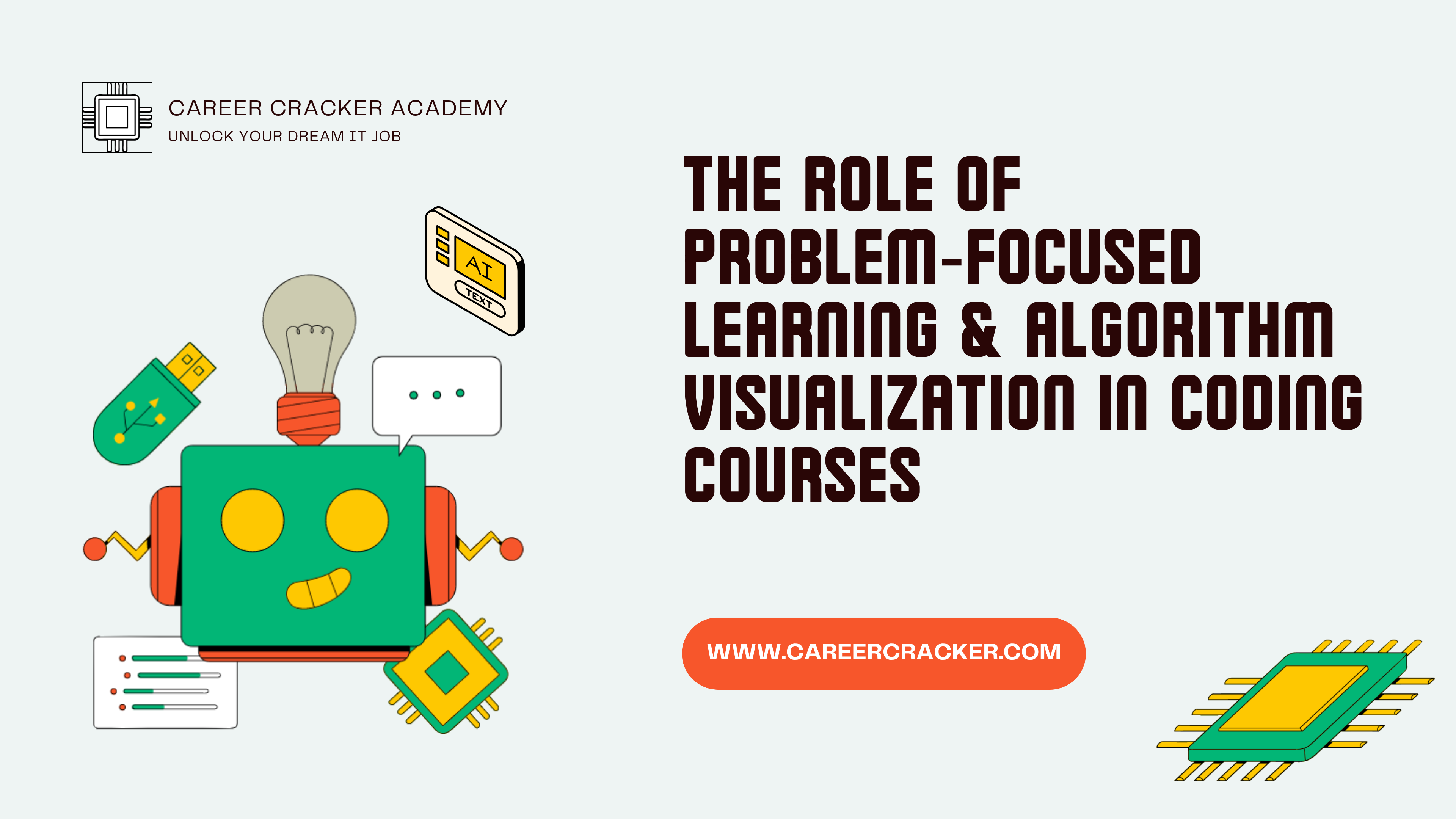
The Role of Problem‑Focused Learning & Algorithm Visualization in Coding Courses
In recent years, traditional coding instruction methods have shifted significantly toward more interactive, engaging, and effective teaching strategies. At Career Cracker Academy, we've embraced two of the most impactful methods: Problem-Focused Learning (PFL) and Algorithm Visualization (AV). Integrating these approaches into our coding courses has significantly boosted student understanding, retention, and practical skill development. What is Problem-Focused Learning? Problem-Focused Learning emphasizes using real-world problems to help students acquire coding skills. Instead of passively listening to lectures or reading texts, our students actively tackle practical coding challenges. Examples include developing a weather application, a simple e-commerce website, or a basic chatbot. Example Problem: Build a movie recommendation system that uses user ratings and preferences to suggest films. Students collect data, apply machine learning algorithms, and design intuitive interfaces. Another practical example we've used is having students create a personal finance tracker. This project requires them to handle user authentication, database management, and responsive web design, making it comprehensive and relatable. Why Algorithm Visualization Matters Algorithm Visualization involves graphically representing algorithms in action, enabling students to visually grasp complex concepts. Rather than abstract textual explanations, students watch algorithms execute step-by-step through animations or interactive simulations, using tools like Visualgo, AlgoViz, or Python libraries like Matplotlib or Pygame. Example Problem: Visually demonstrate sorting algorithms (Quick Sort, Bubble Sort) with animations, showing the algorithm's operation step by step. We also employ visualizations to teach graph traversal algorithms like Depth-First Search (DFS) and Breadth-First Search (BFS). Students observe animations illustrating how these algorithms explore nodes and edges, greatly simplifying complex concepts. Incorporating Puzzles and Gamification We frequently integrate coding puzzles and games into our curriculum to enhance problem-solving skills. Websites like HackerRank, LeetCode, and CodeCombat allow students to engage in friendly competition while mastering essential programming concepts. Puzzle Example: Solve classic puzzles like the Tower of Hanoi, which teaches recursive thinking, or Sudoku solvers that reinforce backtracking algorithms. These puzzles provide instant feedback and keep learners motivated through measurable progress and achievement recognition. Real-Life Application and Success Stories One memorable example at our academy involved students developing a disaster management app. Students were required to handle real-time data tracking, GPS integration, and notification systems. This practical scenario emphasized the importance of robust coding practices, efficient algorithms, and responsive interfaces. Students reported higher motivation and greater satisfaction, leading to improved performance and long-term retention. How These Methods Enhance Learning Improved Problem-Solving Skills: Students gain critical thinking and analytical skills by solving realistic problems. Enhanced Comprehension and Retention: Visualization makes abstract concepts tangible and memorable. Increased Engagement: Interactive and visual methods keep students motivated, reducing dropout rates and enhancing satisfaction. Practical Preparedness: Hands-on experience in solving real problems ensures students are well-prepared for professional coding roles. Integrating PFL and AV in Our Coding Courses Interactive Assignments: Students complete projects tackling realistic coding problems. Visual Tools in Classrooms: Visualization tools regularly explain data structures, algorithms, and other complex concepts. Gamification: Coding games and puzzles like HackerRank, LeetCode, or CodeCombat maintain student interest and enthusiasm. Real-World Success Story We recently observed significant improvements after integrating PFL and AV into our software development courses. A cohort tasked with building interactive Python games using Pygame showed a 40% higher engagement and a 30% increase in concept retention compared to previous traditional methods. Conclusion At Career Cracker Academy, Problem-Focused Learning and Algorithm Visualization are transforming our coding education approach by emphasizing real-world applications, interactivity, and visual comprehension. Our courses not only produce proficient coders but also critical thinkers and innovative problem-solvers, ready to thrive in the tech industry. By continuously integrating these methodologies, we ensure our students become competent, confident, and fully prepared to excel in their future coding careers.
Read More
Major Incident Manager Interview Questions and Answers Part-3
How would you handle a major incident that impacts multiple services and customers? A major incident affecting multiple services and customers is essentially a crisis scenario that needs a high level of coordination. Here’s how I handle it: Incident Command Structure: I would establish a clear incident command and possibly split into sub-teams if needed. For example, if several services are down (say email, website, and database), I’ll assign leads for each service recovery but maintain one combined bridge or at least frequent syncs. Often I remain the central incident manager coordinating all, but I might designate a deputy for each impacted service (“You focus on email restoration and report to me, you focus on DB,” etc.), so that parallel work happens. This is akin to a war-room scenario – many fronts, one overall commander. Broad Communication: I’d immediately notify all affected customer groups and stakeholders with an initial communication acknowledging the situation. For multiple services, the communication needs to list all impacted services clearly (e.g., “We are experiencing a widespread outage affecting Services A, B, and C”). Early transparency is key so customers aren’t guessing if something is wrong. Internally, I’d likely escalate to top management quickly since multi-service incidents often meet criteria to invoke disaster recovery or crisis management protocols. Engage All Required Teams: All hands on deck. I’d pull in all relevant technical teams – sometimes this means nearly the entire IT ops is engaged (network, server, app, DB, etc.). If multiple services are down, likely a common infrastructure might be at fault (for example, shared storage or network). I’d first see if there’s a common root cause linking the failures. If yes, focus efforts there. If they are independent failures (rare but possible, like a perfect storm), I ensure each is being worked on by the respective team in parallel. Priority within Priority: Even among multiple services, there might be a hierarchy (maybe the customer-facing portal is more urgent than the internal chat service). I’d triage efforts to ensure the most critical services get attention first, while still pushing on others as resources allow. If needed, I’ll reallocate team members to the highest business impact area. Bridge Call Management: I might run a single large bridge with breakout sessions or run separate bridges for each service but keep myself or a delegate hopping between. In practice, it might start as one bridge to assess cause (since oftentimes a single cause might be knocking everything out, like a data center outage), and if we determine different causes, we can split. I will ensure information flows between teams – e.g., if the database team finds something that could explain the website issue, everyone knows. I’ll leverage tools like shared documents or Slack/Teams channels for each service plus a master channel for overall. Customer Management: If multiple customers are impacted (especially external clients), I might need to have separate communications tailored for each (particularly if SLAs differ). In such a scenario, I often get help from service delivery managers or account managers to interface with each client. We might set up parallel client briefing calls handled by those managers while I feed them the technical updates. Escalation to Crisis Management Team: Many organizations have a higher-level crisis or business continuity team. A multi-service, multi-customer outage might warrant invoking that. I would recommend to leadership if we need to declare a disaster scenario and possibly failover to DR site entirely, or if other business continuity actions (like manual workarounds by business) are needed. I’d be a key part of that team, providing the tech status while they manage business-side mitigations. Maintaining Composure and Oversight: Such incidents can get chaotic. I make sure to remain calm and systematically document everything. I keep a timeline of events, decisions, and actions. This helps later in figuring out what happened and also avoids duplication of efforts (“Team A already rebooted that server, so Team B don’t do it again” – because I noted it and announced it). Resolution and Recovery: As each service is restored, I communicate that immediately so customers know which services are back. But I keep the incident open until all services are confirmed up or we’ve implemented interim solutions. Once full resolution is achieved, a comprehensive resolution note goes out covering all services. Post-Incident: This kind of incident absolutely demands a thorough post-incident review with all teams. I’d gather everyone to identify the root causes for each failure and any interdependencies. Often, multi-service outages reveal systemic weaknesses (like single points of failure) and we then prioritize fixes (extra redundancy, improved failover procedures). I also commend the teams – such war-room efforts are taxing, so acknowledging the collaboration and possibly giving feedback to higher-ups about team performance boosts morale despite the crisis. In real experience, I handled something similar when a storage network issue took out multiple applications. I did many of the above: called in a crisis team, engaged storage, server, app teams all at once, sent enterprise-wide comms, etc. It was intense but we got through it with a structured approach. The key is to coordinate effectively, communicate broadly and frequently, and focus on restoring services in order of business priority, while not losing sight that ultimately all need to be resolved. What role does documentation play in the major incident management process? Documentation is extremely important in major incident management, playing several roles across the incident lifecycle: Real-time Record Keeping: During an incident, we document everything in the ticket’s timeline or a shared log – what actions were taken, by whom, at what time, what findings. This live documentation ensures that if new team members join the bridge, they can catch up quickly by reading the log. It also prevents misunderstandings (“I thought you restarted that server?” – “No, see the log, we decided not to yet”). As an incident manager, I usually have someone (often myself or a delegate) scribing key events. This creates the bridge log which is essentially the narrative of the incident. Stakeholder Updates: We often use the documentation to formulate stakeholder communications. For example, our work notes and findings documented help in preparing accurate update emails. Also, documentation might include creating user-facing incident notes (like on a status page). Knowledge Transfer: Once the incident is over, thorough documentation is critical for the post-incident review. It allows us to analyze what happened, when, and how we responded. Without written evidence, it would rely on memory which can be flawed especially under stress. A detailed incident report is usually produced using the documented timeline and root cause analysis. This report is shared with leadership and possibly customers (especially if SLAs were breached or if they require a formal RFO – Reason for Outage). Having good documentation makes this report accurate and reliable. Continuous Improvement & Knowledge Base: Documentation of one incident can help in future incidents. For example, if the same issue occurs again, having a record of how we identified and solved it can speed up resolution (this might be turned into a knowledge base article or a Standard Operating Procedure). I’ve made it a practice to add major incident resolutions to our internal KB. This forms a growing library of “here’s what we did when X happened.” It’s part of organizational learning. Accountability and Compliance: In regulated industries or with strict SLAs, documentation is proof of how we handled an incident. It might be audited. For example, if a client questions, “What took so long to fix?”, we have a timeline to show, or if an internal audit wants to ensure we followed procedure, the documentation demonstrates that (who was notified, when escalations happened, etc.). In some places, failing to document can itself be a compliance breach. We ensure to log when stakeholder notifications were sent, when management was informed, etc., as evidence we met those obligations. Metrics and Analysis: Documented incident data feeds into our KPI calculations and trending. For instance, to measure MTTR we rely on timestamps in the incident record. Or to count how many major incidents related to Network vs Application – that comes from properly documented categorizations in tickets. Handovers: In a 24/7 operation, if an incident spans shift changes, documentation allows a smooth handover. The next incident manager reads the log and knows exactly what’s been done and what’s pending, ensuring continuity. Post-Mortem Improvement Plans: In the post-mortem meeting, we not only use documentation to look back, but we also document the future preventative actions (with owners and deadlines). This follow-up documentation ensures accountability that improvements are made (like “Action: Upgrade firmware on all storage arrays – Documented in the incident report and assigned”). Personally, I treat documentation as part of the job’s DNA, not an afterthought. Even when things are hectic, I’ll pause to jot key points or assign someone to do so. It has saved us many times – e.g., once a decision was made to apply a patch during an incident, but it was documented that a test was still running, which stopped someone else from rebooting prematurely. Also, weeks later, we could recall that detail thanks to the log. In summary, documentation provides clarity during chaos, knowledge for the future, and transparency for accountability. It’s what allows a one-time firefight to become a learning opportunity rather than a wasted crisis. An organization that documents well will improve over time, whereas one that doesn’t will repeat mistakes. What steps do we take to ensure compliance during major incident management? Ensuring compliance during major incident management means making sure we follow all relevant policies, regulations, and contractual obligations even in the heat of an incident. Here are steps we take: Follow the Incident Process (and Document It): First and foremost, we stick to our predefined incident management process which is designed with compliance in mind. This includes properly logging the incident in the ITSM tool, recording all actions, and following approval protocols when needed. For example, if a workaround involves a change to a production system, we still seek the appropriate emergency change approval if required by policy. Adhering to the process ensures we don’t cut corners that violate compliance. And we maintain a detailed incident log since maintaining records is critical for compliance audits. Notification of Regulatory Bodies (if applicable): Depending on the industry, certain types of incidents (especially security breaches or data leaks) may require notifying regulators within a certain timeframe (like GDPR’s 72-hour breach notification rule, or sector-specific mandates). We have steps in our incident playbooks to identify if an incident triggers any regulatory notification. If yes, part of compliance is involving our Data Protection Officer or compliance manager immediately. For example, a major incident involving personal data loss – we’d ensure compliance by alerting the legal/compliance team to handle regulatory reporting. Security and Privacy Compliance: During incidents, especially security-related ones, we handle evidence and data according to compliance requirements. For instance, preserving log files for forensic analysis without tampering is a compliance step (chain-of-custody if it could involve law enforcement). If a system containing sensitive data crashes, when restoring it we ensure data protection measures remain intact. We also make sure that any customer communications are done as per contractual commitments (some contracts require formal notice of outages of certain severity). SLA and Contractual Compliance: We check the SLA commitments to clients – compliance means we do everything to meet those (or if breached, follow the contract on how to report it). For example, if SLA says a Root Cause Analysis report must be delivered in 5 business days after P1, we have a step to do that. Or if a client’s contract says any P1 affecting them triggers a management escalation call, we ensure we do that. This is both process and legal compliance. Escalation Matrix and Approvals: Ensuring compliance often means involving the right authorities. We follow the escalation matrix (so that, for example, if a financial system is down, the finance business owner is informed – some compliance regimes call for business sign-offs on decisions like disaster recovery invocation). Also, if we have to deviate from normal operations (like shutting down a service or informing users), we might need higher approval – we seek that and log it. Communication Compliance (Clarity & Honesty): We ensure all incident communications are factual and not misleading, which is a sort of compliance with ethical standards. Also, if an incident requires customer notification under laws (like many jurisdictions require notifying customers if their data was compromised), we coordinate with legal to do so in a compliant manner. Audit Trails: We maintain audit trails of the incident handling. Our ITSM tool logs who worked on the ticket, when status changed, etc. If any emergency access was given (like an admin getting elevated rights to fix something), we document and later revoke/record it. This is important for SOX or similar compliance – showing we controlled access even during incidents. Post-Incident Compliance Checks: After the incident, part of our review is to ensure we did follow all required steps. If we find any compliance gap (say we forgot to notify within the required time), we address it immediately and update our process to not miss it again. Sometimes compliance teams themselves are involved in the post-mortem for major incidents to double-check everything was above board. Training and Simulation: To ensure that when a real incident hits we act compliantly, we train on it. For example, we include scenarios in drills that have compliance angles (“server with medical data goes down, what do we do”). This keeps everyone aware of their responsibilities beyond just technical recovery – like documentation and notifications are part of the drill. To illustrate, in a previous incident with a payment system, we had regulatory obligations to report downtime over X minutes to a central bank. We ensured compliance by having pre-filled templates and a person assigned to notify the regulator as we crossed that threshold. We followed the plan and avoided any penalties because we were transparent and timely. In summary, ensuring compliance means following established procedures, documenting thoroughly, involving the right stakeholders (legal/compliance teams) for guidance, and meeting any legal or contractual obligations during the incident. Even under pressure, we don’t take “shortcuts” that would violate policies – we find ways to both fix the issue and stay compliant simultaneously. Have you ever worked with global clients? Yes, I have worked with global clients. In my current and past roles at large IT service providers, many of the end clients were located around the world – in North America, Europe, Asia-Pacific, etc. For example: I was the Major Incident Manager for a US-based financial services company (while I was in India). This meant adjusting to time zones (often handling their daytime incidents during my evening/night). I interacted daily with client stakeholders in the US. I’ve also supported a European manufacturing company’s IT infrastructure – they had plants in Germany and France, and any major incident needed coordination across those sites. I occasionally had to jump on bridges where people from multiple countries were involved, which exposed me to multicultural communication. Additionally, I’ve been involved in projects where our team was spread globally – e.g., Level 2 support in India, Level 3 in UK, and client’s IT team in Australia. Handling a major incident in that setup meant coordinating across geographies seamlessly. From these experiences, I learned to be sensitive to cultural differences in communication. For instance, some clients prefer very formal communication, others are more casual; some want phone calls for updates, others are okay with emails. I always try to learn those preferences early. Also, working with global clients meant I had to be aware of regional regulations and business hours. For example, one client in the EU was subject to GDPR, so any incident involving personal data triggered a very specific process (involving their Data Protection Officer). Another aspect is language – all communications were in English, but sometimes I had to slow down or adjust my accent for non-native English speakers on bridge calls, ensuring everyone understood clearly. Importantly, global clients often have 24/7 expectations, so I’m used to that model. If a UK client had an issue at their noon, that was early morning for me – I had to be on it regardless. I’ve managed that by maintaining flexible work patterns or handing over to colleagues in overlapping time zones when needed. Overall, I find working with global clients rewarding. It expands one’s perspective and improves communication skills. I’m comfortable navigating the complexities that come with it – whether it’s scheduling meetings across time zones or aligning to holiday calendars (like being aware if an incident happens on, say, a US public holiday, the client might have different staffing – we adjust accordingly). So yes, I have substantial experience with global clients and feel confident in delivering incident management in a global context. This experience will be very relevant if I join your company, since many IT MNCs deal with international clients daily. How do you start your day? As a Major Incident Manager on a rotating or daily operational schedule, I start my day with a structured routine to ensure I’m prepared: Check Handover/Shift Log: First thing, I review any handover notes from the previous shift (if we have 24x7 rotation). This tells me if there were any ongoing incidents, what their status is, and anything to watch. For example, if a major incident was worked on overnight and is still open, I immediately know I might need to pick it up or attend a morning update call on it. Monitor Dashboard and Incident Queue: I’ll glance at our monitoring dashboards and incident queue in ServiceNow (or whatever tool) to see if any new high-priority incidents came in as I log on. If something critical is there, I’ll address that right away. Often, early hours might show if any batch processes failed or if any sites are down after nightly maintenance, etc. Email and Notifications Sweep: I quickly skim through emails or notifications for any urgent messages. This includes checking if any stakeholders or clients emailed about an issue or if any automated alerts escalated. I focus on P1/P2 related emails first. If anything urgent, I’ll act (for example, join an ongoing bridge if something just blew up at 9 AM). Morning Operations Call: In many teams, there’s a daily ops or stand-up meeting in the morning. I often host or attend that. We discuss any major incidents from last 24 hours, status of problem tickets, and anything planned for the day that could be risky (like important changes). So I prepare my notes for this call – e.g., “Yesterday we had 2 P1s, both resolved, root cause analysis pending for one. Today there is a maintenance on network at 5 PM.” This syncs everyone. Review Scheduled Changes/Activities: I check the change calendar for the day. Part of preventing incidents is knowing if any big changes are happening that day that I should be aware of (I might need to be on heightened alert or ensure the change implementers have an incident back-out plan). If something critical is scheduled, I may ping the change owner to wish them luck or double-check readiness. Follow-up on Open Problems/Actions: I look at any ongoing problem records or continuous improvement tasks I’m involved in. For example, if I know we promised to implement a monitoring fix by this week, I might follow up in the morning with that team. This is more of a proactive step to prevent future incidents, but I often allocate a bit of morning time for these follow-ups when it’s relatively calmer. Team Briefings: If I have a team of incident managers or if I’m handing off tasks, I might quickly huddle (virtually) with peers: “Hey, I’ll cover Incident A, can you keep an eye on Incident B’s vendor update?”. In some setups, we might redistribute some workloads in the morning based on who is free or who has meetings etc. Prepare for any Scheduled Drills or Meetings: If there’s a simulation, training, or major incident review meeting that day, I ensure I have the materials ready early in the day. Coffee and Mental Prep: On a personal note, I grab a coffee (essential!) and mentally prepare that any plan can change if a new incident comes in – but at least by reviewing everything I have a situational awareness to tackle the day. So, essentially I start my day by getting situational awareness: know what happened, what’s happening, and what might happen, with respect to incidents. This proactive start means I’m not caught off-guard and I can prioritize my tasks effectively. For example, if I see an incident that’s close to breaching SLA at 10 AM, I know to focus there first thing. By late morning, once immediate things are handled, I then dive deeper into ongoing tasks or improvements. But that first 30-60 minutes of the day is crucial for setting the tone and preparedness for everything that follows in the unpredictable world of incident management. How do you prioritize tickets? I prioritize tickets primarily based on their priority level (P1, P2, etc.), which, as discussed, is determined by impact and urgency. So the system usually flags the priority, but beyond that: Critical vs High vs Normal: P1 (Critical) tickets are top of the list – I address those immediately, rally resources, etc. P2 (High) come next – they’re serious but perhaps not absolute emergencies, so I handle them right after P1s are under control. P3/P4 I generally delegate to support teams and only monitor if they risk escalating. Imminent Breaches: Within the same priority group, if one ticket is close to breaching its SLA response or resolution time, I’ll give it attention. For example, if I have two P2s but one will breach SLA in 10 minutes, I’ll prioritize that one now – maybe escalate it or update the customer to prevent a breach or at least show responsiveness. Impact on Business Deadlines: Sometimes a lower priority incident might have a fixed deadline (like a payroll job failed but payday is tomorrow – that might be technically P3 by impact, but it has a hard deadline so I treat it with higher urgency). I use judgment to bump something up in my working queue if I know its timing is critical. Dependencies: If one ticket’s resolution might resolve many others (like multiple incident tickets caused by one underlying problem), I prioritize working on that root cause. For instance, 5 different users log P3 tickets that email is slow – that collectively indicates a bigger issue, so I might group and treat it as a higher priority incident to solve the core problem rather than individually answering each. Customer VIP status or Commitments: Occasionally, all else equal, if one incident affects a very important client or service (like maybe a CEO’s office issue, or a key demo system for today), I will prioritize that. Not to play favorites unnecessarily, but part of prioritization is business context. Many ITSM setups have a notion of VIP flag – that can raise priority. I follow those policies. First-In, First-Out for similar priority: Generally, if incidents are of the same priority and none of the special factors above apply, I try to handle them in the order they came in (FIFO) to be fair and timely. Of course, I multitask if possible (e.g., while waiting on info for one, I work on another). Team Load Balancing: As an Incident Manager, I also consider the load on technical teams. If one team is swamped with a P1, I might personally handle some coordination on a P2 to relieve them, or delay less urgent stuff until that team is free. This is more operational sense than actual ticket priority, but it influences what I chase first. In practice, I rely on the Priority Matrix defined by our ITSM process (Impact vs Urgency gives Priority) – that automatically ranks tickets. So a P1 is above any P2, which is above P3, etc. I ensure the impact and urgency are correctly set so that prioritization is accurate. If a ticket is mis-prioritized (say someone logged a major outage as P3 by mistake), I adjust it to correct priority, which then dictates my actions. An example: If at a given moment I have a P1 outage, a P2 partial issue, and three P3 user issues in queue – I focus all efforts on the P1 first (communicate, allocate techs). Once that’s stable or someone is handling it actively, I’ll look at the P2 and push that forward. The P3s I’d acknowledge but perhaps set expectations that it will be a few hours (since higher priorities are ongoing). If I free up or the P1/P2 resolve, then I go to P3s. Additionally, I use tooling like ServiceNow filters or dashboards to ensure I see the highest priority open tickets at top. It’s quite systematic. So, summarizing: I prioritize tickets based on their priority level (which reflects business impact), urgency/time sensitivity, and any strategic business factors, always tackling the most critical issues affecting the business first. This ensures resources are used where they matter most at any given time. Can you explain how the ServiceNow CMDB tool is used in the incident management process? Certainly. The ServiceNow CMDB (Configuration Management Database) is a centralized repository in ServiceNow that stores information about all our infrastructure and services (Configuration Items, or CIs) and their relationships. Here’s how it supports incident management: Impact Analysis: When an incident is logged, we usually link the incident to the affected CI(s) in the CMDB (for example, the specific server or application that’s down). By doing this, the CMDB helps us see the bigger picture of impact. We can immediately check what other services or infrastructure depend on that CI. For instance, if a database server CI has an incident, the CMDB will show which applications rely on that database – so we know all those related services might be impacted too. This helps in correctly prioritizing the incident and notifying all affected service owners. Faster Troubleshooting with Relationships: The CMDB stores relationships like “Server A is part of Application X” or “this service runs on these 3 servers and talks to that database.” When a major incident occurs, I use the dependency views in ServiceNow to pinpoint potential causes or affected areas. For example, if a web application is down, a CMDB relationship map might show that the underlying virtual server is on a particular host which has a known issue – connecting those dots quickly. It aids war-room discussions; we can systematically check each component in the chain. Previous Incidents and Changes per CI: The CMDB in ServiceNow often integrates with incident/change history. So, when I open a CI record that’s having an incident, I can see if there were recent changes on it (maybe yesterday a patch was applied – hinting that could be the cause). I can also see past incidents on that CI, which might show a pattern (“Ah, the same CI had an incident last week, it might be the same issue recurring”). This context speeds up root cause identification. Vendor/Support Info: We sometimes store additional info in the CI record like vendor support contacts or warranty status. During an incident, if I need to contact a vendor, the CMDB CI entry for e.g. “Oracle Database #12” might have the support contract ID and hotline. That saves time finding who to call. Automated Notifications: We can set up ServiceNow so that if a CI has an incident, it can automatically notify the CI’s owner or support group (as defined in CMDB). For instance, if a network switch goes down (CI), ServiceNow can see who is responsible for that CI (from CMDB data) and assign/notify them immediately. This ensures the right team is engaged without manual triage. Change Impact Avoidance: Before changes, we use CMDB to do impact analysis to hopefully avoid incidents. But even after, if a change caused an incident, the CMDB helps correlate that (“the changed CI is the one with incident, so likely cause”). This ties into problem management too – to see the blast radius of an issue. Faster Resolution via CI Insights: Because the CMDB links to knowledge base and known errors (in some setups), when I go to an incident’s CI, I might see related known error articles or knowledge relevant to that CI. That can directly have troubleshooting steps known for that item. For example, “This server is known to have issue X if memory > 90% – resolution: recycle service Y.” Regulatory/Compliance during Incidents: If needed, CMDB can show which services are critical or regulated. For example, if a CI is tagged as “SOX-critical”, we know to follow certain compliance steps (like involving certain approvers). So during incident, we won’t inadvertently violate, because CMDB flags the criticality of that component. In summary, the ServiceNow CMDB is like our map and knowledge base of the IT environment. In incident management, we use that map to understand what’s affected, how things connect, and to speed up both the engagement of the right teams and the diagnosis of the issue. It effectively reduces the “time to know” what’s broken and what the collateral impact is. By having up-to-date CMDB data, a Major Incident Manager can make more informed decisions and coordinate response much more effectively than if we were blind to those relationships. I’ve personally experienced the benefit: in a major incident once, a storage unit failure impacted dozens of applications. The CMDB relationship view quickly showed all servers linked to that storage, so we didn’t miss any affected service when communicating and recovering – that was invaluable in ensuring full resolution. What is manual failover and automatic failover? Failover is the process of switching from a primary system/component to a backup in case the primary fails, to maintain continuity. The terms relate to how that switch happens: Manual Failover: This means a human intervention is required to initiate the failover to the backup system. When the primary system fails (or is about to be taken down), an engineer/admin has to take action – like executing a script, pressing a button, or performing some steps – to bring the secondary system online or redirect traffic to it. Manual failover can cause more delay (because someone has to notice the issue and react) and might be prone to human error or scheduling (someone has to be available to do it). We typically see manual failover in scenarios where maybe full automation is not in place, or the business wants controlled failover (like a database cluster where you manually trigger which node to switch, perhaps to ensure data sync first). Example: In SQL databases configured for high availability, a manual failover would be an admin initiating the secondary to take over, usually planned or in emergencies with oversight. Automatic Failover: In this case, the system itself detects the failure and automatically switches over to the backup/standby system without human intervention. There are monitoring or heartbeat signals between primary and secondary; if primary doesn’t respond, the secondary system promotes itself or a load balancer shifts all users to the backup. Automatic failover is designed to minimize downtime, often completing in seconds or a very short time, since it doesn’t wait for a person. A common example: a cluster of application servers behind a load balancer – if one instance goes down, the load balancer automatically stops sending traffic to it and routes to others. Or in databases like some NoSQL or cloud-managed DBs, if primary node dies, a replica node is auto-promoted to primary. To illustrate: Consider a pair of web servers (one active, one standby). With automatic failover, if the active one crashes, the system (maybe via a heartbeat or cluster software) will automatically bring the standby up and point users to it, perhaps within a minute. The operations team might get notified but the switch is already done. With manual failover, if the active crashes, an admin has to log in to some console and start the standby server or change DNS to point to it. This might take 5, 10, 30 minutes depending on how quickly someone reacts and executes the steps. Another angle: Automatic failover requires pre-configured automation and often redundancy (the standby is running and ready to take over). Manual failover might be used when either automation isn’t reliable or the business wants to verify conditions before switching (to prevent split-brain scenarios, etc.) or simply legacy system limitations. In terms of incident management, if an environment has automatic failover, some incidents are avoided or shortened because the system self-heals (though we then handle the failed component replacement in the background). If it’s manual, those incidents would be longer because we have to intervene. One more example: Cloud services – many cloud databases have automatic failover across availability zones (if AZ1 goes, it flips to AZ2 automatically). Versus a traditional on-prem DB cluster might be set to manual failover where a DBA issues a failover command during maintenance or failure. In summary, manual failover = human-driven switch to backup; automatic failover = system-driven switch to backup upon detecting failure. Automatic is faster and doesn’t depend on immediate human response, whereas manual gives more control but at the cost of potential delay. Depending on the system criticality and design, one is chosen over the other. Often we aim for automatic failover for critical systems to improve resilience, but we ensure it’s well-tested to avoid false failovers.
Read More
Major Incident Manager Interview Questions and Answers Part-2
What is the escalation matrix at your company? (Hierarchical and functional) The escalation matrix in my company defines how and to whom we escalate issues when extra attention or decisions are needed. We have both functional escalation (bringing in higher expertise or different teams) and hierarchical escalation (notifying higher-level management). Here’s how it works: Functional Escalation: If an incident is not getting resolved with the current resources or expertise, we escalate functionally by involving additional teams or specialists. For example, if a database issue is beyond the on-call DBA’s expertise, we escalate to the database architecture team or even the vendor’s support. Similarly, if it’s a complex network issue, we might pull in our network SME who wasn’t originally on call. Functional escalation is about getting the right people involved. Hierarchical Escalation: This is about informing or involving management levels as the situation severity increases or if SLA likely to be breached. In our matrix: For a P1 incident, the Incident Manager (me) will notify the IT Duty Manager or Incident Management Lead within, say, 15 minutes of declaration. If resolution is not found in an hour, we escalate to the Head of IT Operations. Ultimately, for very severe or prolonged incidents, we escalate up to the CIO and relevant business executives (like the account manager or business owner of the service). We have criteria like: if a major incident exceeds 2 hours, inform CIO; if it’s causing significant client impact, inform Account Managers to handle customer comms. Matrix Structure: We literally have a document/spreadsheet that lists: Level 1: Incident Manager on duty, Level 2: Incident Management Lead (or Service Delivery Manager), Level 3: Director of IT Operations, etc., with their contact info. Similarly, on the technical side, each support team has an escalation ladder: e.g., if the on-call engineer is stuck, call the team lead; if team lead isn’t available or also stuck, call the department manager; then maybe the head of technology. This ensures accountability at each level. Example: Suppose a critical banking app is down and the initial team cannot solve it in X time. According to the matrix, I call the Senior Manager of Applications (functional escalation to more expertise) and also ping the Incident Process Owner to notify them (hierarchical). If things continue, next I might involve the CIO (hierarchical) to make major decisions like switching operations to disaster recovery site or to communicate with client’s leadership. Why it’s important: Everyone knows whom to call next if things aren’t progressing. It prevents delays where people might be hesitant, and it provides authority – when I escalate to a higher-up, they can allocate more resources or make high-level decisions (like approving to shut down a system or communicate externally). Also, Business Escalation: Part of our matrix is notifying the business side. For instance, if an incident affects a major client or revenue stream, there’s an escalation to the account team or business continuity manager to handle non-IT aspects (customer management, regulatory notifications, etc.). Periodic Review: We update the matrix regularly (people change roles, phone numbers update, etc.). We also occasionally simulate escalations to ensure contacts respond. In summary, the escalation matrix is a pre-defined chain of command and expertise. Hierarchical escalationbrings higher management attention as needed, and functional escalation brings in deeper technical expertise or additional teams. By following this matrix, we ensure that when an incident is beyond the current team’s ability or threatens to breach SLAs, the right people are pulled in quickly and decision-makers are aware. This structured approach to escalation is a backbone of our major incident process. What will you do if the technical team is not responding or not doing their job? If a technical team or engineer is unresponsive during a critical incident, I have to take prompt action to get things back on track: Multiple Contact Attempts: First, I’d try all forms of contact. If they aren’t responding on Teams or email, I will call them on phone. Perhaps they missed the initial alert – a direct phone call or even SMS can grab attention. If one particular engineer is MIA and was critical, I’d reach out to others in that team or their manager. Escalate to Team Lead/Manager: If the on-call person isn’t responding within, say, a few minutes in a P1, I escalate to their team lead or manager. For example, if the database on-call isn’t joining, I’ll call the database team lead to either find a backup or themselves join in. This is where having an updated on-call roster is important. Inform Incident Leadership: I’d also inform my Incident Management Lead or duty manager that “Team X is not responding, I have escalated to their manager.” This ensures the situation is known at higher level and they can assist if needed (e.g., call that team’s director if necessary). Workaround with What We Have: In parallel, I’d see if other teams can cover or if we can progress without them. For instance, if network team isn’t responding and we suspect a network issue, I might ask a system admin with some network knowledge to do basic checks (like ping tests, etc.) while we keep trying the network folks. Or leverage monitoring tools to gather data that that team would normally provide. Document the Lack of Response: I keep a note in the incident timeline that “at 10:05 PM, paged network on-call, no response; 10:15 PM escalated to Network Manager, awaiting update.” This provides a clear record and also covers accountability later. Replace or Bypass If Needed: In a severe scenario, if a particular person just isn’t responding and time is ticking, once I have their manager, I’ll request a replacement resource. Good organizations have backup on-call or secondary contacts. I’ll say to the manager, “I need someone from your team now – if person A isn’t reachable, can you get person B or C?” The manager may even jump in themselves if capable. Post-Incident Follow-up: After the dust settles, I would address this formally. Not to point fingers, but reliability of on-call response is crucial. I’d work with that team’s leadership to understand what happened – was the person unreachable due to some emergency or was our contact info outdated? Or did they negligently ignore the call? According to that, we’d take actions: maybe update the contact list, improve the paging system, or if it’s a performance issue, the manager handles it with that employee (training or disciplinary if warranted). The incident management process might treat a non-response as a breach of OLA, and it should be discussed in the post-incident review so it doesn’t recur. Meanwhile, Not Doing Their Job: If the team is present but dragging feet or not taking action: I’ll assertively guide them. Sometimes I encounter analysis-paralysis or reluctance. I’d say, “We need to try something now. Let’s reboot that server or failover – do we have objections?” If a team is hesitating, I might escalate to a higher technical authority to authorize an action. Essentially, I won’t let inaction persist; I’ll make decisions or seek someone who can. Additionally, if I feel they’re not giving it due attention (maybe treating a P1 too casually), I’d remind them of impact (“This is affecting all customers, we need full focus”). If needed, involve their manager to jolt them into urgency. In summary, if a technical team isn’t responding, I escalate quickly up their chain and try alternate contacts, while mobilizing any interim solutions. The Major Incident Manager has to be the squeaky wheel in such cases – time lost equals more impact, so I’ll use every means to get the right engagement. Afterward, we ensure accountability so that such a lapse doesn’t happen again, whether that means process change or personnel change. What types of incidents do you handle? I handle a wide range of incidents across the entire IT infrastructure and applications spectrum. Essentially, any high priority incident (P1 or P2), regardless of technology domain, comes to the Major Incident Management process. Some types include: Infrastructure Incidents: These involve servers, storage, operating systems, or data center issues. For example, a major server crash, VM host down, storage network outage, power failures in the data center, etc. Network Incidents: Such as WAN link failures, router/switch outages, firewall misconfigurations locking out connectivity, DDOS attacks impacting network availability. These are often widespread because network is core – e.g., a company-wide network outage. Application Incidents: Critical business applications going down or severely malfunctioning. For instance, our e-commerce website unavailable, a core banking system error, ERP system issues, or even severe bugs from a new release causing outages. This can also include incidents with integrations between applications failing. Database Incidents: Like a database server going offline, database corruption, or performance issues on the DB that cascade to app slowdowns. Any incident where the DB is the bottleneck and affecting services is in scope. Security Incidents (major ones): While we have a separate security team, if there’s a major security breach (like ransomware spreading, or a critical vulnerability exploitation requiring emergency response), I would be involved or at least coordinate with the cybersecurity incident response. Often, major security incidents are run by the security incident lead, but I support with communication and coordination if it’s impacting services (for example, if we have to shut down systems to contain an attack, that’s both a security and availability incident). Service Outages: This broad category includes email service down, VPN down for all remote users, file server inaccessible, etc. These could be due to infra or software issues but they manifest as a service outage. Major Incident in Cloud Services: e.g., our cloud provider has an outage in a region affecting our applications. I handle coordinating with the cloud vendor and mitigating impact (like failover to another region if possible). IT Facilities: In some cases, incidents like a data center cooling failure or fire alarm could become IT incidents (needing server shutdown or failover to DR). I would coordinate technical response in those scenarios as well. Telephony/Communications: If the phone system or MS Teams is down company-wide, that’s a major incident I’d handle. Critical Batch Job Failures / Data Incidents: For example, end-of-day processing in a bank fails or a major data pipeline breaks, missing an SLA to a client – those also come to my plate if the impact is high. Essentially, “all IT infrastructure and applications” as the question hints. So I cover incidents in infrastructure, application, network, database – basically all IT domains as needed. I’m not the deep expert in each, but I coordinate the experts in each. I’d add that handling all these types means I need a broad understanding of IT systems. One day I might be dealing with a network outage, the next day a database lock issue. The commonality is these incidents significantly impact the business and require urgent, coordinated response. So I’m versatile and able to shift between different technical realms (with the help of specific SMEs for each). Where do you see yourself in 5 years? In five years, I see myself growing into a senior leadership role in IT Service Management or IT Operations. Having honed my skills as a Major Incident Manager, I’d like to progress to roles such as Incident/Problem Management Lead or IT Operations Manager, where I can drive strategic improvements across the entire incident lifecycle. I also envision deepening my expertise in related areas – for example, becoming an expert in Service Reliability or DevOps processes, which complement incident management. I’m passionate about the Major Incident function, so in five years I could be a Major Incident Process Ownerglobally, establishing best practices and training teams across the organization or multiple clients. I might also pursue further ITIL advanced certifications or even get into Site Reliability Engineering (SRE) practices to enhance how we prevent incidents. Ultimately, I see myself as a leader who not only handles incidents reactively but also works proactively to improve service resilience. Perhaps I’ll be heading a Service Excellence team that encompasses Incident, Problem, and Change Management, using my frontline experience to create a more robust IT environment. I’m also interested in people management, so I could be managing a team of incident managers by then, mentoring them with the knowledge I’ve gained. In summary, five years from now I aim to take on greater responsibility, possibly at a large enterprise or in an even more challenging domain, continuing to ensure that IT delivers reliable service to the business. And I certainly hope to grow with the company I join, so if I were to join your company, I’d love to see myself contributing at higher and broader capacities, aligning with the company’s evolution over that time. Do you know what our company does? Yes, I’ve researched your company thoroughly. Your company, [Company Name], is a leading IT services and consulting provider (for example, if it’s Infosys/TCS/Capgemini, I’d tailor accordingly: “a leading global IT consulting and outsourcing firm, serving clients across various industries with technology solutions”). I know that you specialize in delivering solutions such as [mention major services/products – e.g., digital transformation, cloud services, application development, managed infrastructure services, etc.]. For instance, I noted that your company has a strong presence in the Banking/Financial sector and also works in domains like retail and healthcare (assuming that fits the company). One of your flagship services is around enterprise cloud and digital solutions – you help clients modernize their IT. Also, your company’s revenue was around $X billion last year, and it has a global workforce of over N thousand employees, which indicates a huge scale of operations. I’m aware of some recent news: you have been investing in AI and automation in IT Service Delivery (I recall reading a press release about a new AI Ops platform or a partnership you did). Your company’s motto/mission revolves around innovation and customer-centric service (I’d use the actual slogan if I found it, like “Building a bold tomorrow” or such). I also took note that [Company Name] prides itself on its strong ITIL-based processes and service quality – which is directly relevant to the Major Incident Manager role. In summary, your company is a powerhouse in the IT industry, providing end-to-end IT solutions and services to clients worldwide. I wanted to ensure I understand your business so that I, as a potential Major Incident Manager, align my approach to the types of services and clients you handle. This knowledge will help me tailor my incident management strategies to your business context from day one. Why do you want to join our company? I am excited about the prospect of joining [Company Name] for several reasons: Leadership in Industry: Your company is a well-respected leader in the IT services industry, known for its innovation and large-scale operations. As a Major Incident Manager, I thrive in environments that are complex and dynamic. Joining a top-tier firm like yours means I’ll be dealing with major clients, cutting-edge technologies, and challenging incidents – all of which will allow me to leverage my skills fully and also continue learning. Culture and Values: From what I’ve researched, your company emphasizes values like customer focus, excellence, and teamwork. These resonate with me. Major incident management is all about teamwork and keeping the customer in mind, so I feel my mindset aligns well with your culture. I’ve also seen that employee development is important to you – many employees mention the good training programs and growth opportunities. I’m attracted to a company where I can grow my career long-term. ITIL and Process Maturity: I know your organization is quite mature in ITIL processes and Service Management. For someone like me who is ITIL-certified and process-driven, that’s a great fit. I want to contribute to and learn from an environment that follows best practices. Also, I’ve read that [Company Name] is adopting the latest ITSM tools (possibly ServiceNow upgrades or AI-driven monitoring). That tells me I’ll get to work with modern tools and methodologies, which is exciting. Global Exposure: Your company’s clientele spans multiple industries and countries. I look forward to the global exposure – managing incidents for different clients and technologies around the world. That diversity of experience is something I value, and it will make me a stronger professional. Impact and Responsibility: The role at your company likely comes with significant responsibility (given the scale, a major incident could affect thousands or millions of end-users). I want that challenge. Knowing that my role will directly help maintain the reputation of [Company Name] by swiftly resolving crises is a big motivator. I take pride in such impactful work. Personal Recommendation/Research: (If applicable) I’ve spoken to colleagues or read employee testimonials about working here – people talk about a collaborative environment and respect for the Incident Management function. It’s important for me to work at a place that recognizes the importance of a Major Incident Manager’s role, and I sense that here. In summary, I want to join [Company Name] because I see it as a place where my skills will contribute significantly to the organization’s success, and where I will also grow professionally. I’m enthusiastic about the possibility of being part of your team and helping uphold the high service standards your company is known for. Why should we hire you? You should hire me because I bring a strong combination of experience, skills, and passion for Major Incident Management that aligns perfectly with what this role requires: Relevant Experience: I have over X years’ experience managing high-severity incidents in a fast-paced IT environment. I’ve been the point person for countless P1 incidents – from infrastructure outages to application failures – and have a track record of driving them to resolution quickly and efficiently. I understand the ITIL process deeply and have implemented it under pressure. This means I can hit the ground running and require minimal training to start adding value. Proven Communication & Leadership: Major Incident Managers must communicate clearly with technical teams and leadership. I pride myself on my communication skills – in my current role, I’ve been commended for timely and transparent updates during crises. I also lead bridge calls with confidence and calm, keeping teams focused. You’ll get a person who can coordinate cross-functional teams (network, server, application, vendors) and ensure everyone’s on the same page. I essentially act as a leader during emergencies, and I’m comfortable making decisions and escalations. These leadership qualities are essential for the role and I have demonstrated them consistently. Tool Proficiency (ServiceNow, etc.): I am well-versed in ServiceNow – creating incident tickets, mass communications, using the CMDB, and generating incident reports. If your environment is on ServiceNow (or similar tools), I’ll be able to leverage it fully. I also have exposure to monitoring tools and can quickly grasp dashboards (which helps in incident validation and tracking). Process Improvement Mindset: I don’t just resolve incidents – I also improve the process around them. For example, in my last job, I reduced major incident recurrence by implementing a better problem management linkage. I will continuously seek ways to reduce incident impact and frequency for your organization, whether through better monitoring, runbooks, or streamlining the comms process. This adds long-term value beyond day-to-day firefighting. Calm Under Pressure: Perhaps one of the most important traits – I stay calm and organized when things are chaotic. I’ve been through outages at 3 AM, systems failing on Black Friday sale, etc., and colleagues know me for maintaining composure. This attitude helps teams stay focused and also inspires confidence in management that the situation is under control. Alignment with Company: As I discussed, I know what your company does and I’m genuinely excited about it. I fit culturally – I work well in a team, I’m customer-centric, and I have a strong work ethic. I’m also willing to go the extra mile (nights, weekends) whenever incidents demand – which is inherent in this job. ITIL Certified and Continuous Learner: I’ve got ITIL certification and keep myself updated with ITIL v4 practices. I’m also familiar with Agile/DevOps concepts which increasingly tie into incident management (like post-incident reviews feeding into continuous improvement). So I bring not just static knowledge, but a mindset of evolving and learning, which is something every organization needs as technology and best practices change. In short, you’d be hiring someone who is battle-tested in incident management, brings structured process along with practical know-how, and is enthusiastic about protecting and improving service reliability for the business. I’m confident that I can not only fulfill the requirements of this role but also drive positive outcomes – like improving your incident KPIs, increasing customer satisfaction, and strengthening the overall incident management practice at your company. What are your salary expectations? (Note: In an interview I would approach this diplomatically.) I am open to a competitive offer that reflects the responsibilities of the Major Incident Manager role and my experience. My current understanding is that a role like this in a major IT company typically ranges around [provide a range if pressed, based on market research – e.g., “XYZ to ABC currency per annum”]. Considering my X years of experience and skill set, I would expect a salary in the ___ range (for example, “in the mid-₹X0 lakhs per annum in India” or “around $$X in the US market”). However, I’m flexible and, for me, the opportunity to work at [Company Name] and the potential for growth and contributions is a big factor. I’m sure if I’m the right fit, we can come to a mutually agreeable number. (If I have a specific figure because they insist, I would give a number within a reasonable range. Otherwise, I emphasize I’m negotiable but looking for market fair compensation.) How many incidents do you typically handle on a weekly or monthly basis? On average, I handle a high volume of incidents, though not all are major. In terms of Major (P1) incidents, it usually averages to a few per week. Specifically, I’d say roughly 3-4 major (P1) incidents per day when on shift. That translates to about 15 P1s in a week, and perhaps 50-60 P1 incidents in a month (assuming around 200 P1s per month across a 24/7 team split into shifts)【User’s note】. This is in a large enterprise setting. For P2 incidents, the volume is higher – probably about double the P1 count. So maybe around 6-8 P2 incidents a day in my queue, which is ~100-120 P2s a month for me personally, but company-wide that could be 400-500 P2s per month as a whole team. Including lower priorities (P3, P4), the Service Desk handles many of those without needing my involvement unless they risk breaching or escalate. My primary focus is on P1 and high P2 incidents. If we include all priorities that I touch or oversee, weekly it could be dozens of incidents that I have some hand in (either direct management or oversight). But strictly as lead Major Incident Manager, monthly maybe ~200 P1s occur in the organization and since we have multiple shifts, I end up managing a portion of those – likely ~40-50 P1s a month personally depending on shift distribution. The key point is I’m very accustomed to handling multiple incidents daily and juggling priorities. Our environment is quite busy, so incident management is a constant activity. That said, those numbers can fluctuate – some weeks are quieter, then some week if there’s a big problem (like a widespread virus or a big change gone wrong) we might handle far more in that span. How many total incidents occur in a week or month? Across all priorities, our IT support handles a large number of incidents. Let me break it down as we usually measure: P1 (Critical) incidents: We see about 7-8 P1 incidents per day on average across the operation, which comes to roughly ~200 P1 incidents per month in total (7 per day * 30 days)【User’s data】. These are the major ones that get full attention. P2 (High) incidents: Typically, the volume of P2s is about double that of P1s. So we might have around 14-15 P2 incidents per day across the organization, totaling maybe 400-500 P2 incidents per monthoverall. P3 and P4 incidents: These are much more numerous, but mostly handled by the service desk and support teams without needing major incident process. They could be in the hundreds per week. For instance, P3 might be a few thousand a month depending on user base size, and P4 even more, but many of those are minor and resolved quickly. Summing up, if we talk all incidents (P1-P4), our company might handle several thousand incidents per month. But focusing on the critical ones: around 200 P1s and 500 P2s per month are typical in my experience. Per week, that’s about 50 P1s and 100+ P2s. Within my shift (since we run 3 shifts to cover 24/7), I personally handle a subset. Usually, I manage 3-4 P1 incidents per day when on duty (which fits with ~ one-third of those 7-8 daily P1s, because colleagues on other shifts handle the rest) and maybe 5-10 P2s per day. These numbers indicate a high-activity environment. They underscore why having a structured incident management process is crucial – with that many incidents, you need clear prioritization (only ~10-15% of those are truly major, others can be delegated). It also shows my experience is not from a small environment; I’m used to dealing with incident queues at scale. How do you differentiate between a P1 and P2 incident? The distinction between a P1 and P2 incident primarily comes down to impact and urgency – basically how severe the issue is and how quickly it needs resolution: P1 (Priority 1) – This is a Critical incident. It usually means highest impact: a full outage or total failure of a mission-critical service, affecting a large number of users (or a whole site, or all customers). And it’s high urgency: there’s no workaround and immediate attention is required. For example, “Online banking system is completely down for all customers” or “Corporate network is offline company-wide” would be P1. P1 implies the business is significantly hampered – maybe financial loss, safety issue, or SLA breach is imminent. We trigger our major incident process for P1s. P2 (Priority 2) – This is High priority but one step down. Typically, significant impact but not total. It might affect a subset of users or a secondary service, or the main service is degraded but somewhat operational. Urgency is high but perhaps a workaround exists or it’s happening in a non-peak time. For example, “Email is working but extremely slow for one region” or “One of two redundant internet links is down (capacity reduced but service up)” could be P2. Business is impacted, perhaps inconvenienced, but not completely stopped. P2 still needs prompt attention, but maybe not an all-hands-on-deck like P1. Concretely, to differentiate, I ask: Scope of impact: All users vs many vs some. P1 is often global or enterprise-wide; P2 might be multiple departments or a critical group of users but not everyone. Criticality of service: Is the affected service a top critical service? If yes and it’s down, that’s P1. If it’s important but one tier lower, maybe P2. Workaround: If users have no alternative way to do their work, leans toward P1. If a workaround exists (even if inconvenient), it might be P2. Urgency: If we can tolerate a few hours without the service (and it’s after hours, for example), maybe P2. If every minute of downtime costs money or reputation, that’s P1. For example, in ITIL terms, P1 = High Impact, High Urgency (often Extensive/Widespread impact + Critical urgency). P2 = High Impact but perhaps lower urgency, or vice versa (Significant impact with Critical urgency could still be P1 depending on matrix, but generally P2 might be one grade down). Many companies define something like: P1 means whole service down; P2 means service degraded or significant issues but not total failure. In practice, if there’s ever doubt, we might initially treat it as higher priority and later downgrade if appropriate. It’s safer to start with P1 response if unsure. But experience and the priority matrix help guide that decision. So, to summarize: P1 = “We’re on fire” (immediate, major impact), P2 = “This is serious but not a five-alarm fire.” I apply the formal criteria our organization has, which align with that logic, to classify incidents correctly. How many incidents do you handle on a weekly or monthly basis? I typically handle a considerable number of incidents. On a weekly basis, I actively manage roughly 15-20 major incidents (P1/P2). Breaking that down, perhaps 5-7 might be P1s and the rest P2s in a week. On a monthly basis, that scales to around 60-80 major incidents that I’m directly involved in. These figures can vary based on what’s happening (some months have more outages due to seasonal load or big changes). If we include all incidents of any priority that I oversee or touch indirectly, the numbers are much higher – our entire support organization might handle hundreds per week. But specifically for what I personally handle as a Major Incident Manager: P1s: ~40-50 per month (as mentioned earlier about ~200 P1s org-wide, split across a team and shifts, I’d handle a portion of those). P2s: Perhaps ~80-100 per month that I oversee (again, shared among MIMs). Lower priority incidents are usually handled by support teams without my intervention unless they escalate. Another perspective: Each shift/day I might deal with 1-3 P1s and a few P2s. So over 20 workdays in a month, that math holds – e.g., 2 P1s a day * 20 days = ~40 P1s per month, which aligns with earlier data. These numbers illustrate that I’m very accustomed to a high volume incident environment. It requires good time management and prioritization on my part. For instance, on a busy day I might be coordinating a major outage in the morning and another in the afternoon, while also keeping an eye on a few P2s in between. I’d like to add that while quantity is one aspect, I ensure quality in handling each incident is maintained – no matter how many incidents are going on. That’s where teamwork (other MIMs, support teams) comes in too. But yes, weekly dozens and monthly on the order of a hundred incidents is the scale I work with, which has kept me sharp and efficient in the role. What is the difference between an event and an incident? In ITIL (and general IT operations) terminology, the terms “event” and “incident” have distinct meanings: Event: An event is any detectable or discernible occurrence that has significance for the management of the IT infrastructure or delivery of services. Not all events are bad – an event could be normal or expected. It’s basically a change of state that is noteworthy. For example, a server CPU crossing 80% utilization generates an event in a monitoring tool, a user logging in could generate a security event in logs, or a backup job completion is an event. Many events are routine and do not require action. They’re often handled by monitoring systems and might just be informational or warnings. Events can be categorized (in ITIL v3 terms) as informational, warning, or exception. Only when events indicate something abnormal or that something might be wrong do they potentially lead to an incident. Incident: An incident specifically is an unplanned interruption to an IT service or reduction in its quality. It usually means something is broken or not working as it should, impacting users or business process. Every incident is essentially a problem manifested – downtime, error, performance degradation, etc. Importantly, as a rule: “Not all events are incidents, but all incidents are events.” In other words, an incident is a subset of events that have a negative impact. For example, if that server CPU event at 80% crosses a threshold and the server becomes unresponsive, that becomes an incident because service got affected. To illustrate: Event vs Incident – If monitoring shows a memory spike on a server (event), but it auto-resolves or doesn’t impact anything, it remains just an event and perhaps an entry in a log. However, if that memory spike causes the server to crash and a service goes down, now we have an incident (service interruption). An incidenttypically triggers the incident management process (with ticket creation, support engagement, etc.), whereas many events are handled automatically by event management or do not need intervention at all. Another way to put it: We manage events to filter and detect conditions. Event Management might create an incident if an event is serious. We manage incidents to restore service when something has gone wrong. ITIL 4 also emphasizes that an incident is an unplanned interruption or reduction in service quality, whereas events are just occurrences that are significant. A key part of operations is having good event monitoring to catch issues early – ideally resolving or informing before they become user-visible incidents. In summary: events are signals or alerts (which could be benign or abnormal), and incidents are when those signals indicate an actual service disruption or issue requiring response. As a Major Incident Manager, I primarily deal with incidents; however, our monitoring team deals with tons of events and only escalates to us when an event implies an incident (like an outage) that needs action. What is the difference between OLA and SLA? An SLA (Service Level Agreement) is an agreement between an IT service provider and an external customer that defines the expected level of service. It sets targets like uptime, response/resolution times, etc., and is often part of a contract. For example, an SLA might state “99.9% uptime for the website” or “Priority 1 incidents will be resolved within 4 hours.” It’s customer-facing and focuses on the end-to-end service performance metrics. An OLA (Operational Level Agreement), on the other hand, is an internal agreement between different internal support teams or departments within the same organization. It outlines how those teams will work together to meet the SLAs. For instance, if the SLA to the customer is resolution in 4 hours, an OLA between, say, the Application Support team and the Database team might commit the DB team to provide a fix or analysis within 2 hours when escalated, so that the overall 4-hour SLA can be met. OLA details each group’s responsibilities, timelines, and the support they provide to each other. Key differences: Audience: SLA is external (provider ↔ customer), OLA is internal (between support groups). Scope: SLA covers the entire service delivery to the customer. OLA covers a component or underpinning service and usually does not directly involve the customer; it underpins the SLA. Enforcement: SLAs can have penalties or credits if violated because they’re often contractual. OLAs are typically less formal (not legal contracts, but rather commitments to ensure smooth internal operations). Example: Think of an SLA as “the promise to the customer,” while OLAs are “the promises we make to each other inside to keep the external promise.” So if the SLA is a chain, OLAs are the links inside that chain between internal teams and maybe underpinning contracts with vendors (UCs). In ITIL terms, both SLA and OLA are part of Service Level Management. OLAs are not a substitute for SLAs, but they are important to achieving SLAs. If an SLA is failing, often we look at whether an underpinning OLA wasn’t met by an internal team. For instance, maybe the network team had an OLA to respond in 15 minutes to P1s and they didn’t – that can cause the SLA breach. To conclude, SLA = external service commitment to a client, OLA = internal support commitment between departments to enable meeting those SLAs. Both are documented agreements, but at different levels. Please share an example of a time when you had to multitask and make sound judgments in a fast-paced, high-stress environment, while keeping people informed. One example that comes to mind is when I had to handle a data center power outage that caused multiple systems to fail simultaneously, during a weekday afternoon. It was a high-stress scenario with several critical services down at once – email, an internal ERP, and a client-facing portal were all affected (because they shared that data center). Multitasking and Judgment: I effectively had multiple incidents in one and had to multitask across them: First, I immediately declared a major incident and initiated the bridge call. However, very soon the magnitude required splitting focus: I had the infrastructure team working on power restoration, the server team planning failovers for key services, and the application teams dealing with recovery of their specific applications once power returned. I had to prioritize on the fly: The client-facing portal was the most time-sensitive (SLA with clients), so I directed resources to get that up via our DR site. Meanwhile, I trusted the IT infrastructure folks to concentrate on restoring power and not micro-manage them, beyond getting updates. There was also a judgment call about evacuating to DR (Disaster Recovery) for each service. You can’t do that casually because it might involve data sync issues. Under pressure, I conferred quickly with the senior engineers and made the call: For the portal, yes fail over to DR now (to minimize client impact); for the internal ERP, wait 15 more minutes as power was expected back, because switching that to DR could cause more complexity. These were tough calls with incomplete information, but I weighed business impact vs. risk and decided accordingly. Simultaneously, I had to keep an eye on dependencies – for example, even if apps fail over, network needed to reroute. I made sure those teams were engaged and prepared. Keeping People Informed: Throughout this, I maintained clear and constant communication: I provided updates every 15 minutes on the bridge about what each thread was doing (“Portal failing over to cloud DR, ETA 10 minutes to live,” “Power vendor on site, rebooting UPS,” etc.). This kept all technical folks aware of overall progress. I had a separate communication stream to leadership and affected users. I sent an initial notification within 10 minutes: “We have a data center outage affecting X, Y, Z systems, teams are responding.” Then every 30 minutes I sent email updates to the wider stakeholders about which services were back and which were pending. For instance, “Portal is now running from DR site as of 3:45pm, users may access read-only data; ERP still unavailable, next update at 4:00pm.” I also had to hop between communication channels – I was on the phone with the data center facilities manager (as that’s somewhat outside normal IT), on the bridge coordinating IT teams, and on email/IM updating management. It truly was multitasking under pressure. At one point, a C-level executive joined the call unexpectedly for an update. I paused the tech discussion for a minute to concisely brief them on the situation and expected timelines (keeping my cool despite the pressure of upper management presence, which was noted later as a positive). Outcome: Within about an hour, power was stable again. We restored all services – the portal was up via DR (later failed back to production), email came back, ERP came back with minimal data loss. Throughout, because I kept everyone informed, there was surprisingly no panic from users or management; they felt updated and knew we had a plan. After, leadership praised the incident handling – especially the communication frequency and clarity, and the fact that I juggled multiple workstreams effectively. This situation demonstrates my ability to stay calm, multitask across parallel issues, make key decisions with limited time, and continuously communicate to all stakeholders in a high-stress, fast-paced incident. It was like being an air-traffic controller for IT services during a storm, and I successfully landed all the planes safely, so to speak. Can you walk me through your experience in implementing preventative measures to reduce the frequency and severity of IT incidents? Certainly. In my role, I don’t just react to incidents; I also focus on preventing them (or at least reducing their impact). Here are some preventative measures I’ve implemented and my experience with them: Post-Incident Reviews and Problem Management: After each major incident, I lead a blameless post-mortem. For example, we had recurring outages with a particular application whenever usage spiked. Through post-incident analysis, we identified a pattern – the root cause was a memory leak in the app not caught in testing. I raised a Problem record and worked with the development team to get a patch (thus preventing that incident from happening again). In another case, frequent database lockups were causing incidents; the problem management process led us to do a schema optimization and index tuning, which prevented those lockups going forward. My experience is that diligent root cause analysis and ensuring permanent fixes (or at least mitigations) are applied has a huge effect on reducing repeat incidents. Trend Analysis for Proactive Fixes: I’ve analyzed incident trends over time (e.g., noticing that Monday mornings had many VPN issues). By spotting those trends, I coordinated preventive actions – in the VPN case, we found the authentication server had a memory issue that always cropped up after weekend backup jobs. We then scheduled a preventive reboot of that server early Sunday, and the Monday incident spike disappeared. Essentially, I used historical incident data to predict and address underlying issues. Monitoring and Alert Improvements (AIOps): I spearheaded projects to enhance monitoring so we catch potential failures early (proactive incident management). For instance, after a major storage incident, we implemented additional sensors and alerts on storage array performance. This paid off – once an alert warned of I/O latency rising; we intervened before it escalated to an incident. I also introduced an APM (Application Performance Management) tool for our critical customer app which started alerting us about slowdowns before users called in. Overall, by investing time in better monitoring and even AI-based predictive alerting, we prevented incidents or at least fixed them at an event stage before they became full-blown incidents. Capacity Planning: One preventative measure was establishing a formal capacity review for key systems. For example, we noticed incidents around end of quarter on our reporting database (due to heavy load). I worked with infrastructure to implement capacity planning – upgrading resources or archiving old data proactively. This reduced those high-load failures. Essentially, ensuring our systems have headroom prevented a lot of incidents that come from overload. Resilience and Redundancy Initiatives: I have been involved in improving the architecture resilience. After some network-related major incidents, I pushed for and helped justify adding a second network provider link (redundant ISP) for our data center. Since implementation, if one link goes down, the other picks up – we haven’t had a major site-wide network outage since. Similarly, after a major incident due to a single point of failure in an app’s design, I advocated with development to create an active-active cluster. We simulated failure and proved the new design would avoid downtime. Building redundancy is a key preventive strategy I’ve driven. Runbooks and Training (Human Factor): Some incidents happen due to operator error or slow response. I created operational runbooks and drills for critical scenarios. For example, we made a runbook for “App hung – how to safely recycle services without data loss.” We practiced it in test environments. This meant when that scenario re-occurred at 2 AM, the on-call had clear steps, reducing both severity and duration of the incident. I also conducted workshops with support teams to share knowledge from past incidents, so they’re less likely to make mistakes or they recognize early warning signs. Change Management Tightening: A lot of incidents originate from changes. I worked with the Change Manager to identify changes that frequently led to incidents and implement more stringent testing or approval for such changes. In one case, a particular integration deployment caused two incidents; we then required that any future integration changes have a performance test and a rollback plan reviewed by the architecture team. This drastically reduced change-induced incidents. Through these experiences, I learned that proactive measures can drastically reduce incident frequency and impact. As a result of these initiatives, we saw measurable improvements: e.g., a ~20% drop in P1 incidents year-over-year, and those that did happen were resolved faster (since we had better tools and plans). Preventative work is an ongoing effort, and I continuously collaborate with Problem Management and SRE/engineering teams to harden the environment. It’s rewarding because every prevented incident is essentially an invisible win – no downtime that day, which means business as usual for everyone!
Read More
Major Incident Manager Interview Questions and Answers Part-1
Can you give a brief introduction of yourself? I am an IT professional with several years of experience in IT Service Management, specializing in Major Incident Management. In my current role, I serve as a Major Incident Manager, where I coordinate critical incident response efforts across cross-functional teams. My background includes managing high-severity IT incidents (P1/P2) from initiation to resolution, ensuring minimal downtime and effective communication. I’m ITIL 4 certified, which has equipped me with a strong foundation in IT service management best practices, and I am proficient in ServiceNow (our ITSM tool) for tracking incidents, creating problem records, and maintaining the CMDB. Overall, I would describe myself as a calm and systematic problem-solver who excels under pressure – qualities crucial for a Major Incident Manager. What are the SLA parameters you follow? (Resolution & Response SLA) In incident management, we adhere to strict Service Level Agreement (SLA) targets for response time and resolution time based on incident priority. For example, a P1 (Critical) incident might require an initial response (acknowledgment and engagement of support teams) within 15 minutes and a resolution or workaround within 4 hours. A P2 (High priority) incident might have a 30-minute response target and an 8-hour resolution target. These parameters can vary by organization or contract, but the concept is that each priority level has defined timelines. We monitor these SLAs closely; any breach triggers escalation procedures. The goal is to restore service as quickly as possible and meet customer expectations as outlined in the SLA. For instance, some organizations use tiers (Gold, Platinum, etc.) with specific SLA hours for each priority, but the general principle remains ensuring timely response (to confirm the incident is being worked on) and resolution(service restoration) for every incident. Can you describe a recent incident you handled that was challenging, and explain why it was challenging? Example: In a recent case, I managed a major outage of our customer-facing application during a peak usage period. This incident was challenging because it affected multiple services at once – the web frontend, database, and authentication microservices were all impacted, causing a complete outage for all users. The high business impact (revenue loss and customer dissatisfaction potential) and the pressure to fix quickly made it stressful. I immediately declared it a Major Incident, engaged senior engineers from each affected team, and set up a conference bridge to centralize communication. Coordinating multiple technical teams in parallel – while also providing updates to leadership every 15-30 minutes – was difficult. We discovered the root cause was a database deadlock that cascaded to other services. Resolving it required a database failover and application patch, all under tight time constraints. The incident was challenging due to its scope, the need for rapid cross-team collaboration, and the requirement to communicate clearly under pressure. I ensured that after restoration, we performed a thorough post-incident review to identify preventative measures. This experience was a prime example of a major incident (high-impact, high-urgency scenario) which forced us to deviate from normal processes and think on our feet. The key takeaways for me were the importance of staying calm, following the major incident process, and keeping stakeholders informed despite the chaos. What is the difference between SLA and OLA? SLAs (Service Level Agreements) and OLAs (Operational Level Agreements) are both agreements defining service expectations, but they serve different audiences and purposes. An SLA is an agreement between a service provider and the end customer. It outlines the scope, quality, and speed of services to be delivered to the customer, often including specific targets like uptime percentages, response/resolution times for incidents, etc. SLAs set the customer’s expectations and are usually legally binding commitments. In contrast, an OLA is an internal agreement between different support teams or departments within the same organization. OLAs define how those teams will support each other to meet the SLAs. For example, if a user-facing SLA for incident resolution is 4 hours, an OLA might state that the database team will address any database-related incident within 2 hours to allow the frontline team to meet the 4-hour SLA. In summary, SLA = external commitment between provider and customer (focused on service results for the customer), whereas OLA = internal commitment between internal groups (focused on behind-the-scenes support processes to enable SLA fulfillment). Both work together: OLAs underpin SLAs by ensuring internal teams perform their portions on time, ultimately helping the organization honor the SLA. What are the key differences between ITIL v3 and ITIL v4? Focus on Value and Co-creation: ITIL v4 places a greater emphasis on delivering value and co-creating value with stakeholders, whereas ITIL v3 was more process-centric. ITIL v4 introduces the Service Value System (SVS) and guiding principles to ensure a holistic view of service management. Practices instead of Processes: ITIL v4 replaced ITIL v3’s processes with 34 “practices” (which are broader sets of organizational resources). This encourages flexibility and integration. For example, Incident Management in ITIL v4 is a practice, allowing it to include people, processes, and technology aspects, rather than a strict process flow. Integration with Modern Ways of Working: ITIL v4 aligns with Agile, DevOps, and Leanmethodologies. It encourages breaking down silos and integrating ITSM with these modern practices. ITIL v3 did not explicitly include these; it was more siloed with processes and functions. Guiding Principles: ITIL v4 introduced 7 guiding principles (e.g. “Focus on value”, “Start where you are”, “Progress iteratively with feedback”, “Collaborate and promote visibility”, etc.) which were not prominent in ITIL v3. (ITIL v3 had some principles in the Practitioner guidance, but v4 mainstreamed them). Service Value Chain: ITIL v4 presents the Service Value Chain as part of the SVS, replacing the linear lifecycle. This value chain allows more flexible paths to create and support services. ITIL v3’s lifecycle was more sequential. In essence, ITIL v4 is more flexible, holistic, and up-to-date. It encourages collaboration, automation, and continual improvement more strongly than ITIL v3. ITIL v4 also places more emphasis on concepts like outcomes, costs, and value. So while the core purpose (effective IT service management) remains, ITIL v4 modernizes the approach – encouraging fewer silos, more collaboration, integration of Agile/DevOps, and focus on value streams rather than just processes. ITIL v3 vs ITIL v4 – Key Differences: ITIL v3 (2011 edition) was organized around a rigid 5-stage service lifecycle (Service Strategy, Design, Transition, Operation, and Continual Service Improvement) with 26 defined processes. ITIL v4, released in 2019, introduced a more flexible and modern approach: Have you done ITIL certification? Yes – I have achieved ITIL certification. I am certified at the ITIL 4 Foundation level (and I am familiar with ITIL v3 as well). This certification has given me a solid grounding in ITIL principles and practices, which I apply in my daily incident management work. (Since it’s generally advisable to say “yes” in an interview, I ensure I actually have this certification.) Are you willing to relocate? Yes, I am open to relocation. I understand that major IT service management roles in large companies or global organizations may require me to be at specific locations or delivery centers. I am flexible and would be willing to move if offered the opportunity, provided it aligns with my career growth and the company’s needs. Are you willing to work 24*7 shifts? Yes, I am willing to work in 24x7 shifts. Major Incident Management often requires a presence around the clock – since incidents can occur at any time, having coverage is critical. I have experience with on-call rotations and night/weekend shifts in previous roles. I understand the importance of being available to respond to critical incidents whenever they happen, and I am prepared to handle the challenges of a 24x7 support environment (including adjusting my work-life routine to stay effective on different shifts). What are your roles and responsibilities as a Major Incident Manager? As a Major Incident Manager (MIM), I am responsible for the end-to-end management of high-impact incidents. My key roles and responsibilities include: In summary, my role is to own the major incident from start to finish – minimizing impact, driving quick resolution, and keeping everyone informed and aligned throughout the incident lifecycle. Incident Identification & Declaration: Recognizing when an incident is “major” (high severity) and formally declaring a Major Incident. I ensure the major incident process is triggered promptly. Assembling the Response Team: Quickly engaging the right technical teams and subject matter experts. I often lead a conference bridge, bringing in system engineers, network teams, application owners, etc., to collaboratively troubleshoot and resolve the incident. Coordination & Facilitation: Acting as the central coordinator and incident commander. I make sure everyone knows their roles, track investigation progress, and avoid confusion. I also manage the Major Incident Team (MIT) and keep them focused on resolution plans. Communication: This is a huge part of my job. I send out initial incident alerts and regular updates to stakeholders (IT leadership, affected business units, service delivery managers, etc.). I serve as the single point of contact for all information about the incident. This includes updating incident tickets (work notes), sending email communications, and sometimes updating status pages or dashboards. I ensure that users and management know the impact and that we’re working on it. Escalation Management: If the incident isn’t getting resolved quickly or if additional help is needed, I escalate to higher management or call in additional resources (including vendors, if necessary) to meet our resolution timeline. I also keep an eye on SLA timers and initiate escalations if we’re at risk of breaching. Resolution & Recovery: Overseeing the implementation of the fix or workaround. I verify when service is restored and ensure any temporary solutions are followed up for permanent fixes. Post-Incident Activities: After resolution, I coordinate a post-incident review (PIR) or “blameless post-mortem”. I document the timeline of events, root cause, and lessons learned. I ensure a Problem record is raised if needed for root cause analysis and that proper preventive measures are assigned. Continuous Improvement: Analyzing incident trends and contributing to process improvements (for example, updating our major incident process, improving monitoring to detect issues sooner, refining our communication templates, etc.). Maintaining Process Compliance: Ensuring that during the chaos of a major outage, we still follow the major incident process steps and document actions. I also maintain our incident management tools (like making sure the Major Incident workflow in ServiceNow is correctly used). What continuous improvement initiatives did you take in your previous organization? In my previous organization, I actively drove several continuous improvement initiatives related to incident management: All these initiatives contributed to reducing incident recurrence and improving our response efficiency. For example, after implementing these improvements, our Mean Time to Resolution (MTTR) for major incidents improved noticeably and stakeholder confidence in the incident management process increased. Major Incident Review Board: I helped establish a formal weekly review of major incidents. In these meetings, we would discuss each major incident of the past week, analyze root causes, and track the progress of follow-up actions (like Problem tickets or changes for permanent fixes). This led to trend identification and reduction of repeat incidents. Improved Monitoring and Alerting: After noticing that some incidents were identified late, I coordinated with our infrastructure team to implement better monitoring tools (and fine-tune alert thresholds). For example, we introduced an APM (Application Performance Monitoring) tool that proactively alerted us to response time degradations, allowing the team to fix issues before they became major incidents. This proactive incident management approach helped predict and prevent issues before they impacted the business. Knowledge Base and Runbooks: I spearheaded an initiative to create knowledge base articles and incident runbooks for common critical incidents. After resolving an incident, my team and I would document the symptoms, troubleshooting steps, and resolution in a KB article. This proved invaluable when similar incidents occurred – the on-call engineers could restore service faster by following established playbooks. It also empowered our Level 1 Service Desk to resolve certain issues without escalating. Communication Templates: I developed standardized communication templates for incident updates (initial outage notifications, update emails, resolution notices). These templates included placeholders for impact, current status, next steps, and next update time. This consistency improved stakeholder satisfaction because they received clear and predictable information. New incident managers or on-call managers could also use these templates to communicate effectively. Simulation Drills: We conducted periodic major incident simulation drills (war-game scenarios) to test our responsiveness. For example, we’d simulate a data center outage to practice our incident response plan. These drills helped identify gaps (like missing contact info, or unclear role responsibilities) which we then fixed before a real incident hit. ServiceNow Enhancements: I collaborated with our ITSM tool administrators to enhance the ServiceNow Major Incident module. We introduced a “Major Incident Workbench” feature that provided a unified view of all updates, the conference bridge info, and a timeline. I also pushed for better use of the CMDB in incidents (linking CIs to incidents, so we could see impacted services easily). Feedback Loop: Lastly, I introduced a feedback survey for major incidents – essentially asking stakeholders (application owners, etc.) how the incident was handled and how we could improve. Using this feedback, we made adjustments like refining our priority classification and expanding our on-call coverage in critical areas. What do you do in your leisure time? In my leisure time, I like to continue learning and improving my skillset. I often take online courses or certifications related to IT Service Management and emerging technologies. For instance, I’ve recently been working through a course on cloud infrastructure to better understand the systems that my incidents often involve. I also keep myself updated by reading industry blogs and participating in forums (like the ServiceNow community or ITIL discussions) to learn best practices. Aside from professional development, I do enjoy unwinding with some hobbies – I might read books (often on technology or leadership), and I try to maintain a healthy work-life balance by doing exercise or yoga. But I make it a point that even my leisure learning (like pursuing certifications in ITIL, Agile, or cloud services) ultimately helps me be a better Major Incident Manager. It shows my commitment to continuous growth, which is beneficial in such a dynamic field. How many people are in your team, and whom do you report to? In my current role, our Major Incident Management function is handled by a small dedicated team. We have 5 people in the Major Incident Manager team, working in shifts to provide 24/7 coverage. We also have a broader Incident Management team with L1/L2 analysts, but the core MIM team is about five of us. I report to the Incident Management Lead (also sometimes titled as the IT Operations Manager). In the hierarchy, the Incident Management Lead reports to the Head of IT Service Operations. So effectively, I am two levels down from the CIO. During major incidents, I might directly interface with senior management (even the CIO or VPs) when providing updates, but formally my line manager is the Incident Management Lead. (This structure can vary by company – in some organizations the Major Incident Manager might report into a Problem/Incident Manager or an IT Service Delivery Manager. But the key point is I sit in the IT Operations/Service Management org structure.) What will you do in a situation where an SLA is breached? If I encounter or anticipate a breach of SLA for an incident, I take immediate action through escalation and communication: Overall, my approach is: escalate quickly, keep everyone informed, focus on resolving as fast as possible despite the breach, and then learn from it to avoid future breaches. Ensuring compliance and having clear escalation points defined in advance helps – e.g., we define escalation contacts for breaches in our process. Escalate Internally: I would alert higher management and relevant stakeholders that a breach is imminent (or has occurred). For example, if a P1 incident isn’t resolved within the 4-hour SLA, I notify the Incident Management Lead and possibly the service owner. We might invoke the escalation matrix – e.g., call in additional resources or decision-makers. It’s important to follow any predefined escalation process for SLA breaches (like notifying the on-call executive or engaging a backup support team). Communicate to the Customer/Users: Transparency is key. If a resolution SLA is breached, I ensure that the affected customer or user community receives an update explaining the situation. This includes an apology for the delay, a reassurance that we are still actively working the issue, and (if possible) providing a new estimated resolution time or mitigation steps. Mitigate Impact: During the extended downtime, I look for workarounds or temporary fixes to mitigate the business impact. Even if the SLA clock has passed, minimizing further harm is crucial. For instance, perhaps re-routing services to a backup system while the primary is fixed (even if this happened later than desired). Document and Review: I document the reasons for the SLA breach in the incident record. After resolution, I’d conduct a post-incident review focusing on “Why did we breach the SLA?” Was it due to insufficient resources, delay in detection, vendor delay, etc.? From this, I would drive process improvements or preventive measures. For example, if the breach was because a support team didn’t respond in time, we’ll examine the OLA with that team or ensure better on-call processes. Customer Compensation (if applicable): In some cases, SLAs are tied to service credits or penalties. I would work with the account management team to ensure any contractual obligations (like credits or reports) are handled according to the SLA terms. How will you resolve conflicts among different technical teams? Conflicts among technical teams can arise under the stress of a major incident – for example, if the database team and application team each think the issue lies with the other. As a Major Incident Manager, I act as a neutral facilitator to resolve such conflicts: In summary, I resolve conflicts by refocusing everyone on the mission, facilitating with facts and structured communication, and using leadership skills to mediate disagreements. It’s important that the incident manager remains calm and impartial, earning the respect of all teams so they accept guidance. Keep Everyone Focused on the Common Goal: I remind teams that our shared objective is to restore service. It’s not about assigning blame. Emphasizing the business impact and urgency can realign focus (“Let’s remember, our priority is to get the service up for customers. We can figure out fault later in the post-mortem.”). Establish Ground Rules on the Bridge: During an incident call/bridge, I ensure only one person speaks at a time and that each team gets a chance to report findings. If two teams are arguing, I might pause the discussion and structure it: have each team lead quickly summarize their perspective or data. Sometimes I’ll use a virtual whiteboard or the incident timeline to log observations from each team, so everyone sees all data points. Bring in Facts/Data: Often conflicts are opinion-driven (“It’s the network!” vs “No, it’s the app!”). I encourage teams to present data (logs, error codes, metrics). Then facilitate a joint analysis – for instance, if the app team shows an error log that points to a database timeout, that objectively indicates where to look. By focusing on evidence, it depersonalizes the issue. Consult SMEs or Third-party if needed: If internal teams are deadlocked, I might bring in a third-party SME or another senior architect who isn’t directly in either team to provide an objective analysis. Sometimes an external vendor support (if the conflict involves, say, a vendor’s equipment vs our config) can help settle the debate. Separate and Conquer: In some cases, I temporarily assign teams separate tasks to avoid direct confrontation. For example, ask Team A to simulate or test one part while Team B tests another hypothesis, instead of having them argue. This way, they work in parallel and results will speak for themselves. Escalate to Management (rarely): If conflicts get truly unproductive or personal, I may involve a senior manager to reinforce priorities or even replace certain individuals on the call with alternates who might be more collaborative. This is last-resort, but the focus must remain on resolution. Post-incident, address the root of conflict: After the incident, as part of the review, I’d acknowledge any team friction that occurred and work with team leads to smooth relations. Maybe organize a quick retrospective solely for the teams to talk through the conflict and clear the air (in a blameless way). Often, continuous improvement in process (or clarifying roles) can prevent future conflicts. For example, defining that the Major Incident Manager has decision authority to pursue one path vs another can help – once I make a call, teams should align on that direction. What is the RACI matrix for a particular part of the incident management lifecycle? RACI stands for Responsible, Accountable, Consulted, Informed – it’s a matrix used to clarify roles during processes or activities. In the context of incident management (for say, the major incident process or any incident lifecycle stage), a RACI matrix defines who does what: Now, if we apply RACI to a part of incident management, let’s illustrate for the “Resolution and Recovery” stage of a major incident: Another example, for the “Incident Closure” activity: the Service Desk might be Responsible for actually closing the ticket, the Incident Manager Accountable to ensure proper closure (with documentation), Consulted could be the user (to confirm service restoration), and Informed could be the problem management team (that the incident is closed and they can proceed with root cause analysis). The RACI matrix is very useful to avoid confusion. It ensures everyone knows their role in each step of the incident lifecycle. During an interview, I might not have a specific RACI chart memorized, but I’d explain it as above and, if needed, describe how my organization’s incident process defines roles. For example: “In our incident process RACI: The Incident Manager is Accountable for all stages, Support teams are Responsible for investigation and resolution, we Consult relevant SMEs and vendor support, and we keep business stakeholders Informed with updates.” Responsible (R): The person or group executing the task. They do the work to achieve the task. For an incident, this could be a support engineer working to fix the issue. Accountable (A): The person ultimately answerable for the task’s completion and the decision maker. There should be only one accountable person for each activity. In major incidents, typically the Major Incident Manager or Incident Process Owner is accountable for the overall resolution of the incident. Consulted (C): Those whose input is sought (two-way communication). These are experts or stakeholders who can provide information or advice for that activity. For example, a database SME might be consulted during troubleshooting, or a vendor might be consulted for guidance. Informed (I): Those who are kept up-to-date on progress (one-way communication). These could be senior managers or affected business users who need to know the status, even if they aren’t actively working on it. Responsible: The technical resolution team (e.g., network engineer, application engineer) would be Responsible for executing the recovery actions (applying fixes, restarting systems, etc.). Accountable: The Major Incident Manager is Accountable for ensuring the incident gets resolved and the process is followed. They own the incident outcome. Consulted: Perhaps a Problem Manager or SME is Consulted to verify if the proposed fix is safe or if there might be alternative approaches. Also, the service owner might be consulted on potential user impact. Informed: Leadership and impacted stakeholders are Informed via status updates that resolution steps are being executed and when service is restored. What are the important KPIs used in your company for the MIM process, and why are they used? We track several Key Performance Indicators (KPIs) to measure the effectiveness of the Major Incident Management (MIM) process. Important KPIs include: These KPIs are used to identify areas of improvement. For example, if MTTA is creeping up, maybe our on-call process is slow and needs improvement or automation in alerting. If MTTR is high for certain categories of incidents, perhaps those teams need better tools or training. We also report these KPIs to management to show the value of the incident management process (e.g., “We resolved 95% of P1s within SLA this quarter” is a meaningful business metric). In summary, KPIs like MTTA and MTTR are crucial because they directly reflect our responsiveness and effectiveness, while volume and SLA metrics help with capacity and process planning, ensuring the MIM process is continuously optimized. MTTA (Mean Time to Acknowledge): This measures how quickly the incident is acknowledged and response effort begins. For major incidents, we want this to be very low (a few minutes). A fast MTTA means our monitoring and on-call processes work – the team jumps on the incident quickly. MTTR (Mean Time to Resolve/Recovery): This is the average time to fully resolve a major incident. It’s a key indicator of our effectiveness in restoring service. We analyze MTTR trends – if MTTR is high, we investigate why (complexity, communication delays, etc.) and find ways to reduce it (perhaps better training or runbooks). Number of Major Incidents: We track how many P1 (major) incidents occur in a given period (weekly/monthly). The goal is to reduce this number over time through preventive measures. A decreasing trend might indicate improvements in stability or problem management, whereas an increasing trend could indicate underlying issues or needing capacity improvements. SLA Compliance Rate: Specifically for major incidents, we monitor what percentage are resolved within SLA targets (e.g., resolved within 4 hours). A high compliance rate indicates we are meeting customer expectations; breaches indicate areas for process improvement or resource adjustment. Post-Incident Review Completion Rate: We measure whether we conduct post-mortems for 100% of our major incidents and implement the recommendations. This isn’t a traditional KPI like a number, but an important internal metric to ensure we learn from each incident. Communication Metrics: For example, stakeholder satisfaction or communications sent on time. Some companies send stakeholder surveys after major incidents to gauge if communications were timely and clear. While not common everywhere, we consider feedback as a metric for communication quality. Incident Re-open Rate or Repeat Incidents: We keep an eye on whether a major incident recurs or if an incident had to be reopened because it wasn’t truly fixed. A low re-open rate is desired. If a similar major incident happens repeatedly, it indicates we didn’t get to the true root cause last time, so our problem management might need to dig deeper. Percentage of Major Incidents with Problem Records: This measures how many major incidents led to a formal Problem ticket (for root cause analysis). We want this to be high – ideally every major incident triggers problem management. It shows we are being proactive in preventing future incidents. Downtime or Impact Duration: For major incidents, especially in product environments, we might track total downtime minutes (or the number of users impacted and duration). It’s more of a measure of business impact than process performance, but it helps demonstrate how much we improved (reducing average downtime per incident, for instance). How do you handle vendors? In major incidents that involve vendor-supplied systems or services, managing vendors effectively is critical for swift resolution. I focus on maintaining good relations and clear communication with our vendors: In essence, handling vendors effectively means treating them as part of the incident response team, enforcing the support agreements we have, and communicating clearly. A good relationship can drastically shorten incident resolution time because you can bypass red tape – you know who to call and they know the urgency. I also always remain professional and polite, even under frustration, since a positive working relationship yields better and faster cooperation. Established Communication Channels: We keep an up-to-date contact list and escalation matrix for each critical vendor. In an incident, I know exactly how to reach the vendor’s support (whether it’s opening a high-priority ticket, calling their support hotline, or directly contacting a technical account manager for the vendor). Speed is essential, so we don’t waste time figuring out who to talk to. SLAs and Contracts: I’m familiar with the Underpinning Contracts or vendor support SLAs we have. For example, if our cloud provider promises a 1-hour response for urgent issues, I will invoke that and reference the ticket severity accordingly. If a vendor is not meeting their agreed SLA in helping us, I will escalate to their management. Collaboration During Incidents: I often invite vendor engineers to join our incident bridge calls (or we join theirs if it’s a widespread vendor outage). Treating them as part of the extended team is important. I ensure they have the necessary access/logs from our side to troubleshoot. At the same time, I’ll push for regular updates from them and not hesitate to escalate if progress is slow. Relationship and Rapport: Outside of crisis moments, I maintain a professional rapport with key vendor contacts. This might involve periodic service review meetings, where we discuss how to improve reliability. Building a relationship means that during a critical incident, our requests get priority attention – the vendor team recognizes us and is inclined to go the extra mile. Accountability: While being cordial, I do hold vendors accountable. If an incident is due to a vendor product bug or infrastructure failure, I work with them on immediate fixes and also on follow-ups (like patches, root cause from their side, etc.). I ensure any vendor-caused incident has a vendor-supplied RFO (Reason for Outage) document which we can share internally or with clients as needed. Post-Incident Vendor Management: After resolution, I might arrange a follow-up with the vendor to review what happened and how to prevent it. For example, if a telecom provider had an outage, perhaps we discuss adding a secondary link or improving their notification to us. Maintaining a constructive approach ensures the vendor remains a partner in improving our service. Multivendor Situations: If multiple vendors are involved (e.g., an issue between a network provider and a hardware supplier), I act as the coordinator to get them talking if needed. Sometimes one vendor might blame another – I focus on facts and possibly facilitate a joint troubleshooting session. How is communication carried out during incidents at your company? Effective communication during incidents is vital. In my company, we have a structured communication plan for major incidents: To summarize, communication is structured and frequent: initial notification, periodic updates, and a resolution notice. We cover multiple channels (email, status page, Teams, phone/SMS if needed) to ensure everyone – from executives to frontline support and end-users – gets timely and accurate information about the incident. This approach minimizes confusion and builds confidence that the issue is being actively managed. Initial Service Impact Notification: As soon as a major incident is confirmed, I send out an initial alert email to predefined stakeholders (this includes IT leadership, service owners, helpdesk, and often a broad audience like all employees if it’s a widespread outage). This notification is brief and in user-friendly language, describing what is impacted, the scale of impact (e.g., “All users are unable to access email”), and that we are investigating. We also mention an estimated time for the next update. Simultaneously, our ServiceNow system can automatically page or notify on-call technical teams and management. Regular Updates: We provide regular incident updates at a set frequency. A common practice for us is every 30 minutes for a P1, but it can vary (some companies do top-of-hour and bottom-of-hour updates). The update includes what has been done so far, current status, and next steps. Even if there’s no new progress, we still communicate (“the team is still investigating with vendor support, next update at 12:30”). This keeps everyone in the loop and maintains trust. Communication Channels: Email is a primary channel for stakeholder updates. We also update our IT Service Status Page if one exists, so end-users can check status there. In critical incidents affecting customers, we might use SMS/text blast or messaging apps. Internally, we often use Microsoft Teams as well – a Teams channel might be set up for the incident where internal stakeholders can see updates or ask questions in real-time. During the incident, the Major Incident Manager (myself) is active on that Teams channel posting the latest info. This is in addition to the private technical bridge channel. Bridge Call and Logs: We immediately establish a conference bridge (bridge call) for technical teams and relevant IT staff. All troubleshooting happens on this bridge. I keep a bridge log – essentially timestamped notes of key events (e.g., “14:05 – Networking team is recycling router, 14:15 – Database error logs shared, 14:20 – Decision made to failover server”). These bridge call notes are recorded in the incident ticket’s work notes or a shared document. The bridge log is invaluable for later analysis and for handovers if a new Incident Manager takes over. It’s also accessible to any manager who joins late; they can read the log to catch up. Work Notes: In ServiceNow, we maintain work notes on the incident record for internal documentation. Every action taken, every finding is noted there in real-time. This not only keeps a history but also triggers notifications – for instance, our system might be set that whenever a work note is added to a Major Incident, an email goes out to a distribution list (this is an optional configuration, but some use it). External Communications: If customers or end-users are impacted, our communications team or customer support might handle the external messaging. We feed them the technical details and plain-language explanation, and they might post on social media or send client advisories. In an interview scenario, I’d mention that I coordinate closely with corporate communications if needed – especially for incidents that could hit news or require public statements. Resolution Communication: When the incident is resolved, a resolution email is sent. It states that service has been restored, summarizes the cause (if known at that time) and any next steps (like “we will continue to monitor” or “a detailed incident report will follow”). It’s important to formally close the communication loop so everyone knows the issue is fixed. Example: In practice, an incident communication timeline might look like: Initial Alert at 10:00 (incident declared) – goes to IT teams and impacted users. Update 10:30: “Investigation ongoing, focus area on database, next update at 11:00.” Update 11:00: “Fix implemented, in testing, ETA 30 minutes to confirm.” Resolution 11:30: “Issue resolved. Root cause was a failed application patch. All services back to normal. Post-incident review will be conducted.” During this entire period, the helpdesk also receives these communications so they can inform users who call in. Tool Support: Our ITSM tool (ServiceNow) has a Major Incident Communication Plan feature which we leverage. It can automate sending of notifications to subscribers of that service outage. Also, we often have pre-defined email templates to speed up crafting these messages, ensuring we include all key points (issue, impact, actions, next update). Microsoft Teams (Collaboration): As mentioned, Teams is used heavily for internal coordination. We might have a dedicated Teams “War Room” chat where all engineers and the incident manager are discussing in parallel to the voice bridge. It’s useful for sharing screenshots, logs, and for those who can’t dial in at the moment. It also leaves a written record. You may be given a scenario and asked to write bridge logs and emails in a chat. (Explanation: In an interview, they might simulate an incident scenario and ask me to demonstrate how I’d communicate in real-time via chat or email. Here’s how I would approach it.)* If given a scenario, I would carefully read the details of the incident (e.g., “Website is down, multiple teams investigating”). Then I’d produce clear, concise bridge call updates and an email update. For example, let’s say the scenario is an outage of an e-commerce platform: The key is that my communication is timely, transparent, and structured. I’d ensure I convey the critical points: what’s affected, what’s being done, and what’s next. I practice this routinely, so in an interview scenario I’d apply the same clarity. The interviewer likely wants to see that I can articulate incident information under pressure – which is something I do daily as a MIM. Bridge Log (in chat): I would write time-stamped entries as if I were live-logging the incident: 14:05: Major incident declared for e-commerce outage. Bridge call started. Teams on bridge: Web, DB, Network. 14:10: Web server team reporting HTTP 500 errors across all app servers. Investigating application logs. 14:15: Database team finds high latency on primary DB node – possible cause of slow queries. Initiating failover to secondary DB. 14:25: Database failover completed. Web team restarting app services to clear threads. 14:30: Web services coming back online. Monitoring performance now. 14:35: Confirmed: Website is loading for test users. We’re doing full validation. 14:40: Incident resolved. Root cause believed to be database node failure – to be confirmed in post-mortem. Preparing resolution communication. Emails: Initial Email (example): Subject: “Major Incident – E-commerce Website Outage – Investigating” Body: Attention: We are aware of a major outage affecting the E-commerce website. Users are currently unable to complete transactions. The IT teams have been engaged and are investigating on high priority. Next update will be in 30 minutes or sooner if more information becomes available. We apologize for the inconvenience. Update Email: Subject: “Update1: E-commerce Outage – Database issue identified” Body: Investigation is in progress. The database is suspected as a potential cause. The team is performing a failover to restore services. Website remains down for now. Next update in 30 minutes (at 2:30 PM). Resolution Email: Subject: “Resolved: E-commerce Website Outage” Body: Service has been restored as of 2:40 PM. The website is operational now. Preliminary cause was a database server failure which has been mitigated by failover. We will continue to monitor closely. A detailed incident report will be provided within 24 hours. Thank you for your patience. Chat simulation: If they want me to do it live in a chat, I would treat it like how I do on Microsoft Teams with my colleagues: providing quick, informative messages. For instance, in chat I might say: “@Channel – We’re seeing a major outage. Bridge is up, join here. Initial findings: DB node down, working failover. Will keep posted every 15 min.” And then update accordingly. You may be provided with a scenario and asked to determine the priority of the incident. To determine incident priority, I use the impact and urgency definitions (often aligned to ITIL). The basic approach: Impact: How many users or business functions are affected? Is it a single user, a department, or the entire organization? Also, how critical is the service impacted (mission-critical service vs. minor service). Urgency: How time-sensitive is it? Does it need immediate resolution to prevent significant loss or can it wait a bit? Is there a workaround available? Many companies use a Priority Matrix (Impact vs Urgency) to calculate priority (P1, P2, P3, etc.). By that logic: P1 (Critical) – Highest impact (e.g., widespread or public-facing service down) and highest urgency (no workaround, needs immediate fix). For example, “Entire company’s email system is down” or “Customer-facing website is down for all users” is P1. P2 (High) – Either high impact but somewhat mitigated urgency (maybe partial outage or a workaround exists), or moderate impact with very high urgency. For example, “One branch office is offline” or “Transactions are slow but still happening” could be P2 – serious but not complete outage. P3 (Medium) – Moderate impact, moderate urgency. Perhaps a software feature is not working for a subset of users and a temporary workaround is available. P4/P5 (Low) – Minor localized issues or cosmetic problems with low urgency. Scenario application: If given a scenario, I’d ask or deduce how many users and what the service impact is, and how urgent. For instance, scenario: “Payment processing is failing for all customers on an e-commerce site.” This is a global customer impact (high impact) and it directly stops business transactions (high urgency). I’d classify that as P1 (Critical) – major incident. Another scenario: “The HR portal is loading slowly for some employees, but they can still use it.” That might be medium impact (some employees, non-critical service) and low urgency (slowness, not complete outage, and maybe off-peak hours) – likely a P3 incident. I stick to the basic ITIL definitions: An incident is P1 when it’s a total failure of a critical service or affects a vast user base; P2 when significant but not total or a critical service with workaround; P3 for moderate issues; etc.. We also consider regulatory or safety issues as automatically high priority. I will communicate my reasoning. Interviewers look to see that I think logically: “Priority = Impact x Urgency. In the scenario given, impact is X (explain), urgency is Y (explain), hence I’d set it as P#.” Using simple language: if it’s company-wide or revenue-stopping = P1, if it’s serious but limited scope = P2. In summary, I determine priority by assessing how bad and how urgent the issue is. For example, ITIL says an incident that affects entire business and stops a critical service is top priority. I apply those guidelines to the scenario. I make sure the final answer is aligned with standard definitions and also perhaps the organization’s specific priority scheme if known. How will you handle multiple P1 incidents if you are the only person on shift? Handling multiple simultaneous P1 incidents alone is extremely challenging, but it can happen. Here’s how I approach it: In summary, I would triage, seek help, delegate, and communicate. It’s about being organized and not panicking. There was actually a time in my past role where I had to handle two P1s at once (one was a network outage, another was a payroll system issue). By prioritizing the network outage (bigger impact) and having the application team of the payroll issue self-organize until I joined, we managed both successfully. It taught me the value of teamwork and clear-headed prioritization when alone with multiple fires. Initial Assessment: Quickly assess each incident’s details – are they related? Sometimes one incident (like a network outage) can cause multiple symptom incidents (app down, site down). If they are related, handling the root cause will solve all, so I’d focus on that root cause incident. If they are unrelated (say one is a server outage and another is a security breach), I need to triage which one poses a greater risk to the business at that moment. Prioritize Between Them: If possible, I determine which incident has a higher impact or urgency. For example, if one P1 affects 1000 users and another affects 100 users, I’d concentrate more effort on the 1000-user issue first. Or if one is a safety/security issue and the other is a normal outage, the security one likely takes precedence. Engage Help: Even if I’m the only Major Incident Manager on shift, I will not handle them entirely alone. I will page out additional on-call support or backup. For instance, I’d notify my manager or a colleague off-shift that we have multiple majors – often companies have a backup plan for overload (maybe a Problem Manager or any IT manager could step in to assist with communications on one incident). If formal backup isn’t available, I’ll lean on the technical team leads to take on some coordination for one incident while I focus on the other, effectively deputizing someone temporarily. Use of Communication Tools: I’ll likely run two bridge calls (probably on two different conference lines or Teams meetings). If I have to be on both, I might join one on my laptop and one on another device, but realistically I’d time-slice – spending a few minutes on one bridge then the other, or put one on hold briefly. I’d be transparent with teams: “Folks, we have another simultaneous priority incident; I will be multitasking. Please bear with me if I ask for repeat info.” Often, teams understand and they might organize themselves a bit while I’m briefly away on the other incident. Delegate if Possible: If I identify a senior team member on one of the incidents who is capable, I might ask them to lead the technical discussion on that bridge in my brief absence. For example, “John, can you facilitate this call for the next 5 minutes while I check the status on the other incident? Note down any major decisions and ping me if something urgent comes up.” This way, the momentum continues. Synchronization and Updates: I’d maintain notes on both incidents meticulously so I don’t lose track. It is hectic, but writing down key points helps when switching context. Also, ensure each incident’s stakeholders are updated – maybe alternating updates (e.g., Incident A update at top of hour, Incident B at half past) to distribute my attention. Escalate to Management: I will inform management that we have multiple P1s at once. This alerts them to possibly mobilize extra resources. Management can help by either taking some decision-making load or at least being aware if things go south (they won’t be surprised). Self-Management: It’s easy to get flustered, but I remain calm and methodical. Multitasking two crises requires keeping a cool head. If one incident starts to resolve or is handed to a specific team to implement a fix (a somewhat stable state), I focus on the other. Basically, I juggle based on criticality and where I’m needed most at that moment. Aftermath: Once both incidents are under control, I’d probably need to document thoroughly and likely will trigger problem reviews for both. It’s also a learning opportunity to discuss with the team: did our process handle simultaneous incidents well? Perhaps it signals we need a larger on-call pool or an established secondary incident manager for overlap.
Read More
Markov Chains: The Hidden Thread That Knits Probability, Physics, Search, and AI
When Mathematicians Clash and a New Idea Is Born At the dawn of the 20th century in Russia, two giants of probability theory locked horns over a seemingly simple question: when you see a pattern emerge in data—say, the proportion of heads in coin flips—can you assume each event was truly independent? Pavel Nekrasov, a celebrated probabilist, said yes: convergence to an average (the law of large numbers) meant independence. Andrey Markov begged to differ. He believed that even linked, dependent events could settle into a steady long‑term behavior. Their debate wasn’t just academic nitpicking—it set the stage for Markov’s revolutionary insight. From Pushkin’s Poetry to Predictive Machines Markov proved his point in a delightfully concrete way: he took the text of Pushkin’s Eugene Onegin and reduced it to a two‑state system—vowels and consonants. By counting how often a vowel follows a consonant (and vice versa), he built a simple “transition matrix.” Despite the obvious dependencies (certain letters cluster together), the overall ratio of vowels to consonants in his model matched the actual text. In other words, even a dependent process obeyed the same averaging law that Nekrasov attributed only to independent events. Thus was born the Markov chain, a process where the future depends only on the present state, not the full past. Rolling the Dice on the Monte Carlo Method Fast‑forward to 1946: Stan Ulam, recovering from illness at Los Alamos, wondered about his odds of winning Solitaire. He played hundreds of games, averaged the outcomes, and realized this “play‑and‑average” trick could solve far more critical puzzles—like how neutrons bounce around inside a nuclear core. Together with John von Neumann, Ulam turned this into the Monte Carlo method, named in homage to casinos. Here’s the twist: neutron paths are inherently dependent—their next collision depends on current energy and direction—so simulating these paths is nothing more than running a Markov chain on subatomic particles. After enough runs, physicists could predict whether a chain reaction would fizzle or go supercritical. Surfing the Web with Random Walks Jump ahead again to the explosive growth of the World Wide Web in the mid‑1990s. How do you rank billions of pages by importance? Larry Page and Sergey Brin hit upon a brilliant idea: imagine a “random surfer” clicking links at random. Each webpage is a “state” in a giant Markov chain, and hyperlinks define the transition probabilities. To prevent the surfer from getting stuck in dead ends or loops, you sprinkle in a small chance (about 15 %) of leaping to any page at random. The stationary distribution of that process—the fraction of time spent on each page—is the now‑legendary PageRank. It turned Google from a clever crawler into the world’s most effective ranking engine. Chaining Words: From Shannon to GPT Long before today’s AI chatbots, Claude Shannon dreamed of predicting text by analogy with coin flips and Pushkin’s vowels. He first built letter‑based Markov models—guessing each letter from its predecessor—then moved to words. Even a simple model that looks at the last one or two words can generate surprisingly coherent phrases. Modern large‑language models (LLMs) extend this idea to sequences of hundreds of tokens and add an extra twist called attention: instead of treating all past tokens equally, the model learns which earlier words really matter for the next prediction. Yet at their heart, these systems still lean on the same memory‑limiting core that Markov first described. The Magic—and Limits—of Memorylessness What makes Markov chains so powerful is their memoryless property: to know what comes next, you only need the present snapshot, not the entire history. This slashes computational complexity, letting us model everything from text to web navigation to nuclear reactions. But not all processes are so obliging. Systems with strong feedback loops—think climate change, where warming fuels more warming through increased water vapor—can’t be fully captured by a simple memoryless model. You need extra layers of state or entirely different techniques to handle that kind of history dependence. Shuffling Cards: When Randomness Becomes Science Finally, the video brings us full circle with a humble deck of cards. How many riffle shuffles does it take to truly randomize a deck of 52? By treating each possible arrangement of the deck as a state in a colossal Markov chain—where each shuffle defines transition probabilities—mathematicians proved that seven riffles are enough to mix the cards so that every order is almost equally likely. That’s why dealers use “seven‑and‑up” as the gold standard, turning magic‑shop sleights into rigorous probability. Why Markov Chains Matter Today From settling Solitaire bets to powering Google searches, from approximating nuclear physics to raising the sophistication of AI text generators, Markov chains offer a unifying framework for modeling complexity with simplicity. A century ago, they emerged from a heated academic feud over the nature of randomness. Today, they’re woven into the fabric of modern technology, reminding us that even the most tangled dependencies can be tamed when we focus on the present moment—and let the past recede into the elegant machinery of probabilities.
Read More
Important ITIL V4 Foundations Exam Q&A
**1. When working on an improvement iteration, which concept helps to ensure that the iteration activities remain appropriate in changing circumstances?** - A. Minimum viable product - B. Feedback loop **(Correct)** - C. Analysis paralysis - D. Direct observation **2. Which practice has a purpose that includes the management of financially valuable components that can contribute to the delivery of an IT service?** - A. Deployment management - B. Service configuration management - C. Change enablement - D. IT asset management **(Correct)** **3. Which practice ensures that service actions, that are a normal part of service delivery, are effectively handled?** - A. Incident management - B. Service level management - C. Problem management - D. Service Request Management **(Correct)** **4. A service will be unavailable for the next two hours for unplanned** - A. Incident management **(Correct)** - B. Problem management - C. Change enablement - D. Service request management **5. Which practice MOST requires staff who demonstrate skills such as empathy and emotional intelligence?** - A. Service desk **(Correct)** - B. Continual improvement - C. Problem management - D. Service request management **6. What is the definition of 'service management'?** - A. A set of specialized organizational capabilities for enabling value for customers in the form of services **(Correct)** - B. A result for a stakeholder enabled by one or more outputs - C. A formal description of one or more services, designed to address the needs of a target consumer group - D. Joint activities performed by a service provider and a service consumer to ensure continual value co-creation **7. Which is a description of service provision?** - A. A formal description of one or more services, designed to address the needs of a service consumer - B. Cooperation between two organizations to ensure that a service delivers value - C. Activities that an organization performs to deliver services **(Correct)** - D. A way to help create value by facilitating outcomes that service consumers need **8. How is a 'continual improvement register' used?** - A. To authorize changes to implement improvement initiatives - B. To organize past, present, and future improvement ideas **(Correct)** - C. To provide a structured approach to implementing improvements - D. To record requests for provision of a resource or service **9. Which is an input to the service value system?** - A. The system of directing and controlling an organization - B. Recommendations to help an organization in all aspects of its work - C. A model to help meet stakeholders' expectations - D. A need from consumers for new or changed services **(Correct)** **10. Which organization delivers outputs or outcomes of a service?** - A. A service provider delivers outputs of the service **(Correct)** - B. A service provider delivers outcomes of the service **(Correct)** - C. A service consumer delivers outputs of the service - D. A service consumer delivers outcomes of the service **11. Which practice requires focus and effort to engage and listen to the requirements, issues, concerns, and daily needs of customers?** - A. Service level management **(Correct)** - B. Supplier management - C. Service desk - D. Service request management **12. What is used as a tool to help define and measure performance?** - A. A service level agreement **(Correct)** - B. A continual improvement register - C. An incident record - D. A change schedule **13. Which statement about the inputs and outputs of the value chain activities is CORRECT?** - A. Inputs and outputs are fixed for each value chain activity - B. Some value chain activities only have inputs, whereas others only have outputs - C. The organization's governance will determine the inputs and outputs of each value chain activity - D. Each value chain activity receives inputs and provides outputs **(Correct)** **14. Identify the missing word in the following sentence.** - A. organizations - B. outcomes - C. IT assets - D. services **(Correct)** **15. Which value chain activity is concerned with the availability of service components?** - A. Deliver and support - B. Obtain/build **(Correct)** - C. Plan - D. Design and transition **16. Which is the BEST type of resource for investigating complex incidents?** - A. Self-help systems - B. Knowledgeable support staff **(Correct)** - C. Detailed work instructions - D. Disaster recovery plans **17. Which is the cause, or potential cause, of one or more incidents?** - A. A known error - B. A change - C. An event - D. A problem **(Correct)** **18. Which is the FIRST action when optimizing a service?** - A. Implement the improvements - B. Assess the current state - C. Understand the organizational context **(Correct)** - D. Agree the future state **19. Which practice would be MOST involved in assessing the risk to services when a supplier modifies the contract they offer to the organization?** - A. Service request management - B. Change enablement **(Correct)** - C. Service level management - D. Incident management **20. Which is a financially valuable component that can contribute to the delivery of a service?** - A. Configuration item - B. Service offering - C. Sponsor - D. IT asset **(Correct)** **21. Which is described by the 'organizations and people' dimension of service management?** - A. Workflows and controls - B. Communication and collaboration **(Correct)** - C. Inputs and outputs - D. Contracts and agreements **22. What is the customer of a service responsible for?** - A. Defining the requirements for the service **(Correct)** - B. Authorizing the budget for the service - C. Using the service - D. Provisioning the service **23. Which term is used to describe removing something that could have an effect on a service?** - A. An IT asset - B. A problem - C. A change **(Correct)** - D. An incident **24. Which TWO BEST describe the guiding principles?** **25. Which BEST describes the focus of the 'think and work holistically' principle?** - A. Integrating an organization's activities to deliver value **(Correct)** - B. Considering the existing organizational assets before building something new - C. Breaking down large initiatives into smaller pieces of work - D. Eliminating unnecessary steps to deliver valuable outcomes26. **26. Which practice has a purpose that includes managing authentication and non- repudiation?** - A. Information security management **(Correct)** - B. Change enablement - C. Service configuration management - D. IT asset management **27. Which of the following is the MOST important for effective incident management?** - A. Collaboration tools and techniques **(Correct)** - B. Balanced scorecard review - C. Automated pipelines - D. A variety of access channels **28. Which practice handles all pre-defined user-initiated service actions?** - A. Deployment management - B. Incident management - C. Service level management - D. Service request management **(Correct)** **29. Which is the FIRST thing to consider when focusing on value?** - A. Understanding what is valuable to the service consumer - B. Defining customer experience and user experience - C. Ensuring value is co-created by improvement initiatives - D. Identifying the service consumer who will receive value **(Correct)** **30. Identify the missing word in the following sentence.** - A. Consider **(Correct)** - B. Re-use - C. Discard - D. Improve **31. For which purpose would the continual improvement practice use a SWOT analysis?** - A. Understanding the current state **(Correct)** - B. Defining the future desired state - C. Tracking and managing ideas - D. Ensuring everyone actively participates **32. What is the difference between the 'incident management' and 'service desk' practices?** - A. Incident management restores service operation, service desk provides communication with users **(Correct)** - B. Incident management resolves complex issues, service desk resolves simpler issues **(Correct)** - C. Incident management resolves issues, service desk investigates the underlying causes of issues **(Correct)** - D. Incident management manages interruptions to services, service desk monitors achieved service quality **(Correct)** **33. Which step of the 'continual improvement model' defines measurable targets?** - A. What is the vision? - B. Where are we now? - C. Where do we want to be? **(Correct)** - D. How do we get there? **34. Which is part of the value proposition of a service?** - A. Costs removed from the consumer by the service **(Correct)** - B. Costs imposed on the consumer by the service - C. Outputs of the service received by the consumer - D. Risks imposed on the consumer by the service **35. Which phase of problem management includes the regular re-assessment of the effectiveness of workarounds?** - A. Problem identification - B. Problem control - C. Error control **(Correct)** - D. Problem analysis **36. What is included in the purpose of the 'release management' practice?** - A. Ensuring information about services is available - B. Moving new software to live environments - C. Making new features available for use **(Correct)** - D. Authorizing changes to proceed **37. Why should a service level agreement include bundles of metrics?** - A. To reduce the number of metrics that need to be measured and reported - B. To ensure that all services are included in the service reports - C. To ensure that the service levels have been agreed with customers - D. To help focus on business outcomes, rather than operational results **(Correct)** **38. Which is an example of a service request?** - A. A request for normal operation to be restored **(Correct)** - B. A request to implement a security patch **(Correct)** - C. A request for access to a file **(Correct)** - D. A request to investigate the cause of an incident **(Correct)** **39. Which of the four dimensions contributes MOST to defining activities needed to deliver services?** - A. Organizations and people - B. Information and technology - C. Partners and suppliers - D. Value streams and processes. **40. Which practice balances management of risk with maximizing throughput?** - A. Incident management - B. Problem management - C. Continual improvement - D. Change enablement **(Correct)** **41. Which is recommended as part of the 'progress iteratively with feedback' guiding principle?** - A. Prohibit changes to plans after they have been finalized - B. Analyse the whole situation in detail before taking any action - C. Reduce the number of steps that produce tangible results - D. Organize work into small manageable units **(Correct)** **42. What is included in the purpose of the 'continual improvement' practice?** - A. Ensuring that delivery of services is properly assessed, monitored, and improved against targets - B. Identifying and continually improving relationships with and between stakeholders - C. Creating collaborative relationships with key suppliers to realize new value - D. Aligning the organization’s practices and services with changing business needs **(Correct)** **43. Which term is used to describe removing something that could have an effect on a service?** - A. An IT asset - B. A problem - C. A change **(Correct)** - D. An incident **44. How does the 'incident management' practice set user expectations?** - A. By agreeing, and communicating target resolution times **(Correct)** - B. By assigning resources to ensure that all incidents are resolved as quickly as possible - C. By automated matching of incidents to known errors - D. By using collaboration tools to communicate effectively **45. What is the difference between the 'incident management' and 'service desk' practices?** - A. Incident management restores service operation, service desk provides communication with users **(Correct)** - B. Incident management resolves complex issues, service desk resolves simpler issues - C. Incident management resolves issues, service desk investigates the underlying causes of issues - D. Incident management manages interruptions to services, service desk monitors achieved service quality **46. What is a user?** - A. The role that directs and controls an organization - B. The role that uses services - C. The role that authorizes budget for service consumption - D. The role that defines the requirements for a service **47. Which is a description of service provision?** - A. A formal description of one or more services, designed to address the needs of a service consumer - B. Cooperation between two organizations to ensure that a service delivers value - C. Activities that an organization performs to deliver services **(Correct)** - D. A way to help create value by facilitating outcomes that service consumers need **48. How do 'continual improvement registers' help to create value?** - A. By documenting all improvement ideas in a single place - B. By making improvements visible **(Correct)** - C. By assigning change authorities for change requests - D. By monitoring achievement against service level targets **49. Which statement about the inputs and outputs of the value chain activities is CORRECT?** - A. Inputs and outputs are fixed for each value chain activity - B. Some value chain activities only have inputs, whereas others only have outputs - C. The organization's governance will determine the inputs and outputs of each value chain activity - D. Each value chain activity receives inputs and provides outputs **(Correct)** **50. What is the value of a service?** - A. The benefits, usefulness, or importance of the service, as perceived by the stakeholders **(Correct)** - B. The amount of money that is created or saved for the service consumers by using the service - C. A tangible or intangible deliverable of the service - D. A result for a stakeholder enabled by the outputs of the service **51. Which is the MOST LIKELY way of resolving major incidents?** - A. Users establishing a resolution using self-help - B. The service desk identifying the cause and a resolution - C. A temporary team working together to identify a resolution **(Correct)** - D. A support team following detailed procedures for investigating the incident **52. What is the CORRECT order for the three phases of problem management?** - A. Problem control, error control, problem identification - B. Error control, problem control, problem identification - C. Problem identification, problem control, error control **(Correct)** - D. Problem identification, error control, problem control **53. Which value chain activity ensures that ongoing service activity meets user expectations?** - A. Plan - B. Engage - C. Obtain/build - D. Deliver and support **(Correct)** **54. What is included in the purpose of the 'IT asset management' practice?** - A. Moving assets to live or other environments for testing or staging - B. Supporting decision-making about purchase, re-use, retirement, and disposal of assets **(Correct)** - C. Making new and changed assets available for use - D. Providing information on how assets are configured and the relationships between them **55. Which component is focused on the activities needed by an organization to help it co-create value?** - A. Service value chain **(Correct)** - B. Continual improvement - C. Guiding principles - D. Practices **56. Why and how is a user MOST LIKELY to contact the service desk?** - A. To report a problem using a mobile app - B. To authorize an emergency change via live chat - C. To request access to a resource via a self service portal **(Correct)** - D. To discuss the cause of an incident via a phone call **57. Which is the cause, or potential cause, of one or more incidents?** - A. A known error - B. A change - C. An event - D. A problem **(Correct)** **58. Which guiding principle recommends using ideas from ITIL, Lean, DevOps, Kanban, and other sources to help drive improvements?** - A. Focus on value - B. Start where you are - C. Think and work holistically - D. Optimize and automate **(Correct)** **59. What is used as a tool to help define and measure performance?** - A. A service level agreement **(Correct)** - B. A continual improvement register - C. An incident record - D. A change schedule **60. Which is a financially valuable component that can contribute to the delivery of a service?** - A. Configuration item - B. Service offering - C. Sponsor - D. IT asset **(Correct)** **61. Which of the four dimensions is concerned with service integration and management?** - A. Organizations and people - B. Information and technology - C. Partners and suppliers **(Correct)** - D. Value streams and processes **62. Which facilitates outcomes that customers want to achieve?** - A. Service **(Correct)** - B. Warranty - C. Organization - D. IT asset **63. What may form part of a service request procedure?** - A. The method of diagnosing the cause - B. Authorization in accordance with a security policy **(Correct)** - C. The timescale for restoration of service - D. Escalation to the appropriate change authority **64. Which ITIL concept helps an organization to make good decisions?** - A. Four dimensions of service management - B. Guiding principles **(Correct)** - C. Service value chain - D. Practices **65. When applying the 'collaborate and promote visibility' principle to an organization's initiative, which is NOT a necessary action?** - A. Ensuring everyone involved in the initiative is in agreement about it before starting **(Correct)** - B. Considering different methods of communication for the different audiences - C. Basing decisions about the initiative on visible data - D. Communicating information about the initiative to other parts of the organization **66. Which practice identifies changes of state related to infrastructure, services, and business processes?** - A. Monitoring and event management **(Correct)** - B. Change enablement - C. Information security management - D. Service configuration management **67. Which practice requires focus and effort to engage and listen to the requirements, issues, concerns, and daily needs of customers?** - A. Service level management - B. Supplier management - C. Service desk **(Correct)** - D. Service request management **68. What is included in the purpose of the 'relationship management' practice?** - A. Creating collaborative relationships with key suppliers to uncover and realize new value - B. Setting clear business-based targets so that the delivery of a service can be properly assessed - C. Identifying, analysing, monitoring, and the continual improvement of relationships with stakeholders **(Correct)** - D. Handling all pre-defined, user-initiated service requests in an effective and user-friendly manner **69. Identify the missing word(s) in the following sentence. When an organization is assessing its current state, it should use [?] to obtain accurate measurements.** - A. Reports - B. Risk management techniques - C. Source data **(Correct)** - D. Assumptions **70. How should a process design allow for exceptional situations?** - A. Create an additional process for each exception - B. Include all exception steps in the main process - C. Create rules to handle exceptions generally **(Correct)** - D. Remove the option for process exceptions **71. Which practice needs the right culture to be embedded across the entire organization?** - A. Service level management - B. Service request management - C. Continual improvement **(Correct)** - D. Change enablement **72. Why should a service level agreement include bundles of metrics?** - A. To reduce the number of metrics that need to be measured and reported - B. To ensure that all services are included in the service reports - C. To ensure that the service levels have been agreed with customers - D. To help focus on business outcomes, rather than operational results **(Correct)** **73. Which practice balances management of risk with maximizing throughput?** - A. Incident management - B. Problem management - C. Continual improvement - D. Change enablement **(Correct)** **74. Which term could be used to refer to a single person who has independently subscribed to a service?** - A. Service provider - B. Service desk - C. Organization **(Correct)** - D. Supplier **75. What is the MOST LIKELY reason that incident management would need a temporary team to work together?** - A. To escalate an incident to a supplier or partner - B. So users can resolve their own incidents with self-help - C. To resolve a complex or major incident **(Correct)** - D. So customers and users are provided with timely updates **76. Identify the missing word in the following sentence. The purpose of the service configuration management practice is to ensure that accurate and reliable information about the configuration of [?], and the CIs that support them, is available when and where it is needed.** - A. organizations - B. outcomes - C. IT assets - D. services **(Correct)** **77. Which practice would be MOST involved in assessing the risk to services when a supplier modifies the contract they offer to the organization?** - A. Service request management - B. Change enablement **(Correct)** - C. Service level management - D. Incident management **78. Which is MOST LIKELY to be achieved by following a detailed procedure?** - A. Resolving an incident - B. Investigating a problem - C. Assessing a change - D. Managing a service request **(Correct)** **79. Which of the four dimensions focuses on roles, responsibilities, and systems of authority?** - A. Organizations and people **(Correct)** - B. Information and technology - C. Partners and suppliers - D. Value streams and processes **80. What is CORRECT about service request management?** - A. A new procedure is required for each new service request - B. Service requests can be used to restore service - C. Complex service request procedures should be avoided - D. Compliments can be handled as service requests **(Correct)** **81. What is MOST LIKELY to be handled as a service request?** - A. Managing an interruption to a service - B. An emergency change to apply a security patch - C. The implementation of a workaround - D. Providing a virtual server for a development team **(Correct)**
Read More
The A.I. Revolution Will Change Work. Nobody Agrees How.
INTRODUCTION In the past decade, forecasts about artificial intelligence (A.I.) and the future of work have swung between utopian excitement and dystopian alarm. Early studies warned of massive job losses, while today’s booming labor markets seem to paint a different picture. As generative A.I. tools like ChatGPT and DALL·E reshape how we tackle tasks, it’s time to revisit the core questions: How many jobs will really be disrupted? And beyond raw numbers, what does “disruption” mean for the people behind the work? REVISING EARLY PREDICTIONS Back in 2013, Carl Benedikt Frey and Michael A. Osborne shocked the world with an estimate that 47 percent of U.S. jobs could be “at risk” of automation within a decade or two. Their thought experiment wasn’t a crystal ball; it was a measure of technology’s theoretical capacity to replace human labor if cost and adoption hurdles vanished. At that time, IBM Watson had just triumphed on Jeopardy!, and self-driving prototypes were navigating our streets for the first time. Despite these bold figures, today’s headlines about historically low unemployment hint at a more complex reality. Rather than sparking widespread layoffs, automation tends to rearrange roles and reshape skill demands—often without slashing overall headcounts. THE GENERATIVE A.I. WAVE Fast-forward to the era of ChatGPT, DALL·E, and other generative A.I. models. In March 2024, Goldman Sachs estimated that these tools could automate the equivalent of 300 million full-time jobs worldwide, while research from OpenAI and the University of Pennsylvania suggested that 80 percent of U.S. workers might see at least 10 percent of their tasks impacted. Such figures reignite debates about A.I.’s reach—but they also underscore a key point: “impact” doesn’t automatically translate to “elimination.” TASKS VS. ENTIRE OCCUPATIONS One fundamental insight from labor-technology research is that machines excel at tasks, not the full spectrum of duties in most jobs. Take radiologists, for instance. In 2016, A.I. pioneer Geoffrey Hinton predicted deep-learning algorithms would outperform humans at reading medical images within five to ten years. Yet radiologists themselves juggle at least 30 distinct tasks—ranging from patient consultations to multidisciplinary team meetings—many of which remain firmly human domains. Some hospitals even face radiologist shortages today, illustrating that A.I. can complement rather than completely replace expertise. DEFINING “AFFECTED” Economist David Autor points out that “affected” can mean many things: made better, made worse, removed entirely, or even doubled in volume. Early occupation-level analyses invited technology experts to rate whole jobs for automation risk; later task-level studies (for example, by the ZEW Center in Germany) drilled down into specific activities and found only about 9 percent of occupations could be fully automated. Numbers may grab headlines, but they can also mislead if readers assume a one-to-one link between “at risk” and “out of work.” AUGMENTATION: THE OTHER SIDE OF THE COIN For many workers, A.I. arrives not as a job thief but as a powerful assistant. Imagine a customer-service team armed with generative suggestions that help even less experienced agents resolve calls more quickly and empathetically. Stanford and MIT studies show such augmentation can boost performance across the board, turning each human-machine pair into a more capable unit than either could be alone. In healthcare, finance, legal services, and beyond, the most transformative A.I. deployments often focus on elevating human judgment rather than deskilling it. WHO DECIDES THE FUTURE? Ultimately, the path A.I. takes depends on human choices. Daron Acemoglu of MIT emphasizes that companies and regulators determine whether technology complements workers or substitutes for them—and those decisions shape wages, inequality, and job availability. While eye-popping estimates serve as wake-up calls, they’re only the opening act. The sequel—how we design, govern, and integrate A.I.—will decide whether its revolution is empowering or displacing. LOOKING AHEAD So, what should leaders and workers keep in mind? Focus on skills over roles: cultivate abilities machines struggle with—critical thinking, emotional intelligence, cross-disciplinary collaboration, complex problem-solving. Embrace lifelong learning: invest in upskilling programs, on-the-job training, and collaborative environments where humans and A.I. learn from one another. Shape the rules: engage in policy debates on A.I. standards, data privacy, and fair labor practices—collective action can steer technology toward broad social benefits. Design for augmentation: prioritize solutions that enhance human performance rather than simply cut costs—augmenting skills often unlocks greater productivity and job satisfaction than full automation. CONCLUSION Big numbers about A.I.-driven job impact will continue to dominate headlines. But behind every percentage lies a nuanced story about tasks, tools, and human choices. By shifting the conversation from “How many jobs?” to “How will work change?”, we can better prepare for an era where people and intelligent machines co-create value. The revolution is already underway—now it’s up to us to decide whether it displaces or empowers.
Read More
Change Management: Enabling Safe and Effective IT Evolution
Introduction In fast-moving IT environments, change is constant—driven by innovation, compliance, or performance needs. Without proper controls, changes can disrupt services, reduce stability, and harm user trust. ITIL-based Change Managementoffers a structured process to assess, approve, and implement changes while minimizing risk and maximizing value. 1. Define a Clear Change Management Policy Outline objectives, scope, and roles—establishing what qualifies as a change and why structured control is needed. Align the policy with your organization’s risk appetite and compliance needs. Ensure the policy is well-communicated across all teams and enforced consistently. 2. Classify and Tailor Processes for Each Change Type Categorize changes into Standard, Normal, Major, or Emergency, based on impact and urgency. Set simple workflows for low-risk, repeatable changes. Apply detailed assessments and Change Advisory Board (CAB) reviews for high-impact or high-risk changes. 3. Integrate Change into Value Streams Embed Change Management early in project planning and development pipelines—don’t treat it as an afterthought. Adjust approval rigor based on delivery model: automated for DevOps flows, structured for traditional deployments. Align change windows with business schedules to minimize disruption. 4. Establish Roles, Responsibilities, and Governance Change Manager: Oversees the full process, ensures compliance, and handles escalations. Change Authority: May be an individual or group (like a CAB) responsible for approval decisions. Ensure CAB membership includes representation from infrastructure, applications, business, and security teams for balanced decision-making. 5. Streamline Review and Approval Use initial screenings to reject incomplete, duplicate, or out-of-scope changes. Apply pre-approval and fast-track routes for standard changes with proven low risk. Minimize delays by assigning clear timelines and escalation paths for pending approvals. 6. Use Data-Driven Risk Assessment and Metrics Monitor change success/failure rates, incident correlation, and deployment metrics to assess risk. Promote standard changes that consistently succeed and reduce unnecessary approvals for them. Use historical data to evaluate risk levels and assign change categories appropriately. 7. Communicate Clearly and Widely Notify stakeholders, users, and support teams of upcoming changes well in advance. Include timing, potential impact, affected services, and rollback plans in communications. Use dashboards or portals to provide real-time visibility into planned, in-progress, and completed changes. 8. Implement Changes with Contingency Planning Always include detailed rollback procedures in the change record. Conduct dry runs or simulations for high-impact changes when feasible. Coordinate implementation across impacted teams, ensuring readiness and minimal disruption. 9. Conduct Post-Implementation Reviews Evaluate whether the change met its objectives, remained within scope, and introduced no unexpected issues. Identify what worked, what didn’t, and what could be improved. Feed lessons learned into future change planning and training. 10. Automate for Speed and Reliability Automate low-risk, repetitive changes to reduce human error and speed up delivery. Integrate change tools with incident, problem, release, and configuration management systems to reduce duplication of work. Use templates, approval rules, and risk scoring algorithms to simplify decision-making. ITIL Change Management Lifecycle Overview Phase Key Activities Request for Change (RFC) Capture proposal with rationale, CI impact, risk, and schedule details Classification & Assessment Categorize change type, assess risks and benefits, and assign ownership Authorization & Scheduling Review by Change Authority or CAB, verify readiness for implementation Implementation Execute changes according to plan, monitor progress, and apply rollback if needed Review & Closure Conduct post-implementation review, capture lessons, and formally close request Benefits of a Robust Change Management Process Reduces risk of change-related incidents and service disruptions. Improves visibility and control over IT operations. Supports compliance by providing documented evidence of evaluations and decisions. Enables agility by allowing fast-track paths for safe, repeatable changes. Enhances collaboration among technical, business, and governance teams. Best Practices Summary Establish and enforce a formal change policy. Use classification and risk-based workflows tailored to change types. Integrate with development, release, and operations workflows. Ensure well-defined roles and effective governance through CAB and Change Manager. Use data to refine change categories, assess risk, and monitor outcomes. Communicate proactively across teams and stakeholders. Automate safe changes and review each change’s effectiveness. Conclusion Effective Change Management is not just about control—it’s about enabling change safely, predictably, and collaboratively. ITIL-aligned change practices ensure that innovation and agility can thrive without compromising reliability or user experience. With clearly defined roles, streamlined approvals, data-informed decisions, and ongoing improvement, Change Management becomes a core driver of IT and business success.
Read More
Problem Management: From Firefighting to Strategic Resilience
Introduction Recurring incidents waste time, money, and trust. While Incident Management focuses on quick restoration of service, Problem Management addresses the underlying causes of those incidents to prevent recurrence. Rooted in ITIL principles, this guide outlines best practices to identify, analyze, and resolve problems effectively, thereby improving long-term service quality and stability. 1. Detect and Log Problems Promptly Reactive detection involves identifying problems from repeated or significant incidents. For example, if a server crashes multiple times, it should be logged as a problem. Proactive detection uses trend analysis, event correlation, and monitoring data to identify problems before they impact users. Logs should capture key details like timestamps, affected configuration items (CIs), related incident references, and initial impact assessments. 2. Classify, Prioritize, and Assign Problems should be categorized by technical domain (e.g., network, application, database) and assessed for business impact and urgency to determine priority. Assign a Problem Owner or Problem Coordinator who is responsible for driving the problem through its lifecycle. Ensure that categorization aligns with CMDB data and existing incident taxonomies for effective linkage and reporting. 3. Investigate and Diagnose (Problem Control) Use structured Root Cause Analysis (RCA) methods such as the 5 Whys, Fishbone (Ishikawa) Diagram, Kepner-Tregoe, or Rapid Problem Resolution (RPR) for investigation. Refer to the Known Error Database (KEDB) to check for previously identified root causes or available workarounds. In complex cases, assemble a Problem Solving Group with cross-functional expertise to drive RCA and define corrective actions. 4. Develop Workarounds and Create Known Error Records If a permanent fix is not immediately available, define and document a workaround to mitigate the impact of the problem. Log a Known Error Record in the KEDB to provide quick guidance to the Service Desk and support teams in handling future incidents related to this problem. Keep workarounds clearly documented with step-by-step guidance and known limitations. 5. Implement Permanent Resolution (Error Control) Once root cause is confirmed, route the fix through the Change Management process to ensure it is tested, reviewed, and safely deployed. Monitor the resolution for effectiveness and ensure that related incidents are resolved or updated accordingly. After successful implementation, update the KEDB, mark the problem record as resolved, and close it with documented evidence. 6. Conduct Major Problem Reviews and Enable Continuous Improvement For high-impact or recurring problems, conduct a Major Problem Review to analyze the handling process, effectiveness of actions, communication, and lessons learned. Use findings to refine processes, update documentation, and share knowledge across teams. Feed lessons into training programs and problem resolution workflows to continuously improve the process. 7. Embed Proactive Problem Management Regularly review incident trends, monitoring alerts, and end-user feedback to identify new potential problems before they escalate. Promote a culture of collaboration and learning that encourages early problem identification and shared ownership of service quality. Maintain a robust and searchable KEDB that is accessible to Service Desk, operations, and engineering teams. 8. Define Clear Roles and Foster Accountability The Problem Manager oversees the end-to-end process, ensures consistency, tracks metrics, and maintains the KEDB. Problem Coordinators lead investigations and coordinate resources needed for resolution. Collaborate with change managers, incident handlers, and subject-matter experts to drive holistic resolution efforts. Typical ITIL Problem Management Lifecycle Phase Activities Detection and Logging Identify problems via trends or incidents and log all relevant details Classification and Prioritization Categorize by type, determine impact and urgency, and assign ownership Investigation and Diagnosis Conduct RCA using structured methods and refer to KEDB Workaround and Known Error Entry Provide interim relief and record known errors for future reference Resolution and Error Control Develop and implement permanent fixes via change process Closure and Review Close problem records and conduct Major Problem Reviews if needed Benefits of Effective Problem Management Reduces recurring incidents, saving operational time and cost Improves service stability, leading to higher customer and user satisfaction Strengthens knowledge retention, especially through well-maintained KEDB Enables proactive risk mitigation, reducing the likelihood of critical incidents Best Practices Summary Always distinguish between incidents and problems in your tracking systems Use structured RCA methods to ensure thorough investigations Leverage and maintain a centralized Known Error Database Assign clear roles and responsibilities for each stage of the problem lifecycle Conduct regular reviews and audits to identify process gaps Automate pattern detection and link problems to incidents and changes Make your environment knowledge-driven and continuous-improvement focused Conclusion By embedding a strong Problem Management process into your ITSM framework, your organization moves from reactive firefighting to proactive resilience. ITIL-aligned problem handling not only reduces the frequency and impact of incidents but also creates a more stable, reliable, and cost-effective IT environment. Consistency, root cause analysis, collaboration, and continuous learning are the cornerstones of lasting success.
Read More
Incident Management: A Comprehensive Guide
Introduction In today's hyper-connected digital world, downtime isn’t just an inconvenience—it’s a liability. Whether it's an e-commerce platform going offline during peak sales, or a banking service unable to process transactions, the ability to quickly detect, manage, and resolve incidents is critical to business continuity and customer trust. Incident Management is the backbone of IT Service Operations, tasked with restoring normal service as quickly as possible and minimizing adverse impact. When done right, it not only ensures SLA compliance and faster resolution but also becomes a powerful driver of customer satisfaction and operational resilience. This blog brings together ITIL principles and field-tested best practices from industry leaders to give you a robust framework for world-class incident management. 1. Define & Classify Incidents Early Early detection—via monitoring tools or user reports—is essential to minimize impact (Asana). Categorization and prioritization should be automated using urgency and impact fields to ensure correct routing and SLA alignment (RSI Security). 2. Maintain a Clear & Standardized Workflow Following ITIL’s structured process ensures consistency: Log: capture date, time, user, description, and configuration item (CI) details. Categorize & Prioritize: based on urgency and impact. Assign: route to the right resolver group. SLA Tracking & Escalation: trigger alerts for SLA breaches (ManageEngine). Resolve & Confirm: validate resolution with the user before closure. Close: apply closure codes and confirm SLA targets are met (RSI Security, ManageEngine). 3. Communicate Throughout the Lifecycle Keep stakeholders and users informed at every stage—identification, progress, and resolution—using templated, automated notifications (INOC). Use public status pages for major incidents and maintain internal updates for teams (RSI Security). 4. Leverage Tiered Support & Smart Automation Design a tiered support model—Tier 1 resolves around 65–75% of cases, escalating complex ones upward (INOC). Automate routine tasks like ticket creation, categorization, assignment, and SLA alerts to free teams for critical incidents (ManageEngine). 5. Document Thoroughly & Build Knowledge Require complete resolution notes—not vague terms like “fixed”—to support audits and enable trend analysis (ServiceNow). Update a knowledge base with each incident to facilitate future resolutions (Unthread). 6. Separate Major Incidents with a Unique Response Path Flag major incidents early and activate a dedicated major incident process with tailored roles and communication (RSI Security). Assign an Incident Manager to oversee resolution and stakeholder engagement. 7. Integrate with Problem, Change & Event Management Route recurring incidents to Problem Management for root-cause elimination (Unthread). Coordinate with Change Management to prevent recurring incidents during changes (Unthread). Leverage Event Management for early detection and automation triggers (Wikipedia – ITIL Event Management). 8. Implement Ongoing Training & Continuous Improvement Provide regular training on tools, processes, communication, and roles. Conduct post-incident reviews and refine processes based on lessons learned. Use KPIs like time-to-assign, time-to-resolve, SLA compliance, and re-open rates (ManageEngine). Typical ITIL Incident Management Lifecycle Phase Action 1. Detection & Logging Capture incident via monitoring or user report. 2. Classification & Prioritization Categorize based on urgency and impact; apply SLA. 3. Assignment & Triage Route to appropriate support tier or resolver team. 4. Investigation & Diagnosis Resolve using knowledge base or escalate if needed. 5. Resolution & Recovery Implement fix, restore service, and confirm with user. 6. Closure Apply codes, log resolution details, and formally close ticket. 7. Review & Improve Conduct PIR, update documentation, refine workflows. Conclusion & Quick Wins Automate: Notifications, categorization, assignment, escalations, and reporting. Empower: Tier 1 support to resolve more and escalate only when necessary. Communicate: Proactively with templated messaging tailored to different audiences. Document: Key resolution steps, ownership, SLA compliance, and closure details. Review: Incident patterns, SLA gaps, and post-mortems for process refinement. By implementing these best practices grounded in ITIL and real-world examples, you don’t just improve your IT operations—you build a resilient, proactive, and scalable service management culture.
Read MoreHiring Partners