Our Latest Blogs
Discover insightful articles, tips, and updates on various topics. Stay informed and inspired with our curated collection of blog posts.
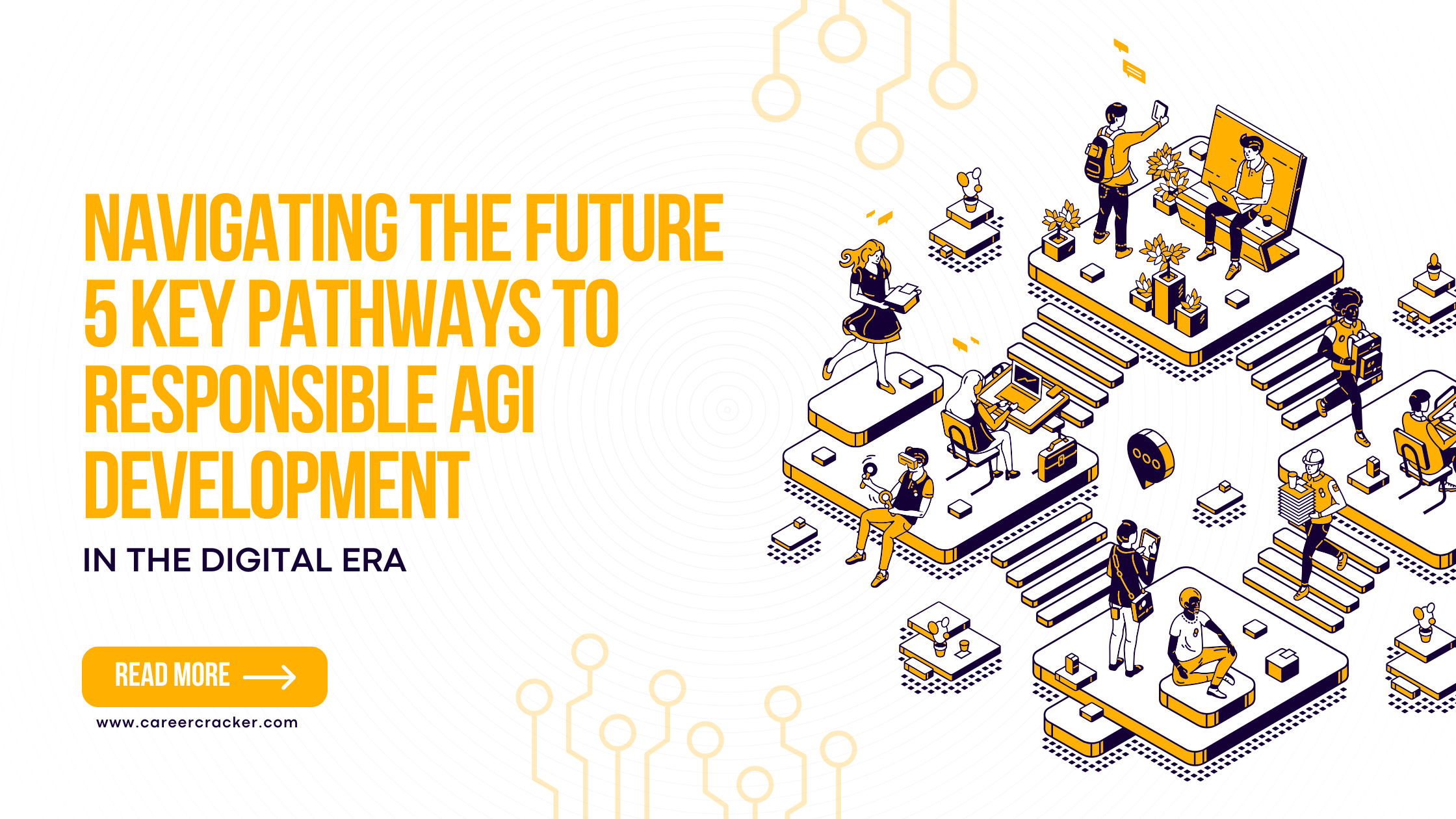
Navigating the Future: 5 Key Pathways to Responsible AGI Development
Introduction Artificial General Intelligence (AGI) represents a revolutionary leap beyond today’s narrow AI systems. Unlike tools like Siri or ChatGPT that excel in specific tasks, AGI aims to replicate human cognitive abilities across domains—reasoning, decision-making, learning, and even moral judgment. This transformative potential brings both promise and peril. As AGI inches closer to reality, it becomes crucial to develop it responsibly, ensuring alignment with societal values, ethical standards, and technological scalability. Understanding AGI and Its Evolution AI exists along a spectrum. At one end is Weak AI—systems that perform narrow tasks with precision, such as recommendation engines or voice assistants. At the other is Artificial Superintelligence (ASI)—hypothetical AI far more intelligent than humans. AGI stands in the middle, a balance of human-like cognition and adaptability. AGI differs from: Weak AI: Task-specific, non-adaptive systems. Human-like AI: Mimics emotions and responses. Human-level AI: Matches our reasoning capabilities. Strong AI: Embodied consciousness. ASI: Beyond-human comprehension and capabilities. Understanding these categories helps frame AGI as the pivotal next step in artificial intelligence. Five Key Pathways to AGI Development Researchers used BERTopic modeling to identify five strategic development pathways for AGI: Societal Pathways: Examines how human-like AGI will be accepted in everyday life, focusing on empathy, trust, and governance. Technological Pathways: Focuses on AI architectures, real-time learning, and task adaptability. Pathways to Explainability: Targets transparency and trust by making AGI decisions understandable. Cognitive and Ethical Pathways: Aligns AGI with moral frameworks and cognitive science. Brain-Inspired Pathways: Leverages neuroscience to make AGI more adaptive and efficient. Societal Integration and Ethical Impacts People tend to trust human-like systems that display empathy and contextual understanding. However, over-reliance on AGI in emotionally sensitive roles (e.g., healthcare, education) can cause ethical concerns. Designers must consider the balance between realism and manipulation. The CASA theory and PESTEL framework suggest regulating AGI with structured oversight and public trust measures. Technological Progress and Real-world Applications Technologies like deep reinforcement learning and large language models (LLMs) are already simulating human-like adaptability. Platforms like Project Malmo train AGI in dynamic environments, mimicking human trial-and-error learning. But these systems come with challenges: Energy consumption Scalability Regulatory gaps We must develop AGI architectures that are both powerful and efficient. Explainability and Trust in AGI Systems AGI must not be a black box. Explainable AI (XAI) tools like SHAP and LIME aim to make decisions interpretable. As AGI enters sectors like finance or medicine, ensuring transparency becomes vital. Reinforcement learning, reward optimization, and logical reasoning are central to AGI’s growth, but their interpretability must evolve in parallel. Cognitive Models and Ethical Reasoning AGI must mimic not only how humans think but also how we decide right from wrong. Cognitive models like LIDA and Global Workspace Theory simulate decision-making, attention, and memory. These are being used to embed moral reasoning into AGI. As AGI assumes greater autonomy, we must ensure it respects privacy, cultural values, and ethical standards globally. Brain-Inspired Systems in AGI Hybrid chips like Tianjic combine traditional and neuromorphic computing. Inspired by human brain structures, these chips enable multitasking, adaptability, and energy-efficient processing. Neuroevolution—AI learning from biological evolution—enhances AGI’s ability to generalize and self-improve. Challenges in AGI Development AGI faces multifaceted challenges: Technical: Cross-domain generalization, computational limits Ethical: Bias, fairness, accountability Legal: Governance, liability Psychological: Human-AI emotional relationships Economic: Job displacement, access inequality Robust frameworks for governance, regulation, and public awareness are urgently needed. Implications for Policy, Practice, and Theory Policy: Develop inclusive, safe, and accountable governance models. Practice: Train workforces, implement transparent systems, and support ethical AI design. Theory: Expand cognitive models and ethical frameworks to guide AGI evolution. AGI must not just be powerful. It must be just, inclusive, and sustainable. Conclusion: Guiding AGI Responsibly As we move from artificial intelligence to artificial general intelligence, the stakes rise dramatically. With vast potential come vast responsibilities. Only by integrating interdisciplinary research, transparent technologies, and ethical foresight can we guide AGI to serve humanity—not replace it. Explore more articles like this on Career Cracker to stay ahead in the evolving tech landscape.
Read More
Smart Strategies to Negotiate a Higher CTC in Any Company
1. 💡 Know Your Worth & Market Trends Research salary benchmarks using sites like Glassdoor, PayScale, LinkedIn, and industry reports to understand typical CTC for your role in your city. Prepare a well-reasoned range: set a target slightly higher than your ideal to allow room for negotiation. 2. 📊 Highlight Your Value Focus on measurable achievements (e.g., “Improved campaign ROI by 30%,” “Managed team of five”). Emphasize unique skills, certifications, major projects, or domain expertise relevant to the role. 3. 🎤 Strategic Timing & Language Bring up compensation at a later stage—ideally after showing commitment and ability—typically after final interview or buffer call. Use collaborative, data-backed phrasing: “Based on market data and my background, I was hoping for a CTC in the range of ₹X–₹Y. Is there flexibility to align closer to the top of that?” 4. 💱 Negotiate Beyond Base Salary Consider Total Rewards: stock options, joining bonus, performance bonus, insurance, work-from-home perks. If base salary is capped, propose revisiting compensation post initial milestone review (e.g., after 6 months). 5. ✅ Set Minimum Acceptable CTC & Be Willing to Walk Away Define your lower bound (baseline) versus your ideal (ambitious) range. If negotiation stalls and offer doesn’t align with your threshold, respectfully decline – it’s a sign of self-awareness. 6. 🤝 Use Active Listening & Maintain Professionalism Show empathy and understanding of the HR’s constraints. Ask clarifying questions like, “Could you help me understand the budget range for this role?” Stay calm, avoid emotional responses if offers fall short, and focus on finding a mutually beneficial solution. 7. 📝 Finalize in Writing Once agreement is reached, request formal confirmation of the agreed CTC and all components (breakdown of salary, bonuses, stock, benefits) before signing. 📋 Sample Negotiation Dialogue You (email/phone/in-person): “Thank you for the offer for the [Role] position. I’m excited about the opportunity. Based on my research and contributions—such as leading the XYZ project that increased efficiency by 20%—I was targeting a CTC of ₹X–₹Y. Would there be scope to adjust the package to align with that range, and potentially include a signing bonus or mid-year review?” HR Response: “We’re currently structured around ₹A–₹B. A signing bonus or early review is possible.” You: “That sounds fair. If we can align closer to ₹Y with a 6-month performance review and potential signing bonus, I’d be thrilled to proceed. Can we detail that in writing?” ⚠️ Common Mistakes to Avoid Not doing your homework on market rates. Revealing your bottom line too early. Lacking flexibility—ignore alternatives like perks, sign-on bonus. Letting emotions or arrogance derail the conversation. 🧱 Final Takeaways To negotiate your CTC effectively, start by doing solid market research so you understand what someone with your experience and skills typically earns in your industry. Be prepared to back up your expectations with quantifiable resultsfrom your previous roles—specific numbers and achievements help justify your ask. Maintain a flexible and collaborative attitude during discussions. Avoid being rigid; be open to alternatives like signing bonuses, performance-linked pay, or early review cycles. Always know your threshold—the minimum CTC you're willing to accept—and don’t be afraid to walk away if an offer doesn’t meet your baseline. Finally, ensure that everything you agree upon is documented in writing to avoid confusion later on. Approach the negotiation process with confidence, data, and professionalism. You're not just asking for more money—you're demonstrating the value you bring to the organization. Approach your HR discussions with confidence, data, and empathy. You’re not just seeking more pay—you’re articulating your value, aligning expectations, and building a strong foundation for your future.
Read More
30 Most Commonly Asked Power BI Interview Questions
1. What is Power BI and why is it used? Power BI is a Business Intelligence tool by Microsoft used for data visualization, reporting, and analytics. It helps users connect to various data sources, transform data, and create interactive dashboards and reports to support data-driven decision-making. 2. What are the main components of Power BI? Power BI Desktop – Windows-based app to create reports. Power BI Service – Cloud-based platform to publish, share, and collaborate on reports. Power BI Mobile – App to view reports on smartphones. Power BI Gateway – Connects on-premises data to cloud services. Power BI Report Server – On-premises server to publish reports. Power BI Embedded – Integrate reports in custom applications. 3. What is Power BI Desktop vs Power BI Service? Power BI Desktop is a free Windows application used to build data models and reports. Power BI Service (app.powerbi.com) is a cloud service to publish, share, and collaborate on reports with others. 4. What is a Dashboard in Power BI? How is it different from a Report? A Dashboard is a single-page view with visualizations from multiple reports and datasets. A Report can have multiple pages and is tied to a single dataset. Dashboards are ideal for monitoring KPIs at a glance, while reports offer in-depth exploration. 5. What is DAX in Power BI? DAX (Data Analysis Expressions) is a formula language used in Power BI to create custom calculations, such as: Calculated columns Measures Tables Example: SUM(Sales[Amount]), CALCULATE(SUM(Sales[Amount]), Region = "West") 6. What are Filters in Power BI? Types of filters? Filters restrict what data is visible in reports: Visual-level filters – Apply to a single visual Page-level filters – Apply to all visuals on a page Report-level filters – Apply to all pages in the report Drillthrough and cross filters – Interactive filtering based on other visuals 7. How do you import data in Power BI? In Power BI Desktop: Click “Get Data” Choose a data source (Excel, SQL, Web, etc.) Load or transform data using Power Query Save as .pbix file 8. Which data sources are supported in Power BI? Power BI supports 100+ sources: Files: Excel, CSV, XML, JSON Databases: SQL Server, Oracle, PostgreSQL, MySQL Cloud: Azure, Salesforce, SharePoint, Google Analytics Web APIs: REST APIs and OData feeds 9. What is the Query Editor in Power BI? Query Editor (Power Query) is used for ETL: Extract: Load data from source Transform: Clean, shape, filter, split, merge, pivot, etc. Load: Push clean data to Power BI model 10. What are measures and calculated columns in DAX? Calculated Columns: Stored in the table; calculated row-by-row. Example: Profit = Sales[Revenue] - Sales[Cost] Measures: Calculated at query time; used in visuals and summaries. Example: TotalSales = SUM(Sales[Amount]) 11. Explain the difference between DirectQuery and Import mode. Import Mode: Data is imported into Power BI and stored in-memory. Fast performance but not real-time. DirectQuery Mode: Data stays in the source; queries are run in real-time. Useful for live dashboards but slower and limited in DAX/modeling. 12. How do you handle relationships between tables in Power BI? You define relationships in Model view using: Primary and foreign keys Cardinality (One-to-one, one-to-many, many-to-many) Cross filter direction (Single or Both) Proper relationships ensure accurate joins and aggregations. 13. What are slicers and how are they different from filters? Slicers: Visual controls for end-users to filter data on the canvas (e.g., dropdown or list format). Filters: Can be visual, page, or report-level and are set by the report author. Slicers are more user-friendly and interactive. 14. What is the difference between a star schema and a snowflake schema in Power BI modeling? Star Schema: Fact table linked directly to denormalized dimension tables. Snowflake Schema: Dimension tables are normalized (i.e., contain sub-dimensions). Star schema is preferred in Power BI for simplicity and performance. 15. How do you optimize Power BI report performance? Use Import mode when possible Reduce columns and rows Use measures instead of calculated columns Avoid complex DAX in visuals Optimize relationships and cardinality Use aggregation tables and summary views 16. What are bookmarks in Power BI? How are they used? Bookmarks capture the current state of a report page (filters, visuals, etc.) and allow users to: Create custom navigation Show different views of the same report Enable storytelling and interactivity 17. What is Row-Level Security (RLS)? How do you implement it? RLS restricts data access for users based on filters: Define roles in Model view Use DAX filters (e.g., [Region] = USERNAME()) Assign roles in Power BI Service This ensures users only see data relevant to them. 18. What are KPIs in Power BI and how do you use them? KPIs (Key Performance Indicators) visualize performance against a target. You need: base measure, target measure, and status logic KPI visuals show trends, status (green/yellow/red), and direction 19. What is the purpose of the CALCULATE function in DAX? CALCULATE modifies the filter context of a measure. Example: DAX CopyEdit SalesWest = CALCULATE(SUM(Sales[Amount]), Region = "West") It is essential for conditional aggregations, time intelligence, and dynamic filtering. 20. How do you schedule data refresh in Power BI Service? Publish your report to Power BI Service Go to Settings > Dataset > Scheduled Refresh Set frequency (daily/hourly) Use a gateway if data is on-premises You can also trigger refresh via REST API or Power Automate. 21. How do you handle large datasets and performance tuning in Power BI? Use Import mode over DirectQuery when possible Apply data reduction (remove unused columns and rows) Optimize DAX expressions (avoid nested IF, FILTER, EARLIER unless necessary) Use star schema and avoid many-to-many relationships Enable aggregation tables for summary-level performance Use incremental refresh to avoid full data loads 22. What is Composite Model in Power BI? Composite models allow mixing: Import and DirectQuery sources in the same report Multiple DirectQuery sources This enables flexibility in handling real-time + historical data and better data modeling scenarios. 23. What are Aggregations in Power BI? Aggregations are precomputed summary tables used to: Improve performance of large datasets Respond faster to queries by directing users to aggregate tables Example: Instead of querying 100 million rows, use an aggregated table with weekly summaries. 24. Explain the use of ALL, ALLEXCEPT, and ALLSELECTED in DAX. ALL: Removes all filters from a column or table. Example: CALCULATE(SUM(Sales[Amount]), ALL(Sales)) ALLEXCEPT: Removes all filters except for specified columns. Example: ALLEXCEPT(Sales, Sales[Region]) ALLSELECTED: Keeps only filters applied via slicers or visuals. Useful for dynamic visual interactions. 25. How does Power BI integrate with Azure services or SQL Server Analysis Services (SSAS)? Connects to Azure SQL, Azure Synapse, Azure Blob, Azure Analysis Services, etc. Use DirectQuery or Live Connection for real-time analysis Can deploy Power BI datasets to Azure Fabric (Data Warehouse + Lakehouse) Uses Azure AD for authentication and security 26. What are some best practices to follow when designing Power BI reports? Power BI report design best practices focus on performance, usability, and aesthetics: 🔹 Data Modeling: Use a star schema instead of snowflake Avoid many-to-many relationships unless necessary Use measures over calculated columns to reduce memory usage 🔹 Performance: Remove unnecessary columns and rows from your dataset Use Import mode for better speed (unless real-time is essential) Optimize DAX calculations and avoid complex nested functions 🔹 Usability: Use tooltips, titles, and labels for clarity Use slicers and filters for interactivity Avoid overcrowding visuals; use drill-through pages when needed 🔹 Visual Design: Maintain consistent colors, fonts, and layout Use KPIs and cards to highlight key numbers Arrange visuals in logical flow (left-to-right or top-down) 🔹 Governance: Use Power BI Dataflows for standardized transformations Apply Row-Level Security (RLS) to protect sensitive data Set up scheduled refresh and monitor refresh history 27. How do you handle incremental refresh in Power BI? Enable Incremental Refresh in Power BI Desktop (Premium/Pro workspace) Define RangeStart and RangeEnd parameters Filter your table based on these parameters Publish to Power BI Service and schedule refresh Helps improve performance by refreshing only new/changed data. 28. Can Power BI be used for real-time data monitoring? How? Yes. Use: Streaming datasets Push datasets (via REST API or Power Automate) Azure Stream Analytics with Power BI as output Used for dashboards that update in near real-time (e.g., IoT, ticketing systems). 29. What are Power BI Dataflows and how are they different from Datasets? Dataflows: Reusable, cloud-based ETL logic using Power Query online; stores data in Azure Data Lake. Datasets: In-memory model loaded into Power BI; used for visuals. Dataflows enable data reuse across reports, improve governance, and centralize transformations. 30. Have you used Power BI REST API? If yes, what are the use cases? Yes, REST API is used to: Automate dataset refresh Upload .pbix files Retrieve workspace/report info Embed reports in applications Trigger real-time data pushes Use cases include DevOps integration, report lifecycle management, and custom dashboards.
Read More
How Power BI is Revolutionizing Data Analysis Across Industries
In today’s data-centric landscape, organizations are inundated with information but often struggle to extract actionable insights. That’s where Power BI, Microsoft’s robust business intelligence platform, is making a significant impact. With its user-friendly interface, seamless data integration, and real-time analytics, Power BI has emerged as the preferred solution for businesses across all industries. What is Power BI? Power BI is a comprehensive suite of analytics tools developed by Microsoft. It empowers users to connect to diverse data sources, create rich visualizations, and share insights across the organization. Key features include: Real-time dashboards Interactive reports Custom data connectors AI-driven data modeling Integration with Excel, Azure, SQL, and other Microsoft services Let’s explore how Power BI is transforming operations across sectors and why it’s becoming a critical asset for organizations. 1. Healthcare: Enhancing Patient Outcomes In healthcare, fast and accurate data insights can be life-saving. Power BI helps healthcare providers: Track patient admissions, discharges, and readmissions Monitor staff productivity and resource use Evaluate treatment effectiveness Visualize KPIs such as bed occupancy, wait times, and critical cases Example: A hospital network uses Power BI to monitor ER wait times in real-time across locations, allowing better staff allocation and reduced patient wait times. 2. Finance & Banking: Strengthening Risk and Compliance Power BI simplifies complex financial data and enables financial institutions to: Visualize up-to-date financial statements Monitor cash flow, revenue, and expenses Detect anomalies to prevent fraud Ensure compliance with regulatory standards Example: A major bank integrates Power BI with its fraud detection systems to visualize suspicious transaction patterns, reducing fraud identification time by 40%. 3. Retail & E-commerce: Boosting Customer Insights Retailers depend on data to drive decisions. Power BI supports them in: Analyzing customer buying behaviors Managing inventory and supply chains efficiently Forecasting demand and sales trends Measuring the success of marketing campaigns Example: An e-commerce leader uses Power BI to study cart abandonment by device type, optimizing the mobile checkout experience based on the insights. 4. Manufacturing: Driving Efficiency and Uptime Manufacturers rely on operational data from machines and systems. Power BI helps to: Track machine health and predict maintenance Assess production performance and identify delays Analyze logistics and supply chain metrics Compare defect rates across facilities Example: A manufacturing company integrates IoT data with Power BI to flag abnormal production rates, helping avoid downtime with early alerts. 5. Education: Supporting Data-Driven Learning Educational institutions use Power BI to: Monitor student performance and engagement levels Track dropout rates and assess interventions Evaluate faculty performance and scheduling efficiency Analyze teaching method effectiveness Example: A university uses Power BI to evaluate online course success by combining feedback, attendance, and grades across departments. 6. Marketing & Advertising: Optimizing Campaigns For marketers, Power BI delivers clarity and precision. It enables: Real-time ROI tracking across marketing channels Performance monitoring of live campaigns Large-scale A/B testing analysis Customer journey and conversion tracking Example: A digital agency creates customized Power BI dashboards for each client, pulling data from platforms like Google Ads, Facebook, and HubSpot. 7. Human Resources: Managing Workforce Smarter HR departments are embracing Power BI to: Monitor employee engagement and KPIs Analyze hiring funnel efficiency and trends Track diversity, attrition, and training results Build strategic workforce planning dashboards Example: A multinational organization consolidates recruitment data across regions using Power BI to highlight the most successful hiring strategies. Why Power BI Leads the BI Market Here’s what sets Power BI apart: Ease of Use: No coding needed for basic dashboards Scalability: Suitable for startups to enterprises Real-Time Refresh: Instant data updates and alerts AI-Powered: Features like natural language Q&A and predictive models Microsoft Ecosystem: Seamless with Excel, Teams, SharePoint, Azure, and more The Future of Power BI As AI, machine learning, and big data evolve, Power BI is becoming a central analytics platform. With advancements like Power BI Copilot and integration into Microsoft Fabric, the tool continues to redefine how decisions are made. Conclusion Power BI has moved beyond simple visualization—it’s now a strategic pillar of digital transformation. From healthcare to finance, from education to marketing, Power BI empowers organizations to turn raw data into meaningful, actionable insights. For anyone aiming to build a future in analytics or upskill a data team, learning Power BI isn’t just a bonus—it’s a necessity.
Read More
GitHub Database Outage – November 27, 2020
Incident Overview On November 27, 2020, GitHub — the world’s largest code repository and DevOps platform — experienced a major service outage that lasted over 14 hours. For millions of developers, software builds stalled, pull requests were blocked, and CI/CD pipelines failed. At the heart of the failure was a database storage capacity issue, which led to performance degradation and eventual unavailability of several core services. Timeline of the Incident Time (UTC) Event 15:45 UTC GitHub monitoring detects latency in the mysql1 cluster for GitHub Actions. 16:10 UTC Elevated error rates in GitHub Actions workflows and webhooks reported. 17:30 UTC Multiple services impacted — Pull Requests, GitHub Actions, and Webhooks. 21:00 UTC Mitigation attempts begin: throttling, replication tuning, and offloading reads. 02:15 UTC (Next day) Recovery operations start restoring functionality. 05:30 UTC Services fully restored; RCA initiated. Technical Breakdown Root Cause: Database Storage Exhaustion GitHub’s internal infrastructure relies heavily on MySQL clusters with distributed storage and replication. On this day, a critical mysql1 storage node reached 95%+ disk utilization — far exceeding safe thresholds. What Went Wrong Technically? Replication Lag: Write-heavy loads triggered increased replication delays between the master and replicas. Lock Contention: High disk I/O and lag caused InnoDB locks, leading to blocked queries and timeouts. GitHub Actions Queues: Task runners for CI/CD workflows got backed up, resulting in failed or delayed actions. Monitoring Blind Spot: Alerting thresholds for storage and replication lag were set too leniently, delaying escalation. Incident Management Breakdown Detection Alerting from Prometheus and Grafana dashboards flagged replication lag in the mysql1 cluster. User complaints and Twitter reports about GitHub Actions failures reinforced the internal indicators. Triage Incident declared SEV-1 by GitHub's Site Reliability Engineering (SRE) team. Database teams, CI/CD pipeline owners, and the Platform Infrastructure group joined the bridge. Initial focus was isolating whether the issue was localized to one cluster or cascading across services. Investigation Engineers found that the primary storage node of mysql1 was nearing disk exhaustion, causing IO waits and deadlocks. Concurrent background jobs and backup operations worsened IOPS saturation. Job queues (for GitHub Actions, webhooks) piled up due to failed writes and slow query responses. Mitigation & Recovery Read traffic rerouted to healthier replicas. Automated jobs paused to reduce write traffic. Cold storage offloading for old logs and backup files started to free disk space. Live replication rebalancing done to shift workload off impacted nodes. Services were gradually restored after enough performance headroom was achieved. Closure GitHub issued a transparent and detailed post-incident report the next day. Action items included improved storage alerting, automation in failover decisions, and better isolation of GitHub Actions from backend bottlenecks. Business & Developer Impact Services Affected: GitHub Actions, Pull Requests, Webhooks, API usage. User Impact: Failed CI builds, blocked PR merges, delayed deployments across major enterprises. Enterprise Effect: Multiple DevOps teams missed release windows due to failed builds. Lessons for Incident Managers & SREs Always Monitor Disk Utilization Trends Storage capacity needs forecasting models, not just threshold alerts. GitHub’s incident emphasized predictive alertsinstead of reactive ones. Build Decoupled Systems GitHub Actions was too tightly coupled with the core MySQL cluster. A queueing buffer with retry mechanisms could’ve prevented build failures. Automate Recovery Playbooks Manual rerouting and read-shifting cost GitHub hours. Having automated failover and replica scaling policies would have shortened MTTR. Test Storage Failure Scenarios Include storage IOPS starvation in chaos testing to see how services degrade and recover — a known blind spot in many DR drills. GitHub's Post-Outage Improvements Increased early-warning alert thresholds for disk usage and replication lag. Introduced automated offloading systems for stale data to secondary storage. Separated GitHub Actions infrastructure to run on dedicated clusters. Enhanced incident drill documentation with specific DB-recovery SOPs. Career Cracker Insight This incident teaches an essential truth: the best engineers are not those who prevent all problems — but those who know how to lead when systems collapse. Want to lead major bridges and talk like a pro to DBAs, SREs, and product heads? Join our Service Transition & Operations Management Program — backed by real-world incidents and hands-on case studies. Free demo + 100% placement guarantee. Pay after you’re hired!
Read More
Cloudflare Outage – June 21, 2022
Incident Overview On June 21, 2022, a major outage at Cloudflare — one of the largest CDN (Content Delivery Network) and internet security providers — knocked out access to dozens of popular websites like Shopify, Discord, Canva, Feedly, and NordVPN. For nearly 90 minutes, users around the world saw 500 Internal Server Errors, unable to access essential services. At the core of this chaos? A botched network configuration during a data center migration — proving once again how fragile and interconnected the web truly is. Timeline of the Incident Time (UTC) Event 06:27 UTC Cloudflare begins deploying configuration changes to migrate network traffic. 06:58 UTC 500 errors start surfacing across multiple global regions. 07:13 UTC Engineers detect high CPU usage in core routers and service instability. 07:34 UTC Incident declared SEV-1; global mitigation begins. 08:20 UTC Configuration rolled back; services begin restoring. 08:50 UTC Full recovery confirmed; Post-Incident Review initiated. Technical Breakdown What Went Wrong? Cloudflare was performing a planned migration of core traffic away from legacy data centers to a new, more performant architecture known as "Multi-Colo PoP" (MCP). As part of this migration, a configuration change was applied to the BGP routing and firewall policy inside multiple data centers. This change inadvertently rerouted too much traffic through limited CPU resources, overwhelming the core routing infrastructure. Specific Technical Issues Improper CPU Pinning: The change unintentionally allowed BGP and firewall rules to consume CPU cycles meant for HTTP/HTTPS routing. Spillover Effect: Overloaded CPUs delayed or dropped requests, leading to 500 Internal Server Errors. Looped Traffic: In some edge locations, misconfigured policies caused routing loops, amplifying network congestion. Incident Management Breakdown Detection Internal metrics from Cloudflare Radar and Prometheus showed sudden drops in throughput and spiking latencies. External platforms like ThousandEyes and Downdetector confirmed worldwide access failures. Synthetic traffic monitors began failing health checks in >19 data centers simultaneously. Initial Triage SEV-1 declared and all regional SRE and network engineering teams pulled into a bridge. Engineers quickly narrowed the issue to new BGP policies and firewall behaviors rolled out as part of the migration. Incident command switched to regional isolation mode — rerouting critical internal tools away from affected PoPs. Root Cause Identification Review of the Git-based configuration deployment history pinpointed a problematic change to policy configuration files affecting CPU allocation. Packet inspection and system logs confirmed the routing table was being excessively queried, causing CPU starvation in key edge routers. Mitigation & Recovery Engineers performed a phased rollback of the configuration across all affected data centers. Temporary CPU throttling and traffic shedding were introduced in hotspots to stabilize service during rollback. After rollback, internal routing tables rebalanced and latency normalized across all endpoints. Closure Full restoration confirmed by 08:50 UTC. Cloudflare published a highly detailed post-incident analysis, including BGP map snapshots, CPU metrics, and architectural diagrams. Internal reviews triggered reforms in change management workflows and staged deployment strategies. Business Impact Websites Affected: Discord, Canva, Shopify, NordVPN, Feedly, Crypto.com, and hundreds more. Services Disrupted: CDN delivery, DNS resolution, API gateways, and WAF (Web Application Firewall) protection. Customer Impact: Lost transactions, service reputation issues, and user frustration across industries. Downtime Duration: ~1 hour 23 minutes (varied by region). Lessons Learned (for IT Professionals) Treat Network Configs Like Code Network engineers must follow version control, code reviews, and test pipelines — the same way developers treat application code. Simulate Edge Failures Cloudflare's incident revealed the need to simulate extreme edge behaviors, especially during multi-data center migrations. Protect the Control Plane Critical infrastructure (like the routing control plane) must have reserved CPU, memory, and process isolation to ensure it doesn't get starved during routing storms. Use Staged Deployments High-risk changes should follow a canary-first rollout model — test in a few regions, monitor impacts, then expand incrementally. Build Real-Time Communication Pipelines Cloudflare’s real-time updates and technical transparency during and after the incident were praised — a blueprint for effective stakeholder trust-building. Cloudflare's Post-Outage Improvements Introduced dynamic CPU pinning to isolate routing logic. Developed pre-deployment impact simulators for firewall + BGP changes. Reorganized change deployment workflow into wave-based rollouts with auto-abort triggers. Updated runbook dependency maps to include hardware-level failover details. Career Cracker Insight Whether it’s DNS, BGP, or config deployment — incident response is where leaders are made. You don't have to know everything, but you need to bring calm, structure, and action to chaos. Our Service Transition & Operations Management Course teaches you how to: Lead bridge calls under pressure. Coordinate across infrastructure, networking, and cloud teams. Perform root cause analysis and document RCAs like top tech firms. Book your spot today — 100% placement assurance. Pay after you’re hired.
Read More
Slack Outage – January 4, 2021
“When Slack Went Silent: A Collaboration Breakdown on the First Workday of 2021” Incident Overview On January 4, 2021, Slack experienced a major global outage that left millions of remote workers stranded without their primary communication tool. The timing was particularly critical — it was the first workday of the new yearafter the holiday break. Organizations worldwide found themselves unable to send messages, join calls, or share files. Slack’s response to the incident and their transparent postmortem made it a benchmark case in real-time incident communication and cloud dependency challenges. Timeline of the Incident Time (UTC) Event ~15:00 UTC Users begin reporting errors in loading Slack and sending messages. 15:10 UTC Slack acknowledges issue on status page – “Users may have trouble loading channels or connecting.” 15:30 UTC Escalated to SEV-1 internally; engineering teams begin root cause investigation. 17:00 UTC Partial restoration of services begins. 19:30 UTC Most features recovered; root cause under analysis. 23:00 UTC Full service restoration; Post-Incident Review in progress. Technical Breakdown What Went Wrong? Slack's backend services are hosted primarily on Amazon Web Services (AWS). On January 4, there was an unexpected surge in user traffic as global teams resumed work, leading to overload and cascading failures in backend services. Specific Technical Issues: Database Connection Saturation: Slack’s core services, including messaging and file storage, rely on PostgreSQL clusters. A sharp spike in connections exhausted available pool sizes. Job Queue Bottlenecks: Background workers using Apache Kafka and Redis queues began to back up as retry mechanisms kicked in. Load Balancer Timeout Failures: Some internal services behind HAProxy load balancers couldn’t maintain health checks under load. Slack’s system design included autoscaling, but the incident revealed gaps in threshold configurations and fallback procedures. Incident Management Breakdown Detection Internal monitoring via Datadog and New Relic showed increased latencies and dropped connections. Simultaneous user reports flooded social media and Slack’s own status portal. Initial Triage Slack activated a SEV-1 incident within 15 minutes. On-call SREs, database engineers, and infrastructure teams were pulled into the bridge call. Communication shifted to external tools (Zoom, mobile phones) due to partial outages in internal Slack-based runbooks. Investigation Load metrics pointed to database overload, exacerbated by retry storms from dependent services. Engineers isolated the high-load services and began scaling out PostgreSQL and Redis instances. Rate-limiting was temporarily introduced on some non-critical API endpoints to reduce load. Mitigation & Recovery Engineers increased the maximum number of DB connections and spun up more compute nodes. Auto-healing processes for Kafka queues were manually triggered to drain backlog. Gradual restoration was performed to avoid overwhelming the freshly scaled infrastructure. Closure Slack published a full Post-Incident Report with diagrams, impact timelines, and actions taken. The PIR included acknowledgments of architectural limitations and a 30-day improvement roadmap. Business Impact Users Affected: Millions globally — including entire remote-first companies. Services Disrupted: Messaging, Slack Calls, file uploads, workflow automation, and notifications. Enterprise Impact: Communication blackouts for engineering, customer support, HR onboarding, and operations teams. Trust Impact: Social media buzz and public criticism, though mitigated by Slack’s excellent real-time communication. Lessons Learned (for IT Professionals) Scale Testing The incident revealed the importance of load testing systems after holidays and during known high-load periods. Auto-Scaling Fine-Tuning Autoscaling isn’t enough — thresholds, prewarm logic, and cascading service limits need continuous tuning. Real-Time Communication Slack’s transparency on status.slack.com and Twitter updates were industry-standard — showing how trust is earned during outages. Resilient Runbooks Incident runbooks must be accessible even when internal tools (like Slack itself) are down. Cross-Team Drills Regular incident simulations (game days) involving DBAs, SREs, app teams, and executives can reduce chaos during real SEVs. Slack’s Post-Outage Improvements Expanded connection pools and burst capacity in PostgreSQL clusters. Upgraded job processing infrastructure with fail-safe mechanisms for retry storms. Introduced pre-scaling logic based on calendar and historical usage data. Improved real-time analytics dashboards to give SREs faster visibility. Career Cracker Insight The Slack outage was not about downtime — it was about response. As a future Major Incident Manager or SRE, your job isn’t just to fix — it’s to lead, communicate, and learn fast. At Career Cracker, our Service Transition & Operations Management Course prepares you for such high-pressure roles — from real-time troubleshooting to RCA documentation and stakeholder handling. Want to be the voice of calm during a global outage? Book a free session today – Pay only after placement!
Read More
Microsoft Azure DNS Outage – April 1, 2021
“When Azure’s DNS Went Dark: Lessons from a Global Cloud Disruption” Incident Overview On April 1, 2021, Microsoft Azure experienced a massive global outage that affected key services such as Microsoft 365, Teams, Xbox Live, and Dynamics 365. The cause? A misconfiguration in Azure’s DNS (Domain Name System) infrastructure, which made it impossible for users and services to resolve domain names — effectively cutting them off from Microsoft’s cloud environment. This outage lasted almost 90 minutes, but its ripple effects impacted millions of users and enterprise systems worldwide. Timeline of the Incident Time (UTC) Event ~21:30 UTC Microsoft deploys a planned configuration change to its DNS servers. 21:41 UTC DNS query errors begin to spike globally. 21:50 UTC Microsoft declares a global DNS service disruption. 22:25 UTC Rollback initiated after identifying the configuration error. 23:00 UTC DNS services begin stabilizing globally. 00:00 UTC+1 Full recovery achieved; Post-Incident Review initiated. Technical Breakdown What is DNS? DNS acts as the “phonebook” of the internet, translating human-readable domain names (like azure.com) into IP addresses. What Went Wrong? A planned configuration change to Azure’s DNS infrastructure introduced an error that prevented the DNS services from handling incoming queries. Microsoft uses a system called Azure Front Door and Azure Traffic Manager, which rely on DNS heavily for routing traffic and load balancing. When the DNS backbone failed, all dependent services — including Microsoft 365, Teams, and Xbox — became unreachable. Why Rollback Failed Initially The DNS issue blocked internal tools as well. Microsoft’s recovery systems — which also rely on Azure DNS — were partially impacted, delaying the execution of the rollback. Incident Management Breakdown Detection Monitoring tools like Azure Monitor and Application Insights flagged rising DNS query failure rates. Third-party sites like DownDetector and ThousandEyes confirmed global DNS failures within minutes. Initial Triage Incident response teams invoked a high-severity incident (SEV-0). Access to internal dashboards and command-line tooling was slowed down due to DNS dependency. Root Cause Identification Engineers isolated the issue to a specific configuration file pushed to DNS servers. The file contained logic that blocked recursive resolution of DNS queries, affecting both external users and internal services. Mitigation Engineers began rolling back the DNS configuration to the last known good state. Recovery was gradual, as DNS caching at ISPs and recursive resolvers introduced propagation delays. Closure Microsoft issued a Root Cause Analysis (RCA) on April 2. Several internal improvements were proposed (see below). Business Impact Services Affected: Microsoft 365, Outlook, Teams, Azure Portal, Dynamics 365, Xbox Live. User Impact: Global user login failures, email service disruptions, and broken cloud-hosted applications. Enterprise Disruption: CI/CD pipelines failed, Teams meetings were canceled, cloud infrastructure deployment stalled. Learnings & Improvements Change Validation Microsoft enhanced pre-deployment testing for DNS configurations using simulated environments to catch syntax/logic issues earlier. Resilience in Tooling Recovery tooling was migrated to independent infrastructure not reliant on Azure DNS. Change Control A staged rollout model was introduced for DNS changes — using canary deployments and automatic rollback triggers on anomaly detection. Incident Communication Microsoft enhanced Azure Status Page integrations to provide real-time updates even when core services fail. Lessons for Aspiring IT Professionals Use Change Advisory Boards (CABs) All high-impact DNS or infrastructure-level changes must be reviewed by CABs with rollback simulations discussed upfront. Communicate Like a Pro A major part of incident management is real-time communication with stakeholders. Azure users appreciated Microsoft’s detailed RCA — this builds trust. Segregate Control Planes Tools used to fix outages should not depend on the same infrastructure they’re trying to fix. Learn to architect out-of-band management paths. Build an Incident Response Culture Run chaos engineering drills and create role-based incident response playbooks that cover detection, triage, escalation, resolution, and PIR. Career Cracker Insight Outages like this prove that Incident Management isn't just about fixing what’s broken — it's about leading during chaos. Our Service Transition & Operations Management course teach you how to think, lead, and act when everything is on fire. Want to lead incident bridges at companies like Microsoft or AWS? Book your Career Cracker demo session now. Pay after placement.
Read More
The Great Facebook Outage – October 4, 2021
“How a Routine Network Change Brought Down Facebook, WhatsApp & Instagram for 6 Hours” Incident Overview On October 4, 2021, billions of users around the world were abruptly cut off from their favorite social platforms — Facebook, WhatsApp, and Instagram — for more than six hours. The incident highlighted the vulnerabilities in large-scale, centralized infrastructures, and how even a minor configuration error can snowball into a global digital blackout. Timeline of the Incident Time (UTC) Event ~15:30 UTC Network configuration change initiated by Facebook’s internal engineering team. ~15:40 UTC Facebook’s DNS servers became unreachable; all domains began failing. 16:00–18:00 UTC Facebook teams locked out of internal systems, including ID badges, internal dashboards, and tools. 18:00–21:30 UTC Physical data center access initiated to manually restore BGP/DNS services. ~21:45 UTC Gradual restoration of services begins. 22:30 UTC Major services back online; full recovery over next few hours. What Went Wrong? (Technical Breakdown) 1. BGP Route Withdrawal Facebook engineers issued a routine command intended to withdraw unused backbone routes from its Border Gateway Protocol (BGP) routers. BGP is the protocol that tells the internet how to reach specific IPs. The command accidentally removed all BGP routes to Facebook’s DNS servers. 2. DNS Servers Became Inaccessible With no routes to Facebook’s DNS servers, any device trying to reach facebook.com, instagram.com, or whatsapp.com couldn't resolve their IPs — effectively making Facebook vanish from the internet. 3. Internal System Lockout Since Facebook uses the same infrastructure for internal tools (login, remote access, communications), engineers couldn’t access systems remotely and had to physically go into data centers. Incident Management Perspective Detection External monitoring tools (like ThousandEyes, DownDetector) and social media flagged outages within minutes. Internal monitoring failed to escalate effectively due to the outage disabling internal alerting systems. Initial Triage Facebook’s incident command team was formed but could not communicate through their internal messaging systems (Workplace). Engineers began using personal emails and alternative platforms (e.g., Zoom, Signal). Investigation The outage was traced to missing BGP routes — a result of a recent configuration change. Confirmed by internal teams and third-party global internet monitors. Mitigation & Recovery Facebook engineers were dispatched to physical data centers to manually reset configurations. Routes were reintroduced to BGP, DNS servers became accessible, and traffic was restored incrementally. Closure A full Post-Incident Review (PIR) was conducted internally. The PIR emphasized the need for fail-safe access, out-of-band management, and segregated tooling for critical systems. Business Impact Estimated Loss: ~$100M in ad revenue and business operations. Stock Price Dip: Nearly 5% drop in FB shares within 24 hours. Brand Trust: Millions of users lost faith in Facebook’s reliability. Employee Productivity: Internal tools were down; employee access was restricted. Key Takeaways for IT Professionals 1. Redundancy in Monitoring Implement third-party external monitoring to detect issues when internal tools go offline. 2. Out-of-Band Management Maintain emergency remote access paths (e.g., VPN-less SSH, satellite phones) for critical configuration rollbacks. 3. Change Management Governance Adopt stricter change approval workflows and real-time impact analysis before pushing config changes to production. 4. Documentation & Role Clarity Ensure disaster recovery runbooks are accessible offline, and responsibilities are clear across the incident response team. 5. Communication Resilience Use segregated, independent communication tools to coordinate during a company-wide internal outage. Why It Matters This wasn’t a cyberattack. It was a human error in a network update that cascaded due to the highly centralized nature of Facebook’s infrastructure. It proves that technical issues, when not accompanied by a well-practiced incident management process, can become business disasters. At Career Cracker, we train professionals to not only detect and resolve incidents but to lead during chaos — from triage to communication to RCA. Learn to manage major incidents like a pro. Enroll in our Service Transition & Operations Management course – Pay only after placement! Book a demo session today!
Read More
The CrowdStrike-Microsoft Outage: A Wake-Up Call for IT Resilience
Author: Career Cracker On July 19, 2024, a seemingly routine security update from CrowdStrike spiraled into one of the most impactful global IT outages in recent memory, crippling access to major Microsoft services such as Azure, Microsoft 365, Teams, and Exchange Online. This incident didn’t just affect tech giants — it disrupted global operations across airlines, financial institutions, hospitals, and more. What Exactly Happened? CrowdStrike released a Rapid Response Content update for its Falcon security platform — designed to enhance threat detection. Unfortunately, a flaw in the update triggered a critical misconfiguration in Microsoft’s Azure Active Directory (Azure AD). This caused widespread authentication failures, locking users out of their systems and displaying the dreaded Blue Screen of Death (BSOD) on Windows machines. A single misconfigured file brought down countless systems across the globe. Outage Timeline 04:09 UTC: Faulty update released. Immediately after: Authentication errors and BSOD reports flood in. Within hours: Microsoft identifies the misconfiguration in Azure AD. 05:27 UTC: Faulty update is rolled back by CrowdStrike. Next 24 hours: Services are gradually restored. Who Was Affected? Industries: Financial services, healthcare, manufacturing, logistics. Major Companies: Delta Airlines, American Airlines, United Airlines reported delays. Impact: Inaccessible emails, broken collaboration tools, delayed transactions, and interrupted patient care. This event showcased how interconnected modern IT environments are, and how a single point of failure can cascade into a global crisis. Understanding the Technical Cause Azure Active Directory (Azure AD): Microsoft’s cloud-based identity management service, used to authenticate users across Microsoft services. CrowdStrike Falcon: A cybersecurity platform that protects endpoints using AI-driven detection. The Flaw: A faulty InterProcessCommunication (IPC) Template Instance in CrowdStrike’s update triggered a memory exception, crashing Windows systems. Lessons for the IT World 1. Complexity & Interdependence Modern cloud environments are deeply connected. One faulty component — even a security update — can disrupt the entire chain. 2. Proactive Monitoring Continuous health checks and performance monitoring can help identify issues before they go global. 3. Robust Incident Response Your incident management plan must cover misconfigurations, third-party risks, and rollback procedures. 4. Security Testing Every software update must undergo stress testing, fault injection, and rollback simulations — especially Rapid Response Content that bypasses full QA cycles. 5. Business Continuity Planning Ensure that backups, DR environments, and manual workarounds are ready to deploy when digital tools fail. What’s Next from CrowdStrike? Improved content validation in Rapid Response updates. Staggered deployments starting with canary testing. Enhanced exception handling on the sensor side. Greater transparency and control for customers over update rollouts. CrowdStrike has committed to releasing a full Root Cause Analysis (RCA) to drive transparency and accountability.
Read MoreHiring Partners